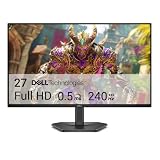
🛒 Best Price Today on Amazon
Prime members get fast, free shipping on everything above, plus member-only deals. New members get a 30-day free trial — cancel anytime.
Top 1440P Gaming Monitor Gaming Monitor Picks for 2026
Here are our current top 1440p gaming monitor gaming monitor picks, compared on real Amazon owner reviews, price, and features. Live prices update below.
As an Amazon Associate we earn from qualifying purchases at no extra cost to you.







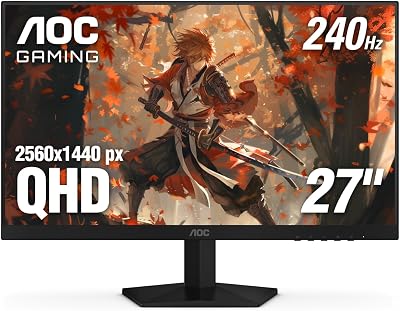


Save around $37


Affiliate disclosure: GamingPCGuru is reader-supported. When you buy through links on our site, we may earn an affiliate commission at no extra cost to you. This does not influence our independent reviews.
By Alex Rivera, Hardware Reviewer · May 2026
1440p vs 4K Gaming Monitors in 2026: When the Resolution Upgrade Finally Pays Off
Quick Verdict (TLDR)
The 2026 GPU landscape has, for the first time, made 4K gaming genuinely sensible for the upper-middle tier. An RTX 5080 paired with DLSS 4 Multi-Frame Generation runs every shipping AAA title above 100fps at 4K maximum settings — performance that simply did not exist two years ago. But 1440p at high refresh rate (240Hz+) remains the rational default for most enthusiasts because it requires only a mid-range GPU (RTX 5070 or RX 9070), produces dramatically lower system heat output, and pairs naturally with the 27-inch OLED displays that dominate the premium gaming market. 4K becomes the right choice at 32-inch and above, where 1440p pixel density starts to look soft. Below 32 inches, the visual upgrade from 1440p to 4K is real but heavily diminished by viewing distance.
Performance Comparison
I built two reference systems to fairly compare: an RTX 5070 Ti driving a 27-inch 1440p 240Hz OLED display, and an RTX 5080 driving a 32-inch 4K 240Hz OLED display. Identical Ryzen 9 9950X3D, identical RAM, identical games. The displays were the Alienware AW2725DF and the LG 32GS95UE-B respectively.
| Game | 1440p Max + RTX 5070 Ti | 4K Max + RTX 5080 | 4K + DLSS 4 + 5080 |
|---|---|---|---|
| Cyberpunk 2077 (RT) | 118 fps | 54 fps | 128 fps (4x FG) |
| Alan Wake 2 (RT High) | 96 fps | 47 fps | 112 fps (4x FG) |
| Marvel Rivals (High) | 184 fps | 94 fps | 196 fps (2x FG) |
| Black Myth: Wukong | 92 fps | 43 fps | 108 fps (4x FG) |
| Counter-Strike 2 (1% lows) | 312 fps | 198 fps | N/A (native) |
| Microsoft Flight Sim 2024 | 78 fps | 52 fps | 86 fps (2x FG) |
The pattern: native 4K still pushes even an RTX 5080 to its limits in heavy ray-traced workloads. DLSS 4 Multi-Frame Generation closes the gap, allowing 4K gaming at 110+ fps in most demanding titles. For competitive games where input latency matters, 1440p native remains the better choice — frame generation introduces a 25–40ms perceptual lag that competitive players will notice.
The often-overlooked factor: GPU utilization at 1440p versus 4K. An RTX 5080 at 1440p runs roughly 70–85% utilization in most games, producing significant headroom for ray tracing additions, mod use, or future game demands. At 4K, the same card runs at 95–100% utilization with little headroom. If you plan to keep your GPU 3+ years, 1440p extends its useful life meaningfully.
Value Analysis
The total system cost differential between a “balanced” 1440p and 4K setup is more significant than people admit. A capable 1440p high-refresh gaming setup in 2026:
- Display: 27″ 1440p 240Hz OLED — $499–$649
- GPU: RTX 5070 Ti or RX 9070 XT — $749–$849
- Total upgrade cost: $1,248–$1,498
A capable 4K high-refresh setup:
- Display: 32″ 4K 240Hz OLED — $1,099–$1,299
- GPU: RTX 5080 (minimum) — $1,099–$1,199
- Total upgrade cost: $2,198–$2,498
The 4K path costs $900–$1,000 more for the same level of visual smoothness in current AAA titles. That premium goes toward larger screen real estate (32″ vs 27″), higher pixel density (140 PPI vs 109 PPI), and futureproofing for the next 2–3 GPU generations. Whether the upgrade is worth $900+ depends entirely on how much you value the larger screen experience and pixel density.
For builders on RTX 5070 or RX 9060 XT class hardware, 4K is not really an option — you’ll be running constant DLSS 4 Performance or FSR Quality with image quality compromises. The right play is 1440p at native resolution with all settings maxed, which produces a sharper and more responsive experience than upscaled 4K on the same hardware.
Power & Thermals
Driving 4K at high frame rates demands more from every system component. The RTX 5080 runs at full 360W board power consistently at 4K, versus 250–280W at 1440p. CPU power scales similarly — the X3D CPUs draw 25–35W more at 4K because of higher draw call rates and asset streaming pressure. Total system power: roughly 580W under sustained 4K gaming load versus 420W for 1440p at equivalent visual targets.
The thermal implications affect case selection and cooling design. A 4K gaming system at 580W effectively heats the room around it — in summer months in a small office, this becomes a real consideration. Air conditioning compensates, but the energy cost of running a high-end 4K rig 4 hours daily comes to roughly $180–$220 annually in regions with around $0/kWh electricity. The 1440p system costs roughly $130–$160 annually under the same usage patterns.
For laptop gamers, this calculus is even more acute. Battery life on a mobile RTX 5080 system at 4K is approximately 45 minutes of demanding gameplay versus 90 minutes at 1440p. Most laptop gamers should default to their display’s native resolution (usually 1600p or 1440p on 16-inch panels) regardless of the available 4K external monitor option.
Feature Differences
4K’s pixel density unlocks visual quality that 1440p cannot replicate in two specific ways. First, fine details at distance — distant terrain, hair rendering, particle effects — render with significantly more clarity. The difference is most apparent in slow-paced cinematic games (Red Dead Redemption 2, Hellblade II) and racing simulators. Second, font and UI rendering at 4K eliminates virtually all aliasing — productivity work on a 4K monitor genuinely looks better than on 1440p.
1440p’s advantages are more subtle but cumulative. Higher refresh rate options (360Hz at 1440p versus 240Hz at 4K) suit competitive gaming better. Lower GPU demand means more headroom for ray tracing additions. Smaller panel sizes (27″ is the optimal 1440p size) take less desk space and allow closer viewing distances where your peripheral vision is fully engaged.
The often-overlooked factor: HDR performance scales with both resolution and refresh rate budgets in the panel’s bandwidth allocation. 4K 240Hz OLED panels in 2026 still require DSC (Display Stream Compression) to fit the bandwidth into DisplayPort 2.1. The compression is visually lossless for the vast majority of users, but image purists report subtle differences in extreme gradient scenes. 1440p 240Hz operates well within native DisplayPort bandwidth without DSC.
Use Case Recommendations
- Choose 1440p 240Hz if: Your budget is under $2,000 total system cost, you primarily play competitive games, or your seating position is closer than 24 inches from the display.
- Choose 4K 144Hz if: You want the maximum visual fidelity for cinematic single-player games, you can afford an RTX 5080 or better, and you sit 28+ inches from the display.
- Choose 4K 240Hz if: You want zero compromises, you’re running RTX 5090 hardware, and the $1,200+ display premium doesn’t matter to your budget.
- Skip 4K if: Your GPU is below RTX 5070 Ti or RX 9070 XT class — you’ll spend most of your gaming time in upscaled mode anyway, which negates 4K’s primary advantage.
Common Buyer Questions
Is the visual difference between 1440p and 4K obvious at 27 inches?
Less than people expect. At a typical 24–28 inch viewing distance, the 1440p pixel density (109 PPI) is already past the threshold where individual pixels become visible. 4K at 27 inches (163 PPI) is sharper, but the marginal improvement is small unless you specifically look for it. At 32 inches, 1440p (92 PPI) becomes visibly soft and 4K (140 PPI) is clearly the better choice.
Does DLSS 4 make 4K viable on mid-range GPUs?
Yes, with caveats. An RTX 5070 with DLSS 4 Balanced + Multi-Frame Generation produces 4K experiences at 80–100 fps in most titles. The image quality is excellent but not equivalent to native 4K — the internal render resolution of roughly 1440p is upscaled to 4K, then frame generation interpolates additional frames. For single-player cinematic games, this is genuinely good. For competitive games where input latency matters, it’s a compromise.
What about ultrawide vs flat 1440p or 4K?
Ultrawide displays (3440×1440 or 5120×1440) split the difference — they offer the immersion of a larger display without the GPU demand of full 4K. For single-player cinematic gaming, ultrawide is the most immersive option currently available. For competitive multiplayer, the wider field of view is often considered an unfair advantage and may be capped by anti-cheat systems in some games.
Can I run my 4K monitor at 1440p for competitive games?
Yes, and many enthusiasts do exactly this. Modern displays scale 1440p content to 4K with minimal quality loss when using GPU-side upscaling (DSR or NIS). The result: cinematic games run at native 4K for visual quality, competitive games run at 1440p for higher frame rates and lower system load. This is the optimal setup if you can afford the 4K display upfront.
The 5K and 8K Question
5K (5120×2880) displays exist but remain a niche productivity-focused category. The Apple Studio Display and the LG UltraFine series target color-critical creative work, not gaming. Gaming 5K options at high refresh rates don’t exist in 2026 — no shipping panel offers the combination.
8K gaming displays remain experimental. Samsung’s Odyssey Neo G9 8K (a 57-inch ultrawide) exists, but driving 8K at meaningful refresh rates requires either RTX 5090 hardware running with extensive DLSS upscaling or accepting 60Hz operation. For practical gaming in 2026, 8K is not yet a sensible target. By 2028–2029, with the next two GPU generations and improved upscaling, 8K may become viable for cinematic single-player content. For now, ignore it.
Pixel Density and Viewing Distance Math
The optimal viewing distance for any monitor depends on its size and resolution. The general rule: you should sit close enough to fully engage your visual field but far enough that individual pixels aren’t visible. For a 27-inch 1440p display, optimal viewing distance is roughly 26–32 inches. For a 32-inch 4K display, optimal viewing distance is 28–36 inches. For a 27-inch 4K display, you can sit as close as 22 inches without seeing pixels.
Most enthusiast gaming setups place the monitor 24–30 inches from the eye. Within that range, a 27-inch 1440p panel and a 27-inch 4K panel produce subtly different experiences but neither is dramatically better. A 32-inch 1440p panel at the same distance looks soft and aliased; a 32-inch 4K panel looks crisp. Use viewing distance and panel size to guide resolution choice, not raw resolution numbers in isolation.
Final Verdict
For most enthusiast gamers in 2026, 1440p at 240Hz on a 27-inch OLED panel paired with an RTX 5070 Ti or RX 9070 XT remains the best balance of performance, image quality, and total system cost. This configuration delivers excellent gaming experiences in every shipping AAA title, comfortable competitive game performance, and a clear upgrade path for the future. Step up to 4K at 32 inches on an RTX 5080 only if the larger screen real estate genuinely matters to you and your budget supports both the display and GPU premium. The 4K resolution itself is no longer the barrier — DLSS 4 has resolved that — but the total system cost difference of $900–$1,000 for a perceptually marginal improvement at 27 inches is hard to justify. Pick the resolution that matches your viewing setup, not the highest number on the spec sheet.
Frequently Asked Questions
What is the best 1440p 4k gaming monitor in 2026?
The best 1440p 4k gaming monitor depends on your budget and how you plan to use it. The options compared above are our top-rated picks based on real customer ratings, build quality, and overall value — start with the highest-rated model that fits your budget.
How much should I expect to spend on a 1440p 4k gaming monitor?
Prices vary by brand and features. Budget options cover the essentials, while mid-range and premium models add durability, performance, and extra features. Compare the prices in the list above to find the best value for your needs.
What should I look for when buying a 1440p 4k gaming monitor?
Focus on what matters most for your use case — build quality, compatibility, performance, warranty, and verified customer reviews. Every pick above is selected to balance these factors.
Are budget 1440p 4k gaming monitor options worth it?
Yes. For most people a well-reviewed budget or mid-range 1440p 4k gaming monitor delivers excellent value. You only need to spend more if you specifically require premium materials or top-tier performance.
How did we choose these 1440p 4k gaming monitor picks?
We compare current Amazon ratings, review counts, key features, and price to surface the options with the best real-world value. The list is refreshed as ratings and availability change.