

The MSI MPG B550 Gaming Plus is an ATX motherboard for AMD’s AM4 socket that has been a popular mid-priced choice for Ryzen 5000 builds. Amazon shows it in two listings with different titles, and five other B550 boards from Gigabyte and ASUS appear as alternatives. This review reads the titles against MSI’s published documentation, flags what is unknown, and gives you a diagnostic table for the problems that tend to show up with a B550 build.
- Hardware overview: MPG B550 Gaming Plus
- What kind of board this is
- Power delivery and cooling
- Storage and expansion layout
- Worked example: a lane budget for a streaming PC
- Diagnostic decision matrix
- Alternatives from the same results
- Pre-purchase and installation checklist
- Memory and processor pairing
- Case, airflow and noise
- Buying new, open-box or used
- What the titles do not tell you
- Who should buy it and who should skip
- Verdict
- Related guides
- Frequently asked questions
The basis is published specifications, manufacturer documentation and buyer reviews. Nobody on the team used or measured these units, so statements about reliability or speed are readings of the documentation, not recorded results.
Hardware overview: MPG B550 Gaming Plus

MSI MPG B550 Gaming Plus Gaming Motherboard (AMD Ryzen 5000, AM4, DDR4, PCIe 4.0, SATA 6Gb/s, M.2, USB 3.2 Gen 2, HDMI/DP, ATX)


As an Amazon Associate we earn from qualifying purchases. Product prices and availability are accurate as of the date/time indicated.

MSI MPG B550 GAMING PLUS Desktop Motherboard - AMD B550 Chipset - Socket AM4 - ATX


As an Amazon Associate we earn from qualifying purchases. Product prices and availability are accurate as of the date/time indicated.

MSI B550 Gaming WIFI6E Motherboard, ATX - Supports AMD Ryzen 5000 Series, 5000 G-Series, 4000 G-Series and 3000 Series Processors, AM4 - DDR4 Memory Boost 4800+MHz/OC, PCIe 4.0 x16, M.2 Gen4, 1G LAN


As an Amazon Associate we earn from qualifying purchases. Product prices and availability are accurate as of the date/time indicated.

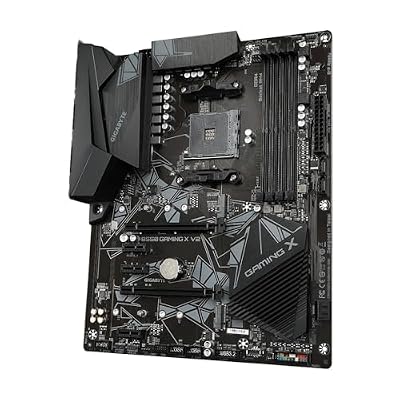
GIGABYTE B550 Gaming X V2 AMD AM4 ATX Motherboard, Supports Ryzen 5000/4000/3000 Series Processors, DDR4, 10+3 Power Phase, 2X M.2, PCIe 4.0, Front USB-C, GbE LAN, Q-Flash Plus, RGB Fusion



As an Amazon Associate we earn from qualifying purchases. Product prices and availability are accurate as of the date/time indicated.

Asus ROG Strix B550-F Gaming WiFi II AMD AM4 (3rd Gen Ryzen) ATX DDR4 Gaming Motherboard (PCIe 4.0, WiFi 6E, 2.5Gb LAN, BIOS Flashback, HDMI 2.1, Addressable RGB Header and Aura Sync)


As an Amazon Associate we earn from qualifying purchases. Product prices and availability are accurate as of the date/time indicated.

ASUS TUF Gaming B550-PLUS WiFi II AMD AM4 (3rd Gen Ryzen™) ATX DDR4 Gaming Motherboard (PCIe 4.0, WiFi 6, 2.5Gb LAN, BIOS Flashback, USB 3.2 Gen 2, Addressable RGB Header and Aura Sync)


As an Amazon Associate we earn from qualifying purchases. Product prices and availability are accurate as of the date/time indicated.

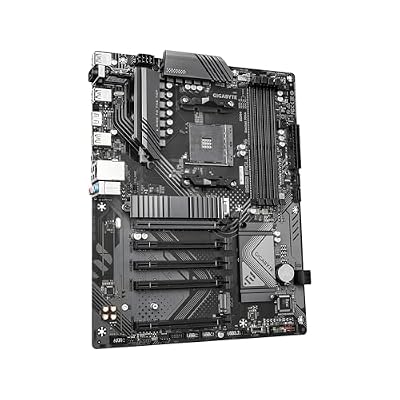
GIGABYTE B550 Eagle WIFI6 AMD AM4 ATX Motherboard, Supports Ryzen 5000/4000/3000 Processors, DDR4, 10+3 Power Phase, 2X M.2, PCIe 4.0, USB-C, WIFI6, GbE LAN, PCIe EZ-Latch, EZ-Latch, RGB Fusion



As an Amazon Associate we earn from qualifying purchases. Product prices and availability are accurate as of the date/time indicated.
| Item | What the listings and MSI documentation say |
|---|---|
| Socket and chipset | AM4, AMD B550 |
| Form factor | ATX |
| Processors | Ryzen 5000 stated in the long title; check MSI’s list for others |
| Memory | DDR4, four slots, listed up to 4400 MHz overclocked |
| Graphics slot | PCIe 4.0 x16 (processor-attached) |
| M.2 | Two slots: one PCIe 4.0 x4 from the CPU, one PCIe 3.0 x4 from the chipset |
| SATA | Six 6Gb/s ports |
| USB | USB 3.2 Gen 2 stated in the long title |
| Video outputs | HDMI and DisplayPort, relevant for processors with integrated graphics |
| Price tier | Budget to mid |
The two listings carry different titles, but they describe the same board. The long title lists Ryzen 5000 support, PCIe 4.0, SATA, M.2, USB 3.2 Gen 2, HDMI/DP and the ATX size. The short one only says AMD B550 chipset, AM4 socket and ATX. Choose between them on seller and price, and confirm the model number printed on the box.
What kind of board this is
MSI’s MPG line sits in the gamer-oriented part of its range. The B550 Gaming Plus is the modest end of that line, with a black styling, a heatsink on the power stages and an M.2 shield, but no built-in Wi-Fi and a short list of premium extras. It is meant for builders who want PCIe 4.0 for the graphics card and a fast SSD without paying for flagship features.
The B550 chipset is the main reason to choose it over a B450 board. It brings PCIe 4.0 from the processor to the graphics slot and the first M.2 slot, supports Ryzen 5000 processors from the start in current stock, and offers more USB 3.2 Gen 2 connectivity. If you are comparing it with older boards, the Bazzite OS review is a handy note for anyone planning a console-style Linux build on AM4 hardware, which the platform handles well.
Power delivery and cooling
MSI’s documentation highlights an extended PWM heatsink, thermal pads on the MOSFETs and chokes, a 6-layer PCB with thicker copper, and an M.2 shield. The listings do not give a phase count, so the exact VRM design is not confirmed here. For six-core and eight-core Ryzen processors at stock settings, a board in this class is normally adequate. For heavy overclocking of a sixteen-core chip, look at a board with a documented stronger VRM. Good case airflow over the heatsinks makes more difference to temperatures than most spec-sheet numbers.
The M.2 shield covers the first drive slot and helps with SSD heat, which matters for PCIe 4.0 drives that can run warm. If you use a graphics card with a large cooler, check that it does not block the second M.2 slot.
Storage and expansion layout
Two M.2 slots and six SATA ports make this a flexible storage board for its tier. The sensible plan is to put your fastest NVMe drive in the processor-attached slot and a second NVMe drive in the chipset slot, and keep hard drives on SATA. Remember that using the second M.2 slot can disable one of the PCIe expansion slots, per MSI’s documentation, so check which one in the manual.
| Device | Recommended connection | Note |
|---|---|---|
| Graphics card | PCIe 4.0 x16 slot nearest the CPU | Wired to the processor |
| Main NVMe SSD | First M.2 slot | PCIe 4.0 x4 with a compatible CPU |
| Second NVMe SSD | Second M.2 slot | PCIe 3.0 x4 through the chipset |
| Capture card or sound card | PCIe x1 slot | Check that the graphics card does not cover it |
| Hard drives | SATA ports | Six ports from the chipset |
Worked example: a lane budget for a streaming PC
Assume a Ryzen 5000 gaming and streaming build with a graphics card, a PCIe 4.0 NVMe boot drive, a second NVMe for games, a capture card and two SATA hard drives. The graphics card takes the processor-attached x16 slot at full width. The boot drive goes in the first M.2 slot. The game drive takes the second M.2 slot, which MSI says runs at PCIe 3.0 speeds, and for load times that is adequate. The capture card goes in an x1 slot, and the manual tells you whether the second M.2 drive has disabled one of the other slots. The hard drives use SATA ports. The result is a full build with nothing left over, which is the board’s practical ceiling.
If you want two PCIe 4.0 drives or a fast add-in card with more lanes, you are pushing past what this board provides, and a more expensive B550 or X570 board is the next step.
Diagnostic decision matrix
| Symptom | Likely cause | What to try |
|---|---|---|
| No display on first boot | Processor not supported by the shipped BIOS | Check MSI’s support list and update the BIOS with a compatible chip or the board’s flashing method |
| Memory runs below rated speed | XMP profile not enabled | Enable A-XMP or the memory profile in the BIOS |
| Graphics card runs at x8 | Wrong slot or shared lanes | Use the processor-attached x16 slot |
| Second NVMe not detected | Slot disabled by lane sharing or drive not seated | Reseat the drive and check the manual |
| A PCIe slot stops working | Disabled when the second M.2 slot is used | Move the add-in card or the drive |
| Unstable after overclock | Memory or CPU settings too aggressive | Return to defaults and raise settings one at a time |
Alternatives from the same results
MSI B550 Gaming WIFI6E
The title states ATX, support for Ryzen 5000, 5000 G-series, 4000 G-series and 3000 series, DDR4 Memory Boost up to 4800 MHz overclocked, PCIe 4.0 x16, M.2 Gen4 and 1G LAN. The WIFI6E name suggests wireless, though the title text does not spell out the adapter, so confirm on the product page. It is the nearest match if you want to stay with MSI and add Wi-Fi.
Pros
- Broad Ryzen support stated in the title
- Wi-Fi 6E implied by the name
Cons
- Only 1G LAN
- Title lacks SATA and USB details
GIGABYTE B550 Gaming X V2
This ATX board states a 10+3 power phase design, two M.2 slots, PCIe 4.0, front USB-C, GbE LAN, Q-Flash Plus and RGB Fusion, and supports Ryzen 5000, 4000 and 3000 chips. Q-Flash Plus lets you update the BIOS without a processor, a handy safety net for older stock. It is a close rival with a similar price tier.
Pros
- BIOS update without a CPU
- Front USB-C stated
Cons
- No Wi-Fi in the title
- GbE only
GIGABYTE B550 Eagle WIFI6
Another ATX board with a 10+3 power phase layout, two M.2 slots, PCIe 4.0, USB-C, Wi-Fi 6, GbE and EZ-Latch for easier installation of cards and drives. It is the way to get wireless without an add-in adapter at a mid price tier.
Pros
- Wi-Fi 6 included
- Tool-free latches for cards and drives
Cons
- Wi-Fi 6 rather than 6E
- GbE rather than 2.5Gb
ASUS TUF Gaming B550-PLUS WiFi II
The title states Wi-Fi 6, 2.5Gb LAN, BIOS Flashback, USB 3.2 Gen 2, addressable RGB header, PCIe 4.0 and DDR4. The 2.5Gb LAN and Flashback are the stand-out upgrades over the MSI board. It sits above it in price tier, so choose it if networking and recovery tools matter.
Pros
- 2.5Gb LAN and Wi-Fi 6
- BIOS Flashback for easy updates
Cons
- Higher price tier
- Wi-Fi 6, not 6E
ASUS ROG Strix B550-F Gaming WiFi II
The most feature-rich board here. The title lists Wi-Fi 6E, 2.5Gb LAN, BIOS Flashback, HDMI 2.1 and Aura Sync, with PCIe 4.0 and ATX. It is the premium option for the set and suits builders who want a stronger network and polish from the start.
Pros
- Wi-Fi 6E and 2.5Gb LAN
- HDMI 2.1 stated
Cons
- Highest price tier of the group
- More board than a basic gaming PC needs
| Board | Wi-Fi | LAN | Standout feature | Price tier |
|---|---|---|---|---|
| MSI MPG B550 Gaming Plus | Not stated | Wired, speed to confirm | Two M.2, six SATA | Budget to mid |
| MSI B550 Gaming WIFI6E | Wi-Fi 6E implied | 1G | Broad CPU support | Mid |
| GIGABYTE B550 Gaming X V2 | None stated | GbE | Q-Flash Plus | Budget to mid |
| GIGABYTE B550 Eagle WIFI6 | Wi-Fi 6 | GbE | EZ-Latch | Mid |
| ASUS TUF Gaming B550-PLUS WiFi II | Wi-Fi 6 | 2.5Gb | BIOS Flashback | Mid to upper |
| ASUS ROG Strix B550-F Gaming WiFi II | Wi-Fi 6E | 2.5Gb | HDMI 2.1 | Premium |
Pre-purchase and installation checklist
- Confirm the exact model name and revision on the box or listing.
- Check MSI’s CPU support list and minimum BIOS for your processor.
- Decide whether you need Wi-Fi; if so, plan an adapter or pick another board.
- Read the lane-sharing note for the second M.2 slot and PCIe slots.
- Check the case for ATX standoffs and graphics card clearance.
- Pick a DDR4 kit and enable its profile in the BIOS after the first boot.
- Pair the board with a display that suits your graphics card, such as the ultrawide covered in the Cooler Master GM34-CW review, if you plan to game at wider aspect ratios.
Memory and processor pairing
The B550 Gaming Plus uses DDR4 only. MSI documents support up to 4400 MHz through overclock profiles, and the practical sweet spot for Ryzen 5000 systems is a dual-channel kit rated in the mid-3000 MT/s range with modest timings, because Ryzen performance depends on the link between memory and the processor’s internal fabric. Stepping far above that range tends to deliver diminishing returns and more instability risk. Two modules are simpler than four, and 16GB is the floor for gaming while 32GB gives room for streaming and background apps.
On processors, think in tiers. A six-core Ryzen 5000 chip is a natural fit and pairs well with a mid-range graphics card. An eight-core chip is reasonable for stock use. A twelve- or sixteen-core processor is possible, but the documentation does not state a phase count, so treat that pairing as a case for checking VRM reviews first. Processors with integrated graphics can use the HDMI and DisplayPort outputs, which helps when you want to build the PC before buying a graphics card.
Case, airflow and noise
A B550 ATX board fits most mid-tower cases. Plan airflow so that fresh air passes over the VRM heatsink and the M.2 shield, because a PCIe 4.0 SSD can throttle under sustained writes if it sits in stagnant air. A single rear exhaust fan and one or two front intake fans are usually enough for a build of this class. Thermal results depend on the processor, the cooler and the case, none of which the board listing controls, so the honest guidance is to size the cooler for the processor and keep the case unobstructed.
Buying new, open-box or used
AM4 boards are old enough that many listings are open-box, refurbished or leftover stock. That is fine when the seller is clear, but it raises three checks: whether the BIOS is recent enough for your processor, whether the CPU socket pins are straight and the accessories are present, and whether the return window is long enough for you to build and test the system. The two MPG listings show different prices, so the cheaper one may be an older-stock unit and not a better deal. Ask the seller before ordering if the listing is vague.
What the titles do not tell you
- The network chip and its speed on the base model.
- The exact phase count and MOSFET rating of the power stages.
- The BIOS version loaded at the factory.
- The number of fan headers and RGB headers.
- Whether the board is a first-run or later revision.
MSI’s specification page and manual answer most of these, and recent buyer reviews fill in the rest, especially for BIOS and revision questions.
Who should buy it and who should skip
Buy this board for a no-frills Ryzen 5000 build where PCIe 4.0 graphics and two NVMe drives are enough and you can add Wi-Fi separately. Skip it if you need built-in wireless, 2.5Gb Ethernet or BIOS recovery without a processor, since several alternatives include them. Skip it also if you expect to move to a newer socket soon, as the AM4 platform is at the end of its life cycle, which makes it a value choice and not a long-term investment.
Verdict
The MPG B550 Gaming Plus is a straightforward ATX AM4 board that covers the main things a gaming build needs: PCIe 4.0 for the graphics card and the first SSD, a second M.2 slot, six SATA ports and a documented thermal design. It lacks the networking and recovery extras of the ASUS and Gigabyte alternatives, so the decision comes down to price and whether those extras matter to you. Confirm the exact SKU and BIOS support before buying.
Related guides
- Aio Liquid Coolers For High Performance Gaming
- Wireless Gaming Headsets Under 100 For Pc
- What Is A Dac And Do You Need One For Gaming
Frequently asked questions
Is the MSI MPG B550 Gaming Plus good for a Ryzen 5000 gaming build?
On paper, yes for a budget-minded build. The listing states AM4, DDR4, PCIe 4.0, two M.2 slots, six SATA ports and USB 3.2 Gen 2 in an ATX layout, which covers the needs of a typical gaming PC with a Ryzen 5000 processor. The trade-offs are no Wi-Fi in the base model and modest networking, so check the exact SKU, and confirm the BIOS version supports your processor.
Does the MPG B550 Gaming Plus have Wi-Fi?
The listing titles do not mention Wi-Fi, and retailer descriptions for the standard model list wired Ethernet only. Some regional variants or revisions may differ, so verify the exact SKU on MSI’s page. If you need wireless, a PCIe or USB adapter is the simple fix, or you can pick one of the Wi-Fi B550 boards in the alternatives list.
Do both M.2 slots run at PCIe 4.0 speeds?
Not both. MSI’s documentation describes the first M.2 slot as processor-attached with PCIe 4.0 x4 support, while the second slot connects through the chipset at PCIe 3.0 x4. Put your fastest drive in the first slot, and note that using the second slot can disable one of the PCIe expansion slots, so read the lane-sharing note in the manual before you plan where each drive and add-in card will go.
How many SATA drives can I connect?
MSI lists six SATA 6Gb/s ports, all provided by the chipset. That is generous for a mid-range board and is enough for several hard drives or SATA SSDs. Remember that some M.2 configurations can share bandwidth with SATA ports on AM4 boards, so confirm in the manual which ports remain active when you fill both M.2 slots and several SATA drives together.
Why are there two listings for the same board?
Sellers often list the same product under different titles, and these two refer to the same MPG B550 Gaming Plus. One has a long descriptive title and the other uses a short generic name, with different prices. Compare seller, condition, return policy and warranty before choosing, because identical specifications do not guarantee identical stock age, BIOS version or revision, and those details decide how smooth the first boot will be.
Can I use a Ryzen 3000 or 5000 chip without updating the BIOS?
Ryzen 3000 chips are generally supported by B550 boards from launch, while Ryzen 5000 chips may need a BIOS version that older stock does not have. Check the BIOS version noted on the box or ask the seller, and read MSI’s support list. If you buy a board with an old BIOS and a new chip, plan for a way to update it.












