

The best OLED gaming monitor for a dark room, from this group of six, is the Samsung Odyssey OLED G6 (G61SH) if you want a glare-free QD-OLED with a height-adjustable stand and a 3-year warranty named in the title, or the Acer Predator X27U W1 if you want the lowest-cost QD-OLED with two HDMI 2.1 ports. Both are QHD, both are 240Hz, and both pair deep blacks with a panel type that does not depend on your room lights to look good.
- A ten-minute dark-room audit before you spend anything
- All six at a glance
- The six monitors
- How we picked these
- Dark-room setup that makes OLED look its best
- Burn-in care: a worked weekly routine
- Pixel density and running cost, calculated
- Mistakes that spoil an OLED in a dark room
- Verdict
- Frequently asked questions
Dark rooms are where OLED earns its keep. Every pixel makes its own light, so black means off, and the contrast ratio is not limited by a backlight. They are also where the weaknesses of cheaper LCDs, such as glow and uneven corners, are easiest to see. The questions that matter are different from a bright-office purchase: how reflective the coating is, whether the panel is QD-OLED or standard OLED, how well the burn-in care features work, and whether the size suits the desk depth you have in the dark.
The page starts with a room audit you can do in ten minutes, then compares all six monitors, then covers burn-in routines and a running-cost estimate. If you are deciding between standard monitors and ultra-wide formats, our guides to the best OLED for PC gaming and the 5K2K OLED gaming monitor cover neighboring choices.
A ten-minute dark-room audit before you spend anything

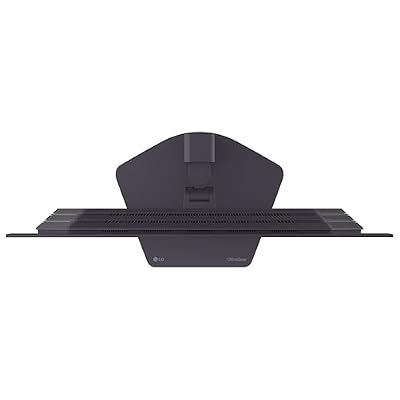
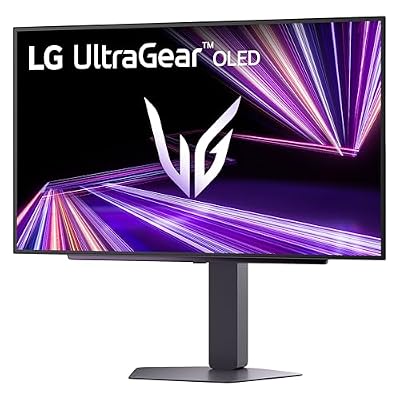
LG 27GX704A-B 27-inch Ultragear QHD (2650x1440) OLED Gaming Monitor 240Hz, 0.03ms, NVIDIA G-Sync Compatible, AMD FreeSync Premium Pro, VESA Display HDR TrueBlack400, HDMI 2.1, DisplayPort, Black






As an Amazon Associate we earn from qualifying purchases. Product prices and availability are accurate as of the date/time indicated.

ASUS ROG XG27AQDMGR 27 Inch 1440p 240Hz Glossy OLED HDR Gaming Monitor | 0.03ms, OLED Care Pro, TrueBlack Glossy, Neo Proximity Sensor, ELMB Sync, DisplayHDR 400, DCI-P3 99%, for PS5 and Xbox


As an Amazon Associate we earn from qualifying purchases. Product prices and availability are accurate as of the date/time indicated.
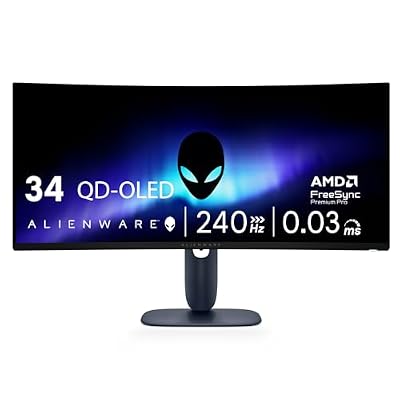
Alienware 34 240Hz QD-OLED Curved Gaming Monitor - AW3425DW - 34.2-inch WQHD (3440 x 1440) 0.03ms Display, 1800R Curve, AMD FreeSync Premium Pro, VESA AdaptiveSync, DisplayHDR TrueBlack 400




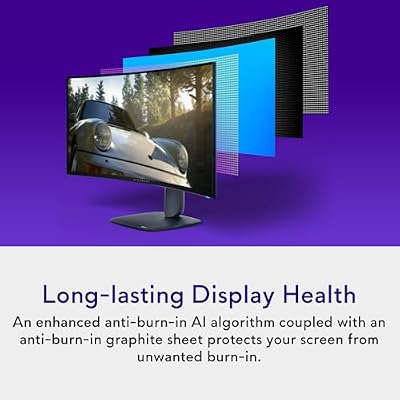





As an Amazon Associate we earn from qualifying purchases. Product prices and availability are accurate as of the date/time indicated.

ASUS ROG Strix 26.5” 1440P QD-OLED Gaming Monitor (XG27ACDNG) -QHD (2560x1440), 360Hz, 0.03ms, Custom Heatsink, OLED Care+, G-SYNC Compatible, 99% DCI-P3, DisplayWidget, AI Gaming, 3yr Warranty


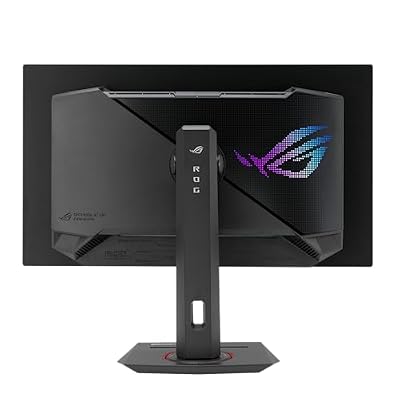


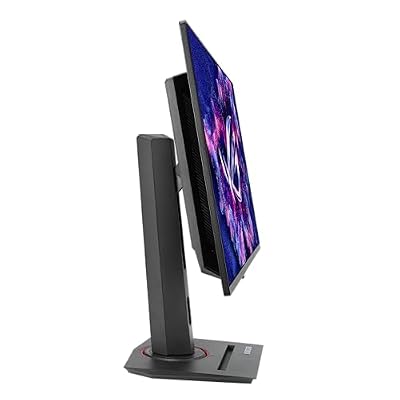

As an Amazon Associate we earn from qualifying purchases. Product prices and availability are accurate as of the date/time indicated.

Samsung 27" Odyssey OLED G6 (G61SH) QD-OLED, QHD (1440P) Gaming Monitor | 240Hz, 0.03ms, Glare-Free, Pantone Validated, HDR10, Height-adjustable stand, OLED Safeguard, 3 Yr Warranty (LS27HG612SNXZA)


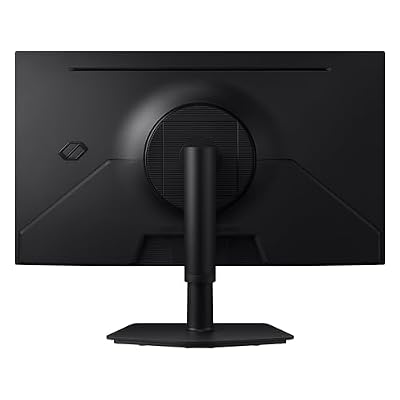


As an Amazon Associate we earn from qualifying purchases. Product prices and availability are accurate as of the date/time indicated.

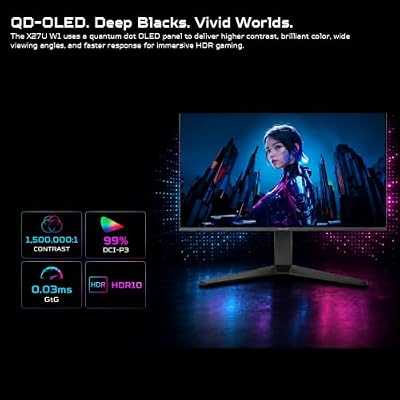
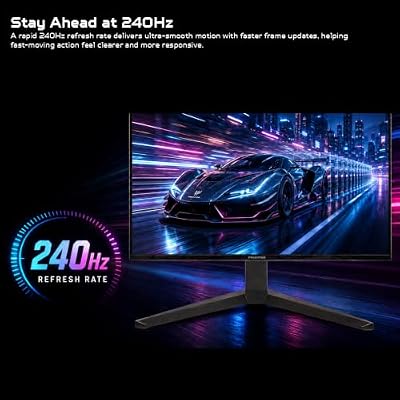
Acer Predator 26.5in QHD 2560x1440 QD-OLED 240Hz Gaming Monitor X27U W1 | 0.03ms, AMD FreeSync Premium, NVIDIA G-Sync Compatible, DCI-P3 99%, 2xHDMI 2.1, 2xDisplayPort, Ergo Stand, Speaker





As an Amazon Associate we earn from qualifying purchases. Product prices and availability are accurate as of the date/time indicated.
Switch off every light, sit where you play, and let your eyes adjust for two minutes. Then list every source of light that could land on the screen: a doorway glow, a router LED, a window with street light, a lamp, the glow from a second monitor or a TV. For each, note whether it is behind you, beside you or in front. Anything behind or beside you at screen height will reflect on a glossy panel.
Next, measure the distance from your eyes to the screen. Most desks give 60 to 80 cm. At that range a 27-inch QHD screen is comfortable, and a 34-inch ultrawide fills more of your vision. Write down the maximum width your desk can hold. The Alienware here is listed at 34.2 inches, which needs noticeably more width and depth than the 26.5-inch and 27-inch models.
Finally, decide whether this is mainly a gaming screen or also a work screen. Static elements such as a taskbar, browser tabs and spreadsheet gridlines are what accelerate wear on OLED panels. If more than a few hours a day will be desktop work, you will want a monitor with clear care features and a plan for hiding the taskbar. The next section lists those features by name from each title.
All six at a glance
| Monitor | Size and panel (from title) | Dark-room fit notes | Price tier | Best for |
|---|---|---|---|---|
| LG 27GX704A-B | 27-inch OLED, QHD, 240Hz | TrueBlack400 HDR tier, HDMI 2.1, DisplayPort | Budget | Entry OLED with console-ready ports |
| Acer Predator X27U W1 | 26.5-inch QD-OLED, QHD, 240Hz | 2 HDMI 2.1, 2 DisplayPort, ergo stand, speaker | Budget | Value QD-OLED with many inputs |
| ASUS ROG XG27AQDMGR | 27-inch glossy OLED, 1440p, 240Hz | Glossy, OLED Care Pro, Neo Proximity Sensor | Budget | Dark rooms with controlled lighting |
| Samsung Odyssey OLED G6 | 27-inch QD-OLED, QHD, 240Hz | Glare-free, OLED Safeguard, 3-year warranty | Mid-range | Rooms with some stray light |
| ASUS ROG Strix XG27ACDNG | 26.5-inch QD-OLED, 1440p, 360Hz | Custom heatsink, OLED Care+, 3-year warranty | Premium | Fast competitive shooters |
| Alienware 34 AW3425DW | 34.2-inch curved QD-OLED, 3440×1440, 240Hz | 1800R curve, DisplayHDR TrueBlack 400 | Premium | Immersive single-player games |
Price tiers are relative inside this set. Check each listing for current price, stock and the exact variant.
The six monitors
LG 27GX704A-B UltraGear 27-inch OLED
The LG 27GX704A-B is a 27-inch UltraGear OLED gaming monitor listed with QHD resolution, a 240Hz refresh rate, 0.03ms response, NVIDIA G-Sync Compatible, AMD FreeSync Premium Pro, VESA DisplayHDR TrueBlack 400, HDMI 2.1 and DisplayPort. The title prints the resolution as 2650×1440, which looks like a typo for 2560×1440; confirm on the listing before buying.
The TrueBlack 400 HDR tier is the label VESA uses for OLED-class panels, aimed at deep blacks rather than extreme peak brightness. For a dark room, that is the right trade: you rarely need a thousand nits when your eyes are dark-adapted and a bright HDR highlight at 400 can already feel punchy. Check VESA’s published criteria for the exact numbers, since this page cannot confirm what the panel measures.
The title does not state whether the coating is glossy or glare-free, or the panel’s subpixel structure. Check the listing for the coating, and look at buyer comments about reflections. It also does not list care features by name, though most OLED monitors have some form of pixel refresh and logo dimming; read the manual or listing for the details and for how burn-in is treated under warranty.
HDMI 2.1 matters if you play consoles on the same screen, since it can carry high refresh rates at this resolution. The listing does not say how many HDMI ports there are.
Pros
- OLED panel with 240Hz and a 0.03ms response figure in the title.
- G-Sync Compatible and FreeSync Premium Pro listed, so variable refresh works on either graphics brand.
- Budget tier for the set, with HDMI 2.1 and DisplayPort.
Cons
- Resolution is printed as 2650×1440, which is likely a typo; verify.
- No coating, care feature or warranty details in the title.
- Panel subtype not specified beyond OLED.
Who it’s for: buyers who want the lowest listed price for an OLED with variable refresh support and a familiar gaming brand.
Acer Predator X27U W1 26.5-inch QD-OLED
The Predator X27U W1 is a 26.5-inch QHD (2560×1440) QD-OLED running at 240Hz with 0.03ms response. The title adds AMD FreeSync Premium, NVIDIA G-Sync Compatible, 99% DCI-P3, two HDMI 2.1 ports, two DisplayPort connectors, an ergonomic stand and a speaker. For a dark room, QD-OLED is the panel type most people point to because the quantum-dot layer helps color volume, and the lack of an ambient-light problem in a dark room means the usual criticism of the technology, grayer blacks under bright light, mostly goes away.
Two HDMI 2.1 ports are the practical highlight. You can put a console on one and a second device on the other without swapping cables, and keep a PC on DisplayPort. The title does not state the coating type, so check for reflections if your room is not fully dark. The built-in speaker is a convenience, though speakers in gaming monitors are rarely a reason to buy.
The FreeSync Premium tier, rather than Premium Pro, matters only if you plan to use HDR with variable refresh on an AMD card; the difference is in how the tiers are certified, so read the listing. No care-feature name or warranty term is in the title, which makes the warranty text a priority to read. Also look at the stand: the title says ergonomic, but it does not say which adjustments (height, tilt, swivel) are included, and in a dark room being able to tilt the screen away from a reflection is worth more than it sounds.
Pros
- QD-OLED with 99% DCI-P3 and 240Hz at a Budget-tier listed price.
- Two HDMI 2.1 and two DisplayPort inputs for multiple devices.
- Ergo stand and speaker listed.
Cons
- Care features and warranty length are not in the title.
- Coating type not stated.
- Smaller 26.5-inch size than the 27-inch models.
Who it’s for: players who want QD-OLED color and several inputs for PC and consoles at the lowest price tier available in that panel type.
ASUS ROG XG27AQDMGR 27-inch Glossy OLED
The ROG XG27AQDMGR is a 27-inch, 1440p, 240Hz glossy OLED listed with 0.03ms response, OLED Care Pro, TrueBlack Glossy, a Neo Proximity Sensor, ELMB Sync, DisplayHDR 400 and 99% DCI-P3, and a note that it suits PS5 and Xbox. This is the only monitor in the group whose title says outright that the coating is glossy, which makes it the clearest dark-room specialist.
A glossy coating avoids the slightly grainy look of some anti-glare layers and can make blacks and colors look richer when light is controlled. It also mirrors anything bright behind you. That is why the audit above matters: if the only light source in your room is a lamp to one side, you can move it. If a doorway glows behind your chair, you may see it in the screen.
OLED Care Pro and the Neo Proximity Sensor are names in the title for burn-in related features; the title does not explain how they work, so read the listing or manual to understand what each does and whether the sensor can be switched off. The DisplayHDR 400 label here differs from the TrueBlack 400 labels on other monitors, so check which tier the panel meets and compare notes with buyers.
ELMB Sync is ASUS’s name for combining motion-blur reduction with variable refresh, a feature more relevant on LCDs; confirm how it applies on an OLED.
A practical point for this model: because the title promises a glossy surface and a proximity sensor, it is worth reading how the sensor behaves in a dim room, where the monitor’s own light and your seating position may trigger it differently from a bright office. Check the manual for the sensor’s range and an off switch, and see whether buyers mention it dimming the screen unexpectedly during games.
Pros
- Glossy coating stated in the title, ideal for rooms with controlled light.
- OLED Care Pro and a proximity sensor named.
- 99% DCI-P3 and console compatibility mentioned.
Cons
- Glossy coating shows reflections from lamps and windows.
- HDR tier is DisplayHDR 400 rather than TrueBlack, so check what that means.
- Warranty length is not in the title.
Who it’s for: players with a light-controlled room who want a glossy finish and ASUS’s care tools.
Samsung Odyssey OLED G6 (G61SH) 27-inch QD-OLED
The Odyssey OLED G6 (G61SH) is a 27-inch QD-OLED, QHD, 240Hz gaming monitor with 0.03ms response, a glare-free coating, Pantone validation, HDR10, a height-adjustable stand, OLED Safeguard and a 3-year warranty, according to the title. The model code LS27HG612SNXZA is the one to match on the listing. Glare-free is the opposite choice to the glossy ASUS, and in practice it is the safer pick for rooms that are mostly dark but not perfectly so.
The trade-off is subtle. A glare-free coating diffuses reflections, which helps when a lamp or hallway light would otherwise mirror on screen, but it can lift the apparent black level a little and soften fine detail. Whether that matters to you depends on how strict your room is. In a nearly blacked-out room, a glossy panel looks richer; in a normal evening room with a lamp, glare-free usually looks cleaner.
OLED Safeguard is the name for the care features, and the 3-year warranty is notable because the title states it outright. Read the terms to find out whether burn-in is covered. HDR10 is a format rather than a brightness tier, so the title does not give you a peak-brightness figure; check the listing. A height-adjustable stand helps position the screen so reflections land away from your face.
Pantone validation is a color-accuracy label, and it is mostly relevant if you also edit photos or video on this screen. For play alone, it is a pleasant extra rather than a reason to choose. If you do plan creative work, check the listing for what was validated and how.
Pros
- Glare-free coating, QD-OLED panel and Pantone validation named.
- 3-year warranty and OLED Safeguard in the title.
- Height-adjustable stand.
Cons
- HDR10 is a format, not a brightness guarantee.
- Glare-free coatings can slightly reduce perceived black depth.
- Mid-range tier in a set that contains cheaper QD-OLED choices.
Who it’s for: players who want a QD-OLED that handles some stray room light and a clearly stated warranty.
ASUS ROG Strix XG27ACDNG 26.5-inch QD-OLED, 360Hz
The ROG Strix XG27ACDNG is a 26.5-inch QHD QD-OLED running at 360Hz with 0.03ms response, a custom heatsink, OLED Care+, G-Sync Compatible, 99% DCI-P3, DisplayWidget, AI Gaming features and a 3-year warranty, per its title. It is the fastest panel on the list. At 360Hz, each frame lasts under 2.8 milliseconds, which only matters if your graphics card can deliver frames at that rate in your games.
The custom heatsink is a clue about design: OLED panels age faster when they run hot, and a heatsink helps keep temperatures stable. The title does not say whether this enables higher brightness or just reduces wear, so check the listing for what the maker claims. It is also worth asking how loud, if at all, any cooling arrangement is; a passive heatsink is silent, and the dark room you are playing in will make any fan noise easier to hear.
For dark-room play, the key points are that it is QD-OLED, that the title does not specify the coating, and that the 3-year warranty is named. The Premium tier reflects the speed more than anything darkroom-related. If your games are slower, narrative-driven titles, the 360Hz refresh rate adds little, and the Samsung or Acer would give you nearly the same look for less.
DisplayWidget is ASUS’s on-screen control software; AI Gaming features are described only by name, and you should read the listing before counting them as a reason to buy.
Pros
- 360Hz QD-OLED with a custom heatsink and 3-year warranty.
- OLED Care+ and G-Sync Compatible named.
- 99% DCI-P3 color coverage in the title.
Cons
- Premium price tier for speed that few games and systems can use.
- Coating type not specified.
- Marketing features such as AI Gaming are unexplained.
- Fast panels need fast systems; check your GPU and CPU first.
Who it’s for: competitive shooter players with a strong graphics card who want the highest refresh rate in a dark-room-friendly panel.
Alienware 34 AW3425DW 34-inch Curved QD-OLED
The AW3425DW is a 34.2-inch curved QD-OLED with WQHD (3440 x 1440) resolution, 240Hz, 0.03ms response, an 1800R curve, AMD FreeSync Premium Pro, VESA AdaptiveSync and DisplayHDR TrueBlack 400. It is the only ultrawide in the group, and one of two Premium-tier listings by price.
In a dark room the ultrawide format works well because the screen fills more of your peripheral vision, and the curve keeps edges at a similar distance from your eyes. An 1800R curve is quite pronounced; the number refers to a circle of 1800 millimeters radius, so the screen bends noticeably around you. That suits games and movies, but it can make straight lines look bent in design work.
The title does not list an HDMI 2.1 port, coating type or care features, so check the listing for each. It also does not mention NVIDIA G-Sync, though VESA AdaptiveSync listed here is the open standard. Read the manual for how burn-in protection is handled, and check the warranty. At 34.2 inches wide, plan the desk: it needs depth to place it at a comfortable viewing distance, and the stand may make the screen tall for a small desk.
The pixel density, about 109 pixels per inch by calculation, is nearly identical to a 27-inch QHD, so detail looks similar but the picture is wider.
One more dark-room consideration is where the extra width goes. Ultrawide support varies from game to game, and some titles show black bars or stretch the image at this aspect ratio. Check the games you play most for ultrawide support before you commit, and be ready to use windowed or custom resolutions for the stragglers.
Pros
- Ultrawide QD-OLED with 1800R curve, 240Hz and TrueBlack 400.
- FreeSync Premium Pro and VESA AdaptiveSync listed.
- Strong immersion in a dark room.
Cons
- Premium tier and large desk footprint.
- Coating, ports and warranty not detailed in the title.
- Curve can distort straight lines in non-gaming tasks.
Who it’s for: single-player and racing gamers who want maximum immersion and have the desk space for it.
How we picked these
This page was prepared by the Editorial team, with published specifications, manufacturer documentation and buyer reviews as the testbench. Nobody on the team used or measured these units. We limit product claims to what each listing title says, flag anything else as a point to check on the listing, and label any figure we calculated ourselves as an estimate with its assumptions.
The six monitors were supplied for this keyword. We sorted them by what matters in the dark: panel type (QD-OLED versus standard OLED), coating where the title states it, named care features, stated warranty length and port selection. We did not rank by brightness or color accuracy, because titles rarely give measured values and we have none of our own.
Every pixel-density number on this page is calculated from the size and resolution in the titles. Every running-cost number rests on assumptions stated beside it. Where a title does not say something we need, such as coating, we say so rather than guess. Price tiers compare the six listings with one another and say nothing about whether any of them is cheap in the wider market.
Dark-room setup that makes OLED look its best
Bias lighting
A faint light behind the monitor reduces the contrast between a bright screen and a pitch-black wall, which eases eye fatigue. Aim for a neutral white at low brightness. Place it behind the screen, pointing at the wall, so it does not reflect on a glossy panel. Do not use a bright light on a perfect-black screen; it defeats the purpose.
Where the lamp goes
If you keep any lamp on, put it beside or in front of the screen, not behind your head, and aim it at the ceiling or a wall. The ASUS glossy model rewards this arrangement; the Samsung glare-free model forgives a lapse.
Brightness and ABL
OLED panels typically limit brightness when a large part of the screen is bright, a behavior often called automatic brightness limiting. In a dark room you are unlikely to want brightness near the maximum anyway, so this limit is less of an issue than it would be in a sunny office. Set SDR brightness comfortably low; your eyes are adapted to the dark and long sessions at high brightness tire them.
HDR in the dark
HDR is where OLED looks best in a dark room, because bright highlights sit beside true black. Enable HDR in the game and the operating system, calibrate with the game’s own tool, and keep the desktop in SDR when you are working to avoid washed-out colors. The HDR labels in these titles (TrueBlack 400, DisplayHDR 400, HDR10) are not equivalent, so look at each listing.
A note on eye comfort
Long evening sessions in a dark room can tire your eyes. Take regular breaks, keep the screen at a comfortable distance, and see an eye-care professional if you have lasting discomfort, headaches or changes in vision.
Burn-in care: a worked weekly routine
Burn-in is uneven wear: pixels that show bright static content for hundreds of hours age faster than their neighbors. It is not caused by darkness. Care features on these monitors, named in the titles as OLED Care Pro, OLED Care+ and OLED Safeguard, are the makers’ tools for managing it; the titles do not explain them, so read the manual.
Take an example: you use the monitor for 3 hours of desktop work and 3 hours of gaming each day. The desktop hours are the risk because the taskbar and window frames never move. A reasonable routine is to auto-hide the taskbar, use a dark theme, pick a slideshow wallpaper, set the screen to blank after 2 to 5 minutes of inactivity, and let the monitor run its refresh routines when it goes to standby by leaving it plugged in. If the work hours are large, consider putting work on a different screen.
| Habit | Why it helps | Effort |
|---|---|---|
| Auto-hide the taskbar | Removes the brightest static element | Two clicks in settings |
| Dark theme and rotating wallpaper | Lowers average pixel load | Once |
| Screen blank after a few minutes | Stops static images remaining on screen | Once |
| Leave the monitor on standby, not at the wall | Lets built-in maintenance cycles run, if the model has them | Habit |
| Lower brightness for desktop use | Slows wear | Per profile |
Warranty text matters more than any feature name. The ROG Strix XG27ACDNG and the Samsung G61SH both state three years in their titles. Read what each warranty says about burn-in; some makers exclude it, and the title will not tell you.
Pixel density and running cost, calculated
Pixel density is the diagonal resolution divided by the diagonal size. Using the numbers in the titles: a 27-inch 2560×1440 screen has a diagonal of about 2,937 pixels, giving roughly 109 pixels per inch. The 26.5-inch models work out to about 111, and the 34.2-inch ultrawide at 3440×1440 comes to about 109. They are close, which means text and edges look similar across all six; the ultrawide simply shows more of the scene.
For running cost, assume an average draw of 45 watts (an estimate, since OLED power varies with content and brightness), 5 hours of use a day and 17 cents per kilowatt-hour. That is 0.225 kilowatt-hours a day, about 82 kilowatt-hours a year, or roughly 14 dollars a year. A bright, mostly white workload could push this higher; a dark game could lower it. Treat it as a ballpark, not a quote.
Mistakes that spoil an OLED in a dark room
Choosing glossy without checking your lights. A glossy panel is wonderful until a lamp reflects in it. Do the audit first.
Treating HDR labels as equal. TrueBlack 400, DisplayHDR 400 and HDR10 are not the same thing. Compare them rather than reading them as a ranking.
Ignoring warranty text. A stated three-year warranty is good news only if it covers what worries you.
Paying for 360Hz you cannot feed. Check what frame rates your graphics card actually reaches in your games before paying for the fastest panel.
Forgetting desk space. A 34-inch curved screen needs depth and width, and a tall stand can be awkward on small desks.
Leaving static elements up. A bright taskbar or a paused game menu, left for hours, is how wear starts.
For console owners, the top gaming monitors for PS5 roundup is the better place to start, and our guide to the best 4K gaming monitor OLED covers sharper panels.
Verdict
The Samsung Odyssey OLED G6 (G61SH) is the best all-round pick for a dark room that is not perfectly black: QD-OLED, glare-free coating, a named care feature and a three-year warranty. The Acer Predator X27U W1 is the savings pick if you want QD-OLED and two HDMI 2.1 ports at a lower price tier. The ASUS ROG XG27AQDMGR is the choice for fully controlled rooms that want a glossy panel, the ROG Strix XG27ACDNG suits fast competitive play, and the Alienware 34 is the immersion pick when you have the desk for it.
Whichever you choose, read the warranty text and set up the care routine on day one.
Frequently asked questions
Are OLED monitors really better for dark rooms?
In a dark room an OLED panel can turn individual pixels fully off, so black areas look black rather than dark gray, and contrast is the strongest argument for the technology. A backlit LCD glows from behind even on a black screen. The trade-offs are lower full-screen brightness, possible burn-in with static images, and a price premium, which is why care features matter.
Should I choose a glossy or a glare-free coating for a dark room?
A glossy coating can look richer in a truly dark room because less light is scattered, but it will show reflections from any lamp, window or bright wall behind you. A glare-free coating hides reflections but can make blacks look slightly grayer. The ASUS XG27AQDMGR is listed as glossy and the Samsung G61SH as glare-free, so those two show the split. Map your room lights before choosing.
Will an OLED monitor burn in if I play in the dark?
Burn-in comes from showing the same bright static elements for hundreds of hours, not from room lighting. A dark room can make you keep brightness lower, which is helpful, but a fixed taskbar or game HUD still ages some pixels faster. Use the monitor’s care features, hide the taskbar, rotate wallpapers, and check the warranty terms on the listing rather than assuming burn-in is covered.
Is a 34-inch ultrawide or a 27-inch OLED better for dark-room gaming?
The Alienware 34-inch ultrawide gives a wide, curved field of view that suits immersive games, at about the same pixel density as the 27-inch QHD models, so detail looks similar. It also costs more and needs more desk depth. Pick the ultrawide for immersion and racing or open-world games, and a 27-inch panel if you play competitive shooters or share the desk with a second screen.
Does a higher refresh rate like 360Hz matter on an OLED?
OLED pixels switch very quickly, so high refresh rates look unusually clean, and 360Hz on the ASUS ROG Strix XG27ACDNG lowers motion blur further for fast shooters. You also need a graphics card that can feed those frames. For single-player and story games, 240Hz is already extremely smooth, and the extra price of 360Hz is rarely the best use of budget.





