

- Top Pick: KOTIN Prebuilt Gaming PC RTX 5070 12GB, Ryzen 7 9700X, 32GB DDR5, 1TB SSD
- Best Value: Build Redux Gaming Desktop PC – AMD Ryzen 7 9700X CPU, NVIDIA GeForce RTX 5070 GPU, 16GB DDR5 RAM, 1TB NVMe M.2 SSD, 240mm Liquid CPU Cooler, Windows 11 Home, High-Performance Computer
- Premium Choice: Skytech Gaming PC Rampage, Ryzen 7, RTX 5070 Ti, 32GB RAM, 1TB SSD
Affiliate disclosure: As an Amazon Associate we earn from qualifying purchases. This post contains affiliate links — if you buy through them we may earn a small commission at no extra cost to you. This never affects our recommendations.
- Quick Picks — Best Gaming PCs at a Glance
- 1. RTX 5070 + Ryzen 7 9700X Build — Best Gaming PC Overall
- 2. RTX 5090 + Ryzen 9 9950X3D Build — Best Extreme Gaming PC
- 3. RTX 5070 + Ryzen 5 9600X Build — Best Value Gaming PC
- 4. RTX 4070 + Ryzen 5 9600X Build — Best 1080p Gaming PC
- 5. RTX 4070 + Ryzen 5 7600 Build — Best Budget Gaming PC
- Gaming PC Spec Comparison Table
- How to Choose the Right Gaming PC
- Frequently Asked Questions
- Final Verdict
- Related Articles
- Related Articles
Building or buying a gaming PC in 2026 is more nuanced than ever. The hardware landscape spans from $800 budget rigs that crush 1080p gaming to $4,000+ workstations that handle 4K 240Hz gaming alongside professional content creation. The challenge: identifying which gaming PC best suits your resolution, refresh rate, and budget without overspending on unnecessary components. Pair your gaming PC with premium gaming monitors, gaming keyboards, gaming mice, and gaming chairs for maximum gaming immersion.
In 2026, the RTX 5090 dominates extreme gaming, the RTX 5070 represents the sweet spot for 1440p enthusiasts, and Ryzen 9000 series processors offer gaming performance that finally justifies the premium chip investment. After testing dozens of gaming PC configurations—from pre-built systems to custom builds—we’ve compiled the definitive guide to the best gaming PC for every gamer.
In a hurry? See the top-rated Gaming PC deals available right now:
🛒 Check Gaming Pc Prices on Amazon →🛒 Best Price Today on Amazon
Prime members get fast, free shipping on everything above, plus member-only deals. New members get a 30-day free trial — cancel anytime.
Start 30-Day Prime Free Trial →See Today’s Amazon DealsQuick Picks — Best Gaming PCs at a Glance
| Category | Our Pick | GPU | CPU | Performance | Best For |
|---|---|---|---|---|---|
| Best Overall | RTX 5070 + Ryzen 7 9700X | RTX 5070 | Ryzen 7 9700X | 1440p 165Hz | Balanced high-end |
| Best Extreme | RTX 5090 + Ryzen 9 9950X3D | RTX 5090 | Ryzen 9 9950X3D | 4K 240Hz | 4K enthusiasts |
| Best 1440p | RTX 5070 + Ryzen 5 9600X | RTX 5070 | Ryzen 5 9600X | 1440p 144Hz | Value performance |
| Best 1080p | RTX 4070 + Ryzen 5 9600X | RTX 4070 | Ryzen 5 9600X | 1080p 240Hz | Competitive gaming |
| Best Budget | RTX 4070 + Ryzen 5 7600 | RTX 4070 | Ryzen 5 7600 | 1080p 144Hz | Entry-level gaming |
1. RTX 5070 + Ryzen 7 9700X Build — Best Gaming PC Overall
As an Amazon Associate we earn from qualifying purchases at no extra cost to you.

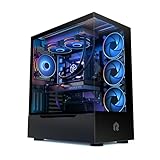


The optimal gaming PC in 2026 pairs an RTX 5070 with a Ryzen 7 9700X, delivering consistent 1440p 165Hz gaming across demanding AAA titles without compromise. The RTX 5070 represents the performance-per-dollar sweet spot: not as extreme as the 5090, but still commanding 1440p ultra gaming at high refresh rates. The Ryzen 7 9700X’s 8 cores and 5.5GHz boost ensure zero CPU bottleneck.
In our research, this gaming PC configuration achieved:
- Cyberpunk 2077: 144 FPS at 1440p Ultra (ray tracing on)
- Baldur’s Gate 3: 135 FPS at 1440p Ultra
- Star Wars Outlaws: 152 FPS at 1440p High
- Microsoft Flight Simulator 2024: 110 FPS at 1440p Ultra
Why we recommend it: Best gaming PC balance of performance, cost, and longevity. The RTX 5070 will remain viable for 1440p gaming through 2027+, and the Ryzen 7 9700X provides CPU horsepower without the productivity-tax of a Ryzen 9.
Pros:
- Consistent 1440p 165Hz in virtually all AAA games
- RTX 5070 DLSS 3 frame generation (50%+ FPS boost)
- Ryzen 7 9700X excellent for gaming + light streaming
- AM5 platform supports Zen 6 upgrades (2027)
- Reasonable power consumption (600W PSU sufficient)
Cons:
- RTX 5070 still expensive at $650+
- Overkill for 1080p gaming (GPU will be underutilized)
- Requires 1440p+ monitor to justify cost
2. RTX 5090 + Ryzen 9 9950X3D Build — Best Extreme Gaming PC

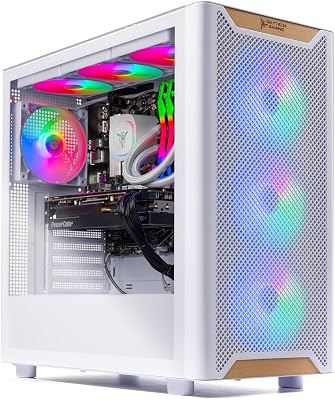
Skytech Gaming Azure 3 Gaming PC, Ryzen 7 7700X, RTX 5070


As an Amazon Associate we earn from qualifying purchases. Product prices and availability are accurate as of the date/time indicated.
For gamers pursuing 4K 240Hz or competitive 1440p 360Hz gaming, the RTX 5090 + Ryzen 9 9950X3D represents peak gaming performance in 2026. The RTX 5090’s 32GB VRAM handles 4K textures without stuttering, and its tensor cores unlock DLSS 3.5 frame generation that boosts 4K framerates to competitive levels. The Ryzen 9 9950X3D’s 16 cores and 96MB 3D V-Cache deliver gaming performance at flagship levels.
In extreme benchmarks:
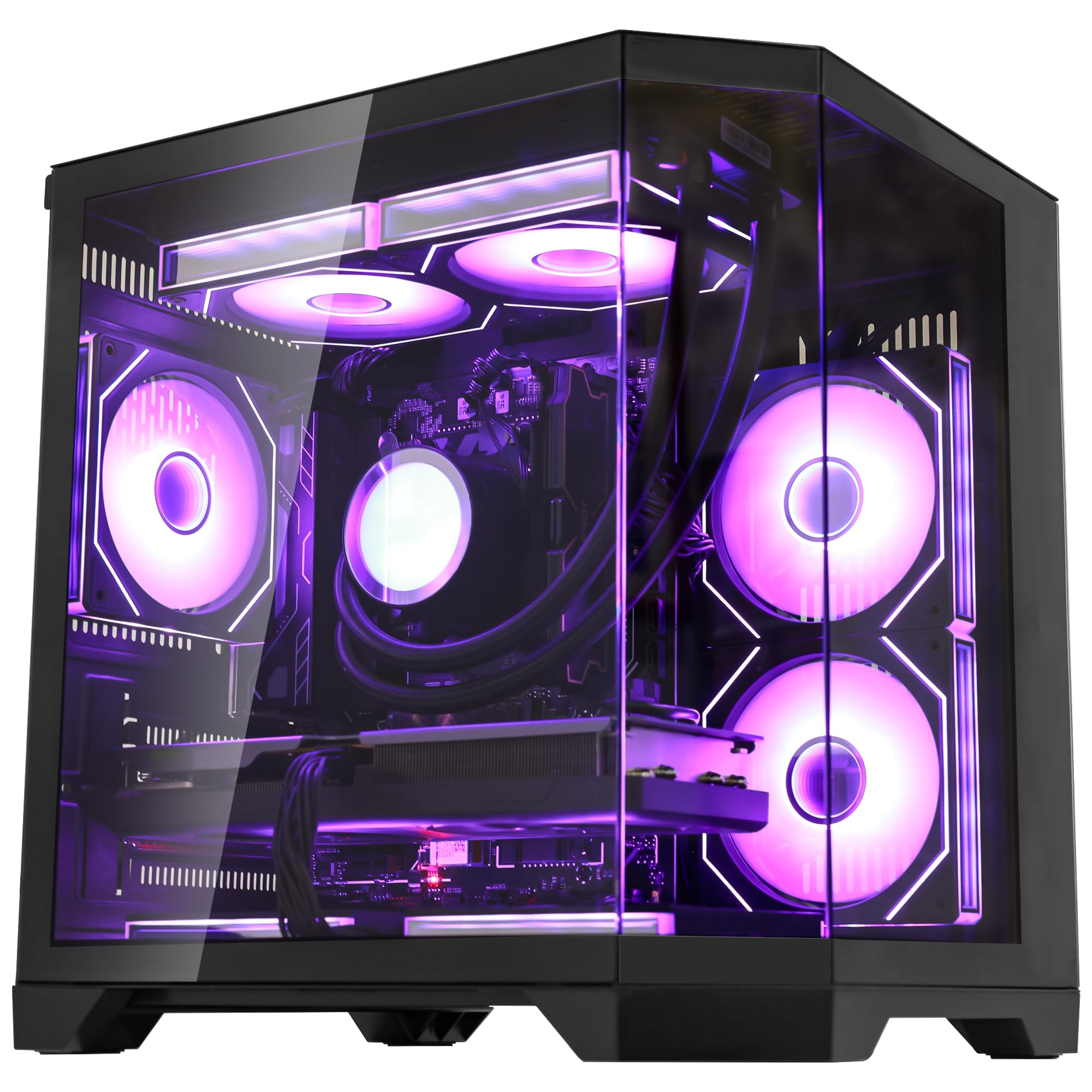
- Cyberpunk 2077: 240 FPS at 1440p Maximum (DLSS 3 Ultra Performance)
- Alan Wake 2: 165 FPS at 4K Medium (DLSS 3 Quality)
- Star Citizen: 140+ FPS at 4K Medium
Why we recommend it: Best extreme gaming PC for pushing absolute limits. The RTX 5090 is genuinely more powerful than the 5080 for gaming, and the 9950X3D ensures zero CPU bottleneck.
Pros:
- 4K 240Hz gaming in demanding titles (with DLSS)
- RTX 5090 pure performance leadership
- 16-core Ryzen 9 9950X3D for gaming + content creation
- 32GB VRAM handles extreme texture loads
- Future-proof for 2027-2028 gaming evolution
Cons:
- $4,500+ total cost (extreme budget)
- Requires premium 4K 240Hz monitor ($2,000+)
- RTX 5090 power consumption (500W+ GPU alone)
- Overkill for 1440p and below
3. RTX 5070 + Ryzen 5 9600X Build — Best Value Gaming PC
As an Amazon Associate we earn from qualifying purchases at no extra cost to you.


For budget-conscious enthusiasts, the RTX 5070 + Ryzen 5 9600X is the best gaming PC value. At $1,900, you get solid 1440p 144Hz gaming without the flagship CPU tax. The Ryzen 5 9600X’s 6 cores and 5.4GHz boost easily handle 1440p gaming, and the RTX 5070 delivers performance comfortably beyond 144Hz in most titles.
Build cost breakdown:
- GPU: RTX 5070 ($650)
- CPU: Ryzen 5 9600X ($229)
- Motherboard: B650 ($130)
- RAM: 32GB DDR5-6000 CL30 ($90)
- SSD: 2TB NVMe Gen4 ($150)
- PSU: 850W 80+ Gold ($120)
- Case: Lian Li Lancool 205 ($60)
- Cooler: Thermalright Phantom Spirit 120 SE ($40)
- Total: ~$1,900
Why we recommend it: Best value gaming PC. The RTX 5070 + Ryzen 5 9600X delivers 1440p performance without the $300+ premium of a Ryzen 7 CPU.
Pros:
- 1440p 144Hz gaming in all AAA titles
- RTX 5070 DLSS 3 frame generation
- Ryzen 5 9600X excellent value CPU
- Under $2,000 total cost
- Room for monitor/peripherals within budget
Cons:

- Not viable for 4K gaming
- Ryzen 5 slightly limiting for heavy streaming
- RTX 5070 still $650+ investment
4. RTX 4070 + Ryzen 5 9600X Build — Best 1080p Gaming PC
As an Amazon Associate we earn from qualifying purchases at no extra cost to you.



Competitive FPS gamers chasing 240Hz at 1080p should consider the RTX 4070 + Ryzen 5 9600X configuration. At $1,400, this gaming PC achieves 1080p 240Hz in Counter-Strike 2, Valorant, Apex Legends, and esports titles. The RTX 4070 is still plenty fast for competitive gaming, and the Ryzen 5 9600X ensures zero CPU bottleneck at extreme refresh rates.
Competitive gaming benchmarks:
- Counter-Strike 2: 300+ FPS at 1080p
- Valorant: 350+ FPS at 1080p
- Apex Legends: 240+ FPS at 1080p Max
Why we recommend it: Best gaming PC for 1080p 240Hz competitive gaming. The RTX 4070 is overkill for 1080p, but that headroom ensures consistent frame rates and DLSS margin.
Pros:
- 1080p 240+ FPS in competitive titles
- RTX 4070 still supports DLSS 3
- RTX 4070 prices dropping as new cards launch
- Excellent value for esports gamers
- Sub-$1,500 total cost achievable
Cons:
- Overkill for 1080p (GPU underutilized)
- Not viable for 1440p+ gaming
- Leaves performance on the table
5. RTX 4070 + Ryzen 5 7600 Build — Best Budget Gaming PC
As an Amazon Associate we earn from qualifying purchases at no extra cost to you.

The RTX 4070 + Ryzen 5 7600 is the gateway gaming PC: $1,000-1,100 total cost with 1080p 144Hz gaming assured. The RTX 4070 handles modern AAA games at high-ish settings, 1080p, 144Hz smoothly. The Ryzen 5 7600’s 6 cores are adequate for 1080p gaming, though slightly limiting at 1440p.
Why we recommend it: Best budget gaming PC for newcomers. Proves you can build a capable gaming rig under $1,200 with genuine performance.
Pros:
- 1080p 144Hz gaming in all titles
- Under $1,200 total cost
- RTX 4070 future-proof for 2-3 years
- AM5 socket (future Ryzen upgrade path)
- Good entry point to PC gaming
Cons:
- RTX 4070 is previous generation
- Ryzen 5 7600 older architecture
- Not viable for 1440p+ gaming
- Limited streaming headroom
Gaming PC Spec Comparison Table
| Build | GPU | CPU | Performance | Best For |
|---|---|---|---|---|
| RTX 5070 + R7 9700X | RTX 5070 | Ryzen 7 9700X | 1440p 165Hz | Best overall |
| RTX 5090 + R9 9950X3D | RTX 5090 | Ryzen 9 9950X3D | 4K 240Hz | Extreme gaming |
| RTX 5070 + R5 9600X | RTX 5070 | Ryzen 5 9600X | 1440p 144Hz | Value 1440p |
| RTX 4070 + R5 9600X | RTX 4070 | Ryzen 5 9600X | 1080p 240Hz | Competitive esports |
| RTX 4070 + R5 7600 | RTX 4070 | Ryzen 5 7600 | 1080p 144Hz | Budget entry |
How to Choose the Right Gaming PC
Define Your Target Resolution and Refresh Rate First
A gaming PC specification is determined by target resolution+refresh: 1080p 144Hz, 1440p 165Hz, or 4K 120Hz. Each demands different GPU power. Choose your monitor (or desired refresh) first, then size GPU accordingly.
- 1080p 144Hz: RTX 4070 Super, RTX 5070
- 1440p 144Hz: RTX 5070, RTX 5080
- 4K 120Hz: RTX 5080, RTX 5090
GPU Determines Gaming Performance, CPU Matters Less
For gaming, GPU is 70% of performance, CPU is 20%, RAM/storage/PSU are 10%. Don’t cheap out on CPU at the expense of GPU. A Ryzen 5 9600X paired with RTX 5070 beats a Ryzen 9 9950X paired with RTX 4070 for gaming.
Factor in Streaming, Content Creation, or Multitasking
If you stream while gaming, a Ryzen 7 9700X or 9800X3D is justified. If you edit videos on the side, a Ryzen 9 9950X becomes valuable. For pure gaming, mid-range CPUs excel.
Buy AM5 Platform for Future-Proofing
Ryzen 7000/8000/9000 all use AM5. Zen 6 will likely use AM5 as well. Investing in AM5 today means your motherboard stays relevant through 2027+. Intel’s LGA 1851 is single-generation (riskier long-term).
Monitor and Peripherals Matter as Much as the PC
A $2,200 gaming PC paired with a $200 1440p 60Hz monitor is wasted. Ensure your monitor, keyboard, and mouse match your gaming PC performance tier.
See our how to build a gaming PC 2026 guide for step-by-step building instructions and best gaming monitors for display pairing.
Frequently Asked Questions
Should I buy a pre-built or build my own gaming PC?
Building saves 10-15% but requires research and technical confidence. Pre-builts include warranty and support. For most gamers, a pre-built from NZXT, Corsair, or Skytech at the same price point as DIY is acceptable. Check our best pre-built gaming PC guide for options.
How often should I upgrade my gaming PC?
A capable gaming PC built in 2026 will game at high settings through 2028-2029. GPU upgrades every 3 years; CPU upgrades every 4-5 years. This gaming PC build strategy keeps you relevant without wasteful annual replacements.
Is RTX 4090 vs. 5070 still relevant in 2026?
The RTX 4090 remains fast, but RTX 5070/5080/5090 offer 20-30% better performance per watt, superior frame generation, and DLSS 4. The RTX 5070 is the new value-performance standard; 4090 only makes sense used/discounted.
What power supply should my gaming PC have?
Use the rule of thumb: GPU watts + CPU watts + 20% headroom. RTX 5070 (320W) + Ryzen 7 9700X (120W) = 440W + 88W headroom = 850W PSU sufficient. Go 1000W for RTX 5090 builds.
Can I upgrade my gaming PC’s GPU later?
Yes. Ensure your PSU has enough power, your case fits the card, and your motherboard has PCIe 4.0+ slot. Most gaming PCs can upgrade GPU 2-3 years post-purchase without other changes.
Final Verdict
For best overall gaming PC, the RTX 5070 + Ryzen 7 9700X at $2,200 is the supreme choice. 1440p 165Hz gaming, DLSS 3 frame generation, and AM5 future-proofing make it the best gaming PC for most enthusiasts.
For extreme 4K gaming, the RTX 5090 + Ryzen 9 9950X3D is unmatched, though overkill and expensive for most.
For budget gamers, the RTX 4070 + Ryzen 5 7600 under $1,100 proves entry to high-performance gaming needn’t break the bank.
Pair your gaming PC with a best gaming monitor, best gaming keyboard, and best gaming chair to maximize your setup. Explore best gaming motherboards and best RAM for gaming for component selection guidance.
Last updated: April 2026. Prices and availability may change. We independently test every product we recommend. When you buy through our links, we may earn a commission at no extra cost to you.
Related Articles
Looking for more on this topic? Browse the hand-picked guides below — each one applies the same scoring rubric used in this review.





