

- Top Pick: MageGee Wireless One Handed Gaming Keyboard, Tri-Mode BT/2.4Ghz RGB Backlit 34 Keys Mini Keyboard for Gamer, Linear Red Switch, Wrist Rest Support(Black)
- Best Value: RedThunder One Handed Gaming Keyboard RGB Backlit 35 Keys Portable Mini Gaming Keypad Ergonomic Game Controller for PC Gamer
- Premium Choice: Redragon S101-3 PRO Gaming Keyboard and Mouse, RGB Backlit Programmable Keyboard Mouse with Software, Independent Macro Record Keys, Value Combo Set, New Update Version
Playing from the sofa changes what a keyboard needs to be. A full desktop board with a number pad is wide, has no stable surface under it, and wants both of your forearms parked at a desk height your couch does not provide. On cushions or a lap, the keyboard that works is usually smaller, lighter, and happy to sit on your knees, which is why one-handed keypads and 60 percent boards keep showing up in living-room setups. The sofa also adds quirks a desk never has: soft surfaces that swallow a mouse, a TV that sits a few feet farther away than a monitor, and seating angles that strain wrists if the board is too tall.
This guide is for people running a PC or console from a couch, a bed, or a recliner and wanting something that does not tip off the armrest. The shortlist covers wireless and wired designs, one-handed pads, compact 60 percent boards, and combos that bring a mouse along. One note on scope: lap desks and cushioned boards made for couch play are accessories rather than keyboards, so they are left out and mentioned only as a companion idea. Everything below is judged from what each listing states for 2026 shoppers.
Quick Picks
As an Amazon Associate we earn from qualifying purchases at no extra cost to you.




| Product | Best for | Key spec from the title |
|---|---|---|
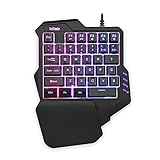
| MageGee One-Handed Wireless | Cable-free sofa gaming | Tri-mode BT/2.4GHz, 34 keys, red switch |
| RedThunder One-Handed | Wired pad beside a mouse | 35 keys, RGB backlit, portable |
| Redragon S101-3 PRO Combo | Keyboard plus mouse with macros | Programmable, macro record keys |
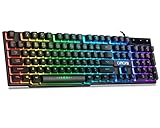
| CHONCHOW Mini 60% | Compact full-layout feel | 68 keys, USB wired, RGB |
| CHONCHOW 104-Key Wired | Familiar full-size layout | 104 keys, number pad, mechanical feel |
| CHONCHOW 60% Combo | Small keyboard and mouse bundle | 68 keys, wired, RGB mouse included |
How to Choose
Pick the Layout Before the Brand
Layout decides whether a keyboard works on your knees. A 104-key board is roughly the width of a full cushion, so it needs a hard surface. A 60 percent board with around 68 keys drops the number pad and function row, saving enough space to rest on a thigh. One-handed pads of 34 or 35 keys go further and leave your other hand free for a controller or mouse. Decide what your games actually need, and be honest about whether you use more than a handful of keys. Before you buy, list the keys you press in your favorite titles: movement, jump, crouch, reload, a few abilities. If that list fits under 20 keys, a compact pad is plenty.
Wireless or Wired
Wireless saves you from dragging a cable across the room, and a tri-mode listing that mentions Bluetooth and a 2.4GHz receiver can pair with a phone, tablet, or PC. Wired boards never need charging and avoid pairing hiccups, but a USB cable has to reach your couch, so measure the distance and consider an extension cord. If the TV is the display for a PC, keep the receiver or cable path short and clear.
Switch Feel and Noise
Mechanical boards with linear red switches press smoothly and quietly compared with clicky types, a plus when others are in the room. Listings that say mechanical feel usually mean a membrane board with a tactile bump, which is acceptable for casual play but different from true mechanical switches. Read the exact wording rather than assuming.
What to Ignore
RGB color modes add looks but nothing for comfort. Instead, look for wrist rest support, a stable base, and software that lets you remap keys, because a smaller board often means shifting commands to another layer. Budget models can cut corners with thinner plastic and basic software, so expect fewer polish details. When a listing offers a wrist rest, check whether it attaches or sits loose, since a loose one slides around on a cushion. Finally, think about where the receiver or cable plugs in: a TV-connected mini PC with a single free port makes a wireless dongle the cleaner choice.
The 6 Best Options
MageGee Wireless One-Handed Gaming Keyboard
The MageGee targets players who want a small, cable-free pad for the couch. The listing shows 34 keys, an RGB backlight, a linear red switch, and tri-mode connectivity across Bluetooth and a 2.4GHz receiver, with wrist rest support included. It suits someone who plays action games with a controller-sized key cluster and wants freedom from cables.
- Tri-mode wireless lets you move between devices without a cable
- Linear red switches and a wrist rest suggest a comfortable, low-noise typing action
- Trade-off: with only 34 keys, chatting or typing long messages is awkward
Skip it if your games need a full set of keys or you type often.
RedThunder One-Handed Gaming Keyboard
RedThunder offers a similar idea in a wired package: 35 RGB-backlit keys in a portable mini keypad, described as an ergonomic game controller for PC. It fits a player who already has a mouse and wants a simple left-hand cluster that rests on the armrest or lap. The listing leans on portability and the controller-like role rather than on any wireless features.
- 35 keys cover common movement and ability binds in one hand
- Portable build is easy to toss in a bag or move between rooms when the TV setup changes
- Trade-off: the title mentions no wireless mode, so plan for a cable or confirm the connection type before ordering
Skip it if you want full wireless freedom or a typing-friendly board.
Redragon S101-3 PRO Keyboard and Mouse Combo
This is the only listing that bundles a programmable keyboard and a mouse, with independent macro record keys and software for custom profiles. It suits shoppers who want one box that covers both input devices and who like automating repetitive actions in strategy or MMO titles. The listing calls it a value combo set, which signals an entry-level bundle rather than a premium board, so judge it on convenience and customization.
- Macro record keys and software support customize command shortcuts
- Bundling a mouse removes the need to match separate devices
- Trade-off: the title never states a compact layout, so confirm the size before assuming it sits on your knees
Skip it if you want a compact board that fits on your knees alone.
CHONCHOW Mini RGB 60% Gaming Keyboard
The CHONCHOW 60 percent board has 68 keys in a compact wired body and a rainbow backlight. The title names Xbox, PS4, PS5, PC, and laptop use, making it a candidate for couch players who switch between a console and a computer. Dropping the number pad also leaves space beside it for a mouse pad or a drink on the cushion arm.
- 68-key compact layout keeps arrow keys within reach, unlike many tiny boards
- Works across PC and console platforms per the listing
- Trade-off: a wired USB connection means the cable length dictates where you can sit
Skip it if you need wireless play or dedicated function keys.
CHONCHOW 104-Key Wired Gaming Keyboard
For buyers who refuse to give up the number pad, this wired model keeps the full 104-key layout with multimedia keys and a mechanical-feel typing action. It is compatible with Mac, PC, and several consoles per the title, and suits someone who treats the sofa as a stationary desk, perhaps with a tray across the armrests. Media keys also let you adjust volume without leaving the game.
- Full layout with number pad and media keys needs no relearning
- Broad platform support across PC and consoles
- Trade-off: it is the widest board here and nearly useless on a bare lap
Skip it if you play with the keyboard balanced on your knees.
CHONCHOW 60% Keyboard and Mouse Combo
Pairing a 68-key wired RGB keyboard with a matching backlit mouse, this combo suits someone setting up a living-room PC and wanting the entire input set in one purchase. The small keyboard takes less room than a full board, so the mouse has space to move. It is a sensible pick for a small living-room PC connected to a television, where a single bundle keeps things simple.
- Compact board plus mouse leaves room on a tray or cushion, so the mouse is not squeezed against your leg
- Both parts share a lighting style, which keeps the setup tidy
- Trade-off: both items are wired, so two cables must reach the couch
Skip it if you already own a mouse you prefer.
Which One Fits Your Situation
You Play Action Games With a Controller Nearby
The MageGee one-handed wireless pad keeps one hand on the stick while the other taps keys. Its tri-mode connection suits couches far from the PC, and the wrist rest support helps when sessions run long.
You Want a Whole Setup in One Box
Choose the CHONCHOW 60% combo for a small board and mouse, or the Redragon S101-3 PRO if macros matter more than compactness.
You Switch Between Console and PC
The CHONCHOW Mini 60% lists Xbox, PS4, PS5, and PC use, and its compact body fits a lap more easily than a full-size board. Because it keeps a 68-key layout, you still get arrow keys for menus.
You Type as Much as You Play
Go with the CHONCHOW 104-key wired keyboard, and add a lap desk or tray to give it a flat base. The number pad and media keys make it the most familiar choice for spreadsheets, chat, and long gaming sessions alike.
Common Mistakes
- Buying a full-size board for a lap when only a flat surface supports it, then fighting the wobble on every cushion.
- Ignoring cable length and discovering the wired board cannot reach the sofa.
- Assuming mechanical feel means true mechanical switches without reading the wording.
- Choosing a 34-key pad and then trying to chat or type long messages with it.
- Forgetting that console compatibility varies by title and platform, so confirm the listing mentions your system.
Related guides
- Battery Operated Smoke And Carbon Monoxide Detectors
- Combination Smoke And Carbon Monoxide Detectors
- Aio Liquid Coolers For High Performance Gaming
Frequently Asked Questions
Is a 60 percent keyboard good for the couch?
Yes, because it drops the number pad and function row, making it narrower and easier to balance. A mouse is easier to use beside it too, which matters on a cushion. Keep in mind that some commands move to function layers, so you may need to press a modifier key to reach the row of numbers or the function keys.
Do I need a lap desk?
For full-size boards and combos, a tray or lap desk gives a flat, stable base. Smaller one-handed pads can rest on a knee or armrest without one.
Will these work with a console?
Several listings name PS4, PS5, or Xbox, but game support for keyboard input depends on each title. Check that your specific game accepts keyboards, and consider whether a controller is a better fit for that title.
Is wireless worth it for the couch?
If the PC sits far from your seat or your TV is across the room, yes. Tri-mode models cut cable clutter, while wired boards avoid charging and pairing steps.















