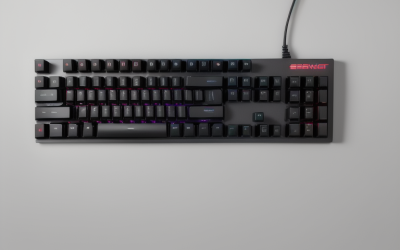
Updated November 2026 – Gaming keyboards are worth it if you play often: a mechanical board with linear red-style switches is the safe pick for fast games, tactile brown-style switches suit mixed typing and gaming, clicky blue-style switches are the least practical, and Hall Effect boards such as the Wooting 80HE are the choice for competitive shooters.
When people ask “are gaming keyboards worth it red blue and brown”, they are really asking whether the switch type changes how they play. This guide covers mechanical versus membrane, linear, tactile and clicky switches, Hall Effect rapid trigger, polling rate and layout sizes, citing what makers list and what guides from outlets such as Glorious, HP and mkbguide report.
Are Gaming Keyboards Worth It?
| Switch or board type | Verdict for gaming | Best for |
|---|---|---|
| Membrane office keyboard | Fine for casual play | Casual gamers on a budget |
| Mechanical linear (red-style) | Very good | FPS, MOBA, fast repeated presses |
| Mechanical tactile (brown-style) | Good | Typing and gaming on one board |
| Mechanical clicky (blue-style) | Good feel, poor fit for shared rooms or voice chat | Typists who also game casually |
| Hall Effect / magnetic | Best for competitive play | Rapid trigger in shooters and rhythm games |
A gaming keyboard is worth it when you play often and want faster response, better durability and customization. For occasional play, a decent office keyboard is enough, and the gain from a gaming model is comfort and consistency rather than a visible jump in skill.
Mechanical vs Membrane for Gaming
Mechanical keyboards use a separate switch under each key, while membrane boards use a rubber dome layer. Mechanical boards are generally more durable, easier to repair and customize, and they offer a wider range of key feel. Membrane boards are quieter and cheaper but feel softer and less precise to many players.
HP’s guide to gaming keyboards separates three families: mechanical, optical and Hall Effect. Optical switches use light to detect presses and Hall Effect switches use magnets, and both aim to reduce debounce delay and wear compared with traditional contact switches.
Are Red Switches Good for Gaming? Linear Switches Explained
Yes, red-style linear switches are a safe default for gaming. A linear switch moves straight down with no bump or click, so repeated presses feel smooth and quick. This suits games where you tap keys rapidly, such as strafing in shooters, ability rotations in MOBAs and movement in platformers.
Are linear switches good for gaming in every case? Mostly. The drawback is that without feedback you can press a key lightly by accident, and some typists find them mushy. Mkbguide’s comparison of linear and tactile switches frames the choice as feel and preference rather than a measurable win, and notes that different linear switches vary in spring weight and travel.
Are Brown Switches Good for Gaming? Tactile Switches Explained
Yes, brown-style tactile switches are good for gaming, especially if you also type a lot. A tactile switch has a small bump partway down the press that tells you the key has registered. That feedback helps typists and can help players who want confirmation, while some competitive players prefer linear because the bump can feel like resistance during rapid presses.
Are tactile switches good for gaming for slower games? They are a strong choice for strategy, MMOs and roleplaying games, and for mixed work and play. They stay quiet compared with clicky switches, which matters in shared spaces.
Are Blue Switches Good for Gaming?
Blue-style clicky switches are playable but are the least practical choice for gaming. They have a bump plus an audible click, which many typists enjoy. The click is loud on voice chat and in shared rooms, and the extra mechanism can make very fast repeated presses less comfortable. They fit best for people who mostly type and game occasionally.
| Switch style | Feel | Sound | Gaming fit |
|---|---|---|---|
| Red (linear) | Smooth, no bump | Quiet to medium | Fast, repeated presses |
| Brown (tactile) | Small bump | Medium | Mixed typing and gaming |
| Blue (clicky) | Bump plus click | Loud | Typing-first users |
Color names are a convention more than a rule. Different makers use the same colors for switches with different weights and feels, so read the maker’s spec for the actual actuation force and travel before buying.
Hall Effect, Magnetic Switches and Rapid Trigger
Hall Effect keyboards use magnets and sensors to measure how far a key is pressed, which allows adjustable actuation points and a feature called rapid trigger. With rapid trigger, a key resets the instant you start to release it instead of at a fixed point, which can make quick stops in shooters and rhythm games feel sharper. Guides report that the Wooting 80HE offers per-key rapid trigger down to 0.1 mm and 8,000 Hz polling through its Tachyon mode.
The Razer Huntsman V3 Pro TKL 8K and the SteelSeries Apex Pro TKL Gen 3 are other models that appear in 2026 guides, along with lower-priced boards such as the DrunkDeer A75 Ultra and NuPhy Field75 HE. These guides are mostly from retailers and enthusiast sites rather than lab tests, so treat rankings with caution and rely on the maker’s own listed specifications.
Hall Effect boards are effectively linear. One guide says mainstream magnetic boards do not yet offer tactile or clicky options, so anyone who wants a bump should choose a conventional mechanical board. Rapid trigger can cause accidental re-inputs for heavy typists, and some games and tournaments restrict certain features, so check the game’s rules before using features such as SOCD handling in competitive play.
Polling Rate: Does 8000Hz Matter?
Polling rate is how often the keyboard reports to the PC. 1000Hz has been the long-time standard, and 8000Hz is now a flagship feature on some boards. Guides say wireless polling is often capped at 1000Hz on some boards, and some budget boards advertise 8000Hz but rely on software that uses CPU resources constantly.
For most players, 1000Hz is enough, and the gain from 8000Hz is small and mostly relevant to competitive shooters with high-refresh monitors. The rapid trigger and actuation settings change feel more than polling does.
| Feature | What it does | Who needs it |
|---|---|---|
| Adjustable actuation | Sets how far a key travels before registering | Competitive players |
| Rapid trigger | Resets the key on release instantly | Shooter and rhythm players |
| High polling rate | Reports to the PC more often | High-refresh competitive setups |
| N-key rollover | Registers many keys at once | Anyone playing complex games |
| Hot-swap sockets | Lets you change switches without soldering | Tinkerers |
Layout Sizes: Full, TKL, 75, 65 and 60 Percent
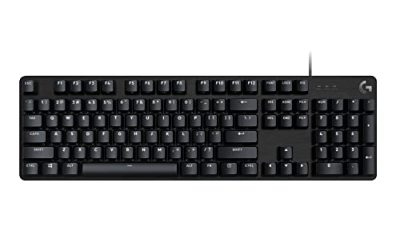
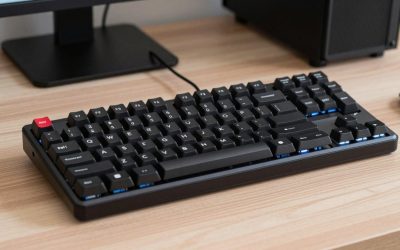
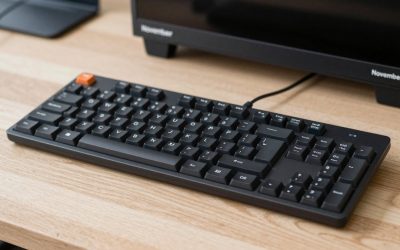
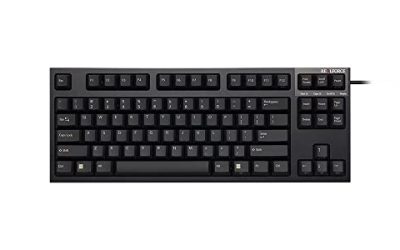
Smaller layouts free desk space for mouse movement, which helps low-sensitivity shooter players. A full-size board keeps the number pad and suits work and simulation games. A tenkeyless board drops the number pad, a 75 percent board shrinks further and keeps function keys, a 65 percent board keeps arrow keys, and a 60 percent board removes most extra keys and relies on layers. Choose the smallest layout whose missing keys you will not miss.
Wired or wireless
Wired is the simplest choice and often unlocks the highest polling rate. Wireless boards offer a clean desk and are fine for most players, but the high polling rate options may be wired-only on some models, so read the maker’s spec.
Who Gets the Most Out of a Gaming Keyboard
Competitive shooter players get the most from a gaming keyboard, because adjustable actuation, rapid trigger and a compact layout all feed directly into movement and aiming. Rhythm game players benefit from the same features. MOBA and MMO players gain from programmable keys and macros, though many keep a full-size layout for the extra keys. Single-player and casual gamers may not notice much difference over a decent office keyboard, and for them comfort and noise matter more than any specification.
Noise and shared spaces
Clicky switches and loud key caps carry through voice chat and into the next room. If you share a space, choose linear or tactile switches, and look at boards with sound-dampening foam. Some makers also sell lubricated switches that sound smoother out of the box.
Durability and switch lifespan
Makers list switch lifespans in the tens of millions of presses for many mechanical switches, and Hall Effect switches avoid physical contact, which is the basis for claims of longer life. Treat these as the maker’s ratings rather than guarantees, and read the warranty length when comparing boards.
Hot-swap sockets and customization
Hot-swap boards let you change switches without soldering, so a switch you dislike is a small fix rather than a new keyboard. That makes it easier to try linear versus tactile feel on the same board. Keycap material also affects sound and feel, with thicker PBT caps usually sounding deeper than thin ABS ones. Read the board’s stated switch compatibility before buying replacements.
Console use
Console and handheld owners sometimes look for gaming accessories too. A gaming keyboard works with a PC, and some consoles accept a USB keyboard only for typing or a few supported games, so read the console maker’s accessory support before buying.
Frequently Asked Questions
Are gaming keyboards worth it?
Yes, if you play regularly. A mechanical board gives better durability, feel and customization, while an office keyboard is enough for casual play.
Are red switches good for gaming?
Yes. Linear red-style switches move smoothly without a bump, which suits fast, repeated key presses in shooters and MOBAs.
Are blue switches good for gaming?
They work, but the click is loud and the mechanism is less comfortable for rapid presses. They suit typing more than competitive gaming.
Are brown switches good for gaming?
Yes. Tactile brown-style switches give feedback and are quieter than clicky ones, which makes them a good fit when you type and game on the same board.
Are linear switches good for gaming?
Yes, linear switches are the most common choice for competitive gaming because presses are smooth and quick. The trade-off is less feedback, so accidental light presses happen.
Are tactile switches good for gaming?
Yes, especially for slower games and mixed work. Some fast-paced players prefer linear because the bump can feel like resistance during rapid taps.