

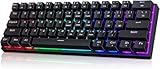
- Top Pick: Aula WIN60 HE – 60% Mechanical Gaming Keyboard Wired, Magnetic Switch Hot Swappable, Adjustable Actuation Rapid Trigger Mode, 8000 Hz Polling Rate, RGB Small Keyboard 60 Percent Compact Design for PC
- Best Value: Newmen GM611 Mechanical Keyboard,LEDBacklit Wired Gaming Keyboard RedSwitch | Compact Portable,Mini 61 Keys,LED Backlit,60 Percent Mechanical Keyboard,Black Keycaps,Windows Laptop PC,Linear Red Switches
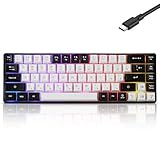
- Premium Choice: MageGee Portable 60% Mechanical Gaming Keyboard, MK-Box LED Backlit Compact 68 Keys Mini Wired Office Keyboard with Red Switch for Windows Laptop PC Mac – Black/Grey
A 60 percent keyboard is a trade: you give up the number pad, the function row and usually the navigation cluster, and you get back a few inches of desk for your mouse. That trade is easy to love until the first time you need an arrow key or a function-layer shortcut. Before comparing models, decide what you can live without, because the 60 percent label covers 61-key, 66-key and 68-key layouts that behave quite differently day to day.
This guide is for gamers with low-sensitivity mouse swipes, desk-sharing students, and anyone who carries a board between a laptop and a PC. The ten keyboards below range from basic wired boards with a single switch type to magnetic-switch designs with adjustable actuation. Everything here is judged on the specs printed in each listing for 2026 shopping, so use it to narrow the field and then confirm layout details before you order.
Quick Picks
As an Amazon Associate we earn from qualifying purchases at no extra cost to you.




| Product | Best for | Key spec from the title |
|---|---|---|
| Aula WIN60 HE | Competitive shooters | Magnetic switches, rapid trigger, 8000 Hz polling |
| Newmen GM611 | First compact board | 61 keys, linear red switches |
| MageGee MK-Box | Travel and desk swaps | 68 keys, red switch, portable |
| Aula WIN68 HE | Fast-trigger tuning | Hall effect switches, adjustable actuation |
| Cackbird 60% Blue | Clicky-switch fans | Blue switches, 61 keys, PC/Mac/Xbox |
| RK Royal Kludge R65 | Keyboard tinkerers | Gasket mount, PBT keycaps, volume knob |
| RK Royal Kludge RK61 | Custom layouts | QMK/VIA, hot swappable, pre-lubed |
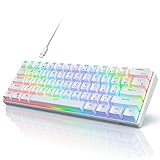
| TMKB 60% | Clean white setups | Detachable USB-C, double-shot keycaps |
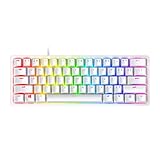
| Razer Huntsman Mini | Brand-first buyers | Linear optical switches, Snap Tap |
| Guiheng 60% | Simple carry-along board | 68 keys, RGB, red switch |
How to Choose
Count the keys, then count the ones you need
A 61-key board drops the arrow keys into a function layer. The 66-key and 68-key designs in this list keep more keys on the surface. If you edit documents, scroll spreadsheets or play games that rely on arrows, lean toward 66 or 68. If your hands live on WASD and a mouse, 61 keys is fine and gives the smallest footprint. Try to picture a normal workday: if you hit Delete, Home or Page Up often, every layer shortcut becomes a small tax on your hands.
Switch type decides the sound and the feel
Red switches in these listings are linear, meaning a smooth press without a bump. Blue switches are the clicky style, which is louder and a poor fit for shared rooms. Magnetic or Hall effect switches replace the metal contact with a sensor, which is what makes adjustable actuation and rapid trigger possible. Treat those as a feature set for players who want to tune the press point, not a requirement. Optical switches, as on the Razer, register presses with light instead of a metal contact.
Look for hot-swap, firmware and keycap material
Hot swappable sockets let you change switches without soldering. QMK/VIA support means you can remap keys and layers in software. PBT keycaps resist shine over time, and double-shot construction means legends are molded into the cap rather than printed. Budget boards often skip one or more of these, so scan the title for them instead of assuming. Mid-range and premium boards tend to name these details because they are selling points.
Connection and compatibility matter more than the lighting
Every board here is wired, which avoids pairing and battery questions. A detachable USB-C cable makes bag travel easier than a fixed cable. Check the listed operating systems: some titles name Windows only, others add Mac or Xbox. Ignore backlight effect counts, since a handful of modes covers nearly everyone, and put your attention on layout and switch type instead.
One more practical check: polling rate figures such as 8000 Hz only matter if your mouse, games and USB ports can make use of them. For most buyers a standard polling rate is plenty, so treat a high figure as a bonus on a board you would already choose for its layout and switches.
The 10 Best Options
Aula WIN60 HE
This is the pick for players who want the press point to be adjustable instead of fixed. The listing names magnetic switches, rapid trigger mode and an 8000 Hz polling rate in a 60 percent frame, which is the most feature-heavy set in this comparison.
- Strength: adjustable actuation and rapid trigger are listed in the title.
- Strength: hot swappable design with RGB lighting.
- Trade-off: magnetic-switch features add settings to learn, and the title does not say which switches are compatible.
Skip it if you only want a plain typing board with no tuning.
Newmen GM611
A straightforward starter for someone moving from a full-size keyboard for the first time. It lists 61 keys, linear red switches and black keycaps, so there is little to decode and little to configure, which suits a first compact board.
- Strength: linear red switches suit quiet, smooth presses.
- Strength: compact and portable with LED backlighting.
- Trade-off: the listing mentions no hot-swap or software remapping.
Skip it if you want to customize switches or keymaps later.
MageGee MK-Box
This one is built around portability, with a 68-key layout and a red switch in a black and grey finish. It suits someone who shuttles between a desk and a laptop and wants a few more keys than the barest 60 percent layout.
- Strength: 68 keys give more keys than a 61-key board.
- Strength: listed as compatible with Windows laptops, PCs and Mac.
- Trade-off: the title leans toward office use and lists no advanced features.
Skip it if keycap quality or programmability is on your checklist.
Aula WIN68 HE
Think of this as the 68-key counterpart to the WIN60 HE. The listing calls out Hall effect magnetic switches, a fast trigger mode with adjustable actuation, and 8000Hz polling, so it carries the same tuning appeal with a roomier layout.
- Strength: Hall effect switches with adjustable actuation.
- Strength: 68-key layout keeps extra keys within reach.
- Trade-off: fast-trigger tuning is wasted on slow-paced games or typing-only use.
Skip it if a fixed-switch board feels like enough.
Cackbird 60% Blue
The only clicky-switch board in the group, listed with blue switches and 61 keys. The title also names PC, Mac and Xbox as supported platforms and mentions 18 backlight modes, making it a flexible choice for a mixed setup.
- Strength: blue switches deliver the tactile, audible style some typists prefer.
- Strength: broad platform support, including Xbox.
- Trade-off: clicky switches are noisy for shared spaces.
Skip it if you game late at night or share a room.
RK Royal Kludge R65
For the buyer who wants a gasket-mount feel and a volume knob in a compact frame. The title lists 66 keys, PBT keycaps, an MDA profile, QMK/VIA and a hot swappable cream switch, which reads like a full enthusiast checklist.
- Strength: gasket mount, PBT keycaps and a volume knob.
- Strength: QMK/VIA programming with hot-swap sockets.
- Trade-off: a 66-key layout is wider than a strict 61-key board.
Skip it if you want the smallest possible footprint.
RK Royal Kludge RK61
A 61-key option for people who want to remap everything. The listing pairs QMK/VIA programmable RGB with hot swappable sockets, a pre-lubed red switch and a white finish, a useful combination for a first customization project.
- Strength: QMK/VIA customization at the 61-key size.
- Strength: hot swappable, with Windows and Mac support listed.
- Trade-off: no volume knob or dedicated arrow keys in this layout.
Skip it if you never plan to change a keymap.
TMKB 60%
A white, 61-key linear board with details that matter for daily use. The title lists a detachable USB-C cable, double-shot keycaps and anti-ghosting, which together suit a clean desk and a bag that gets opened every day.
- Strength: detachable USB-C cable eases packing.
- Strength: double-shot keycaps with a red linear switch.
- Trade-off: the title mentions no hot-swap or software remapping.
Skip it if you want programmable layers.
Razer Huntsman Mini
The name-brand entry, with linear optical switches, an aluminum top frame and Chroma RGB. The title also lists PBT keycaps, onboard memory and Snap Tap, so it appeals to players who already live inside a brand ecosystem.
- Strength: onboard memory stores settings on the keyboard.
- Strength: aluminum top frame with PBT keycaps.
- Trade-off: the listing gives no hot-swap detail, so switch changes may be limited.
Skip it if you would rather have adjustable actuation.
Guiheng 60%
A lightweight white board with 68 keys and a red switch, aimed at portable and office use. It mirrors the MageGee in layout and switch type, so the choice between them often comes down to color and availability.
- Strength: 68 keys with RGB LED backlighting.
- Strength: portable build for Windows laptop and Mac setups.
- Trade-off: no hot-swap, QMK or keycap material is named.
Skip it if you want a well-documented feature list.
Which One Fits Your Situation
You play fast shooters
Go for the Aula WIN60 HE if you want the smallest footprint, or the Aula WIN68 HE if you want arrow keys. Both list adjustable actuation and 8000 Hz polling, which is the combination to look for if you plan to tune the press point yourself.
You want to learn keyboard customization
The RK Royal Kludge RK61 is the entry point, with QMK/VIA and hot swappable sockets. Step up to the R65 when you want a knob and a gasket-mount design, since it adds those on top of the same programming support.
You carry a board in a backpack
The TMKB 60% has a detachable USB-C cable, which removes the fixed cord from the packing equation. The MageGee MK-Box and Guiheng 60% are both framed as portable boards with 68 keys if you want arrows along for the trip.
You want a trusted brand with onboard settings
The Razer Huntsman Mini fits, thanks to onboard memory and an aluminum top frame. It is also the clearest fit for anyone who prefers optical switches to mechanical contacts.
Common Mistakes
- Buying a 61-key board without checking whether you can live on a function layer for arrows.
- Choosing blue switches for a shared room, then discovering the noise.
- Assuming every RGB board supports hot-swap or software remapping.
- Chasing magnetic-switch features you will never adjust.
- Ignoring the operating systems named in the listing, especially for Mac or Xbox use.
Related guides
- Battery Operated Smoke And Carbon Monoxide Detectors
- Combination Smoke And Carbon Monoxide Detectors
- Aio Liquid Coolers For High Performance Gaming
Frequently Asked Questions
What does 60 percent mean?
It refers to a compact layout that drops the number pad and most of the navigation keys. Many have 61 keys, while some add arrows for 66 or 68. The exact key count is worth reading before you buy.
Are linear red switches good for gaming?
Linear switches press smoothly without a tactile bump, which many gamers prefer for repeated taps. Feel is personal, so the choice comes down to sound and habit rather than a single right answer.
Do I need hot-swap sockets?
Not unless you plan to change switches. They are useful for experimenting without soldering, and several boards here list them, including both RK Royal Kludge models and the Aula magnetic boards.
Is a wired board a limitation?
For desk gaming, a cable avoids pairing steps and battery management. A detachable USB-C cable also makes a board easier to pack, so look for that wording if you travel. Keep in mind that a cable also gives the most predictable connection for competitive play, with nothing to charge before a match.
















