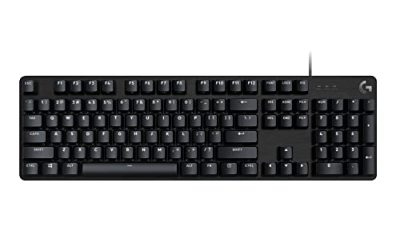
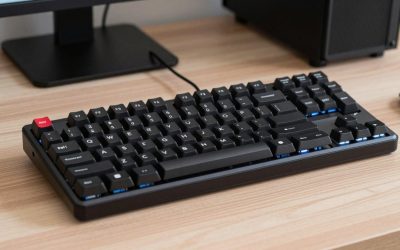
Dwarf Fortress is a game of menus, hotkeys, and long sessions. You move a cursor across z-levels, dig designations, and manage stockpiles, all through the keyboard. A mouse helps with the newer interface, but the keyboard still carries most of the work. The right keyboard keeps every command within reach, registers repeated presses cleanly, and stays comfortable through a long session.
The best keyboard for Dwarf Fortress is a compact board with a function row, dedicated arrow keys, reliable rollover, and switches that suit thousands of repeated presses. A 75% layout is the sweet spot for most players because it keeps the function row and arrows while taking up less desk space than a full-size board. Hall effect switches add adjustable actuation and rapid trigger, which help with the constant tapping that designation and menu work demands.
As an Amazon Associate, we earn from qualifying purchases.
Quick Answer
For most Dwarf Fortress players, the Keychron K2 HE is the best overall pick: a 75% Hall effect board with adjustable actuation, rapid trigger, wireless connectivity, and a layout that keeps the function row and arrow keys close at hand. Players who want a heavier build should look at the Keychron Q1 HE, while the SteelSeries Apex Pro TKL Gen 3 suits players who want deeper tuning.
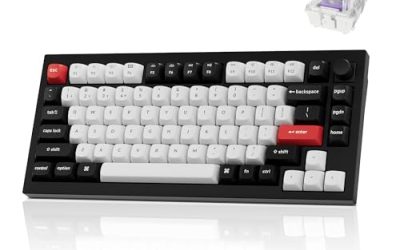
1. Keychron Q1 HE Wireless Custom Mechanical Keyboard

The Keychron Q1 HE is the premium Hall effect pick in this roundup, built for players who want a solid, customizable board that can be tuned key by key. Its aluminum body gives it a planted feel on the desk, and QMK support lets players remap keys, build layers, and set up macros for the commands they use most.
The Gateron Double-Rail Magnetic switches read key travel with a magnet and a sensor instead of a metal contact, which allows adjustable actuation and rapid trigger. Keys can register with a light press or a deeper press, and reset the moment you lift your finger. Connectivity covers 2.4 GHz wireless, Bluetooth 5.2, and USB-C wired, with a 4000 mAh battery.
Specs
- Layout: 75% layout, 82 keys
- Switches: Gateron Double-Rail Magnetic Hall effect switches, hot-swappable
- Actuation: Adjustable actuation with rapid trigger
- Connectivity: 2.4 GHz wireless, Bluetooth 5.2, USB-C wired
- Polling rate: 1000 Hz wired and 2.4 GHz, 90 Hz Bluetooth
- Battery: 4000 mAh rechargeable battery
- Body: Aluminum
- Firmware: QMK, programmable
- Compatibility: Mac, Windows, Linux
- Price tier: Premium
2. Keychron K2 HE Rapid Trigger Wireless Custom Keyboard

The Keychron K2 HE takes the same Hall effect idea as the Q1 HE and puts it in a lighter, more approachable package. It is a 75% board with 84 keys, so it keeps the function row, the number row, and the arrow keys that Dwarf Fortress players rely on for cursor movement and menu shortcuts. The aluminum frame is paired with rosewood siding.
Its Gateron Double-Rail Magnetic switches offer actuation from 0.2 mm to 3.8 mm, adjustable in 0.1 mm steps, with rapid trigger for fast repeated presses. Set a shallow actuation point for rapid designation work, and a deeper point for keys you press by accident, such as the ones that pause the game. The Keychron Launcher web configurator handles remapping, macros, and actuation tuning, and Bluetooth connects to up to three devices.
Specs
- Layout: 75% layout, 84 keys
- Switches: Gateron Double-Rail Magnetic Hall effect switches, hot-swappable
- Actuation: 0.2 mm to 3.8 mm, 0.1 mm sensitivity, rapid trigger
- Connectivity: 2.4 GHz wireless, Bluetooth 5.2, USB-C wired
- Polling rate: 1000 Hz wired and 2.4 GHz
- Battery: 4000 mAh rechargeable battery
- Keycaps: Double-shot PBT keycaps
- Frame: Aluminum with rosewood siding
- Firmware: QMK Launcher, web-based configurator
- Compatibility: Mac, Windows, Linux
- Price tier: Mid-range
3. SteelSeries Apex Pro TKL Gen 3

The SteelSeries Apex Pro TKL Gen 3 is the most adjustable board in this roundup, aimed at players who want to fine-tune every key. Its OmniPoint 3.0 HyperMagnetic switches offer 40 levels of adjustable actuation, from 0.1 mm to 4.0 mm, so you can set movement keys to register at the lightest touch and set command keys deeper to avoid mistakes. Rapid Trigger resets each key as soon as you lift your finger, which helps with repeated taps.
The board also includes Rapid Tap and Protection Mode, for fast, repeated inputs and for avoiding accidental presses on nearby keys. Game-ready presets let you switch between profiles without digging through menus, and the OLED Smart Display shows settings without forcing you to leave the game. As a tenkeyless board, it keeps the function row, navigation cluster, and arrow keys while dropping the number pad.
Specs
- Layout: Tenkeyless
- Switches: OmniPoint 3.0 HyperMagnetic Hall effect switches
- Actuation: 0.1 mm to 4.0 mm, 40 levels of adjustable actuation
- Features: Rapid Trigger, Rapid Tap, Protection Mode, game-ready presets
- Display: OLED Smart Display with clickable metal roller
- Keycaps: PBT keycaps
- Connectivity: USB-C wired
- Compatibility: PC, Windows
- Price tier: Premium
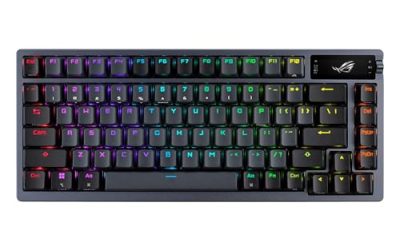
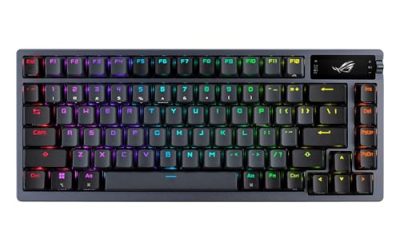
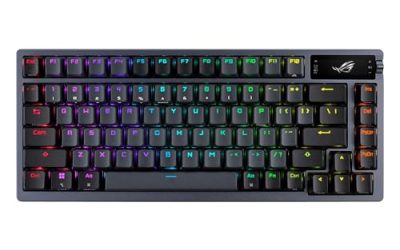
4. ASUS ROG Azoth Wireless Mechanical Gaming Keyboard

The ASUS ROG Azoth is the enthusiast pick in this roundup, built for players who enjoy tuning a keyboard as much as tuning a fortress. Its gasket-mount design and three layers of dampening foam give it a cushioned, quiet typing feel. The board is hot-swappable, and it ships with a DIY switch lubing kit.
The ROG NX Brown switches in this version are tactile, with a 2.0 mm actuation point and a 58 gf tactile force, giving each keystroke a clear bump without a loud click. Tri-mode connectivity covers 2.4 GHz wireless, Bluetooth for up to three devices, and wired USB, with an OLED display and three-way control knob for settings.
Specs
- Layout: 75% layout
- Switches: ROG NX Brown tactile switches, pre-lubed, hot-swappable
- Actuation: 2.0 mm actuation point, 58 gf tactile force
- Connectivity: 2.4 GHz wireless, Bluetooth, USB wired
- Display: OLED display with three-way control knob
- Keycaps: PBT doubleshot keycaps
- Mount: Gasket mount with three-layer dampening foam
- Compatibility: PC, Mac, Windows, macOS
- Price tier: Premium
5. Razer BlackWidow V4 75% Mechanical Gaming Keyboard

The Razer BlackWidow V4 75% in Phantom White is the most conventional gaming keyboard in this roundup, and that is its strength. It uses Razer Orange Tactile switches, which give a quiet tactile bump on each press, and the hot-swappable design lets you change switches later. The compact 75% layout keeps the function row and arrow keys, and the board includes a media roller and media keys for volume and playback control during long sessions.
A comfortable wrist rest is included, which matters in a game where sessions stretch for hours. Chroma RGB backlighting lights the legends for play in a dark room, and the wired USB connection keeps input consistent. This board suits players who want a straightforward gaming keyboard without Hall effect tuning or web configurators.
Specs
- Layout: 75% layout
- Switches: Razer Orange Tactile switches, hot-swappable
- Connectivity: Wired USB
- Backlighting: Chroma RGB
- Controls: Media roller and media keys
- Extras: Comfortable wrist rest included
- Dimensions: 12.64 x 6.12 x 1.52 inches
- Weight: 3.39 pounds
- Color: Phantom White
- Price tier: Mid-range
How to choose
Start with layout. Dwarf Fortress uses the arrow keys, the function row, and a long list of letter-key shortcuts, so a 75% board or a tenkeyless board covers the essentials without the bulk of a full-size keyboard. A 60% board saves more space, but losing the function row and dedicated arrows forces you onto layers for commands you use constantly. Compact boards also leave more room for a mouse, which the newer interface uses for designations and menus.
Next, think about switches. Hall effect switches, found in the Keychron Q1 HE, Keychron K2 HE, and SteelSeries Apex Pro TKL Gen 3, let you adjust actuation per key and enable rapid trigger for repeated tapping. Tactile mechanical switches, such as the ROG NX Brown switches in the ASUS ROG Azoth and the Orange Tactile switches in the Razer BlackWidow V4 75%, give a clear bump on each press and suit players who prefer a familiar mechanical feel. Look for hot-swappable switches if you like to experiment, QMK or a web configurator if you want macros and layers, and PBT keycaps for legends that stay crisp.
Who should skip
Players who do most of their gaming on a laptop keyboard and rarely play Dwarf Fortress for more than an hour at a time may not need a dedicated board at all. Players who need a number pad for other work should skip the boards in this roundup, since every pick here lacks a number pad. Players on a strict budget should also pause before buying a premium Hall effect board, since a basic mechanical keyboard covers the same keys. Finally, players who dislike RGB lighting, software configurators, or compact layouts should look at full-size, non-backlit office keyboards instead.
Frequently Asked Questions
Is a 75% keyboard good for Dwarf Fortress?
Yes. A 75% layout keeps the function row, the number row, and the arrow keys that Dwarf Fortress relies on, while taking up less desk space than a full-size board. The arrow keys drive the cursor and the function keys map to shortcuts.
Do Hall effect switches help in Dwarf Fortress?
They can. Hall effect switches allow adjustable actuation and rapid trigger, so a key can register with a light press and reset quickly for repeated taps, which suits designation work and scrolling through lists.
Can I remap keys for Dwarf Fortress?
Yes, on the right board. The Keychron Q1 HE supports QMK, and the Keychron K2 HE uses the Keychron Launcher web configurator, both of which allow remapping, layers, and macros. Dwarf Fortress also lets you rebind keys in its own settings.
Do I need a number pad for Dwarf Fortress?
No. Dwarf Fortress works well with arrow keys for cursor movement, and the modern interface supports mouse input for designations and menus. A number pad is not required.
Final verdict
The best keyboard for Dwarf Fortress depends on how much tuning you want, but the Keychron K2 HE is the best overall pick for most players. Its 75% layout keeps every key Dwarf Fortress needs within reach, its Hall effect switches offer adjustable actuation and rapid trigger for the constant tapping the game demands, and its wireless connectivity and web configurator cover the rest.
Players who want a heavier, more premium build should choose the Keychron Q1 HE, with its aluminum body and QMK support. Players who want the deepest actuation tuning and a built-in display should choose the SteelSeries Apex Pro TKL Gen 3. The ASUS ROG Azoth suits enthusiasts who enjoy customizing switches, while the Razer BlackWidow V4 75% suits players who want a straightforward tactile gaming board with a wrist rest and media controls. The K2 HE is the one to buy first.
Product and ASIN Reference
| Product | ASIN |
|---|---|
| Keychron Q1 HE Wireless Custom Mechanical Keyboard | B0D4YKXSPD |
| Keychron K2 HE Rapid Trigger Wireless Custom Keyboard | B0DCVPGB9N |
| SteelSeries Apex Pro TKL Gen 3 | B0DGZLHN8G |
| ASUS ROG Azoth Wireless Mechanical Gaming Keyboard, 75%, ROG NX Brown | B0BSL7WW51 |
| Razer BlackWidow V4 75% Mechanical Gaming Keyboard, Phantom White | B0FRFDPNTG |