

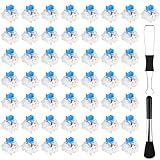
- Top Pick: Deftomo 50 Pcs Blue Keyboard Switches, 3-Pin Clicky Tactile Mechanical Keyboard Switches, Complete DIY Replacement Kit with Switch Puller & Brush
- Best Value: Redragon K556 Wired RGB Mechanical Gaming Keyboard, 104-Key Aluminum Board
- Premium Choice: Logitech G413 TKL SE Mechanical Gaming Keyboard – Black
Affiliate disclosure: As an Amazon Associate we earn from qualifying purchases. This post contains affiliate links — if you buy through them we may earn a small commission at no extra cost to you. This never affects our recommendations.
- Best Gaming Keyboard with Tactile Switches in 2026: Top 5 Picks for Satisfying Feedback
- Quick Comparison: Top 5 Tactile Gaming Keyboards
- Top 5 Gaming Keyboards with Tactile Switches
- Tactile Switch Hierarchy: Brown vs. Gateron vs. Holy Panda vs. Topre
- Tactile vs. Clicky vs. Linear for Gaming
- Noise Level Guide: Tactile Keyboards in Office Environments
- Conclusion
- Related Articles
- Frequently Asked Questions
- Related Articles
As an Amazon Associate we earn from qualifying purchases at no extra cost to you.






In a hurry? See the top-rated Gaming Keyboard with Tactile Switches deals available right now:
🛒 Check Gaming Keyboard With Tactile Switches Prices on Amazon →🛒 Best Price Today on Amazon
Prime members get fast, free shipping on everything above, plus member-only deals. New members get a 30-day free trial — cancel anytime.
Start 30-Day Prime Free Trial →See Today’s Amazon DealsBest Gaming Keyboard with Tactile Switches in 2026: Top 5 Picks for Satisfying Feedback
Tactile switches occupy an interesting middle ground. They are louder than linears but quieter than clickies. They give you physical confirmation of actuation without the sharp clack that will get you kicked out of an office call. And for gaming, they offer one practical edge that often gets underplayed: you know when a key registers without bottoming out. That matters most in MMOs, strategy games, and any title where ability spam can cost you the match.
This guide covers the five best gaming keyboards with tactile switches in 2026, compares the switch landscape in detail, and explains when tactile is — and is not — the right call for your genre.
Quick Comparison: Top 5 Tactile Gaming Keyboards
| Keyboard | Switch | Actuation Force | Tactile Bump | Hot-Swap |
|---|---|---|---|---|
| Keychron Q3 | Gateron G Pro Brown | 45g | Pre-travel, subtle | Yes |
| Logitech G Pro X | GX Brown | 45g | Pre-travel, light | Yes |
| Ducky One 3 Mini | Cherry MX Brown | 45g | Pre-travel, subtle | No |
| Drop CTRL | Halo True | 60g | Mid-travel, strong | Yes |
| NuPhy Air96 | Gateron Low Profile Brown | 35g | Pre-travel, light | Yes |
Top 5 Gaming Keyboards with Tactile Switches
Keychron Q3 — Best Overall Tactile Gaming Keyboard
Keychron Q3
The Q3 is the tactile keyboard that checks every box without asking you to compromise. It ships in a full aluminum CNC case with a gasket mount, which absorbs keystroke energy and gives the board a softer, bouncier feel compared to top-mount or tray-mount designs. The result is a typing and gaming experience that feels noticeably premium — less ping, less wrist fatigue on long sessions.
Switch: Gateron G Pro Brown
Gateron G Pro Browns sit at 45g actuation with a subtle pre-travel bump. The bump arrives early in the keystroke — around 2mm of pre-travel before the 4mm total travel — which means you feel confirmation before the key hits bottom. For gaming, this translates to cleaner repeated inputs without needing to bottom out each time. The bump is on the lighter side compared to Holy Pandas or Halo Trues, which suits gamers who want feel without resistance fatigue.
Sound profile: mid-thock, noticeably quieter than any clicky. Gateron G Pros are factory lubed, so scratchiness is minimal out of the box.
Build & Features
- TKL layout (tenkeyless, 87 keys)
- Gasket-mount isolates the plate from the case
- QMK and VIA compatible — full programmability, every key remappable
- South-facing PCB for keycap compatibility
- Hot-swap socket: swap to Halo Trues, Holy Pandas, or any MX-footprint switch in minutes
- USB-C wired only
Verdict: If you want one tactile gaming keyboard that you can customize to exactly where you want it and still perform well without any tweaks, the Q3 is the answer. It punches well above its price class.
Logitech G Pro X — Best Brand-Name Tactile Gaming Keyboard
Logitech’s pro line has always focused on esports use, and the G Pro X delivers that in TKL form with the brand trust that matters to competitive players. The GX Brown switch is Logitech’s in-house tactile built on a standard MX footprint, which means hot-swapping is straightforward.
Switch: GX Brown
GX Browns come in at 45g actuation with a light pre-travel bump. The bump is comparable to Cherry MX Brown — noticeable but not demanding. Actuation point is 1.9mm, total travel 4mm. The advantage over Cherry is smoothness: GX Browns glide with less graininess, making rapid keypresses feel cleaner.
Sound profile: similar to Gateron Browns. Quiet enough for streaming with a decent mic, quiet enough for office gaming. Not silent — a quick roll of fingers across the keyboard still produces an audible rattle — but nothing approaching clicky territory.
Build & Features

- TKL layout (87 keys)
- Aircraft-grade aluminum top case
- Hot-swap PCB — accessible via the back screw plate without voiding warranty
- Per-key RGB with LIGHTSYNC
- Detachable USB-C cable
- POWERPLAY wireless charging compatible when paired with a POWERPLAY mat (wired-only keyboard, but the mat accessory matters for the ecosystem)
Verdict: If you are already in the Logitech ecosystem or need a tactile keyboard with strong software support (G HUB) and brand backing, the G Pro X delivers. It is not the most customizable board in the enthusiast sense, but it is thoroughly competent and tournament-tested.
Ducky One 3 Mini — Best Compact Tactile Gaming Keyboard
The 60% form factor cuts everything to the right of the right Shift key and everything above F1. What remains is a compact rectangle that frees up desk space for a wider mouse swing — a real advantage in low-sensitivity gaming setups. The Ducky One 3 Mini is the best-executed 60% tactile board at its price point.
Switch: Cherry MX Brown
Cherry MX Brown is the reference tactile switch — the one most people encounter first. Actuation at 45g, bump at roughly 2mm pre-travel, total travel 4mm. The bump is intentionally light: Cherry designed it to be noticeable but not fatiguing for typists. For gaming, this means it barely interrupts keystroke speed.
The honest critique of MX Brown: it is sometimes described as a “scratchy linear” because the bump is so light that users mistake the tactility for friction rather than intentional feedback. It is not the most satisfying tactile switch. But it is proven, ubiquitous, and comfortable over long sessions.
Sound profile: quiet. MX Browns produce a soft thud rather than a crack. One of the better tactile options for shared spaces.
Build & Features
- 60% layout (61 keys) — function layer replaces dedicated arrows, F-row, nav cluster
- PBT double-shot keycaps — legends will not fade or shine after years of use
- Cherry-stabilized spacebar, shift, enter, backspace
- USB-C connection, braided cable included
- RGB per-key
- No hot-swap on this specific model — Cherry MX switch soldered in
Verdict: The go-to recommendation for gamers who want a compact desk setup, solid build quality, and widely available Cherry MX Browns. The lack of hot-swap is the one limitation worth noting — if you want to experiment with switches later, look at the Keychron Q3 instead.
Drop CTRL — Best Premium Tactile Feel
Drop CTRL
The Drop CTRL with Halo True switches is what you choose when light Browns no longer satisfy you. Halo Trues deliver a sharply defined tactile event mid-travel — a bump you cannot miss, placed around the actuation point itself rather than in early pre-travel. It is a fundamentally different sensation than Browns.
Switch: Halo True
Halo Trues actuate at 60g with a pronounced bump at mid-travel (roughly 1.9mm of pre-travel before the bump, 3.7mm total travel). The progressive spring increases resistance as you press deeper, which naturally discourages bottoming out. In gaming terms, this trains lighter keypresses over time and improves keystroke consistency. The tradeoff: 60g is heavier than Browns, and during a long raid or extended RTS session, hands will notice.
Sound profile: medium thud. Halo Trues are not as quiet as Browns but significantly quieter than any clicky. The pronounced bump produces a slightly fuller sound on impact.
Build & Features
- TKL layout (87 keys)
- CNC aluminum top case and weight bar — heavy, premium feel
- Per-key south-facing RGB
- Hot-swap PCB (MX footprint) — drop in Holy Pandas, Boba U4s, or anything else
- QMK compatible
- USB-C with USB passthrough port on the case
Verdict: For gamers who have tried Browns and want a more satisfying tactile event, the Drop CTRL with Halo Trues is the answer. It is heavier, more expensive, and more deliberate. It rewards the gamer who has moved past entry-level switches and wants feel that matches their setup’s aesthetics.

NuPhy Air96 — Best Low-Profile Tactile Gaming Keyboard
NuPhy Air96
Low-profile mechanical keyboards close the gap between membrane and mechanical feel. The NuPhy Air96 does this well — it is wireless, 96% layout (keeps the numpad in a compact footprint), and runs Gateron’s low-profile Browns.
Switch: Gateron Low Profile Brown
These switches sit at 35g actuation — lighter than full-size Browns — with a subtle tactile bump in pre-travel. Total travel is 2.5mm versus the 4mm of full-size switches. The shorter travel reduces input lag in gaming scenarios and suits users who already type with a light touch. The tactile bump is less pronounced than full-size equivalents; it reads more as “textured” than “bumpy.”
Sound profile: noticeably quieter than full-size mechanicals. Low-profile switches produce a thinner, higher-pitched click. Still mechanical, but quieter overall.
Build & Features
- 96% layout (96 keys) — retains numpad and arrow cluster in a condensed footprint
- Tri-mode wireless: Bluetooth 5.0 (up to 3 devices), 2.4GHz RF dongle, USB-C wired
- Hot-swap PCB (Gateron low-profile footprint — not compatible with standard MX switches)
- Per-key RGB
- 3,000mAh battery — rated for weeks of use on Bluetooth
Verdict: The NuPhy Air96 is the right call for laptop users, travel gamers, or anyone who prefers a low-profile typing angle. The wireless tri-mode setup is genuinely useful. Understand the hot-swap limitation: the Gateron LP footprint means your swap options are narrower than standard MX boards.
Tactile Switch Hierarchy: Brown vs. Gateron vs. Holy Panda vs. Topre
Not all tactile switches are equal. Here is how the main options rank by feel intensity and gaming relevance.
Cherry MX Brown
The baseline. Light bump, early pre-travel position, 45g actuation. Widely available, proven durable (100M+ keystroke rating), compatible with almost every aftermarket keycap set. The tactile event is subtle — some enthusiasts dismiss it as barely tactile. For gaming, it is fast and unobtrusive. For typing satisfaction, it leaves experienced users wanting more.
Gateron Brown / Gateron G Pro Brown
Smoother factory finish than Cherry. Similar bump profile and weight (45g). The primary upgrade over Cherry is reduced scratchiness — Gateron’s manufacturing tolerances produce a slicker feel out of the box. Marginally more bump definition than Cherry when both are bone stock. Easy recommendation over Cherry Brown at the same price.
Holy Panda (Halo True stem + Invyr Panda housing)
The enthusiast benchmark. A pronounced, rounded tactile bump positioned around mid-travel. Heavy — 67g actuation — with a satisfying “thock” on return. Holy Pandas are not fast gaming switches; they reward deliberate keypresses. They excel in typing, MMO bindings, and any scenario where feel matters more than raw keystroke speed. Price is high: expect $1+ per switch.
Topre
An electrostatic capacitive switch — not MX-footprint compatible. Topre combines a rubber dome with a spring to produce a tactile event that is deeper and more cushioned than any MX-style switch. Found in HHKB and RealForce keyboards. Regarded by many typists as the most satisfying tactile feel available. For gaming: excellent, but the ecosystem is expensive and closed — no hot-swap in the traditional sense, limited keycap options. A strong long-term choice for the gamer who has landed on their preferred layout and is not interested in further experimentation.
Ranked by tactile bump intensity (light to heavy):
Gateron LP Brown < Cherry MX Brown ≈ Gateron G Pro Brown < Halo True < Holy Panda < Topre
Tactile vs. Clicky vs. Linear for Gaming
Linear (Red, Yellow, Speed Silver)
No bump, no click. Pure smooth travel from top to bottom. Favored by FPS players because there is zero resistance mid-travel — actuation is fast, double-tapping is clean, and fingers do not have to fight the switch. The downside: no physical confirmation of actuation, which can lead to missed inputs or accidental bottoming out.
Best for: FPS, battle royale, fighting games, any genre where raw input speed matters.

Tactile (Brown, Halo True, Holy Panda)
Bump at or before actuation point. Confirms the keypress without requiring a full press. Slower than linears when tested on a switch tester, but in practice the difference is negligible for most gaming scenarios. Significantly better for mixed use — gaming in one session, typing in the next.
Best for: MMO, RTS, MOBA, strategy games, typing-heavy gameplay, mixed work-gaming setups.
Clicky (Blue, Green, Box White)
Bump plus audible click mechanism. The most satisfying to type on. The loudest. The click adds a small amount of resistance that slightly slows actuation compared to linears. In competitive play, the delay is real but small — most players will not notice it. The noise is the main concern: clicky keyboards are not viable in shared spaces and will bleed into any microphone not running aggressive noise suppression.
Best for: Solo gaming setups, dedicated gaming rooms, users who prioritize feel over noise.
Noise Level Guide: Tactile Keyboards in Office Environments
Tactile switches produce three sounds: the downstroke (key hitting the PCB or plate), the upstroke (spring return), and bottom-out impact (if you press all the way). Managing all three determines whether a keyboard is usable in an office.
Stock tactile, no modifications: Mid-tier noise. Louder than membrane, quieter than clicky. Will be audible in a quiet office, especially to nearby colleagues.
O-rings: Inexpensive rubber rings that cushion the bottom-out impact. Reduces the loudest part of the keystroke by 20-30%. Deadens the feel slightly. Worth adding if bottom-out noise is the main concern.
Desk mat: Absorbs case resonance. One of the best low-cost modifications. A thick foam or rubber mat reduces hollow case sounds significantly.
Switch foam + case foam: Cutting foam to fit inside the keyboard case dampens internal resonance. Combined with o-rings, a foamed-out tactile keyboard approaches silent territory on the downstroke.
Lubing switches: Silicone-based lubricant (Krytox 205g0) on switch housings smooths travel and reduces spring ping. Do not lube the tactile legs — it will remove the bump. Applied correctly, lubed tactile switches are noticeably quieter and more refined. The Keychron Q3 and Drop CTRL, with their hot-swap PCBs, make lubing accessible without a soldering iron.
For most office environments: Stock tactile on a desk mat, with o-rings if needed. Quiet enough for video calls when the mic is not adjacent to the keyboard.
Conclusion
The best gaming keyboard with tactile switches in 2026 depends on what you are optimizing for. If you want one keyboard that balances build quality, programmability, and upgrade potential, the Keychron Q3 wins. If you want brand reliability and a proven competitive pedigree, the Logitech G Pro X is the pick. Compact desk setups belong to the Ducky One 3 Mini. Users ready for a more demanding tactile experience should look at the Drop CTRL with Halo Trues. And anyone who needs wireless or a low-profile form factor has a clear answer in the NuPhy Air96.
Tactile switches are not the fastest option, and they are not the most satisfying in isolation. But they are the most practical — for gamers who also type, work in shared spaces, or simply want physical confirmation that their input registered. In 2026, that combination of feel, noise control, and versatility makes tactile the default recommendation for most gaming setups.
Related Articles
Looking for more on this topic? Browse the hand-picked guides below — each one applies the same scoring rubric used in this review.
Frequently Asked Questions
What is the best gaming keyboard tactile switches in 2026?
The best gaming keyboard tactile switches depends on your budget and how you plan to use it. The options compared above are our top-rated picks based on real customer ratings, build quality, and overall value — start with the highest-rated model that fits your budget.
How much should I expect to spend on a gaming keyboard tactile switches?
Prices vary by brand and features. Budget options cover the essentials, while mid-range and premium models add durability, performance, and extra features. Compare the prices in the list above to find the best value for your needs.
What should I look for when buying a gaming keyboard tactile switches?
Focus on what matters most for your use case — build quality, compatibility, performance, warranty, and verified customer reviews. Every pick above is selected to balance these factors.
Are budget gaming keyboard tactile switches options worth it?
Yes. For most people a well-reviewed budget or mid-range gaming keyboard tactile switches delivers excellent value. You only need to spend more if you specifically require premium materials or top-tier performance.
How did we choose these gaming keyboard tactile switches picks?
We compare current Amazon ratings, review counts, key features, and price to surface the options with the best real-world value. The list is refreshed as ratings and availability change.









