

- Top Pick: SteelSeries Apex 3 RGB Gaming Keyboard – 10-Zone RGB Illumination – IP32 Water Resistant – Premium Magnetic Wrist Rest (Whisper Quiet Gaming Switch)
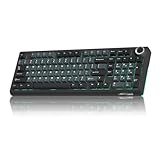
- Best Value: SOLAKAKA KI99 Pro Wireless Mechanical Keyboard with Quiet Switch, Hot Swappable Pre-Lubed Switches with RGB Backlit, Gasket Structure Computer Gaming Keyboard (BlackBlue, Silent Switch)
- Premium Choice: Razer BlackWidow V4 X Mechanical Gaming Keyboard, Yellow Switches, Black
Affiliate disclosure: As an Amazon Associate we earn from qualifying purchases. This post contains affiliate links — if you buy through them we may earn a small commission at no extra cost to you. This never affects our recommendations.
As an Amazon Associate we earn from qualifying purchases at no extra cost to you.



Gaming keyboards have always had a noise problem. The satisfying clatter of mechanical switches that feels so rewarding in a dedicated setup becomes a liability the moment you share a wall, a desk, or a Twitch stream with someone who does not appreciate the sound of a hundred keystrokes per minute. In 2026, silent switch technology has matured to the point where you no longer have to choose between responsive, tactile feedback and acoustic discretion. Manufacturers have refined internal dampening materials, lubrication, and stem geometry to absorb the noise at the source rather than just muffling it after the fact. Whether you are grinding ranked matches in a shared apartment, recording voiceovers while keeping your hands on the keys, or simply tired of your keyboard being louder than your headset, the options below represent the best of what the market has to offer right now.
In a hurry? See the top-rated Gaming Keyboard with Silent Switches deals available right now:
🛒 Check Gaming Keyboard With Silent Switches Prices on Amazon →🛒 Best Price Today on Amazon
Prime members get fast, free shipping on everything above, plus member-only deals. New members get a 30-day free trial — cancel anytime.
Start 30-Day Prime Free Trial →See Today’s Amazon DealsQuick Comparison Table
| Keyboard | Switch Type | Noise Level | Connectivity |
|---|---|---|---|
| Logitech G915 TKL | GL Linear Silent | Very Low | 2.4 GHz + Bluetooth + USB |
| Razer DeathStalker V2 Pro | Low-Profile Red (Linear) | Very Low | 2.4 GHz + Bluetooth |
| Keychron V1 | Silent Red (Linear, Hot-Swap) | Low | USB-C (wired) |
| SteelSeries Apex 3 | Whisper-Quiet Membrane | Extremely Low | USB |
| Corsair K70 Core | Silent Red (Linear) | Low | USB-C |
Our Top Picks
1. Logitech G915 TKL — Best Overall
The Logitech G915 TKL has held its position at the top of the silent gaming keyboard category through multiple revision cycles, and the 2026 version does nothing to change that. The GL Linear Silent switches sit at the heart of this keyboard — a proprietary design that keeps actuation feel smooth and predictable while cutting operating noise to a level that is genuinely difficult to pick up on a directional microphone even at close range. At just 5.5 mm total travel depth, the switches feel more like a high-end laptop keyboard than a traditional mechanical board, which divides opinion but wins converts among gamers who prefer speed over pronounced tactile response.
The chassis is slim aluminum — built to sit flat on a desk without a wrist rest — and the wireless implementation remains class-leading. LIGHTSPEED 2.4 GHz delivers sub-millisecond latency that competes with wired connections, and Bluetooth adds a secondary pairing for quick switching to a second device. Battery life runs to around 40 hours with RGB backlighting active, and considerably longer with lighting disabled. The TKL layout eliminates the numpad while keeping the arrow cluster and navigation keys, hitting a useful middle ground for both gaming and productivity use.
If there is a weakness, it is the price. At around $199, the G915 TKL costs significantly more than other options on this list. Users who game exclusively on a single PC and have no interest in wireless connectivity may find better value elsewhere.
Pros
- GL Linear Silent switches are among the quietest true mechanical options available
- LIGHTSPEED wireless with sub-1ms latency
- Premium aluminum build, slim profile
- 40-hour battery life (with RGB on)
- Dual wireless: 2.4 GHz + Bluetooth
Cons
- Premium price point (~$199)
- No hot-swap switch support
- Low-profile feel is not for everyone
2. Razer DeathStalker V2 Pro — Best Low-Profile Silent
Razer’s DeathStalker V2 Pro approaches the silent keyboard challenge from a different angle: rather than dampening a full-height switch, the board uses Razer’s own Low-Profile Red switches, which have a shorter total travel path (2.8 mm actuation, 3.5 mm total) and a physically smaller footprint. Less material moving through a shorter distance means less surface area to generate noise in the first place. The result is a keyboard that is extraordinarily quiet even without heavy internal foam dampening, while still delivering a crisp, linear feel that registers keystrokes cleanly under gaming conditions.
The DeathStalker V2 Pro is a full-size board — 100% layout including numpad — with a low-slung profile that keeps your wrists closer to the desk surface than conventional mechanical boards. Wireless connectivity matches the G915 with both 2.4 GHz HyperSpeed and Bluetooth available, and battery life is rated at around 200 hours with RGB off (40 hours with it on). Razer’s Synapse software provides deep customization for macros, lighting, and per-key sensitivity adjustments, though Synapse remains one of the heavier software clients in the gaming peripheral space.
The switches are not user-swappable, which limits long-term customization options, and the full-size layout will not suit users who prefer compact or TKL footprints.

Pros
- Near-silent low-profile linear switches
- Dual wireless (2.4 GHz + Bluetooth)
- Excellent battery life (200 hrs lights-off)
- Comfortable flat typing angle for extended sessions
- Full-size layout with numpad
Cons
- No hot-swap support
- Full-size only — no TKL or compact variant
- Razer Synapse required for full feature access
- Low-profile feel takes adjustment if coming from standard height switches
3. Keychron V1 with Silent Red Switches — Best Hot-Swap Silent
The Keychron V1 is a 75% layout mechanical keyboard built for users who want serious customization control without venturing into the expensive world of boutique custom boards. When configured with Silent Red switches — a pre-lubed linear switch with built-in dampening pads on the stem — the V1 produces a noticeably muted thud rather than a clack on both the downstroke and the upstroke. The gasket mount construction isolates the switch plate from the keyboard case, absorbing vibration at the frame level before it can travel through the desk. Combined with pre-installed sound-dampening foam between the PCB and bottom case, the acoustic treatment here is layered and deliberate.
The hot-swap PCB is the V1’s defining feature. Every switch is removable and replaceable without soldering, meaning you can swap to a different Silent Red variant, try a tactile silent option like Gateron Silent Brown, or move to something noisier if your circumstances change — all without touching a soldering iron. QMK and VIA firmware support provide complete key remapping, layer configuration, and macro programming through open-source tools that require no background software running on the host machine.
The V1 is wired only, which rules it out for users who need wireless. Build quality at the $99 price point is genuinely impressive: aluminum case, south-facing RGB LEDs for better keycap shine-through, and a knob for volume or application-specific control.
Pros
- Gasket mount + internal foam = excellent passive dampening
- Hot-swap PCB supports switch changes without soldering
- QMK/VIA fully open firmware
- Aluminum case at competitive price (~$99)
- Rotary knob for quick adjustments
Cons
- Wired only — no wireless option
- 75% layout removes numpad and some function keys
- Sound profile varies significantly with switch choice
4. SteelSeries Apex 3 — Best Budget Membrane Silent
Not every silent gaming keyboard needs to be mechanical. The SteelSeries Apex 3 uses whisper-quiet membrane switches that operate at a noise floor so low that casual typing is essentially inaudible beyond arm’s reach. The trade-off versus mechanical options is in feedback precision — membrane switches actuate with a softer, less defined response — but for users whose primary concern is acoustic footprint rather than competitive reaction time, the Apex 3 delivers strong value at around $44.
The full-size layout includes a numpad, dedicated media controls, and a volume roller. IP32 splash resistance means spilled drinks are unlikely to cause immediate damage, a practical consideration for desk setups where beverages live nearby. RGB backlighting with 10 zones (not per-key) provides visual customization without the precision of higher-end boards. The magnetic wrist rest included in the box is a notable addition at this price, reducing fatigue during long sessions.

SteelSeries GG software handles lighting and macro configuration. The Apex 3 will not satisfy users who require fast, precise actuation feedback for competitive play, but for gaming, typing, and general use in shared spaces on a tight budget, it is the most accessible entry point on this list.
Pros
- Extremely quiet membrane switches
- IP32 splash resistant
- Magnetic wrist rest included
- Full-size layout with media controls and volume roller
- Approximately $44 — lowest price on this list
Cons
- Membrane switches lack mechanical precision and feedback
- RGB is 10-zone, not per-key
- Wired only
- Softer actuation feel may not suit competitive gaming
5. Corsair K70 Core with Silent Red Switches — Best Full-Size Silent
The Corsair K70 Core brings Corsair’s mid-range build quality to the silent mechanical category with a sound-dampening foam layer installed beneath the switch plate and Silent Red linear switches that combine rubber dampening pads with pre-applied lubrication from the factory. The combination pushes noise output meaningfully lower than standard Red switches while keeping actuation force and travel consistent — 45 grams actuation at 2.0 mm, bottoming out at 4.0 mm total travel. The longer travel distance compared to low-profile options gives the K70 Core a more conventional mechanical typing feel.
PBT double-shot keycaps are standard across the board — a feature that often costs extra on competing models — providing a textured surface that resists shine and feels durable under sustained use. A dedicated media bar at the top includes individual buttons for playback control and a smooth analog volume wheel. The USB-C detachable cable simplifies transport and cable management.
At around $109, the K70 Core sits between the budget Apex 3 and the enthusiast Keychron V1. It does not offer hot-swap support or wireless, but for users who want a full-size mechanical board with proper sound treatment, genuine PBT keycaps, and familiar Corsair build standards without reaching into the $150+ range, it represents good value.
Pros
- Sound-dampening foam reduces noise at the chassis level
- PBT double-shot keycaps included as standard
- Dedicated media bar with analog volume wheel
- USB-C detachable cable
- Full-size layout
Cons
- No hot-swap — switches are soldered
- Wired only
- No wireless connectivity
- iCUE software required for full RGB customization
How to Choose a Gaming Keyboard with Silent Switches
Linear vs Tactile Silent Switches
Silent switches come in two primary feedback profiles. Linear silent switches — the GL Silent, Silent Red, Low-Profile Red — travel smoothly from top to bottom with no tactile bump, registering the keystroke at the actuation point without any physical signal to the finger. They are faster for gaming because there is no mid-stroke resistance, but they offer less feedback for touch-typists who rely on feeling when a key has registered.

Tactile silent switches — Gateron Silent Brown, Boba U4, Topre Silent — add a bump partway through the travel that communicates key activation without completing the full downstroke. They are louder than linear silent switches but quieter than standard tactile switches, and they work well for users who split time between gaming and extended typing sessions. If you primarily type and game equally, a tactile silent switch will typically feel more satisfying; if gaming is the priority, linear silent is the standard choice.
O-Ring Dampeners vs Built-In Dampening
There are two common approaches to reducing switch noise after the fact. O-ring dampeners are small rubber rings placed under the keycaps that absorb the impact when the keycap bottoms out against the switch housing. They are inexpensive, easy to install, and can be added to almost any keyboard, but they only address the bottom-out noise — not the noise generated by the switch mechanism itself. They also shorten key travel slightly and can make the bottom of the stroke feel mushy.
Built-in dampening — rubber pads integrated into the switch stem that cushion both the downstroke and the upstroke — addresses noise at the source. Keyboards that combine built-in switch dampening with case foam and gasket mounting (like the Keychron V1) achieve quieter results than O-rings alone because they treat the problem at multiple levels simultaneously.
Sound vs Feel Trade-offs
The quietest keyboards on this list are not necessarily the most satisfying to type on, and the most satisfying to type on are not the quietest. Low-profile switches minimize noise partly by reducing travel distance, which changes the feel for users accustomed to full-height boards. Membrane switches are quieter still than any mechanical option but sacrifice the crisp actuation response that makes mechanical keyboards preferred for gaming.
Before prioritizing noise reduction above everything else, consider where on the spectrum you actually need to be. A board that is 80% as quiet as the absolute minimum but 40% more satisfying to type on may be a better daily driver than one optimized purely for acoustic performance.
Wireless vs Wired
Wireless gaming keyboards have closed most of the latency gap with wired options over the last three years. The 2.4 GHz implementations from Logitech (LIGHTSPEED) and Razer (HyperSpeed) operate at polling rates and latency figures that are indistinguishable from wired connections in practice. For casual and mid-level competitive gaming, wireless is a viable choice.
Where wired retains an argument is in absolute-minimum latency for top-tier competitive play, permanent desk setups where cable management is already sorted, and situations where charging management is an inconvenience. Wireless boards also cost more and introduce battery maintenance as a variable. If you game at a fixed desk and never need to move the keyboard, wired saves money and eliminates one thing to think about.
Final Verdict
For most users, the Logitech G915 TKL is the easiest recommendation — it combines the quietest true mechanical switches on the market with best-in-class wireless, premium construction, and enough versatility to handle both gaming and productivity without compromise. The price is real, but the keyboard is genuinely excellent across every dimension that matters.
Users who want maximum customization control at a lower cost should look at the Keychron V1 with Silent Reds. Hot-swap support, QMK/VIA firmware, and gasket mount construction give it a ceiling that the Logitech does not have, even if the G915 beats it on wireless and acoustic performance out of the box.
Budget-conscious buyers who need the quietest possible option regardless of switch type will find the SteelSeries Apex 3 delivers more silence per dollar than anything else on this list, and its practical features — splash resistance, included wrist rest, media controls — make it a capable everyday board despite the membrane construction.
Frequently Asked Questions
Are silent mechanical switches actually quiet enough for streaming or recording?
Most silent linear switches — GL Silent, Silent Red, Gateron Silent — reduce noise to a level that a directional condenser microphone positioned 30–50 cm away will struggle to pick up clearly, especially with any noise gate applied. For close-mic streaming setups (microphone within 20 cm of the keyboard), even silent switches may bleed into audio on peaks. A combination of a silent switch keyboard, a noise gate at -40 to -50 dB, and a cardioid polar pattern microphone pointed away from the desk will eliminate keyboard noise from streams in almost all practical scenarios.
Can I make a non-silent mechanical keyboard quieter without replacing switches?
Yes. The most effective approaches in order of impact: (1) Install a desk mat beneath the keyboard to absorb resonance through the desk surface. (2) Add case foam — cut thin craft foam or purchase purpose-made foam sheets — and place it between the PCB and the bottom case. (3) Install o-ring dampeners under the keycaps to soften bottom-out noise. (4) Apply switch films and lubrication if you are comfortable with partial disassembly. These modifications together can reduce a loud board by 30–50% acoustically, though they will not match a purpose-built silent switch keyboard.
Do silent switches affect gaming performance compared to standard switches?
Silent switches perform identically to their non-silent counterparts in terms of actuation force, actuation point, and total travel. A Silent Red and a standard Red switch from the same manufacturer register keystrokes at the same point in the travel with the same force required. The dampening materials that reduce noise are passive and do not affect the electrical actuation signal or the polling rate of the keyboard. The only scenario where silent switches could theoretically affect performance is if the bottom-out feel influences your typing cadence — some users find the softer landing of silent switches causes them to fully bottom out more frequently, slightly extending the time between keystrokes. This is a technique issue rather than a hardware limitation.
Related Articles
Looking for more on this topic? Browse the hand-picked guides below — each one applies the same scoring rubric used in this review.









