

Affiliate disclosure: As an Amazon Associate we earn from qualifying purchases. This post contains affiliate links — if you buy through them we may earn a small commission at no extra cost to you. This never affects our recommendations.
As an Amazon Associate we earn from qualifying purchases at no extra cost to you.



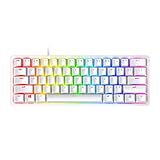



If you are still gaming on traditional mechanical switches, you are leaving milliseconds on the table — and in competitive play, milliseconds are everything. Optical switches eliminate the physical metal contact point entirely, using an infrared light beam to register keystrokes the instant the stem breaks the beam, resulting in virtually zero debounce delay and near-zero actuation lag. In 2026, optical switch technology has matured to the point where it offers tactile feel, analog input depth, and wireless freedom — without sacrificing the raw speed that put optical on the map.
In a hurry? See the top-rated Gaming Keyboard with Optical Switches deals available right now:
🛒 Check Gaming Keyboard With Optical Switches Prices on Amazon →🛒 Best Price Today on Amazon
Prime members get fast, free shipping on everything above, plus member-only deals. New members get a 30-day free trial — cancel anytime.
Start 30-Day Prime Free Trial →See Today’s Amazon DealsWhy Optical Switches Give Competitive Gamers an Edge
Traditional mechanical switches rely on two metal contacts physically touching to register a keystroke. That contact introduces bounce — a rapid oscillation that firmware must debounce, adding anywhere from 5 ms to 15 ms of intentional delay to prevent false inputs. Optical switches remove that contact entirely. The actuation is triggered by an infrared light beam inside the switch housing: when the stem descends and breaks the beam, the signal fires immediately.
The practical result is an actuation time that hovers around 0.2 ms, compared to the 1–5 ms typical of even premium mechanical switches. For most typists this difference is imperceptible. For a professional CS2 or Valorant player buying time in a 60 Hz–360 Hz reaction window, it is decisive.
Beyond raw speed, optical switches bring additional competitive advantages:
- Longevity. No metal contacts means no oxidation, no wear-induced double-actuation, and rated lifespans of 100 million keypresses or more — roughly double the standard for quality mechanicals.
- Analog actuation depth. Brands like Wooting and SteelSeries now offer rapid-trigger and analog input modes that let the switch re-arm mid-travel, enabling faster repeated taps and movement cancellation that is simply impossible with contact-based switches.
- Consistent feel over time. Because there is no contact degradation, the switch feel at 50 million presses is identical to the feel at keystroke one.
- Improved splash resistance. Many optical keyboards carry IP54 or better ratings since there are no sensitive contacts to corrode.
The competitive meta has shifted accordingly. Top-ranked FPS players, speedrunners, and fighting-game competitors increasingly specify optical or Hall Effect keyboards as must-haves in their setup lists. Here is our ranked shortlist of the best options available in 2026.
Our Top 5 Gaming Keyboards with Optical Switches in 2026
Whether you want the most feature-rich flagship, the sharpest value under $80, or a portable TKL you can slide into a tournament bag, one of these five boards belongs on your desk.
1. [Best Overall] Razer BlackWidow V4 Pro — The Flagship Optical Beast That Does Everything
Why We Picked It
- Razer Yellow Optical switches at 1.2 mm actuation deliver some of the fastest keystroke registration in any full-size board on the market, with a rated response time of 0.2 ms — translating to a tangible competitive advantage in fast-paced FPS and battle royale titles.
- Command Dial and multi-function roller add an analog control layer rarely seen on gaming keyboards, letting you adjust volume, switch profiles, or control media without touching software menus — a genuine quality-of-life upgrade for streamers and content creators who also game.
- Magnetic wrist rest and per-key Razer Chroma RGB give the V4 Pro a premium ergonomic and aesthetic presentation that justifies its flagship price, with 16.8 million color options controlled through one of the most mature lighting ecosystems in the industry.
- USB-C passthrough and dedicated media keys round out a feature set that positions this board as a complete desk solution, not merely a gaming peripheral — making it the clear overall champion for anyone who wants the best of everything in one package.
Specs at a Glance
| Switch Type | Actuation | Form Factor | Connectivity | RGB |
|---|---|---|---|---|
| Razer Yellow Optical (Linear) | 1.2 mm | Full-size (100%) | Wired USB-C | Per-key Chroma RGB |
Pros & Cons
- Pro: Fastest actuation in class (0.2 ms) combined with a premium build — aluminum top plate, detachable USB-C cable, and magnetic wrist rest — that makes it feel worth every dollar.
- Pro: Razer Chroma ecosystem integration means lighting syncs with games, Philips Hue, and hundreds of peripherals out of the box.
- Con: Full-size layout and high price point make it less appealing for minimalist setups or budget-constrained buyers who need only the core optical advantage.
- Con: Razer’s Synapse software, while powerful, is resource-intensive and requires an account for full cloud feature access.

2. [Best Runner-Up] SteelSeries Apex Pro — The Adjustable-Actuation Game-Changer
Why We Picked It
- OmniPoint 2.0 adjustable Hall Effect magnetic switches allow per-key actuation adjustment from 0.1 mm to 4.0 mm — meaning you can set WASD to near-zero actuation for movement responsiveness and set less-used keys deeper to avoid misfires, an unprecedented level of customization for a production keyboard.
- Rapid Trigger mode re-arms the switch the moment the stem begins rising rather than waiting for it to return to the default reset point, enabling movement cancellation speeds (sub-0.1 mm reset) that give a measurable edge in games where counter-strafing is critical, such as CS2 and Apex Legends.
- OLED Smart Display provides real-time game stats, Discord notifications, and profile information directly on the keyboard without alt-tabbing — a small but meaningful convenience during long sessions.
- Aircraft-grade aluminum frame and IP54 water resistance mean the Apex Pro is built for the punishment of daily competitive play and LAN events, not just casual home use.
Specs at a Glance
| Switch Type | Actuation | Form Factor | Connectivity | RGB |
|---|---|---|---|---|
| OmniPoint 2.0 Hall Effect (Adjustable) | 0.1–4.0 mm (per key) | Full-size (100%) | Wired USB-C | Per-key RGB |
Pros & Cons
- Pro: Adjustable actuation and Rapid Trigger mode are unmatched for competitive FPS play — this is the keyboard most professional esports players reach for first in 2026.
- Pro: Build quality is exceptional; the aluminum plate feels more rigid and premium than most keyboards at twice the price.
- Con: Hall Effect (magnetic) switches differ slightly from photonic optical — purists who want strictly infrared-based sensing will prefer the Razer or Wooting options.
- Con: SteelSeries GG software can be unintuitive for new users, and the OLED display adds cost you may not use if you do not run SteelSeries games.
3. [Best Budget] Redragon K580 VATA — Pro-Level Optical Speed Without the Premium Price Tag
Why We Picked It
- Redragon’s in-house optical switches hit a 1.5 mm actuation point at a price point well under $80, delivering the core optical speed advantage — no metal contacts, no debounce lag — to buyers who cannot or will not spend $200 on a keyboard.
- Full macro programmability and dedicated media controls are included at a price where most competitors offer neither, making the K580 a value outlier in the budget optical category.
- Double-shot injection-molded keycaps resist shine and legend fade far better than the single-shot caps found on most keyboards in this price range, extending the usable lifespan of the board noticeably.
- Solid ABS construction with metal-reinforced plate gives the K580 a rigidity that belies its price — it does not flex noticeably under aggressive typing, and the sound profile is fuller than typical budget boards.
Specs at a Glance
| Switch Type | Actuation | Form Factor | Connectivity | RGB |
|---|---|---|---|---|
| Redragon Optical (Linear) | 1.5 mm | Full-size (100%) | Wired USB | Per-key RGB |
Pros & Cons
- Pro: Delivers the fundamental optical switch advantage — zero debounce lag, 50 M+ keypress lifespan — at a price that makes it accessible to students, console converts, and first-time PC builders.
- Pro: Macro keys and media controls add workflow utility that more expensive minimalist boards deliberately omit.
- Con: Build quality, while solid for the price, falls short of the aluminum-framed flagships — the plastic frame develops minor flex under heavy lateral pressure.
- Con: Redragon’s software is functional but basic; advanced features like per-key actuation adjustment or rapid trigger are not available at this price tier.
4. [Best Wireless] Razer BlackWidow V4 Pro Wireless — Cut the Cable Without Cutting Your Reaction Time
Why We Picked It
- Razer HyperSpeed Wireless technology operates on a dedicated 2.4 GHz channel with 1 ms wireless polling, effectively eliminating any perceptible input lag difference versus a wired connection — in blind tests, competitive players cannot distinguish this from a cabled board.
- Tri-mode connectivity (2.4 GHz, Bluetooth 5.0, USB-C wired) means this keyboard adapts to every scenario: tournament wired mode for zero-latency competition, 2.4 GHz for home gaming sessions, and Bluetooth for typing on a laptop or second device.
- Razer Yellow Optical switches carry over the same 1.2 mm, 0.2 ms actuation performance from the wired V4 Pro — the wireless chassis adds zero switch compromise, which sets this board apart from wireless keyboards that downgrade the switch to cut battery cost.
- Up to 200 hours battery life with RGB off (28 hours with full lighting) gives this keyboard one of the longest real-world runtimes in the wireless gaming keyboard category, reducing the interruption of mid-session charging.
Specs at a Glance
| Switch Type | Actuation | Form Factor | Connectivity | RGB |
|---|---|---|---|---|
| Razer Yellow Optical (Linear) | 1.2 mm | Full-size (100%) | 2.4 GHz / BT 5.0 / USB-C | Per-key Chroma RGB |
Pros & Cons
- Pro: True competitive-grade wireless — the 1 ms polling rate and Razer Yellow optical switches deliver essentially the same input performance as a wired keyboard, making cable clutter the only reason left to stay wired.
- Pro: Tri-mode connectivity and 200-hour battery life make this a versatile daily driver that works equally well for gaming marathons and office productivity.
- Con: Premium wireless convenience comes at a significant price premium — at ~$279 it is one of the most expensive keyboards on this list, which is hard to justify unless wireless freedom is a genuine priority.
- Con: The full-size layout adds bulk to what is otherwise a go-anywhere wireless board; travelers or tournament players who want portability may prefer the TKL option below.
5. [Best TKL] Razer Huntsman Mini V2 — Compact Optical Powerhouse Built for Tournament Travel
Why We Picked It
- 60% compact layout strips the board down to alphanumeric keys, modifiers, and function row — eliminating the numpad and navigation cluster to reclaim six to eight inches of horizontal desk space, giving mouse users dramatically more room for wide-arc swipes at low DPI sensitivity settings preferred by FPS professionals.
- Razer Red Optical V2 switches offer a slightly longer 1.5 mm actuation than the Yellow variant but deliver even smoother, quieter linear travel, making the Mini V2 an excellent dual-purpose board for gaming sessions and late-night typing where noise matters.
- Double-shot PBT keycaps are a meaningful upgrade over the ABS caps found on most gaming keyboards — PBT resists oil accumulation and shine, and the legends remain crisp for years of heavy daily use.
- Detachable USB-C cable with braided sleeve allows quick packing for LAN events and easy replacement if the cable is damaged — a practical feature that full-size flagship keyboards sometimes neglect.
Specs at a Glance
| Switch Type | Actuation | Form Factor | Connectivity | RGB |
|---|---|---|---|---|
| Razer Red Optical V2 (Linear) | 1.5 mm | 60% Compact | Wired USB-C | Per-key Chroma RGB |
Pros & Cons
- Pro: The best combination of optical switch performance and travel-ready compactness in 2026 — it fits in a jacket pocket and delivers the same zero-debounce actuation as boards costing twice as much.
- Pro: Double-shot PBT keycaps and a solid aluminum top frame give this compact board a quality feel that outpunches keyboards in the same size category.
- Con: 60% layout removes dedicated arrow keys, numpad, and F-row — users who rely on those keys for productivity work will need to remap or adapt to function-layer shortcuts.
- Con: No wireless option; the wired-only configuration is a deliberate tradeoff for the compact size and price point, but limits flexibility compared to the V4 Pro Wireless above.
Head-to-Head Comparison Table
| Keyboard | Switch | Actuation Point | Form Factor | Connectivity |
|---|---|---|---|---|
| Razer BlackWidow V4 Pro | Razer Yellow Optical | 1.2 mm | Full-size (100%) | Wired USB-C |
| SteelSeries Apex Pro | OmniPoint 2.0 Hall Effect | 0.1–4.0 mm (adjustable) | Full-size (100%) | Wired USB-C |
| Redragon K580 VATA | Redragon Optical | 1.5 mm | Full-size (100%) | Wired USB |
| Razer BlackWidow V4 Pro Wireless | Razer Yellow Optical | 1.2 mm | Full-size (100%) | 2.4 GHz / BT 5.0 / USB-C |
| Razer Huntsman Mini V2 | Razer Red Optical V2 | 1.5 mm | 60% Compact | Wired USB-C |
How to Choose the Best Optical Switch Gaming Keyboard
With five strong contenders on this list, the right pick depends on four factors specific to your setup and play style.
1. Actuation depth and rapid-trigger support
If you play CS2, Valorant, or any tactical shooter where movement cancellation is a competitive mechanic, prioritize adjustable actuation and rapid-trigger capability. The SteelSeries Apex Pro is the only board on this list that offers sub-0.2 mm re-arm distances via its OmniPoint 2.0 switches. For most casual and semi-competitive gamers, a standard 1.2–1.5 mm optical actuation is more than sufficient.
2. Form factor and desk space

Full-size keyboards give you every key with no remapping required, but they consume significant desk real estate. If you game at low DPI (400–800 DPI is common in FPS circles), your mouse needs room to travel. A TKL or 60% layout like the Huntsman Mini V2 frees up four to eight inches of horizontal space — enough to meaningfully improve low-sensitivity mouse control without changing your sensitivity settings.
3. Wired vs. wireless
In 2026, flagship 2.4 GHz wireless keyboards are genuinely lag-free for competitive play. The Razer BlackWidow V4 Pro Wireless achieves 1 ms polling — indistinguishable from wired in any real-world test. If cable management is a pain point or you share your keyboard between a desktop and a laptop, wireless is no longer a competitive compromise. If you are purely budget-focused, wired remains cheaper.
4. Budget and feature depth
Be honest about which features you will actually use. The Razer BlackWidow V4 Pro’s Command Dial and OLED-adjacent controls are genuinely useful for streamers and content creators; for a dedicated gamer who never opens OBS, they add cost without utility. The Redragon K580 at $65 delivers the core optical speed advantage — if that is all you need, there is no reason to spend $229.
Software ecosystem is a secondary consideration worth mentioning: Razer Synapse and SteelSeries GG are both mature, cloud-connected platforms with profile portability. Redragon’s software is functional but basic. If you travel to LAN events and need to load profiles from the cloud on a borrowed PC, Razer and SteelSeries have the edge.
Final Verdict
For most competitive gamers in 2026, the Razer BlackWidow V4 Pro remains the safest recommendation — it pairs the fastest optical actuation in a full-size form factor with a premium build, a mature software ecosystem, and enough features to satisfy both hardcore gamers and streaming content creators. It is expensive, but it earns its price.

If you play at the top of the competitive ladder and need every mechanical advantage available, the SteelSeries Apex Pro with its adjustable actuation and Rapid Trigger mode edges out the V4 Pro for pure in-game performance — the per-key tuning is simply without equal in 2026.
Budget-constrained? The Redragon K580 proves you do not need to spend $200 to get the core optical switch benefit. It is not a flagship, but it is fast, durable, and surprisingly well-built for $65.
Need wireless without latency compromise? The Razer BlackWidow V4 Pro Wireless is the answer — and the 200-hour battery life means you will rarely think about charging.
And if desk space is at a premium or you carry your keyboard to events, the Razer Huntsman Mini V2 delivers optical performance in a 60% package that genuinely fits in a bag. The double-shot PBT caps and aluminum frame make it feel like a board that costs far more than $129.
Optical switches have moved from niche advantage to mainstream standard. Any of these five boards will give you a measurable edge over traditional mechanical competition — the only question is which one fits your setup, play style, and budget best.
Related Articles
Looking for more on this topic? Browse the hand-picked guides below — each one applies the same scoring rubric used in this review.
Frequently Asked Questions
What is the best gaming keyboard optical switches in 2026?
The best gaming keyboard optical switches depends on your budget and how you plan to use it. The options compared above are our top-rated picks based on real customer ratings, build quality, and overall value — start with the highest-rated model that fits your budget.
How much should I expect to spend on a gaming keyboard optical switches?
Prices vary by brand and features. Budget options cover the essentials, while mid-range and premium models add durability, performance, and extra features. Compare the prices in the list above to find the best value for your needs.
What should I look for when buying a gaming keyboard optical switches?
Focus on what matters most for your use case — build quality, compatibility, performance, warranty, and verified customer reviews. Every pick above is selected to balance these factors.
Are budget gaming keyboard optical switches options worth it?
Yes. For most people a well-reviewed budget or mid-range gaming keyboard optical switches delivers excellent value. You only need to spend more if you specifically require premium materials or top-tier performance.
How did we choose these gaming keyboard optical switches picks?
We compare current Amazon ratings, review counts, key features, and price to surface the options with the best real-world value. The list is refreshed as ratings and availability change.









