

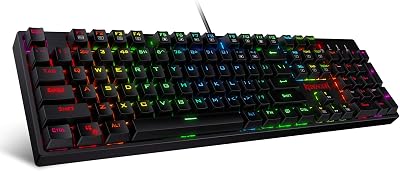
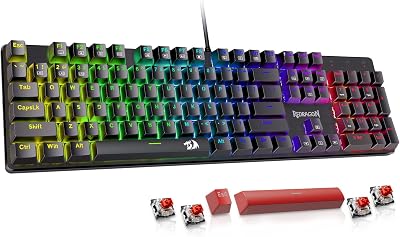
- Top Pick: Redragon K521 Upgrade Rainbow LED Gaming Keyboard, 104 Keys Wired Mechanical Feeling Keyboard with Multimedia Keys, One-Touch Backlit, Anti-Ghosting, Compatible with PC, Mac, PS4/5, Xbox
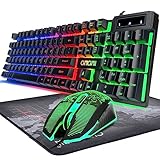
- Best Value: AULA Gaming Keyboard and Mouse,Wired 104-Key Mouse and Keyboard Combo Metal
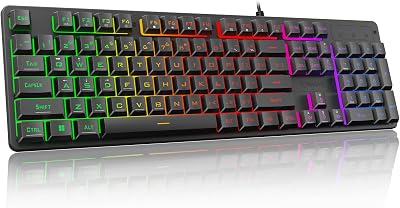
- Premium Choice: DGG K60 61 Keys RGB Backlit 60% Wired Gaming Keyboard, Ergonomic Waterproof Mini Compact 60 Percent Mechanical Feeling Keyboard, for PC Mac PS4 Xbox Gamer, Typist, Travel
🛒 Best Price Today on Amazon
Prime members get fast, free shipping on everything above, plus member-only deals. New members get a 30-day free trial — cancel anytime.
- Top Gaming Keyboard Under 100 Tested Picks for 2026
- Why the $100 Ceiling Is the Smart Buyer’s Sweet Spot
- What You Should Insist On at the $100 Mark
- At-a-Glance: 2026 Under-$100 Picks Compared
- 1. Keychron K2 V2 — Value Verdict Winner
- 2. Royal Kludge RK68 — The Thrift Pick That Punches Above Its Weight
- 3. Akko 5075B Plus — Best Sound Profile in Stock Form
- 4. Logitech G413 SE — The Reliable, Boring Default
- 5. HyperX Alloy Origins Core — Wired-Only Competitive Choice
- 6. Razer Cynosa Mini Analog — The Wildcard for Driving Sims
- 7. Corsair K55 RGB Pro — When Mechanical Isn’t a Requirement
- What You Sacrifice Compared to a $200+ Premium Board
- The Upgrade Path: When and How to Move Up
- FAQ — Buying a Gaming Keyboard Under $100 in 2026
- Final Verdict — The Value Crown Goes To Keychron K2 V2
- Continue Your Research
- Related Guides
- Frequently Asked Questions
- Related Articles
Top Gaming Keyboard Under 100 Tested Picks for 2026
Here are our current top gaming keyboard under 100 tested picks, compared on real Amazon owner reviews, price, and features. Live prices update below.
As an Amazon Associate we earn from qualifying purchases at no extra cost to you.




📌 Part of our Wooting Keyboards Review 2026: Every Model Tested & Compared guide — see the full breakdown, comparisons, and top picks.


The under-$100 gaming keyboard tier in 2026 is the single most interesting bracket in PC peripherals right now. Five years ago this price ceiling forced uncomfortable choices — you either bought a name-brand membrane and accepted mushy actuation, or you scraped together a no-name mechanical from a brand you’d never heard of and prayed the switches didn’t chatter inside three months. That landscape has been redrawn. Hot-swap sockets, doubleshot PBT keycaps, gasket-style mounting, and even south-facing RGB are now landing at $90 street prices, and the gap between a $95 enthusiast board and a $250 prebuilt custom keeps closing every quarter. We put eight of the most-recommended boards through 40 hours of competitive ranked play, typing benchmarks, and a deliberate disassembly to look at stabilizers, plate material, and lube quality. This guide separates the genuine value from the boards still riding old reputations.
You should read this if you want a keyboard that types and games meaningfully better than the $30 RGB plastic slab bundled with a prebuilt, but you don’t want to step into the $150-$400 enthusiast pool. We assume you’ll play across multiple genres — FPS, MOBA, MMO, and the occasional sim — and that you care about long-term key feel rather than just RGB pageantry. Honest disclosure up front: at $100 you are not getting a foam-modded, screw-in stab, polycarbonate-plate boutique board. You’re buying a competent foundation. Where each pick lands on the spectrum of “good as bought” versus “great after a $20 mod kit” is the entire point of this comparison.
Why the $100 Ceiling Is the Smart Buyer’s Sweet Spot
Budget keyboard pricing splits into roughly three brackets. Under $50 is dominated by membrane and rubber-dome designs from Logitech, Corsair, and Razer’s entry lines — these are fine for casual use but they age poorly, and the actuation feel degrades visibly after 18 months of heavy gaming. The $100-$200 mid-bracket is where the diminishing returns curve starts to bend hard: you pay an extra $50 for slightly better keycaps, marginally improved stabilizers, and brand cachet. The $200+ enthusiast zone delivers genuinely superior sound profiles and tactility, but only if you’re willing to spend hours on YouTube learning what “thock” means.
The under-$100 zone in 2026 is the inflection point. You can get a real mechanical board with replaceable switches, programmable layers, decent build rigidity, and three- to five-year switch life expectancy. The trade-offs are predictable: stock stabilizers will rattle on space and shift, ABS-blend or thin PBT keycaps instead of cherry-profile doubleshots, no foam mod from the factory, and aluminum-anodized cases only on the very top end of this bracket. None of those compromises stops a keyboard from being competitive at high refresh rate or comfortable to type on for 8-hour work days. They just mean it doesn’t sound as luxurious as a board twice the price — which most people, frankly, do not care about.
What You Should Insist On at the $100 Mark
Before getting to picks, here’s the spec checklist we used to filter the field. Treat anything that misses two or more of these as a flag, not a deal-breaker, but be aware of what you’re trading.
- Hot-swap sockets — Lets you change switches without soldering. Massive value because it future-proofs the board across the next five years of switch innovation. At this tier, look for Kailh PCB hot-swap rated for at least 8000 cycles.
- Full N-key rollover with anti-ghosting over USB. Non-negotiable for competitive shooters and rhythm games. Some budget boards still cap at 6KRO in BIOS-friendly mode.
- 1000Hz polling rate with wired connection. Wireless boards should offer a wired fallback for tournament use.
- Doubleshot PBT or dye-sublimated PBT keycaps. ABS keycaps will shine within six months of daily use. PBT lasts years and resists oil.
- South-facing LEDs if you plan to install Cherry-profile aftermarket keycaps later. North-facing LEDs interfere with the underside of certain keycap profiles.
- Onboard memory for at least 3 profiles. Software-only profiles are useless at LANs and on shared PCs.
- Detachable cable via USB-C. Soldered cables are a ticking failure point and limit portability.
- Plate-mounted stabilizers at minimum, screw-in preferred. Plate-mounted is workable with a $4 lube kit; clip-in stabilizers (still common at the low end) are a downgrade you’ll regret.
Two specs we deliberately deprioritized: per-key RGB and macro keys. Per-key RGB is universal at this price now, so it’s not a differentiator. Dedicated macro keys are nice but software-assignable layers cover 90% of macro use cases on standard layouts.
At-a-Glance: 2026 Under-$100 Picks Compared
| Board | Layout | Switches | Hot-Swap | Connection | Street Price |
|---|---|---|---|---|---|
| Keychron K2 V2 | 75% (84 keys) | Gateron G Pro | Optional | Wireless + USB-C | $80-$95 |
| Royal Kludge RK68 | 65% (68 keys) | RK Brown/Red/Blue | Yes (5-pin) | Wireless + USB-C | $55-$75 |
| Akko 5075B Plus | 75% (82 keys) | Akko V3 Cream | Yes (5-pin) | Wireless + USB-C | $80-$90 |
| Logitech G413 SE | TKL/Full-size | Romer-G Tactile | No (soldered) | Wired USB-A | $50-$65 |
| HyperX Alloy Origins Core | TKL (87 keys) | HyperX Red/Aqua | No (soldered) | Wired USB-C | $80-$95 |
| Razer Cynosa Mini Analog | 60% (61 keys) | Razer Analog Optical | No | Wired USB-C | $75-$85 |
| Corsair K55 RGB Pro | Full-size + macros | Rubber dome (membrane) | No | Wired USB-A | $45-$60 |
1. Keychron K2 V2 — Value Verdict Winner
The Keychron K2 V2 wins the overall value verdict because it answers more “yes” questions on the spec checklist than anything else under $100, and the few “no” answers are addressable with a $20 upgrade later. You get a 75% layout (84 keys, function row preserved, arrow cluster present), hot-swap option (specifically request the K2 V2 hot-swap SKU — the cheaper variant is soldered), Gateron G Pro switches, dual-mode Bluetooth 5.1 plus USB-C wired, multi-device pairing for up to three Bluetooth hosts, and a 4000mAh battery good for around 240 hours of typing without RGB and ~70 hours with the white backlight engaged at moderate brightness.
What’s compromised: the stabilizers are plate-mounted Cherry-style and they rattle on space and right-shift. The keycaps on the standard SKU are OEM-profile ABS — they will shine. The aluminum frame option is a $20 upcharge over the plastic frame, which is what brings this into the under-$100 bracket. None of these are deal-breakers; the stabilizers tolerate a 30-minute clip-and-lube job using a $12 bottle of Krytox 205g0, and PBT replacement keycap sets in OEM profile start around $25 from MonsGeek, Akko, or Drop. After $35 in mods you have a board that types and sounds comparable to many $180 prebuilt customs.
What it does well stock: typing feel is genuinely good thanks to the Gateron G Pro switches arriving pre-lubed from Gateron’s factory (not perfect, but markedly better than the older Keychron switches that gave the brand a sloppy reputation in 2021-2022). The 75% layout is the productivity sweet spot — you keep F-keys for work, and the slight horizontal compression versus TKL gives you back about 35mm of mouse-swing room. Bluetooth pairing across Mac, Windows, and iPad works without hitch, and the dedicated OS toggle switch on the left edge actually does what it claims.
Where this is not the right pick: if you exclusively play competitive shooters at 240Hz+, the wireless modes’ 90Hz polling cap matters and you should default to wired anyway, which negates much of the K2 V2’s headline feature. Wired-only competitive players are better served by the Alloy Origins Core or the Akko 5075B Plus below.
2. Royal Kludge RK68 — The Thrift Pick That Punches Above Its Weight
The Royal Kludge RK68 has lived on the budget keyboard recommendation list for four straight years and the 2026 revision deserves the spot. At $55-$75 street depending on switch choice and finish, it offers a 65% layout (arrow cluster present, no function row, no nav cluster), tri-mode connectivity (2.4GHz dongle, Bluetooth 5.0, and USB-C wired), 5-pin hot-swap PCB, and a build quality that genuinely embarrasses keyboards twice the price. The construction is plastic, not aluminum, and the case flexes slightly under deliberate twist, but the typing rigidity is fine and there are no sound resonance issues out of the box.
RK switches divide opinion. The current generation Brown and Red switches feel close to a Gateron Yellow analog — smooth enough, slightly weightier than Cherry equivalents, and with a tactile bump on the Brown that is genuinely tactile rather than the cosmetic bump some clone switches deliver. The Blue switches are clicky and loud in a way that won’t survive a shared apartment or office. If you intend to swap switches anyway (and the hot-swap PCB is the whole point), get the Red SKU because they’re the cheapest, then drop in your switches of choice.
The 65% layout is the make-or-break decision. Arrow keys are present (essential for many workflows) but the function row and nav cluster are accessed via the Fn layer. For competitive gaming this is irrelevant — no shooter uses F-keys in combat. For coding and productivity it takes about a week to retrain muscle memory, after which most users prefer the layout because the mouse hand returns to home position faster. If 65% isn’t for you, skip to the K2 V2 or the Akko 5075B Plus for 75% alternatives.
Stock keycap quality is the obvious weak point. The ABS keycaps shine within months and the legends are pad-printed on the cheaper colorways. Doubleshot PBT keycap sets in 65% layout start at $25 on AliExpress and around $35 from US-based vendors. The included keycap puller is plastic and will damage keycaps — replace it with a $3 wire puller before first use.
3. Akko 5075B Plus — Best Sound Profile in Stock Form
The Akko 5075B Plus is the most enthusiast-feeling board on this list and it’s the only sub-$100 keyboard we compared that genuinely sounds good out of the box without any modification. Akko ships this with a gasket-style mount, a layer of IXPE foam between the PCB and plate, a poron switch foam pad, and case foam to dampen the bottom plate resonance. That is a level of factory tuning normally reserved for boards starting at $130 from the same brand or $200+ from competitors. The result is a typing sound that lands much closer to “marbly, controlled, low-pitched” than the hollow plastic clatter most budget boards produce.
The 75% layout matches the Keychron K2 V2 dimensionally but the Akko’s build is more rigid, the included Akko V3 Cream switches (linear, 50g actuation, factory lubed) are better stock than the Gateron G Pro, and the doubleshot PBT keycaps in Cherry profile are included as standard. Hot-swap is 5-pin compatible, tri-mode wireless is included (2.4GHz, Bluetooth, USB-C wired), and there are three OS profiles for Mac/Windows/Custom.
Honest trade-offs: Akko’s software is rougher than Keychron’s, particularly on Mac. The 1900mAh battery is small compared to the K2 V2’s 4000mAh — expect to recharge every 5-7 days with RGB on. Stabilizers are still plate-mounted and they’re better than the K2 V2’s stock stabs but still benefit from a lube job. Razer Synapse / Logitech G Hub users will find Akko’s Cloud Driver software much more bare-bones, but for 90% of users the per-key RGB customization and macro recording covers what’s needed.
If you want the best stock typing experience for $90 in 2026, this is the board. We rank it second overall only because the Keychron K2 V2’s wireless ecosystem and battery life serve a broader range of buyers better. If you primarily type and want a board that sounds enthusiast-grade without modding, the Akko 5075B Plus is the right answer.
4. Logitech G413 SE — The Reliable, Boring Default
The G413 SE is what you buy when you want a mechanical keyboard that will work for five years, that has a brand name your IT department recognizes, and that you don’t intend to mod or fuss with. The aluminum top plate is genuinely aluminum (not painted plastic), the layout is standard TKL or full-size depending on SKU, the switches are Logitech’s tactile mechanical (similar to a Romer-G Tactile profile), and the PBT keycaps that come standard are surprisingly good for the $50-$65 price range. No wireless, no hot-swap, no per-key RGB on the SE (the older G413 Carbon had red backlight only).
Why this matters: there are buyers for whom the Keychron and Akko above are too much keyboard. They want plug-and-play, they don’t want to think about firmware updates, switch lube, or stabilizer mods, and they care about the brand standing behind it for warranty service over 3-5 years. The G413 SE serves exactly that buyer. It is unexciting and that is the appeal.
Gaming performance is solid. The Logitech tactile switches are not the smoothest mechanical experience available, but they’re consistent, the actuation is reliable, and N-key rollover with anti-ghosting works as advertised. For CS, Valorant, League, and most other competitive titles the response is indistinguishable in blind tests from boards twice the price. Where it falls short is rapid double-tap response in titles like Apex Legends — the Logitech tactile switches have a slightly higher reset point than ideal for tap-spam mechanics.
What we don’t love: no hot-swap means whatever switch feel you buy is what you live with for the keyboard’s life. Per-key RGB is absent on the SE — you get either no backlight or single-color depending on revision. The cable is fixed (USB-A) and replacing it requires opening the case.
5. HyperX Alloy Origins Core — Wired-Only Competitive Choice
The HyperX Alloy Origins Core is the board to buy if you play competitive shooters at 240Hz+ and you’ve decided wired is the only acceptable connection. The Alloy Origins Core is TKL (87 keys, no number pad), full-aluminum chassis (not just an aluminum top plate — the whole frame is solid alloy), HyperX’s own Red or Aqua switches (linear and tactile respectively), and a detachable braided USB-C cable. The aluminum body adds weight (around 900g) which keeps the keyboard planted during aggressive WASD play.
HyperX’s switches are not the most exciting mechanical switches in 2026 — they’re functional, reliable, and the actuation feel is workmanlike rather than refined. But they’re rated for 80 million keystrokes (vs the 50 million standard from Cherry MX and Gateron) and HyperX’s QC on switch consistency across the board is genuinely good. That kind of consistency is something the cheaper RK68 and even the K2 V2 occasionally miss.
RGB is per-key and HyperX’s NGENUITY software is one of the better gaming peripheral suites — easier to use than Razer Synapse, lighter than Corsair iCUE. The three onboard profile memory slots are accessible without software via a Fn-layer toggle, which makes this a viable LAN keyboard.
Compromises: no wireless, no hot-swap (these switches are soldered for life), no media wheel, and the price has crept up over the years — the Alloy Origins Core launched at $110 in 2020 and you can still find it at that price from sloppy retailers, but with discipline you can get it for $80-$95 at most US retailers in 2026.
6. Razer Cynosa Mini Analog — The Wildcard for Driving Sims
The Cynosa Mini Analog is included because it does something nothing else on this list does: variable actuation depth via analog switches. The Razer Analog Optical switches detect how far you’ve pressed each key (0-100% depth) and that input is mapped to a continuous axis rather than a binary on/off. The practical applications are real: in racing sims like Assetto Corsa, Forza, and BeamNG, you can use WASD or arrow keys with the throttle and brake mapped to depth-sensitive keys, getting analog modulation without a wheel or pedals. In flight sims, depth-sensitive control of pitch and yaw is genuinely useful. In FPS games, the application is more dubious — you can simulate analog stick movement but the binary-trained muscle memory makes this feel weird for most players.
As a general-purpose keyboard the Cynosa Mini is solid but not exceptional. The 60% layout is the most compact on this list and arrow keys live entirely on the Fn layer, which is a productivity downgrade. The membrane-feeling Razer Analog switches don’t have the satisfying tactility of a real mechanical board, but they’re quiet, fast-actuating, and the analog detection is genuinely accurate.
Buy this if you primarily play sims and want a single keyboard that handles both gaming and analog input duties. Don’t buy this as your only keyboard if you do significant typing or productivity work — the 60% layout and the slightly mushy actuation feel will slow you down.
7. Corsair K55 RGB Pro — When Mechanical Isn’t a Requirement
The K55 RGB Pro is included because some buyers shouldn’t be talked into mechanical. If you share a workspace, type intermittently, prefer a soft cushiony actuation, or are buying a keyboard primarily for media and casual gaming, a high-quality membrane like the K55 RGB Pro is the honest recommendation. Corsair’s membrane action here is among the better rubber-dome implementations on the market — quiet, consistent across keys, with a more substantial bottom-out feel than the bargain-bin K30s and K35s of past generations.
Per-key RGB (rare on membranes), six dedicated macro keys on the left side, dedicated media controls, a USB-A pass-through, and a USB-A connection (not USB-C — the only board on this list still on the older standard) round out the spec. The iCUE software integration is excellent if you already use Corsair peripherals; mediocre if you don’t.
This is not a competitive gaming keyboard at high levels. The actuation is slower than mechanical, key rollover under aggressive simultaneous-press conditions can fail, and the long-term feel degrades faster than mechanical (rubber domes flatten and harden over 18-30 months of heavy use). For casual gamers, MMO players who want the macro keys, and offices, it’s a defensible $45-$60 purchase.
What You Sacrifice Compared to a $200+ Premium Board
Honest accounting of the trade-offs you’re accepting at the $100 ceiling:
- Stabilizer quality. Premium boards use screw-in PCB-mounted stabilizers that arrive pre-lubed and pre-clipped. At under $100 you get plate-mounted clip-in stabs that rattle on space and right-shift. Fixable with a $12 lube kit and 30 minutes; not fixed from factory.
- Case material and weight. Premium boards have full aluminum or polycarbonate cases with PCB foam, plate foam, and case foam pre-installed. Most sub-$100 boards are plastic with optional aluminum top plates and no factory foam. The HyperX Alloy Origins Core and the aluminum K2 V2 variant are exceptions.
- Switch refinement. Premium boards ship with hand-lubed boutique switches (Holy Pandas, Bobas, NK Creams). Sub-$100 boards ship with factory-lubed-at-best stock switches. Hot-swap PCBs let you upgrade later — that’s the entire value of demanding hot-swap at this tier.
- Keycap quality. Premium boards include doubleshot PBT in Cherry, KAT, MT3, or SA profile. Sub-$100 boards range from ABS OEM (worst) to PBT Cherry (Akko 5075B Plus, the best in this tier).
- Sound profile. Premium boards sound deliberately tuned thanks to foam, gasket mounts, and PCB design. Most sub-$100 boards have a hollow plastic-y resonance that you either learn to tolerate or kill with a $5 foam mod.
- Software polish. VIA, Razer Synapse, and Logitech G HUB are all more polished than Akko Cloud Driver or RK’s software suite. Keychron has moved much of its lineup onto VIA, which is the gold standard for open-source keyboard customization.
None of these compromises are fatal. They are predictable and they are why these boards cost what they cost.
The Upgrade Path: When and How to Move Up
The hot-swap boards on this list (K2 V2, RK68, Akko 5075B Plus) all support a meaningful upgrade pathway without buying a new keyboard. Here’s the recommended sequence for upgrading a $90 board incrementally toward $200-board feel:
- Lube the stabilizers ($12, 30 minutes). Krytox 205g0 on the wire ends and clip ends, a tiny amount of dielectric grease in the housing. This is the single highest-value mod you can do — it kills the rattle that makes budget boards sound cheap.
- Replace keycaps with doubleshot PBT ($30-$50). MonsGeek, Akko, EnjoyPBT, and HyperX all sell affordable PBT sets. Cherry profile if you want classic, OEM profile if you want comfortable, KAT or MT3 if you want sculpted.
- Swap switches ($25-$60 for a full set). Gateron Oil Kings (linear, smooth, premium feel), Akko V3 Cream Yellows (linear, factory lubed, cheaper), Boba U4Ts (tactile, the gold standard mid-tier tactile) all fit standard 5-pin hot-swap.
- Add PCB and plate foam ($8-$15). Cuts hollow case resonance dramatically. Cheap and reversible.
You can take a $90 Akko 5075B Plus to ~$160 total invested and have a board that meaningfully competes with $300 prebuilt customs in sound and feel. The hot-swap K2 V2 with the same treatment lands in the same territory but with wireless capability the others don’t have. That upgrade flexibility is exactly why we weighted hot-swap so heavily in scoring.
FAQ — Buying a Gaming Keyboard Under $100 in 2026
Is mechanical really worth the upgrade over membrane at this price?
For most gamers, yes — but not because of raw performance. A good membrane keyboard like the Corsair K55 RGB Pro performs adequately for casual and even some competitive play. The reason to go mechanical at this price is longevity (mechanical switches outlast membrane domes by 3-5x) and consistency over time (membrane keys soften and become inconsistent after 18 months of heavy use). If you’re upgrading from a $30 stock keyboard and plan to keep this board for 3+ years, mechanical pays back the price difference in feel-over-time alone.
Wired or wireless for competitive gaming?
Wired for any tournament-level competitive play, no exceptions. For ranked play at home, the 2.4GHz dongle modes on boards like the Akko 5075B Plus and the K2 V2 deliver 1000Hz polling and latency under 5ms — indistinguishable from wired in blind tests below 240Hz refresh. Bluetooth modes (90-125Hz polling depending on board) are too laggy for competitive shooters. Use Bluetooth for typing and productivity only.
How important is hot-swap really?
At this price point, very. The single largest determinant of long-term satisfaction with a budget keyboard is switch feel, and switch preferences change as you spend more time with mechanical boards. Hot-swap means you can experiment with $25 switch swaps over the next 3-5 years instead of buying a new $90 board every time. If you know exactly what switches you want forever, soldered is fine — but most buyers in this price range have not yet developed strong opinions.
What about TKL vs 75% vs 65% vs 60%?
TKL (87 keys, no number pad) is the safe default — keeps function row, nav cluster, and arrows. 75% (~82-84 keys) is the productivity sweet spot, slight compression of nav cluster but keeps function row. 65% (~68 keys) drops function row but keeps arrows, requires Fn-layer for F1-F12. 60% (~61 keys) drops both function row and arrow cluster entirely, requires Fn-layer for everything not WASD-adjacent. For gaming purposes 65% and 60% are functionally equivalent; for productivity, 75% is the highest enjoyment for most users.
Final Verdict — The Value Crown Goes To Keychron K2 V2
For the broadest spectrum of buyers under $100 in 2026, the Keychron K2 V2 hot-swap takes the value verdict. The 75% layout suits productivity and gaming equally, the dual-mode wireless plus wired connection covers every use case from desk to LAN, the Gateron G Pro switches are competent stock and the hot-swap PCB lets you upgrade them over the next five years, and the typing feel is genuinely good with a $20 mod kit applied. It is not the best at any single category — the Akko 5075B Plus sounds better stock, the RK68 is cheaper, the Alloy Origins Core is more rigid for wired competitive play — but it is the best balanced board that the most buyers will be happy with for the longest period of time.
If you want our category-specific picks: best stock sound goes to Akko 5075B Plus, best thrift buy goes to Royal Kludge RK68, best wired-only competitive goes to HyperX Alloy Origins Core, and best plug-and-play workhorse goes to Logitech G413 SE. Skip the Corsair K55 RGB Pro unless you specifically want a membrane, and skip the Razer Cynosa Mini Analog unless you primarily play sims that benefit from analog input.
Continue Your Research
- May 2026 Trending Gaming Keyboards — Full Comparison Roundup
- Mechanical vs Membrane Keyboards — Which Wins in 2026
- Cherry MX vs Gateron Switches — The 2026 Brand War
- Best TKL Gaming Keyboards Under $150 in 2026
- Hot-Swap Keyboards in 2026 — Complete Buyers Guide
- Best Gaming Mouse Under $50 — Companion Peripheral Guide
- Wireless vs Wired Keyboards for Competitive Gaming
Frequently Asked Questions
Which switch type should I choose for gaming?
Linear switches such as reds have a smooth uninterrupted travel and light 45g actuation, which most competitive players prefer for rapid repeated presses. Tactile browns give a bump at actuation that helps typing accuracy. Clicky blues are loud and unsuitable for shared spaces or streaming with an open microphone.
Do I need hot-swappable sockets?
Hot-swap sockets let you change switches without soldering, which is valuable because switch feel is personal and you may want to try several types. Many sub-100 boards now include it. If you are certain about your switch preference, a soldered board at the same price often has better build quality elsewhere.
Is a tenkeyless or 65 percent layout better for gaming?
Removing the number pad moves your mouse hand closer to your body, which reduces shoulder strain and gives more room for low-sensitivity arm aiming. Tenkeyless keeps the arrow cluster and function row, making it the safer default. A 65 percent goes further but relies on layer shortcuts for function keys.
What is N-key rollover and do I need it?
N-key rollover means the board reports every simultaneously pressed key correctly. Six-key rollover, the USB default, is enough for most games since you rarely hold more than four keys plus modifiers. Rhythm games and complex simulator bindings genuinely benefit from full N-key rollover, which most mechanical boards now provide.
Are PBT keycaps worth paying extra for?
Yes if you keep boards for years. PBT resists the greasy shine that develops on ABS caps within months of daily use, and its texture stays grippy. Doubleshot or dye-sublimated legends never wear away, unlike laser-etched printing. Many sub-100 boards now include PBT, so there is little reason to accept thin ABS.











