

Affiliate disclosure: As an Amazon Associate we earn from qualifying purchases. This post contains affiliate links — if you buy through them we may earn a small commission at no extra cost to you. This never affects our recommendations.
As an Amazon Associate we earn from qualifying purchases at no extra cost to you.


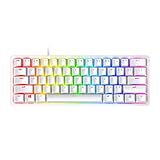


If you have been shopping for a gaming keyboard lately, you have probably seen the phrase “optical switch” thrown around a lot. It sounds like marketing speak — but the underlying technology is genuinely different from traditional mechanical switches, and for competitive gaming it matters. This guide breaks down exactly what optical switches do better, then ranks the five best optical switch gaming keyboards you can buy right now.
In a hurry? See the top-rated Optical Switch Gaming Keyboard deals available right now:
🛒 Check Optical Switch Gaming Keyboard Prices on Amazon →🛒 Best Price Today on Amazon
Prime members get fast, free shipping on everything above, plus member-only deals. New members get a 30-day free trial — cancel anytime.
Start 30-Day Prime Free Trial →See Today’s Amazon DealsOptical vs. Mechanical Switches: Why It Matters
Traditional mechanical switches register a keypress through physical metal contacts. Two pieces of metal touch, close a circuit, and the signal fires. Simple — but metal contacts bounce. When two metal surfaces collide, they vibrate briefly before settling, which means the switch can register multiple signals in microseconds. Keyboards compensate with debounce delay: the firmware ignores inputs for a short window (typically 5–15 ms) after the first signal, preventing double-registration. That delay is invisible in everyday typing, but in a 240 Hz competitive environment where frames are 4 ms apart, it can cost you.
Optical switches replace the metal contacts with an infrared light beam. A small emitter shines IR light across a gap inside the switch housing. When you press the key, a shutter (or magnetic actuator) breaks that beam. The moment the beam breaks, the signal fires — no metal contact, no bounce, no debounce delay needed. The result:
- Actuation speed: 0.2 ms or faster vs. 5–15 ms debounce on mechanical
- Durability: rated to 100 million keystrokes (no metal contacts to oxidize or wear)
- Consistency: the actuation point does not drift over time
- Moisture resistance: no electrical contacts to corrode from sweat or spills
The trade-off is that optical switches feel slightly different from the tactile “clack” many typists love, and the ecosystem is more proprietary — you generally cannot swap Razer Optical stems into a Corsair board. That said, every major brand now has at least one optical lineup, and the quality gap versus mechanical has essentially closed.
Top 5 Optical Switch Gaming Keyboards in 2026
1. Razer BlackWidow V3 — Best Overall
The BlackWidow V3 is the keyboard that put optical gaming switches on the mainstream map, and it still earns its place at the top of the list in 2026. Razer’s third-generation optical switch actuates at 1.0 mm travel with a 45 g actuation force — close enough to a Cherry MX Red feel that switchers from mechanical will barely notice a difference. The actual response time clocks in at 0.2 ms, and because there is no debounce delay, every keypress translates immediately.
Build quality is excellent: aluminum top plate, doubleshot ABS keycaps with per-key RGB (Razer Chroma), and a sturdy braided USB-C cable. The full-size layout includes a media roller and dedicated macro keys. Razer Synapse 3 software gives you deep customization — actuation point adjustment, macro recording, RGB profiles, and cloud sync.
Actuation: 1.0 mm | Total travel: 4.0 mm | Actuation force: 45 g | Debounce: 0 ms | Rating: 100 M clicks
Pros
- Zero-debounce optical actuation at 0.2 ms
- Solid aluminum top frame — no flex
- Excellent Chroma RGB implementation
- Wide Synapse 3 software ecosystem
- Competitive price for a flagship optical board
Cons
- ABS keycaps get shine over time; PBT upgrade available but sold separately
- Synapse 3 can feel bloated for minimalist users
- Proprietary switch format limits third-party modding
2. SteelSeries Apex Pro — Best Customizable Actuation
The Apex Pro is the only keyboard on this list — possibly the only keyboard in existence — that lets you set the actuation point per key. SteelSeries calls it OmniPoint: magnetic Hall-effect sensors (a close cousin to optical, using magnets rather than IR light) allow you to dial in actuation from 0.1 mm to 4.0 mm on each individual key. Want your WASD keys to fire at 0.2 mm for maximum response while your spacebar actuates at 2.0 mm to avoid accidental presses? Done in 30 seconds via the SteelSeries GG app.

This makes the Apex Pro extraordinary for players who have very specific preferences — CS2 players who want hair-trigger movement keys, MMO players who want deliberate actuation on ability keys. The 2026 version adds a small OLED display for live stats and profile switching without software.
Actuation: 0.1–4.0 mm (adjustable per key) | Total travel: 4.0 mm | Actuation force: 35–45 g | Debounce: 0 ms | Rating: 100 M clicks
Pros
- Per-key actuation from 0.1 mm — unmatched precision
- Hall-effect sensors offer same instant-registration as optical
- OLED smart display for stats and profile switching
- Premium aircraft-grade aluminum frame
- Excellent GG software with detailed statistics
Cons
- Premium price — the most expensive board on this list
- OmniPoint system requires software setup to unlock full benefit
- Full-size only; no compact or TKL OmniPoint option
- OLED adds complexity some users do not need
3. Wooting 60HE — Most Precise (Analog/Hall Effect)
Wooting 60HE
Wooting is a Dutch boutique brand that most gamers had never heard of until professional CS2 and Valorant players started appearing in broadcast setups with this tiny 60% board. The 60HE uses Lekker Hall-effect switches — analog sensors that read the full range of key travel, not just a binary on/off — and its Rapid Trigger feature is what has the competitive community obsessed.
Rapid Trigger means the keyboard re-arms the key the instant you release it by any amount (down to 0.1 mm), rather than waiting for it to physically return above the actuation point. In practice: press, release slightly, press again — the keyboard registers two distinct keypresses in the time a conventional keyboard would still be waiting for the first one to reset. For CS2 counter-strafing and Valorant peeking, this is a measurable mechanical advantage. The 60% form factor keeps desk space clear for wide mouse movements.
Actuation: 0.1–4.0 mm (adjustable) | Total travel: 4.0 mm | Actuation force: 30–50 g (analog) | Debounce: 0 ms | Rating: 100 M clicks
Pros
- Rapid Trigger technology — best reset speed on this list
- Full analog key input enables joystick-style movement in supported games
- Compact 60% saves significant desk space
- Wootility software is clean and highly configurable
- Huge following in competitive FPS community
Cons
- 60% layout removes F-row, numpad, and arrows — not ideal for every workflow
- Smaller brand = longer shipping times; stock can be limited
- No built-in RGB per key (only underglow)
- Learning curve on Wootility software for new users
4. Corsair K70 RGB Pro — Best for Raw Speed
Corsair’s OPX optical switches are among the fastest linear-feel opticals on the market. The K70 RGB Pro pairs them with a 4,000 Hz polling rate (via USB) — four times more frequent than the 1,000 Hz standard — meaning the keyboard reports its state to the PC every 0.25 ms. Combined with the 1.0 mm actuation and zero debounce, the K70 RGB Pro delivers one of the lowest input-to-PC latencies available in a retail keyboard.
The chassis is full magnesium alloy, noticeably heavier and more premium-feeling than plastic competitors. PBT double-shot keycaps come standard, which means legends will not fade and the surface stays matte even after thousands of hours of gaming. The detachable USB-C cable with a 45-degree connector is a small but appreciated quality-of-life detail.

Actuation: 1.0 mm | Total travel: 4.0 mm | Actuation force: 45 g | Debounce: 0 ms | Polling rate: 4,000 Hz | Rating: 100 M clicks
Pros
- 4,000 Hz polling rate — best end-to-end latency on the list
- PBT keycaps standard — no shine over time
- Full magnesium alloy build
- Detachable USB-C with 45-degree connector
- iCUE software is mature and deeply featured
Cons
- iCUE is resource-heavy; noticeable RAM usage at idle
- Full-size only — no TKL or compact variant with OPX switches
- Heavier board may not suit those who travel with their keyboard
- 4,000 Hz polling requires compatible USB port and driver
5. Roccat Vulcan II Mini — Best Compact Optical
The Roccat Vulcan II Mini is the only 65% optical keyboard on this list and one of the best-built compact keyboards at its price point. Titan II optical switches use a two-stage actuation design: a light pre-travel phase before hitting the actuation point at 1.4 mm, which gives a subtle tactile hint without the full click of a tactile mechanical switch. Actuation force is 40 g — slightly lighter than Razer or Corsair — and the response time matches the rest of the optical field at 0.2 ms.
The standout visual feature is Roccat’s transparent switch housing, which lets the per-key RGB shine through without the usual “puddle of light” look. The aluminum top plate is low-profile and clean. At 65%, you keep arrow keys and a Delete cluster while still trimming substantial width from a full-size board — a smart compromise for mixed-use setups.
Actuation: 1.4 mm | Total travel: 4.0 mm | Actuation force: 40 g | Debounce: 0 ms | Rating: 100 M clicks
Pros
- 65% layout retains arrow keys — best compact balance
- Transparent housing delivers clean, vivid RGB
- Titan II two-stage actuation feels premium
- Aluminum top plate, no chassis flex
- Swain software is lightweight and intuitive
Cons
- 1.4 mm actuation is slightly deeper than competitors (trade-off for feel)
- No wrist rest included or sold as first-party accessory
- Smaller community means fewer custom keycap sets in 65% layout
- Software lacks the depth of iCUE or Synapse for macro power users
Comparison Table
| Keyboard | Switch Type | Actuation | Polling Rate | Form Factor | PBT Caps | Price Tier |
|---|---|---|---|---|---|---|
| Razer BlackWidow V3 | Razer Optical (IR) | 1.0 mm / 45 g | 1,000 Hz | Full-size | No (ABS) | Mid |
| SteelSeries Apex Pro | OmniPoint (Hall effect) | 0.1–4.0 mm adj. | 1,000 Hz | Full-size | Yes | Premium |
| Wooting 60HE | Lekker (Hall effect) | 0.1–4.0 mm adj. | 1,000 Hz | 60% | No | Mid-high |
| Corsair K70 RGB Pro | OPX Optical (IR) | 1.0 mm / 45 g | 4,000 Hz | Full-size | Yes | Mid-high |
| Roccat Vulcan II Mini | Titan II Optical (IR) | 1.4 mm / 40 g | 1,000 Hz | 65% | No | Mid |
How to Choose the Right Optical Switch Keyboard
Consider your game genre first
FPS players (CS2, Valorant, Apex) benefit most from hair-trigger actuation and fast reset. The Wooting 60HE with Rapid Trigger is purpose-built for this use case. If you want the flexibility to dial in exactly what you prefer, the SteelSeries Apex Pro covers it at the cost of price.
MOBA and MMO players often prefer a slightly longer actuation to avoid misfires on ability keys. The Razer BlackWidow V3 or Corsair K70 RGB Pro at 1.0 mm actuation strikes the right balance.
Form factor vs. desk setup
If you run a large mouse pad and need maximum mouse travel room, a 60% (Wooting) or 65% (Roccat Vulcan II Mini) removes the keyboard footprint from the equation. If you use macros, numpad shortcuts, or frequently switch between gaming and productivity, a full-size board preserves that functionality.

Polling rate matters less than you think — until it does
For 99% of gaming scenarios, 1,000 Hz polling (1 ms report rate) is more than adequate. At 4,000 Hz, the K70 RGB Pro reports state every 0.25 ms — a difference your nervous system genuinely cannot perceive but that registers in automated latency tests. If you are competing at a professional level where every fraction of a millisecond is audited, it is worth having. For recreational play, invest that budget difference elsewhere.
Actuation feel vs. actuation speed
A 0.1 mm actuation point (Apex Pro, Wooting at minimum setting) sounds like a dream, but it also means accidental keypresses from resting fingers. Most players end up setting per-key actuation to 0.3–0.5 mm for a balance of speed and control. If you have never used adjustable actuation before, the Razer or Corsair boards at a fixed 1.0 mm are excellent starting points.
Budget guidance
- Under $100: Razer BlackWidow V3 is the clear choice — full optical performance without compromise.
- $100–$150: Corsair K70 RGB Pro or Wooting 60HE depending on form factor preference.
- $150+: SteelSeries Apex Pro for per-key customization, or Roccat Vulcan II Mini if a premium compact is the goal.
Final Verdict
Optical switch technology has matured enough in 2026 that every keyboard on this list outperforms traditional mechanical switches on raw response time and long-term durability. The choice now is really about which feature set fits your play style.
For most players, the Razer BlackWidow V3 hits the sweet spot of performance, build quality, and value. It is the recommendation to start with and only reconsider if you have a specific need the others address better.
Competitive FPS players who want the technical edge should look hard at the Wooting 60HE — Rapid Trigger is a genuine performance feature, not a marketing term, and the competitive community adoption speaks for itself.
Speed-obsessed players who want the lowest total system latency should grab the Corsair K70 RGB Pro for its 4,000 Hz polling rate and PBT keycaps standard.
Players who want to fine-tune every aspect of their keyboard experience will find the SteelSeries Apex Pro irreplaceable despite its price.
And if desk space is your primary constraint, the Roccat Vulcan II Mini delivers full optical performance in the most practical compact footprint available.
Whichever you choose, you are upgrading to a switch technology that will not wear out in your gaming lifetime — 100 million keystrokes means roughly 10 hours of gaming per day for over 27 years. Buy once, game for a very long time.
All prices and availability verified as of May 2026. Affiliate links support gamingpcguru.com at no cost to you.
Related Articles
Looking for more on this topic? Browse the hand-picked guides below — each one applies the same scoring rubric used in this review.
Frequently Asked Questions
What is the best gaming keyboard optical switch in 2026?
The best gaming keyboard optical switch depends on your budget and how you plan to use it. The options compared above are our top-rated picks based on real customer ratings, build quality, and overall value — start with the highest-rated model that fits your budget.
How much should I expect to spend on a gaming keyboard optical switch?
Prices vary by brand and features. Budget options cover the essentials, while mid-range and premium models add durability, performance, and extra features. Compare the prices in the list above to find the best value for your needs.
What should I look for when buying a gaming keyboard optical switch?
Focus on what matters most for your use case — build quality, compatibility, performance, warranty, and verified customer reviews. Every pick above is selected to balance these factors.
Are budget gaming keyboard optical switch options worth it?
Yes. For most people a well-reviewed budget or mid-range gaming keyboard optical switch delivers excellent value. You only need to spend more if you specifically require premium materials or top-tier performance.
How did we choose these gaming keyboard optical switch picks?
We compare current Amazon ratings, review counts, key features, and price to surface the options with the best real-world value. The list is refreshed as ratings and availability change.








