

- Top Pick: HyperX Alloy Core RGB – Membrane Gaming Keyboard, Comfortable Quiet Silent Keys with RGB LED Lighting Effects, Spill Resistant, Dedicated Media Keys, Compatible with Windows 10/8.1/8/7 – Black
- Best Value: Corsair K55 CORE RGB Membrane Wired Gaming Keyboard – QWERTY US Layout – Quiet, Responsive Switches – Spill Resistance – Ten-Zone RGB – Media Keys – iCUE Compatible – PC, Mac – Black
- Premium Choice: SteelSeries Apex 3 RGB Gaming Keyboard – 10-Zone RGB Illumination – IP32 Water Resistant – Premium Magnetic Wrist Rest (Whisper Quiet Gaming Switch)
Affiliate disclosure: As an Amazon Associate we earn from qualifying purchases. This post contains affiliate links — if you buy through them we may earn a small commission at no extra cost to you. This never affects our recommendations.
- Best Membrane Gaming Keyboard in 2026: Top 5 Picks for Quiet Budget Play
- What Is a Membrane Gaming Keyboard?
- Who Should Buy a Membrane Gaming Keyboard in 2026?
- Top 5 Best Membrane Gaming Keyboards in 2026
- Comparison Table
- Membrane vs Mechanical — Honest Performance Comparison for Gaming
- Mech-Dome Hybrid Keyboards — The Middle Ground Explained
- When Membrane Makes Sense Over Mechanical
- Conclusion — Which Membrane Gaming Keyboard Should You Buy?
- Frequently Asked Questions
- Related Articles
- Related Articles
As an Amazon Associate we earn from qualifying purchases at no extra cost to you.


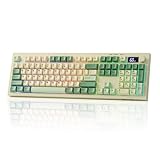
In a hurry? See the top-rated Membrane Gaming Keyboard deals available right now:
🛒 Check Membrane Gaming Keyboard Prices on Amazon →🛒 Best Price Today on Amazon
Prime members get fast, free shipping on everything above, plus member-only deals. New members get a 30-day free trial — cancel anytime.
Start 30-Day Prime Free Trial →See Today’s Amazon DealsBest Membrane Gaming Keyboard in 2026: Top 5 Picks for Quiet Budget Play
If you’ve been told that membrane keyboards are for office drones and beginners, you’ve been getting bad advice. In 2026, the best membrane gaming keyboards are refined, feature-packed, and genuinely capable — especially if your priorities include low noise, low price, or a first-gaming-keyboard experience that doesn’t break the bank.
This guide cuts through the noise. We compared actuation force, anti-ghosting behavior, RGB implementation, spill resistance, and real-world gaming feel across five top picks. We’ll also be straight with you about where membrane falls short of mechanical — and where it doesn’t matter at all.
What Is a Membrane Gaming Keyboard?
Membrane keyboards use a pressure pad beneath the keys rather than individual mechanical switches. When you press a key, it pushes through three layers — a top membrane, a conductive trace layer, and a bottom membrane — completing a circuit that registers the keystroke.
The result: quieter operation, lower manufacturing cost, and a softer, cushioned feel. Actuation force typically runs between 45g–60g, similar to a Cherry MX Red or Brown switch, but the tactile feedback is minimal — you’re feeling the key bottom out, not a distinct actuation point.
Lifespan is the honest trade-off. Membrane keyboards are rated for around 5 million keystrokes per key. Mechanical switches typically hit 50 million+. For a gamer who logs 4–6 hours daily, that matters. For casual players, a membrane board can last years without issue.
Who Should Buy a Membrane Gaming Keyboard in 2026?
- Shared living situations — apartments, dorms, families — where clicky switches are a problem at 2 AM
- Office-to-gaming crossovers who need a keyboard that doesn’t sound like a hailstorm in Zoom calls
- First gaming keyboard buyers who want brand-quality features (RGB, anti-ghosting, software) without a $100+ price tag
- Budget builders prioritizing GPU or monitor spend over peripherals
If you’re a competitive FPS player who lives in the keyboard’s tactile response, membrane probably isn’t your endgame. But for everyone else — including plenty of people who game seriously — this category is more than good enough.
Top 5 Best Membrane Gaming Keyboards in 2026
Razer Cynosa V2 — Best Overall Membrane Gaming Keyboard
The Cynosa V2 is the cleanest answer to “what’s the best membrane gaming keyboard” for most buyers. Razer took their membrane technology seriously here, and it shows in every detail.
Switch & Feel
The Cynosa V2 uses Razer’s membrane switches with an actuation force around 45g — light, responsive, and comfortable for long sessions. The keys have a subtle cushioned feel that’s noticeably better than generic membrane boards. It’s not mechanical, but it’s smooth and consistent.
Noise Level
Quiet. Not whisper-quiet, but library-acceptable. The dampened keystroke means no clatter during late-night sessions.
Anti-Ghosting & Rollover
Full anti-ghosting across all 104 keys with N-key rollover. Every simultaneous keypress registers — no dropped inputs in fast-paced games.
RGB
Individual per-key RGB driven by Razer Chroma. That’s 16.8 million colors per key, fully programmable, and compatible with Chroma’s ecosystem sync (works with Razer mice, headsets, even supported games). For a membrane keyboard, the RGB quality is exceptional.
Spill Resistance
Spill-resistant design — not fully waterproof, but it handles the occasional drink knock without instant failure.
Verdict
Best overall because it combines Chroma RGB, full N-key rollover, and reliable membrane feel at a price that undercuts most mechanical mid-range boards. If you want one keyboard that does everything well, this is it.
Logitech G213 Prodigy — Best Logitech Membrane Gaming Keyboard

Logitech doesn’t make a pure membrane gaming keyboard — they make something better. The G213 Prodigy uses Mech-dome switches, a hybrid design that sits between membrane and mechanical.
Switch & Feel
Mech-dome technology means each key has an individual dome over a mechanical-style post. Actuation force sits around 45g with a subtle tactile bump — not as pronounced as a Cherry MX Brown, but noticeably more feedback than flat membrane. It’s the closest you’ll get to mechanical feel without paying mechanical prices.
Noise Level
Quiet. The Mech-dome design keeps sound low, making this an excellent choice for shared spaces or streaming setups.
Anti-Ghosting & Rollover
Anti-ghosting with 26-key rollover. Not full N-key, but in practice, 26-key rollover handles virtually every gaming scenario short of extreme speed-typing chord abuse.
RGB
5-zone RGB lighting rather than per-key. The zones cover the full keyboard in broad sections — less granular than per-key setups, but Logitech’s LIGHTSYNC software makes the effects look polished. Expect vibrant colors and smooth animations.
Extras
Built-in wrist rest (a genuine selling point — it’s contoured and comfortable), dedicated media keys, game mode toggle, and spill-proof design rated for resistance to minor spills.
Verdict
The mech-dome hybrid makes this the most mechanical-feeling membrane option on the list. If tactile feedback matters but your budget says no to full mechanical, the G213 is your answer.
Corsair K55 RGB Pro XT — Best Corsair Membrane Gaming Keyboard
Corsair built the K55 RGB Pro XT for the gamer who wants command-center functionality in a membrane package — six dedicated macro keys, per-key RGB, and one of the only IP42-rated gaming keyboards in this price range.
Switch & Feel
Standard membrane switches with an actuation force around 50g. The keystroke feel is clean and consistent — not the most characterful, but reliable. Keys bottom out with a soft dampened thud rather than a harsh clack.
Noise Level
Among the quietest on this list. The membrane construction and key dampening make this suitable for any environment.
Anti-Ghosting & Rollover
Eight-zone anti-ghosting with full rollover in those zones. For most games, this is sufficient — simultaneous WASD + Shift + two ability keys register without issue.
RGB
Per-key RGB across the full board, controllable through Corsair’s iCUE software. Six dedicated macro keys on the left side are also fully illuminated. iCUE offers one of the most robust lighting customization suites in the industry — the software alone is a reason to consider Corsair.
IP42 Rating
This is the standout spec. IP42 means the K55 is rated against solid objects 1mm+ in size and light water splashing from any direction. It’s the most formally protected keyboard on this list.
Extras
Six dedicated macro keys (remappable via iCUE), dedicated media controls, volume wheel, and USB passthrough on select configurations.
Verdict
Best choice if you want macro functionality, robust spill protection, and Corsair’s software ecosystem. The IP42 rating alone justifies the price for desk environments prone to accidents.

HyperX Alloy Core RGB — Best Value Membrane Gaming Keyboard
HyperX built the Alloy Core RGB around a simple premise: give gamers the features that matter — N-key rollover, full RGB, solid build — at the lowest justifiable price. They delivered.
Switch & Feel
Standard membrane with actuation force around 45g. The soft-touch matte finish on the keycaps is a distinguishing detail — it reduces fingerprint buildup and gives the surface a premium tactile texture that flat-glossy membrane boards don’t offer.
Noise Level
Quiet and consistent. The membrane actuation is smooth with no rattling or loose-feeling keys.
Anti-Ghosting & Rollover
Full N-key rollover — every key, simultaneously, registers. This is the standout spec at this price point. Most budget membrane keyboards cut corners here with partial rollover. HyperX doesn’t.
RGB
Six-zone RGB with HyperX Ngenuity software support. Not per-key, but the zone implementation covers the keyboard in clean, distinct sections. Effects include breathing, wave, reactive, and static options.
Extras
USB pass-through port for charging or connecting a mouse/headset without reaching behind your PC. Dedicated media controls including volume wheel, play/pause, and mute. Game mode toggle disables the Windows key during gaming sessions.
Verdict
The value-per-dollar winner. N-key rollover and USB pass-through at this price point is unusual. If your budget is your primary filter, this is the keyboard to beat.
SteelSeries Apex 3 — Best Quiet Membrane Gaming Keyboard
SteelSeries designed the Apex 3 around a single promise: whisper-quiet switches that don’t compromise on gaming performance. For anyone in a noise-sensitive environment — streaming, content creation, living with light sleepers — this is the board.
Switch & Feel
SteelSeries’ whisper-quiet membrane switches register at around 45g actuation force. The dampening on these switches is noticeably more aggressive than the others on this list. The result is a keyboard that produces almost no audible sound on keypress — just a soft, muted thud.
Noise Level
The quietest keyboard on this list, by a clear margin. The whisper-quiet branding is accurate. In a quiet room, you can hear your thoughts more clearly than the keyboard.
Anti-Ghosting & Rollover
Anti-ghosting with 6-key rollover. This is a limitation compared to full N-key solutions, but 6KRO covers standard gaming inputs reliably. Unless you’re pressing 7+ keys simultaneously (genuinely rare outside of fighting games), you won’t notice.
IP32 Rating
IP32 means protection against solid objects 2.5mm+ and light water dripping at an angle up to 15 degrees. Less robust than the K55’s IP42, but meaningful real-world protection for desk spills.
RGB
8-zone RGB lighting with SteelSeries Engine software. The 8-zone implementation gives more visual granularity than 5-zone competitors while keeping cost below per-key setups.
Verdict
The go-to for streamers, content creators, and anyone where keyboard noise is a genuine concern. The whisper-quiet switches are the real deal, and the IP32 rating adds practical durability.

Comparison Table
| Keyboard | Switch Type | Anti-Ghost | RGB | Wrist Rest | Price Range |
|---|---|---|---|---|---|
| Razer Cynosa V2 | Membrane | Full N-key | Per-key (Chroma) | No | $~50 |
| Logitech G213 Prodigy | Mech-dome hybrid | 26-key | 5-zone | Yes (built-in) | $~50 |
| Corsair K55 RGB Pro XT | Membrane | 8-zone | Per-key (iCUE) | No | $~55 |
| HyperX Alloy Core RGB | Membrane | Full N-key | 6-zone | No | $~40 |
| SteelSeries Apex 3 | Membrane | 6KRO | 8-zone | No | $~45 |
Membrane vs Mechanical — Honest Performance Comparison for Gaming
Here’s the straight talk: for most gaming scenarios, the difference between a quality membrane keyboard and a mechanical keyboard is smaller than the marketing suggests.
Where mechanical wins:
- Tactile feedback on actuation — you feel the switch trigger before bottoming out, which can improve typing accuracy and reduce fatigue over long sessions
- Longevity — 50M+ keystrokes per switch vs 5M for membrane
- Actuation precision — especially with linear switches, the travel-to-actuation ratio is more consistent key-to-key
- Enthusiast customization — hot-swap, lubbing, switch modding, keycap swaps
Where membrane holds its own:
- Noise — membrane is quieter in nearly every real-world scenario
- Price — you can buy two quality membrane boards for the price of one entry-level mechanical
- Gaming input registration — with full N-key rollover, every simultaneous keypress registers identically to mechanical
- First-keyboard experience — the softer actuation reduces finger fatigue for new gamers building up hours
The honest verdict for competitive gaming: If you’re grinding ranked in FPS titles and believe keyboard responsiveness is a meaningful edge, invest in mechanical. If you’re playing RPGs, MOBAs, strategy games, or anything that isn’t pixel-perfect twitch response, a quality membrane board like the Cynosa V2 or Alloy Core RGB will not hold you back.
Mech-Dome Hybrid Keyboards — The Middle Ground Explained
The Logitech G213 introduced a concept worth understanding: mech-dome hybrid switches. These aren’t purely membrane and aren’t fully mechanical — they use individual domes (like membrane) but mount them over a post that provides a more defined actuation feel (like mechanical).
The result sits between the two worlds:
- More tactile feedback than flat membrane
- Quieter than most mechanical switches
- More expensive than basic membrane, cheaper than mechanical
- Individual key-feel consistency closer to mechanical
If you want tactile without noise, or you’re coming from mechanical and want to reduce sound without losing all feedback, mech-dome hybrids are the bridge. The G213 Prodigy is the most accessible example in gaming keyboards.
When Membrane Makes Sense Over Mechanical
You share living space. Mechanical switches — especially clicky tactile variants like Cherry MX Blue — are genuinely intrusive in shared environments. Membrane keyboards keep the peace without forcing you to give up gaming.
You’re building a quiet streaming or content creation setup. Keyboard noise picked up by a microphone is a real issue. Whisper-quiet membrane switches (Apex 3) or soft mech-dome designs (G213) eliminate that problem at a fraction of the cost of foam-dampened mechanical builds.
Budget is allocated elsewhere. A $40–55 membrane board frees budget for a better GPU, monitor, or headset — components that affect gameplay far more directly than switch type.
You want a secondary or backup keyboard. Mechanical daily drivers pair well with a membrane board for travel, secondary desk setup, or loaner use.
You’re new to gaming keyboards. Starting on a quality membrane board from Razer, Logitech, or HyperX gives you all the gaming features — RGB, anti-ghosting, software customization — without the learning curve of switch selection or the cost risk of buying wrong.
Conclusion — Which Membrane Gaming Keyboard Should You Buy?
The best membrane gaming keyboard in 2026 depends on what you’re optimizing for:
- Best overall: Razer Cynosa V2 — per-key Chroma RGB, full N-key rollover, clean membrane feel, Razer software ecosystem
- Best tactile feel: Logitech G213 Prodigy — mech-dome hybrid, built-in wrist rest, the closest membrane gets to mechanical feedback
- Best for macro power users: Corsair K55 RGB Pro XT — six dedicated macro keys, IP42 rating, iCUE software depth
- Best value: HyperX Alloy Core RGB — full N-key rollover and USB pass-through at the lowest price on this list
- Best for quiet environments: SteelSeries Apex 3 — whisper-quiet switches that mean business, IP32 protection, streamer-approved
Any of these five will outperform a generic membrane board significantly. The question is which features matter most to your setup. Pick the one that matches your priorities, and you’ll have a keyboard that serves you well — without spending mechanical prices to get there.
Frequently Asked Questions
Are membrane keyboards good for gaming?
Membrane keyboards are quiet, affordable, and spill-resistant, and they work fine for casual gaming. Mechanical keyboards feel more responsive and durable, but a quality membrane board is budget-friendly.
Membrane or mechanical keyboard for gaming?
Mechanical keyboards offer better feel, durability, and faster response, while membrane keyboards are cheaper and quieter. Choose membrane for budget and quiet, mechanical for performance.
Why are membrane keyboards quieter?
Membrane keyboards press a soft rubber dome rather than a mechanical switch, producing a soft, muffled sound. This makes them well suited to shared rooms and quiet environments.
Do membrane keyboards wear out faster than mechanical?
Generally yes. The rubber domes degrade over time and feel mushier, while mechanical switches are rated for far more keystrokes. Quality membrane boards still last for years of normal use.
Related Articles
Looking for more on this topic? Browse the hand-picked guides below — each one applies the same scoring rubric used in this review.
Ready to decide? Our #1 pick for 2026 is the Keyboard.
Live price & availability on Amazon.





