

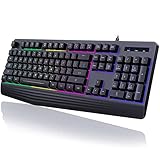
- Top Pick: SteelSeries Apex 3 RGB Gaming Keyboard – 10-Zone RGB Illumination – IP32 Water Resistant – Premium Magnetic Wrist Rest (Whisper Quiet Gaming Switch)
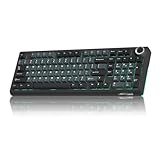
- Best Value: TECKNET Wired Gaming Keyboard, RGB Backlit Keyboard with Metal Panel Design
- Premium Choice: HyperX Alloy Core RGB – Membrane Gaming Keyboard, Comfortable Quiet Silent Keys with RGB LED Lighting Effects, Spill Resistant, Dedicated Media Keys, Compatible with Windows 10/8.1/8/7 – Black
Affiliate disclosure: As an Amazon Associate we earn from qualifying purchases. This post contains affiliate links — if you buy through them we may earn a small commission at no extra cost to you. This never affects our recommendations.
As an Amazon Associate we earn from qualifying purchases at no extra cost to you.




Mechanical keyboards are loud by design. The spring-and-stem mechanism that makes them fast and tactile also makes them obnoxious in shared spaces — offices, bedrooms, streaming setups where a mic is hot. Silent gaming keyboards solve that without forcing you onto mushy membrane boards. In 2026, the gap between “silent” and “performant” has essentially closed. The picks below prove it.
In a hurry? See the top-rated Silent Gaming Keyboard deals available right now:
🛒 Check Silent Gaming Keyboard Prices on Amazon →🛒 Best Price Today on Amazon
Prime members get fast, free shipping on everything above, plus member-only deals. New members get a 30-day free trial — cancel anytime.
Start 30-Day Prime Free Trial →See Today’s Amazon DealsQuick Picks
| Pick | Best For | Switch | Form Factor | Price Range |
|---|---|---|---|---|
| Logitech G915 TKL | Overall best silent gaming keyboard | GL Silent (linear) | TKL | $$$ |
| Corsair K70 RGB Pro | Classic full-size workhorse | Cherry MX Silent Red | Full | $$$ |
| Keychron Q1 Pro | Enthusiast / audiophile quietness | Gasket + foam (hot-swap) | 75% | $$$$ |
| SteelSeries Apex 3 | Budget silent pick | Whisper-quiet membrane | Full | $ |
| Razer DeathStalker V2 | Wireless low-profile compact | Razer Silent optical | TKL | $$$ |
Silent Switch Technology: Dampened Mechanical vs Optical vs Membrane
Not all “silent” keyboards use the same approach, and the differences matter for gaming feel.
Dampened Mechanical Switches
The most common approach. Standard mechanical switches generate noise at two points: the downstroke (stem hits bottom) and the upstroke (stem snaps back). Dampened variants — Cherry MX Silent Red, Logitech GL Silent — add small rubber pads inside the housing at both impact points. Result: a muted thud instead of a click or clack. Actuation force and travel remain similar to their non-silent counterparts. You still get the crisp, responsive feel that gamers want.
Silent Optical Switches
Razer’s Silent optical switches replace the physical contact mechanism with an infrared light beam. Without metal-on-plastic contact, there is no click. The stem still bottoms out against dampening foam, but the actuation event itself is noiseless and nearly instantaneous (sub-1ms). Optical silent switches also eliminate debounce delay, making them among the fastest available regardless of noise category.
Whisper-Quiet Membrane
Membrane keyboards use a rubber dome that collapses on keypress. High-quality modern membrane — like SteelSeries’ Whisper Quiet — layers silicone dampening between the dome and PCB. The result is genuinely quiet, softer on the fingers, but with less tactile distinction between keypress and non-press. Competitively viable for most genres; not ideal for players who rely on tactile reset points for rapid-fire inputs.
How Silent Is “Silent”? The dB Reality
Marketing uses “silent” liberally. Here is what the numbers actually look like:
- Standard mechanical (MX Red): ~52–58 dB at desk level
- Dampened mechanical (MX Silent Red / GL Silent): ~38–44 dB
- Silent optical (Razer): ~36–42 dB
- Quality membrane (Apex 3): ~30–36 dB
- Gasket + foam build (Keychron Q1 Pro): ~32–40 dB depending on switches installed
For reference, a quiet library sits around 30 dB. Normal conversation is ~60 dB. The best mechanical silent keyboards land comfortably between those points — audible in a silent room but inoffensive to a nearby microphone or sleeping partner. Membrane edges out mechanical on raw decibels, but the Q1 Pro’s gasket mount effectively absorbs sound through the case itself, narrowing that gap significantly.
One important caveat: bottoming-out noise is separate from switch noise. Even a silent switch hits the desk surface. A wrist rest, desk mat, or switch films can reduce that secondary impact by another 3–6 dB.
Sound Dampening Add-ons
If your keyboard is already close but not quite where you need it, these upgrades are worth knowing:
O-Rings
Soft rubber rings that sit on the stem of each keycap, absorbing the downstroke impact before the stem hits bottom. Cost: ~$5–10 for a full board set. Downside: they shorten travel slightly and can make the keypress feel “poppy” or mushy depending on ring thickness.
Case Foam / PCB Foam
Cut-to-fit foam placed inside the keyboard case, between the PCB and bottom plate. Deadens the hollow resonance that amplifies switch noise. Works best on keyboards with metal or hard-plastic cases. The Keychron Q1 Pro ships with this from the factory.
Switch Films
Thin polyethylene or polycarbonate films placed between the top and bottom housing of each switch, eliminating the wobble that creates rattling noise. Most relevant for custom enthusiast boards. Adds about 1–3 dB of noise reduction while improving switch consistency.

Desk Mat
The simplest, cheapest upgrade. A large fabric desk mat under the keyboard absorbs vibration transmitted through the desk surface. Effective, zero-modification required.
Top 5 Silent Gaming Keyboards
1. Logitech G915 TKL — Best Overall Silent Gaming Keyboard
The G915 TKL earns the top spot by doing everything well without asking for compromises. GL Silent switches sit at just 1.5mm actuation depth — significantly shallower than standard mechanical — which translates to faster response times in practice. Logitech’s LIGHTSPEED wireless runs at 1ms polling over 2.4GHz, matching or beating the performance of many wired keyboards. Battery life hits around 40 hours with RGB on, substantially more with it off.
The low-profile form factor keeps key travel short and wrist angle flat, which reduces fatigue during extended sessions. Build quality is premium: an aluminum alloy top case, confident key stability, and RGB that remains readable across all lighting zones. The TKL layout eliminates the numpad to recover desk space without sacrificing function keys or navigation cluster.
Switch feel is smooth linear with near-silent actuation. Noise from heavy typists bottoming out hard remains present but muted — add a desk mat and this becomes genuinely mic-safe for most setups.
Best for: Gamers who want wireless + silent + premium build in one package.
2. Corsair K70 RGB Pro — Classic Full-Size with Cherry MX Silent Red
The K70 RGB Pro with Cherry MX Silent Red is the keyboard for players who want full-size layout, proven switch reliability, and a name they trust. Cherry MX Silent Red switches dampen both downstroke and upstroke contact points, measuring roughly 40 dB under controlled testing — noticeably quieter than standard MX Red without sacrificing the light, linear feel competitive gamers prefer.
The aluminum frame is bombproof. The dedicated media controls and volume roller at the top right are genuinely useful for streaming setups where you need tactile control without alt-tabbing. iCUE software integration gives per-key RGB customization and macro programming. Polling rate hits 8000Hz on the Pro variant, which is overkill for most use cases but welcome for players demanding the lowest possible input latency.
Full-size means more desk real estate required. The wired-only connection is the only meaningful concession compared to the G915 TKL.
Best for: Full-size loyalists who want proven Cherry MX performance in a silent package.
3. Keychron Q1 Pro — Best Enthusiast Silent Keyboard

The Q1 Pro approaches silence as an engineering problem rather than a switch specification. Its gasket mounting system suspends the PCB on silicone gaskets rather than screwing it rigidly to the case. Every keystroke’s vibration is absorbed by the mount before it can resonate through the aluminum case. Layer factory-installed PCB and case foam on top, and the Q1 Pro is among the quietest keyboards achievable with mechanical switches — without any aftermarket modification.
Hot-swap south-facing PCB means you can install virtually any 5-pin MX-compatible switch you prefer, including Boba U4 silent tactile, Topre-style dampened switches, or heavy linear switches with factory lubricant. This makes the Q1 Pro the definitive “buy it and tune it” platform for enthusiasts who want silence on their own terms.
Bluetooth 5.1 and 2.4GHz wireless options add flexibility. The 75% layout includes arrow keys and a function row, making it practical for daily use, not just gaming. The anodized aluminum case at this price point feels exceptional.
Best for: Keyboard enthusiasts who want maximum quiet with full switch tunability.
4. SteelSeries Apex 3 — Best Budget Silent Gaming Keyboard
At a fraction of the price of the other picks on this list, the Apex 3 delivers genuine quiet gaming performance. SteelSeries’ Whisper Quiet membrane switches register comfortably below 35 dB — quieter in raw decibel terms than most dampened mechanical keyboards. The IP32 water resistance rating is a practical bonus for anyone eating or drinking at their desk, which is everyone.
Competitive gamers should know what they are buying: membrane switches lack the distinct tactile reset point of mechanical variants. For FPS players who double-tap or rapid-fire, this matters. For strategy, RPG, or casual gaming, it is completely irrelevant. The Apex 3 covers the majority of gaming use cases without asking you to spend $100+.
RGB illumination is functional (10-zone), the software is solid, and the build quality is respectable for the price bracket. The magnetic wrist rest included in the full-size version adds ergonomic value that competitors charge extra for.
Best for: Budget-conscious buyers, new PC gamers, or anyone who does not need the tactile feedback of mechanical.
5. Razer DeathStalker V2 — Wireless Low-Profile with Silent Optical
The DeathStalker V2 occupies a specific niche: low-profile, wireless, compact, and fast. Razer’s Silent optical switches actuate via infrared at 1.2mm — shallower than even the G915 TKL — making keystrokes feel almost effortless and extremely quick. Because actuation is contactless, there is genuinely no click sound from the switch mechanism itself. Bottoming out is dampened by the low-profile keycap design and a soft inner layer.
HyperSpeed wireless via 2.4GHz delivers sub-1ms polling. Battery life runs approximately 40 hours with backlighting active. The TKL form factor keeps the footprint compact without cutting into daily usability. Synapse 3 software integration ties into Razer’s ecosystem cleanly.

The tradeoff versus the G915 TKL is feel: optical silent switches lack the slight mechanical feedback some players prefer to confirm keypresses. For players who bottom out every keystroke (most of us), this is invisible in practice.
Best for: Players who want wireless TKL with the fastest possible actuation in a low-profile package.
Full Comparison Table
| Keyboard | Switch Type | Noise Level | Form Factor | Wireless | Hot-Swap | Price Range |
|---|---|---|---|---|---|---|
| Logitech G915 TKL | GL Silent (linear) | ~40 dB | TKL | Yes (2.4GHz + BT) | No | $$$ |
| Corsair K70 RGB Pro | Cherry MX Silent Red | ~40 dB | Full-size | No (wired) | No | $$$ |
| Keychron Q1 Pro | Gasket + user choice | ~34–38 dB | 75% | Yes (2.4GHz + BT) | Yes | $$$$ |
| SteelSeries Apex 3 | Whisper Quiet membrane | ~32–35 dB | Full-size | No (wired) | No | $ |
| Razer DeathStalker V2 | Razer Silent optical | ~36–40 dB | TKL | Yes (2.4GHz + BT) | No | $$$ |
What to Look For
Switch Type and Feel
Linear silent switches (GL Silent, MX Silent Red) are the default recommendation for gaming — smooth travel with no tactile bump means no resistance mid-stroke. Optical silent switches (Razer) remove the actuation sound entirely and add speed. Membrane is quietest in raw dB terms but lacks precision feedback. Gasket-mount builds (Keychron) make the case itself part of the noise reduction system, letting you choose any switch.
Form Factor
Full-size gives you a numpad and maximum key count. TKL cuts the numpad, freeing 3–4 inches of desk space for mouse movement — preferred for FPS players. 75% compresses further while retaining arrow keys and most function keys. Only go 65% or smaller if you are comfortable without a function row.
Actuation Force and Travel
Silent switches are often lighter than their non-silent equivalents due to dampening pads replacing some of the spring resistance. Light switches (35–45g actuation) are fast but prone to accidental keypresses during tense gameplay. If you type heavily, a 45g+ actuation force prevents fatigue-related misfires.
Wireless vs Wired
Modern 2.4GHz wireless (LIGHTSPEED, HyperSpeed) is indistinguishable from wired in competitive play. The latency advantage of wired is effectively zero at the speeds gaming keyboards operate. Choose wireless if cable management is a concern; choose wired only if you need the peace of mind of zero battery maintenance.
Verdict
The Logitech G915 TKL is the best silent gaming keyboard for most players in 2026. It combines wireless freedom, proven GL Silent linear performance, premium build quality, and a compact TKL footprint into a package that handles gaming and daily typing with equal confidence.
Step up to the Keychron Q1 Pro if you want the quietest possible mechanical experience and the flexibility to install whatever switches suit you. Its gasket mount and factory dampening foam genuinely outperform every other keyboard here on acoustic isolation.
Pick the SteelSeries Apex 3 if budget is the constraint — it is legitimately quiet, genuinely durable, and covers the vast majority of gaming scenarios at a price that leaves room for a better chair.
The Corsair K70 RGB Pro is the right call for full-size loyalists who trust Cherry MX and want a keyboard they can keep for a decade. The Razer DeathStalker V2 is the answer when wireless low-profile speed is the specific requirement.
Any of these five eliminates keyboard noise as a problem. Pick based on form factor, budget, and switch preference — not on whether they are “quiet enough.” They all are.
Frequently Asked Questions
What makes a gaming keyboard silent?
Silent keyboards use dampened switches with built-in rubber to muffle the keypress, plus sound-absorbing foam and stabilizers. They greatly reduce the clack of typing and gaming.
Are silent switches good for gaming?
Yes. Silent linear switches give the same smooth, fast performance as standard linears, just quieter. You lose almost nothing in gaming feel while gaining much quieter operation.
Why choose a silent gaming keyboard?
They are ideal for shared rooms, offices, late-night gaming, or streaming, where loud keyboard noise distracts. A silent board keeps the clatter out of your mic and your space.
Are silent keyboards completely noiseless?
No. Silent switches greatly reduce noise but still produce a soft sound when keys bottom out. They are much quieter than clicky or standard switches, not truly silent.
Related Articles
Looking for more on this topic? Browse the hand-picked guides below — each one applies the same scoring rubric used in this review.
Ready to decide? Our #1 pick for 2026 is the Pick.
Live price & availability on Amazon.





