

- Top Pick: TECKNET Wired Gaming Keyboard, RGB Backlit Keyboard with Metal Panel Design
- Best Value: Redragon K521 Upgrade Rainbow LED Gaming Keyboard, 104 Keys Wired Mechanical Feeling Keyboard with Multimedia Keys, One-Touch Backlit, Anti-Ghosting, Compatible with PC, Mac, PS4/5, Xbox
- Premium Choice: SteelSeries Apex 3 RGB Gaming Keyboard – 10-Zone RGB Illumination – IP32 Water Resistant – Premium Magnetic Wrist Rest (Whisper Quiet Gaming Switch)
Affiliate disclosure: As an Amazon Associate we earn from qualifying purchases. This post contains affiliate links — if you buy through them we may earn a small commission at no extra cost to you. This never affects our recommendations.
As an Amazon Associate we earn from qualifying purchases at no extra cost to you. Product prices and availability are accurate as of the date shown and are subject to change.


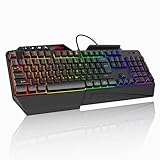
RGB lighting has gone from a novelty to a serious differentiator. The difference between a $50 keyboard with zone lighting and a $200 flagship with true per-key RGB is immediately visible the moment you sit down. But not every build needs the same approach — a wireless desk setup benefits from a different keyboard than a wired, GPU-synced battlestation.
This guide cuts through the marketing noise. We researched the five best RGB gaming keyboards currently available, evaluated their lighting ecosystems, switch feel, software stability, and sync compatibility with GPUs and monitors. Whether you want the richest lighting canvas money can buy or the best compact RGB layout, there is a pick here for you.
In a hurry? See the top-rated RGB Gaming Keyboard deals available right now:
🛒 Check Rgb Gaming Keyboard Prices on Amazon →🛒 Best Price Today on Amazon
Prime members get fast, free shipping on everything above, plus member-only deals. New members get a 30-day free trial — cancel anytime.
Start 30-Day Prime Free Trial →See Today’s Amazon DealsWhat Is Per-Key RGB vs. Zone RGB?
Before diving into the picks, understanding the lighting architecture matters — it directly affects how much your keyboard can do visually.
Per-key RGB means every single key has its own independent LED. Each key can display a different color simultaneously. This allows effects like ripple waves that follow your keystrokes, reactive typing animations, game-state indicators (health bars mapped to keys, ability cooldowns), and fully custom art. It is the gold standard.
Zone lighting groups keys into sections — typically 4 to 44 zones — and lights each zone as a single color. Zone RGB looks great in static or breathing effects but cannot render per-key reactive animations or detailed patterns. It costs less and draws less power, making it practical for wireless boards.
Software ecosystems matter enormously. iCUE (Corsair), Razer Chroma, GHub (Logitech), and Armory Crate (ASUS ROG) each handle sync differently:
- iCUE is the most feature-complete and integrates across Corsair’s entire ecosystem (fans, RAM, GPU, headset). It is also the heaviest on system resources.
- Razer Chroma has the broadest third-party game integration (200+ titles natively trigger Chroma effects). SDK support is excellent.
- GHub is clean and stable. LIGHTSYNC syncs Logitech peripherals and supports Logitech G monitors natively.
- Armory Crate covers ASUS ROG and TUF hardware, syncs with Aura Sync-compatible motherboards and GPUs. Works well within the ASUS ecosystem; less useful outside it.
Top 5 Best RGB Gaming Keyboards in 2026
1. Corsair K100 RGB — Best RGB Keyboard Overall
The K100 RGB is the most complete RGB keyboard on the market. Its 44-zone per-key lighting system covers every key, the iCUE Control Wheel, and dedicated media keys — all addressable individually through Corsair’s iCUE software. The aluminum frame keeps flex minimal, and the optical-mechanical switches (available in OPX or MGX variants) register at the speed of light contact rather than physical actuation.
The iCUE Control Wheel on the top-left is the standout hardware feature: a smooth rotating dial that controls volume, lighting brightness, or any iCUE-assigned function without leaving your hands. For streaming setups or RGB-heavy builds, this alone is worth the premium.
Lighting ecosystem: iCUE enables multi-layer animations, reactive lighting tied to game events, and full sync with Corsair RAM (Vengeance RGB), fans (LL/QL series), coolers (H150i), and supported NVIDIA/AMD GPUs. If your rig is Corsair-heavy, the K100 becomes the control center of your entire lighting setup.
Specs:
- Switch options: Corsair OPX (optical, 45g actuation), MGX (magnetic, 45g)
- Backlighting: Per-key RGB, 44-zone addressable
- Form factor: Full-size (100%)
- Connection: USB wired
- Extra features: iCUE Control Wheel, USB passthrough, dedicated macro keys
Pros:
- Most refined per-key RGB implementation available
- iCUE ecosystem sync covers every Corsair component
- Optical switches eliminate debounce delay
- iCUE Control Wheel is genuinely useful for content creators and streamers
- Premium aluminum frame with no flex
Cons:
- Full-size layout is large — not desk-friendly for tight setups
- iCUE software is resource-intensive (200–400MB RAM usage)
- Premium pricing; among the most expensive in this roundup
- Wired only — no wireless option
Best for: Corsair ecosystem builds, streamers, content creators, and anyone who wants the deepest per-key RGB customization available.

2. Razer BlackWidow V4 Pro — Best Razer Chroma RGB Integration
Razer Chroma is the most game-integrated RGB ecosystem in gaming. Over 200 titles natively trigger Chroma effects — health bars, ability cooldowns, damage indicators, and environmental cues pulse through your keyboard in real time. The BlackWidow V4 Pro is Razer’s flagship wireless full-size board and the best vehicle for that ecosystem.
Per-key RGB here is powered by Razer’s Chroma RGB with individually addressable LEDs. Synastasia effects between a BlackWidow V4 Pro, a Razer DeathAdder mouse, a Kraken headset, and a Chroma-compatible monitor create a unified lighting envelope that responds to game state. Few other ecosystems can match this level of native game integration.
The wrist rest is magnetic and well-padded, and the dial plus 4 macro keys on the left column add useful customization for productivity. Razer Green switches (clicky) and Yellow switches (linear, quieter) are available; the Yellows are well-suited to extended sessions.
Specs:
- Switch options: Razer Green (clicky), Yellow (linear)
- Backlighting: Per-key Razer Chroma RGB
- Form factor: Full-size (100%)
- Connection: Wireless (HyperSpeed 2.4GHz) + USB-C wired + Bluetooth
- Extra features: Multi-function dial, 4 macro keys, magnetic wrist rest, tri-mode connectivity
Pros:
- Razer Chroma’s 200+ game integrations are unmatched for reactive lighting
- Tri-mode connectivity (2.4GHz wireless + Bluetooth + wired)
- Magnetic wrist rest included
- Multi-function dial and dedicated macro column
- Excellent Chroma SDK for developers
Cons:
- Razer switches divide opinion — some prefer Cherry MX or Kailh alternatives
- Synapse software can be slow to load and update
- Large footprint due to full-size layout plus macro column
- Battery life under heavy RGB use drops significantly
Best for: Razer ecosystem users, gamers who want deep in-game reactive lighting, and wireless full-size keyboard buyers.
3. SteelSeries Apex Pro RGB — Best Per-Key RGB with OLED Display
The SteelSeries Apex Pro is the most technically innovative keyboard in this roundup. Its OmniPoint 2.0 adjustable magnetic switches allow per-key actuation point customization — you can set each key to actuate between 0.1mm and 4.0mm. Competitive FPS players typically set WASD to 0.1–0.2mm for near-instant input, while spacebar sits at 3.5mm to avoid accidental presses.
Per-key RGB is fully addressable, and the SteelSeries GG/Engine software handles lighting configuration cleanly with less overhead than iCUE. The OLED Smart Display on the top-right is genuinely functional: it shows Discord notifications, Spotify track info, game clip timers, and system stats without alt-tabbing.
SteelSeries’ ecosystem sync covers its own peripherals but does not match the breadth of Corsair or Razer when it comes to GPU and motherboard integration. However, for a keyboard-first purchase where adjustable actuation and per-key RGB are the priorities, nothing competes at this price.
Specs:
- Switch: SteelSeries OmniPoint 2.0 adjustable (0.1–4.0mm actuation, per key)
- Backlighting: Per-key RGB
- Form factor: Full-size (100%)
- Connection: USB wired
- Extra features: OLED Smart Display, aircraft-grade aluminum frame, magnetic wrist rest
Pros:

- Per-key adjustable actuation is unique and genuinely performance-relevant
- OLED display is practical, not gimmicky
- Clean, lightweight GG software with good RGB customization
- Extremely durable aluminum construction
- Competitive pricing for the feature set
Cons:
- Ecosystem sync is narrower than Corsair or Razer
- Wired only — no wireless option
- OmniPoint switches are proprietary; no hot-swap for third-party switches
- Full-size only; no TKL or compact variant with OLED
Best for: Competitive gamers who want performance-tuned actuation alongside top-tier per-key RGB.
4. Logitech G915 TKL RGB — Best Wireless RGB Keyboard
The G915 TKL proves that wireless and premium RGB are no longer mutually exclusive. LIGHTSYNC RGB delivers per-key lighting at 16.8 million colors, and battery life reaches up to 40 hours with RGB on (or up to 135 hours with RGB off). The ultra-thin low-profile GL switches — available in Tactile, Clicky, or Linear — travel only 2.7mm total, making this the fastest-feeling keyboard in this roundup for typists.
LIGHTSPEED wireless at 1ms polling eliminates any perceptible input lag versus wired. Bluetooth is also supported as a secondary connection for non-gaming use. The TKL form factor removes the numpad, which is the right call for most gaming setups — it brings the mouse closer and reduces shoulder strain.
GHub software handles LIGHTSYNC integration across Logitech’s ecosystem. If you own a Logitech G monitor, the LIGHTSYNC TV sync feature extends your keyboard’s ambient lighting to the monitor edges in real time — one of the best cross-device RGB sync implementations available.
Specs:
- Switch options: GL Tactile, GL Clicky, GL Linear (low-profile)
- Backlighting: Per-key LIGHTSYNC RGB
- Form factor: Tenkeyless (TKL, 87 keys)
- Connection: LIGHTSPEED 2.4GHz wireless + Bluetooth + USB-C wired
- Extra features: Low-profile design (22mm height), media keys, up to 40hr battery (RGB on)
Pros:
- 40+ hours wireless battery life with per-key RGB active
- LIGHTSPEED wireless matches wired latency
- Low-profile design is the thinnest premium gaming keyboard available
- LIGHTSYNC screen ambient extension with Logitech G monitors
- TKL layout is ergonomically superior for mouse-heavy games
Cons:
- Low-profile switches have shallower travel — a preference, not universal
- No hot-swap; GL switches are proprietary
- Expensive for a TKL; the full G915 is similarly priced
- GHub’s macro customization is less deep than iCUE
Best for: Wireless desk setups, clean battlestations, Logitech ecosystem users, and gamers who dislike the numpad taking up desk space.
5. ASUS ROG Strix Scope II 96 — Best Compact 96% Layout RGB
The 96% layout is the best compromise most people haven’t considered: you keep the numpad (in a condensed form), lose the gap between the main cluster and the right side, and end up with a keyboard that is significantly smaller than full-size while retaining every key. The ROG Strix Scope II 96 executes this layout better than any competitor.
ROG Aura Sync per-key RGB here is deep and stable. Armory Crate integrates with ASUS and ROG motherboards, GPUs (especially Strix and TUF series), monitors, and RAM. For a full ASUS build, this keyboard becomes the final piece of an Aura Sync-unified rig. The dedicated volume knob is a welcome physical control, and hot-swap support means you can change switches without soldering.
Available in wired and wireless variants (ROG Strix Scope II 96 Wireless adds tri-mode connectivity), giving buyers flexibility without sacrificing the layout.

Specs:
- Switch options: ROG NX Red (linear), NX Brown (tactile), NX Blue (clicky); hot-swappable
- Backlighting: Per-key ROG Aura Sync RGB
- Form factor: 96% compact (all keys, condensed layout)
- Connection: Wired (USB-C); Wireless variant adds 2.4GHz + Bluetooth
- Extra features: Hot-swap switch sockets, volume knob, aircraft-grade aluminum top plate
Pros:
- 96% layout keeps numpad while dramatically reducing footprint
- Hot-swap switch sockets — change switches in seconds, no tools
- Aura Sync integrates perfectly across full ASUS/ROG builds
- Dedicated volume knob
- Competitive pricing for the feature set
Cons:
- Armory Crate software has a complex installation process and is heavy on system tray presence
- Aura Sync value diminishes greatly outside ASUS ecosystem builds
- 96% layout takes short adjustment period for users coming from full-size
- RGB brightness is slightly below Corsair K100 ceiling
Best for: ASUS ROG ecosystem builds, users who want a numpad in a compact footprint, and hot-swap enthusiasts.
Comparison Table
| Keyboard | Layout | RGB Type | Wireless | Software | Best For | Price Range |
|---|---|---|---|---|---|---|
| Corsair K100 RGB | Full-size | Per-key, 44-zone iCUE | No | iCUE | Best overall RGB, Corsair builds | $$$$ |
| Razer BlackWidow V4 Pro | Full-size | Per-key Chroma | Yes (tri-mode) | Synapse | Game-reactive lighting, Razer users | $$$$ |
| SteelSeries Apex Pro RGB | Full-size | Per-key | No | GG/Engine | Adjustable actuation + RGB | $$$ |
| Logitech G915 TKL RGB | TKL (87%) | Per-key LIGHTSYNC | Yes (tri-mode) | GHub | Wireless, clean desk, Logitech builds | $$$$ |
| ASUS ROG Strix Scope II 96 | 96% compact | Per-key Aura Sync | Optional | Armory Crate | ASUS builds, compact numpad layout | $$$ |
How to Choose the Best RGB Gaming Keyboard
Match the Software to Your Ecosystem
This is the most important decision. Buying a Corsair K100 RGB for a pure ASUS ROG build, or a ROG Strix board for a Corsair system, means you lose the cross-device sync that makes flagship RGB keyboards worth the cost.
- Full Corsair rig (RAM, AIO, fans, GPU): K100 RGB with iCUE is the obvious choice
- Full ASUS ROG/TUF rig (motherboard, GPU, monitor): ROG Strix Scope II 96 with Aura Sync
- Razer peripheral users (mouse, headset, controller): BlackWidow V4 Pro with Chroma
- Logitech users or monitor sync priority: G915 TKL with LIGHTSYNC
- Mixed ecosystem or software-agnostic: SteelSeries Apex Pro works cleanly across setups
Per-Key RGB vs. Zone RGB: What You Actually Need
For pure static lighting or breathing effects, zone RGB looks perfectly fine and saves money. If you want reactive typing effects, game-state animations (health bars, ammo counters), or complex animated patterns, per-key RGB is non-negotiable. All five keyboards in this guide offer per-key RGB, which is why they lead the category.
Wireless vs. Wired
Modern wireless (LIGHTSPEED, HyperSpeed 2.4GHz) matches wired polling rates at 1ms. The latency argument against wireless is effectively dead for gaming. The real trade-off is RGB battery consumption: heavy lighting will cut battery life significantly on any wireless board. The G915 TKL handles this best with its 40-hour RGB runtime.
Layout Considerations
- Full-size (100%): All keys present. Best for productivity and users who rely on the numpad for games or data entry.
- TKL (87%): Removes numpad. Gives more mouse room. Better ergonomics for most gaming positions.
- 96%: Keeps all keys including numpad in a tighter footprint. Best compromise if you use the numpad.
GPU and Monitor Sync
Most premium RGB keyboards now support cross-device sync via their software. For GPU sync:
- NVIDIA RTX cards with GeForce Experience support iCUE, Razer Chroma, and ASUS Aura Sync via their respective software layers
- AMD RX cards work with Aura Sync and Razer Chroma most cleanly
- Monitor sync is strongest with brand-matched products (Logitech G monitors + G915 TKL, ROG monitors + ROG keyboard)
Final Verdict
The Corsair K100 RGB is the best RGB gaming keyboard in 2026 for anyone who prioritizes lighting depth and ecosystem integration. Its 44-zone per-key implementation inside iCUE, combined with the iCUE Control Wheel, makes it the definitive flagship for Corsair-centric builds.
For wireless, the Logitech G915 TKL RGB is unmatched — 40 hours of battery with per-key RGB active is engineering that no other manufacturer has matched, and LIGHTSPEED eliminates any latency concern.
If you live inside the Razer ecosystem and want reactive in-game lighting, the Razer BlackWidow V4 Pro and Chroma’s 200+ game integrations will impress every session. For the ASUS ROG builder who wants everything in one compact layout, the ROG Strix Scope II 96 hits the sweet spot of size, Aura Sync depth, and hot-swap flexibility.
The SteelSeries Apex Pro RGB is the pick for competitive gamers — it is the only keyboard here where the hardware directly benefits your performance, not just your setup’s aesthetics. Adjustable per-key actuation combined with solid per-key RGB puts it in a class of one.
No matter which you choose from this list, you are getting a keyboard built to anchor an RGB build — not just decorate one.
Frequently Asked Questions
Does RGB lighting on a keyboard affect performance?
No. RGB lighting is cosmetic and does not change responsiveness. Performance comes from the switches, polling rate, and build quality, so enjoy the lighting as a visual bonus.
What is per-key RGB versus zone RGB?
Per-key RGB lights each key individually for detailed effects and custom layouts, while zone RGB lights groups of keys. Per-key offers far more customization for reactive lighting.
Can I sync RGB keyboard lighting with my other gear?
Yes, if the keyboard supports your ecosystem, such as Razer Chroma, Corsair iCUE, or ASUS Aura. Matching brands lets lighting effects sync across keyboard, mouse, and PC.
Should I prioritize RGB or switches when buying a keyboard?
Switches first. The switch type defines how the keyboard feels and performs, which matters far more than lighting. Pick the right switch, then choose RGB as a secondary preference.
Related Articles
Looking for more on this topic? Browse the hand-picked guides below — each one applies the same scoring rubric used in this review.
Ready to decide? Our #1 pick for 2026 is the Keyboard.
Live price & availability on Amazon.


