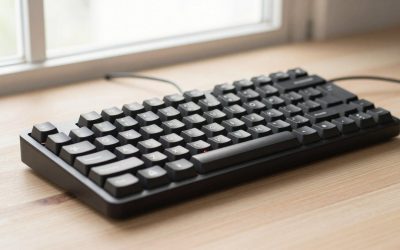
- Top Pick: AULA F75 Pro Wireless Mechanical Keyboard,75% Hot Swappable Custom Keyboard with Knob,RGB Backlit,Pre-lubed Reaper Switches,Side Printed PBT Keycaps,2.4GHz/USB-C/BT5.0 Mechanical Gaming Keyboards
- Best Value: Newmen GM326 Mechanical Keyboard,75% Percent Gaming Keyboard,Wired Keyboard
- Premium Choice: Womier SK80 75% Keyboard with Color Multimedia Display Gaming Keyboard
Affiliate disclosure: As an Amazon Associate we earn from qualifying purchases. This post contains affiliate links — if you buy through them we may earn a small commission at no extra cost to you. This never affects our recommendations.
As an Amazon Associate we earn from qualifying purchases at no extra cost to you.


In a hurry? See the top-rated 75% Gaming Keyboard deals available right now:
🛒 Check 75% Gaming Keyboard Prices on Amazon →🛒 Best Price Today on Amazon
Prime members get fast, free shipping on everything above, plus member-only deals. New members get a 30-day free trial — cancel anytime.
Start 30-Day Prime Free Trial →See Today’s Amazon DealsQuick Picks
| Pick | Keyboard | Best For | Price Range |
|---|---|---|---|
| Best Overall | Keychron Q1 Pro | Build quality, wireless, QMK/Via | ~$170–$200 |
| Best Competitive | Wooting 60HE+ | FPS/CS2, rapid trigger, Hall Effect | ~$150–$175 |
| Best for Travel | NuPhy Air75 V2 | Slim profile, wireless, portable | ~$100–$130 |
| Best Feature Set | ASUS ROG Falchion RX | RGB, side touch panel, wireless | ~$150–$180 |
| Best Budget | Keychron K14 Pro | Entry-level 75%, hot-swap, wireless | ~$95–$115 |
75% vs 65% vs TKL: Why 75% is the Sweet Spot
Before spending money, it is worth understanding why the 75% layout exists and why so many people land on it after trying other sizes.
A tenkeyless (TKL) keyboard keeps the full alphanumeric zone, function row, and navigation cluster but drops the numpad. It is compact enough for most desks but still takes up significant horizontal space — typically 360 mm wide. If you game with a low sensitivity and need room to swing a mouse, TKL can still feel crowded.
A 65% layout goes further: it ditches the function row entirely, keeping only a compressed nav cluster on the right. The result is an extremely tight footprint, but the missing function row creates friction for software development, video editing shortcuts, or any game that binds F-keys directly (CS2 radar, Escape menu, voice chat in many MMOs). You either reprogram everything or live with fn-layer combos.
The 75% layout threads the needle. It keeps the full function row — F1 through F12 — plus dedicated arrow keys and a right-side column that usually includes Delete, Page Up, Page Down, and Home. Total width lands around 305–315 mm depending on the board. That is roughly 60 mm narrower than a TKL, which translates directly into mouse movement room. You give up nothing in terms of key access but gain meaningful desk space.
For gamers who also do real work — coding, spreadsheets, video editing — the 75% is hard to beat. It is also increasingly popular in the enthusiast mechanical keyboard community because the compact footprint allows more premium engineering (heavier aluminum frames, gasket mounting, better acoustics) at reasonable prices.
Hall Effect Switches: The Wooting Advantage Explained
Most mechanical keyboards use contact switches — Cherry MX, Gateron, or their clones. When you press a key, two metal contacts close, registering a keystroke. The actuation point is fixed, usually between 1.5 mm and 2.0 mm of travel.
Hall Effect switches work differently. They use a magnet inside the stem and a magnetic field sensor in the housing. Instead of reading a binary open/closed signal, they read a continuous analog value across the full travel range. That difference unlocks two features that matter enormously for competitive gaming.
Rapid Trigger — With contact switches, if you tap a key quickly, the keyboard must detect both press and release before it can register the next press. Hall Effect boards can register a new actuation the moment the key reverses direction by as little as 0.1 mm. In CS2 or Valorant, this means you can strafe-stop faster than any contact-switch keyboard allows. Your movement response is limited only by your fingers, not by the actuation mechanism.
Adjustable Actuation Point — You can set the actuation anywhere from 0.1 mm to 4.0 mm travel. Light touches for fast keypresses in games, deeper actuation to avoid mis-fires in typing or strategy games — all adjustable per-key in software.
Wooting pioneered this in keyboard form with the 60HE and expanded it to the 60HE+. No other keyboard on this list matches it for competitive play. If your primary use case is ranked FPS, the Hall Effect advantage is substantial and measurable.
Top 5 Picks
1. Keychron Q1 Pro — Best Overall 75% Gaming Keyboard
The Q1 Pro is the best-rounded 75% keyboard on the market in 2026. It combines a double-gasket mount with a CNC-machined aluminum frame, full QMK/Via firmware support, and Bluetooth 5.1 wireless — a combination you rarely see below $200.
The gasket mount is the acoustic story here. Instead of the PCB and plate screwing directly into the case, they sit in silicone gaskets that absorb both sound and vibration. The result is a deep, dampened thock on each keystroke that feels far more premium than the price suggests. South-facing RGB LEDs pair well with any keycap set. The Q1 Pro ships with Keychron’s K Pro switches in red, brown, or banana variants — all hot-swappable via a 5-pin socket, so you can drop in whatever switch you prefer.

Wireless performance is solid. The keyboard runs on a 4,000 mAh battery and switches between three Bluetooth devices plus a 2.4 GHz USB dongle. Latency on 2.4 GHz is imperceptible in gaming. Wired USB-C is available for zero-compromise performance.
QMK/Via compatibility means every key, layer, and macro is programmable without proprietary software. For enthusiasts who want a wireless gasket-mount 75% that works out of the box and supports deep customization, the Q1 Pro is the answer.
Specs: Gasket mount, aluminum frame, QMK/Via, Bluetooth 5.1 + 2.4 GHz + USB-C, 5-pin hot-swap, south-facing RGB.
2. Wooting 60HE+ — Best for Competitive Gaming
Wooting 60HE+
The Wooting 60HE+ runs Hall Effect Lekker switches and Wooting’s own Wootility software, giving you per-key actuation adjustment and rapid trigger down to 0.1 mm. For competitive FPS players, this is not a gimmick — it is a genuine edge.
The “60HE+” naming is slightly misleading. Wooting’s layout includes arrow keys separated from the main cluster and a right-side column, putting it closer to a functional 65–70% depending on how you count. In practice it behaves like a compact 75% for anyone who needs arrow keys. There is no traditional function row, which is the one real trade-off versus a true 75%.
Build quality is above average for the price: a polycarbonate case with some flex, a POM plate, and a gasket-adjacent mount that is softer than a typical top-mount. Sound profile leans clacky due to the PC plate but can be foam-dampened easily.
The ecosystem advantage is real. Wooting’s firmware updates continuously, adding features like analog input for character controllers, tilt actuation (the key registers based on angle, not depth), and custom rapid-trigger profiles per game. No other keyboard in this price range ships with this level of firmware investment.
Specs: Hall Effect Lekker switches (analog), rapid trigger 0.1 mm, adjustable actuation per-key, polycarbonate case, gasket-style mount, USB-C wired only.
3. NuPhy Air75 V2 — Best for Travel and Minimalism
The Air75 V2 is a genuinely different product from the others on this list. Where the Q1 Pro and Wooting maximize performance engineering, NuPhy maximizes portability. The total height with switches installed is roughly 14 mm at the front — lower than most full-size keyboards’ home row.
It ships with NuPhy’s proprietary low-profile switches in linear or clicky variants, hot-swappable on a 3-pin socket that also accepts Gateron low-profile and Kailh Choc switches. The polycarbonate case is extremely light. Bluetooth 5.0 connects up to three devices, and the rechargeable battery lasts well over 100 hours at moderate RGB brightness.
For gaming, the Air75 V2 is competent rather than exceptional. Switch travel is shorter (total 3.0 mm vs. 4.0 mm on standard switches), which some gamers prefer. There is no gasket mount — the board uses a standard top mount — so acoustics are sharper and there is minimal flex. The RGB is functional, syncing via NuPhy’s app or NuPhy’s VIA fork.
If you carry your keyboard to LAN events, switch between a desk and a laptop tray, or simply want the cleanest, slimmest setup possible, the Air75 V2 earns its place. It is not the keyboard to buy if pure gaming performance is your only criterion.

Specs: Low-profile hot-swap (3-pin), Bluetooth 5.0 + USB-C, aluminum + polycarbonate frame, 14 mm front height, NuPhy VIA compatible.
4. ASUS ROG Falchion RX — Best Feature Set
The ROG Falchion RX is ASUS’s most polished compact gaming keyboard and the option with the most out-of-the-box features. The defining hardware quirk is a capacitive touch strip on the left side of the case. It functions as a volume slider, media control zone, or custom macro trigger, and is genuinely useful once the muscle memory builds.
ROG NX switches are the heart of the typing and gaming experience. These are optical-mechanical switches — an infrared beam detects keystroke activation, eliminating debounce delay and adding water resistance. The Falchion RX ships with ROG NX Red (linear), Blue (clicky), or Snow (silent linear) variants. The switches are hot-swappable, though only with ROG NX optical switches, not the broader switch ecosystem.
Wireless is executed well: the 2.4 GHz USB dongle delivers low-latency performance suitable for ranked play, and Bluetooth adds device flexibility for productivity. Battery life is solid at around 450 hours without RGB.
Armoury Crate software is comprehensive, letting you program per-key lighting, macros, and the touch strip functions. It integrates with ROG’s ecosystem if you have other ROG peripherals. The case itself is a tight polycarbonate construction with good weight distribution.
The limitation is ecosystem lock-in. You cannot swap in Cherry MX or Gateron switches — you are committed to the ROG NX optical family. For users who like those switches, that is not a problem. For keyboard enthusiasts who want broad compatibility, look at the Q1 Pro.
Specs: ROG NX optical-mechanical switches (hot-swap ROG NX only), capacitive touch strip, Bluetooth + 2.4 GHz + USB-C, per-key RGB, polycarbonate case.
5. Keychron K14 Pro — Best Budget 75% Pick
The K14 Pro brings the same wireless-plus-hot-swap formula that made the Q1 Pro popular at a significantly lower price. The frame is plastic rather than aluminum, and the mount is a standard top mount rather than gasket — both expected compromises at this price.
What you do get is full 75% layout with function row and arrow keys, three-device Bluetooth plus USB-C wired, a 4,000 mAh battery, and Keychron’s hot-swap socket accepting 5-pin MX-compatible switches. RGB backlighting is south-facing (better shine-through on most keycap sets). Keychron’s own K Pro switches ship by default but can be pulled and replaced immediately.
Software support is via Keychron’s launcher rather than full QMK/Via, which is a step down from the Q1 Pro. Most users who are not deep into keyboard programming will not notice. Basic macro recording, lighting presets, and key remapping are all present.
For anyone new to the 75% layout who does not want to commit $170+ to their first compact board, the K14 Pro is the correct starting point. It covers the fundamentals cleanly and leaves room to upgrade later.
Specs: Plastic frame, top mount, 5-pin hot-swap, Bluetooth 5.1 + 2.4 GHz + USB-C, south-facing RGB, Keychron launcher software.

Full Comparison Table
| Feature | Keychron Q1 Pro | Wooting 60HE+ | NuPhy Air75 V2 | ROG Falchion RX | Keychron K14 Pro |
|---|---|---|---|---|---|
| Layout | True 75% | Compact 65–70% | True 75% | True 75% | True 75% |
| Mount | Double gasket | Gasket-style | Top mount | Top mount | Top mount |
| Frame | Aluminum | Polycarbonate | Aluminum + PC | Polycarbonate | Plastic |
| Switch Type | MX 5-pin hot-swap | Hall Effect (fixed) | Low-profile 3-pin | ROG NX optical | MX 5-pin hot-swap |
| Wireless | BT 5.1 + 2.4 GHz | Wired only | BT 5.0 | BT + 2.4 GHz | BT 5.1 + 2.4 GHz |
| Rapid Trigger | No | Yes (0.1 mm) | No | No | No |
| QMK/Via | Full QMK/Via | Wootility | NuPhy VIA fork | Armoury Crate | Keychron Launcher |
| Price Range | $170–$200 | $150–$175 | $100–$130 | $150–$180 | $95–$115 |
| Best For | All-rounder | Competitive FPS | Travel/slim | Feature set | Budget entry |
What to Look For in a 75% Gaming Keyboard
Mount type is the biggest factor in how a keyboard feels and sounds. Gasket mounts (Q1 Pro) provide flex and dampening that makes extended gaming sessions less fatiguing and produces better acoustics. Top mounts are stiffer, which some typists prefer, but sound sharper.
Hot-swap vs. soldered determines your upgrade path. Every board on this list is hot-swap, but the switch ecosystem varies. The Q1 Pro and K14 Pro accept any 5-pin MX switch — the widest possible compatibility. The Falchion RX only accepts ROG NX optical switches. The Air75 V2 is limited to low-profile switches.
Wireless implementation matters more than most reviews acknowledge. Bluetooth latency is fine for casual play and productivity but measurable in competitive gaming. If you play ranked shooters wirelessly, you want a 2.4 GHz dongle option — the Q1 Pro, Falchion RX, and K14 Pro all have one. The Wooting 60HE+ is wired-only, which is a non-issue since wired is the lowest-latency option.
Firmware and software set long-term satisfaction. QMK/Via on the Q1 Pro is the gold standard — open-source, community-supported, no cloud dependency. Wootility on the Wooting is excellent and actively developed. Proprietary launchers like Keychron’s or Armoury Crate work well enough but tie you to the manufacturer’s update cycle.
Keycap compatibility is a 75% layout concern. The right-side column and compressed top row use non-standard keycap sizes that cheaper aftermarket sets do not cover. Premium sets from vendors like GMK, Signature Plastics, or Keychron’s own double-shot PBT lines always cover 75% layouts. Verify compatibility before buying budget keycap sets.
Verdict
Buy the Keychron Q1 Pro if you want the best all-around 75% gaming keyboard. Gasket mount, aluminum frame, true QMK/Via, wireless — it delivers enthusiast-grade engineering at a fair price and will satisfy both gaming sessions and work hours equally.
Buy the Wooting 60HE+ if you play competitive FPS at a high level and rapid trigger is a priority. No other board on this list can match its Hall Effect advantage. Accept the wired-only limitation and the slightly non-standard layout; the performance payoff is real.
Buy the NuPhy Air75 V2 if portability and a slim profile are your primary requirements. It is the right tool for a specific use case and does that job better than anything else here.
Buy the ROG Falchion RX if you want a feature-complete wireless gaming keyboard with a unique touch control strip and do not need to swap switches outside the ROG ecosystem.
Buy the Keychron K14 Pro if your budget is under $115 or you want a no-risk entry into the 75% layout before committing to a premium board.
The 75% format has earned its popularity. You keep everything you actually need during gameplay — function row, arrows, navigation keys — and you gain meaningful desk space for mouse movement. Any of these five boards will serve you well; the choice comes down to which trade-offs match your priorities.
Related Articles
Looking for more on this topic? Browse the hand-picked guides below — each one applies the same scoring rubric used in this review.
Frequently Asked Questions
What is the best gaming keyboard 75 percent in 2026?
The best gaming keyboard 75 percent depends on your budget and how you plan to use it. The options compared above are our top-rated picks based on real customer ratings, build quality, and overall value — start with the highest-rated model that fits your budget.
How much should I expect to spend on a gaming keyboard 75 percent?
Prices vary by brand and features. Budget options cover the essentials, while mid-range and premium models add durability, performance, and extra features. Compare the prices in the list above to find the best value for your needs.
What should I look for when buying a gaming keyboard 75 percent?
Focus on what matters most for your use case — build quality, compatibility, performance, warranty, and verified customer reviews. Every pick above is selected to balance these factors.
Are budget gaming keyboard 75 percent options worth it?
Yes. For most people a well-reviewed budget or mid-range gaming keyboard 75 percent delivers excellent value. You only need to spend more if you specifically require premium materials or top-tier performance.
How did we choose these gaming keyboard 75 percent picks?
We compare current Amazon ratings, review counts, key features, and price to surface the options with the best real-world value. The list is refreshed as ratings and availability change.