

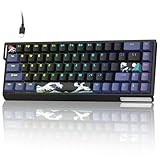
- Top Pick: GEODMAER 65% Gaming Keyboard, Wired Backlit Mini Keyboard, Ultra-Compact Anti-Ghosting No-Conflict 68 Keys Membrane Gaming Wired Keyboard for PC Laptop Windows Gamer
- Best Value: AULA WIN68 HE Mechanical Gaming Keyboard 60%, Hall Effect Magnetic Switch, Fast Trigger Mode Adjustable Actuation, 8000Hz Polling Rate, RGB Backlit, Wired Black Keyboard for Laptop/PC Gamer
- Premium Choice: Razer Huntsman Mini 60% Gaming Keyboard, Linear Optical Switches, Black
Affiliate disclosure: As an Amazon Associate we earn from qualifying purchases. This post contains affiliate links — if you buy through them we may earn a small commission at no extra cost to you. This never affects our recommendations.
- Why Gamers Are Choosing 65% Over Everything Else
- Quick Comparison: Best 65% Gaming Keyboards at a Glance
- The 5 Best 65% Gaming Keyboards in 2026
- Buyer’s Guide: What to Know Before You Buy a 65% Gaming Keyboard
- Verdict: Which 65% Gaming Keyboard Should You Buy?
- Related Articles
- Frequently Asked Questions
- Related Articles
As an Amazon Associate we earn from qualifying purchases at no extra cost to you.






Title: Best 65% Gaming Keyboard in 2026: Top Picks for Compact, Arrow-Key Accuracy
In a hurry? See the top-rated 65% Gaming Keyboard deals available right now:
🛒 Check 65% Gaming Keyboard Prices on Amazon →🛒 Best Price Today on Amazon
Prime members get fast, free shipping on everything above, plus member-only deals. New members get a 30-day free trial — cancel anytime.
Start 30-Day Prime Free Trial →See Today’s Amazon DealsWhy Gamers Are Choosing 65% Over Everything Else
The 65% keyboard has quietly become the dominant layout for serious PC gamers — and the reasons are straightforward. At roughly 340mm wide, it sits between the full-size TKL (360mm) and the minimalist 60% (290mm), but unlike both extremes, it hits a precise balance point: you keep your dedicated arrow keys and a thin column of navigation keys (Delete, Page Up, Page Down, End) without dragging a full number pad into your mouse space.
That arrow key access is the decisive differentiator. On a 60% board, reaching arrows requires an Fn key combo — a habit that’s genuinely punishing in games where quick inventory navigation, chat scrolling, or build-menu use happens mid-match. The 65% eliminates that compromise entirely. You get native arrow keys, zero function-layer dependency, and a footprint that pushes your mouse zone 25–35mm farther left compared to TKL.
For competitive play, that extra mouse room can directly affect tracking accuracy, particularly on low-sensitivity setups where large swipes are common. And for productivity use outside gaming sessions, keeping real arrow keys and a Del/PgUp cluster means you’re not fighting the layout every time you write, browse, or edit.
The 65% sweet spot also happens to coincide with a surge in quality hardware at this size. Hot-swap sockets, QMK/VIA firmware support, gasket mounts, and wireless connectivity — features that were once reserved for premium customs — now show up at $80–$130. This guide breaks down the five best options available in 2026, who each one is built for, and what to prioritize in your buying decision.
Quick Comparison: Best 65% Gaming Keyboards at a Glance
| Keyboard | Switch | Hot-Swap | Wireless | Build |
|---|---|---|---|---|
| Keychron K7 Pro | Keychron/Gateron (opt.) | Yes (5-pin) | Yes (BT + 2.4GHz) | Aluminum top |
| Ducky One 3 SF | Cherry MX (opt.) | No | No | Polycarbonate |
| Fnatic miniSTREAK | Speed Silver / Red | No | No | Aluminum frame |
| Epomaker TH66 Pro | Epomaker Budgerigar | Yes (3-pin) | Yes (BT + 2.4GHz) | Acrylic/Gasket |
| HyperX Alloy Origins 65 | HyperX Aqua/Red/Blue | No | No | Full aluminum |
The 5 Best 65% Gaming Keyboards in 2026
Keychron K7 Pro
Keychron K7 Pro on Amazon
The K7 Pro is the most versatile 65% on this list — a wireless hot-swap board with aluminum construction and full QMK/VIA support at a fair price. It consistently tops recommendation lists for good reason.
Key Specs
- Layout: 65% with dedicated arrow keys + Del/PgUp/PgDn/End column
- Switch socket: Hot-swappable, 5-pin (south-facing) — compatible with 3-pin and 5-pin switches
- Wireless: Bluetooth 5.1 (up to 3 devices) + 2.4GHz USB dongle + wired USB-C
- Battery: 1,800mAh; ~200 hours without backlight
- Firmware: QMK + VIA — full keymap remapping, macro programming
- Build: Double-shot PBT keycaps, aluminum top frame, plastic bottom
- RGB: Per-key south-facing RGB; compatible with shine-through keycaps
- Dimensions: 314 × 109 × 35mm
Pros & Cons
Pros
- Triple-mode wireless is genuinely useful — zero lag on 2.4GHz, Bluetooth for tablet/phone
- 5-pin hot-swap socket means access to the full switch market, including premium linears and tactiles
- QMK/VIA makes it infinitely remappable without software running in the background
- Double-shot PBT legends won’t fade; legends stay crisp years in
Cons
- Plastic bottom case introduces more flex than pure-aluminum alternatives
- 2.4GHz dongle requires a USB-A port; adapters needed for USB-C-only systems
- RGB shine-through requires south-facing-compatible switches — some premium switches aren’t optimized for south-facing
Who It’s For
Gamers who switch between PC and tablet/console setups will appreciate triple-mode wireless. Enthusiasts who want to swap in their own Boba U4Ts, Gateron Yellows, or Holy Pandas will get mileage from the 5-pin socket. If you want one board that handles both daily work and gaming sessions without compromise, the K7 Pro is the default recommendation.
Ducky One 3 SF

Ducky’s One 3 SF is a flagship-grade 65% built on a polycarbonate case with a gasket mount — resulting in a typing feel that’s softer and more cushioned than any rigid-frame competitor on this list. It’s one of the few boards at this price where acoustics feel premium out of the box.
Key Specs
- Layout: 65% with standard column Nav cluster
- Switch socket: Soldered (no hot-swap) — Cherry MX switch options at order
- Wireless: None — USB-C wired only
- Build: Polycarbonate top and bottom, gasket-mount internal structure, double-shot PBT
- Firmware: Ducky Macro 2.0 — on-board memory, no driver required
- RGB: Per-key RGB with 16.8M colors, multiple animation profiles
- Dimensions: 336 × 112 × 40mm
Pros & Cons
Pros
- Gasket mount delivers noticeably softer, more cushioned keystrokes — less finger fatigue in long sessions
- Polycarbonate housing reduces high-pitched resonance that plagues aluminum cases
- Build quality and QC from Ducky are consistently reliable — very low defect rates
- On-board memory stores layouts without software dependency
Cons
- No hot-swap: switch choice is permanent at order; changing switches requires desoldering
- Wired only — no wireless option at any tier
- Heavier than it looks at 950g due to internal gasket structure
- Higher price for what is a wired-only, non-remappable (by keyboard-standard metrics) board
Who It’s For
Typist-gamers who prioritize feel over flexibility. If you already know your preferred Cherry MX switch — Silent Red for quiet, Brown for tactile feedback, Speed Silver for fastest actuation — and you don’t need wireless, the One 3 SF rewards that clarity with one of the best stock typing experiences in the 65% category. Streamers who sit near mics will particularly appreciate the reduced acoustics.
Fnatic miniSTREAK
Fnatic miniSTREAK on Amazon
Fnatic built the miniSTREAK explicitly for esports play — tournament-legal, aluminum-framed, and available with Speed Silver switches tuned for the fastest possible actuation. It’s a no-frills performance tool, and that focus is its biggest strength.
Key Specs
- Layout: 65% with full arrow key + Nav cluster access
- Switch options: Cherry MX Speed Silver (1.2mm actuation) or Cherry MX Red (2.0mm)
- Switch socket: Soldered — no hot-swap
- Wireless: None — detachable USB-C wired only
- Build: Full aluminum top and bottom, ABS double-shot keycaps
- Firmware: Fnatic OP software — macros, RGB control; on-board profile storage
- RGB: Per-key RGB via Fnatic software
- Dimensions: 321 × 114 × 35mm (lower profile at 35mm)
Pros & Cons
Pros
- Speed Silver switches at 1.2mm actuation are among the fastest available in a pre-built board
- Full aluminum construction — zero flex, premium solid feel, survives LAN bag abuse
- Lower profile (35mm) keeps wrists at a more natural angle without requiring a wrist rest
- Detachable USB-C cable reduces wear at the port over time
- Tournament-reliable: no wireless to create interference concerns
Cons
- ABS keycaps shine faster than PBT alternatives — noticeable within a few months of heavy use
- No hot-swap: Speed Silver is not universally liked; if you want different switches, you’re replacing the board
- Fnatic OP software is functional but not as deep as QMK/VIA for power users
- No wireless option if your setup requires cable management flexibility
Who It’s For
Competitive players — particularly those in FPS or MOBA who need the lowest possible input lag and fastest actuation. The Speed Silver + aluminum combo is optimized for performance, not typing comfort. LAN attendees, tournament regulars, and players who already know they prefer speed switches will find the miniSTREAK purpose-built for their use case.
Epomaker TH66 Pro
Epomaker TH66 Pro on Amazon
The TH66 Pro is the value play — a wireless gasket-mount 65% with hot-swap sockets at under $85. At that price, compromises exist, but fewer than you’d expect, and the right buyer will find it overdelivers significantly for the money.
Key Specs
- Layout: 65% with arrow keys + compact Nav column
- Switch socket: Hot-swappable, 3-pin (north-facing) — 3-pin switch compatible; 5-pin switches require pin trimming
- Wireless: Bluetooth 5.0 (3 devices) + 2.4GHz dongle + USB-C wired
- Battery: 3,000mAh — significantly larger than most competitors; rated 200+ hours without backlight
- Build: Acrylic diffuser panel, gasket-mount isolation layer, PC plate
- RGB: South-facing per-key RGB; acrylic body acts as light diffuser for a glow effect
- Dimensions: 317 × 107 × 37mm
Pros & Cons
Pros

- Gasket mount at this price point is exceptional value — typing feel punches well above $80
- 3,000mAh battery means significantly less frequent charging than competitors
- Triple-mode wireless broadens device compatibility
- Acrylic diffuser creates a unique RGB underglow effect not available on metal-case boards
- Hot-swap enables switch experimentation without soldering investment
Cons
- 3-pin socket excludes 5-pin switches without modification — limits switch selection compared to K7 Pro
- North-facing RGB can cause “halo” effect around legends (light bleeds around edges) — aesthetically divisive
- Acrylic case is less rigid than aluminum; audible flex on hard keystrokes
- QC consistency is lower than Ducky or Keychron — occasional unit variance reported
Who It’s For
Budget-conscious buyers who don’t want to sacrifice core features. If wireless + hot-swap + gasket mount is the checklist and $80 is the ceiling, the TH66 Pro is the correct answer. It’s also a strong entry point for enthusiasts just starting to explore switch swapping — the lower price reduces the risk of the experimentation process.
HyperX Alloy Origins 65
HyperX Alloy Origins 65 on Amazon
HyperX’s entry into the 65% segment brings the build quality and brand ecosystem of a major peripheral company. The Alloy Origins 65 is a full-aluminum wired board with HyperX’s proprietary switch line and deep NGENUITY software integration.
Key Specs
- Layout: 65% with arrow keys + PgUp/PgDn/Del/End column
- Switch options: HyperX Aqua (tactile), HyperX Red (linear), HyperX Blue (clicky)
- Switch socket: Soldered — no hot-swap
- Wireless: None — USB-C wired with braided cable
- Build: Full CNC aluminum body — top and bottom; aircraft-grade construction
- Firmware: HyperX NGENUITY — per-key RGB, macro programming, 3 on-board profiles
- RGB: Per-key RGB with NGENUITY control; Chroma Sync and iCUE sync supported for mixed-brand ecosystems
- Dimensions: 322 × 112 × 34mm
Pros & Cons
Pros
- Full CNC aluminum case is the most premium construction on this list — genuinely tank-like
- HyperX switches are tested to 80M keystrokes — above-average durability rating
- NGENUITY software integrates cleanly with HyperX headsets and mice for unified RGB
- Braided cable resists tangling and kinking at the bend point
- On-board profile storage works without software after initial setup
Cons
- No hot-swap: HyperX switches are proprietary; community customization is limited
- NGENUITY requires initial install — cloud syncing of profiles has had connectivity issues historically
- Full aluminum without dampening can produce a “metallic ping” on certain keystrokes — foam modding recommended for audiophiles
- No wireless tier in the Origins lineup
Who It’s For
HyperX ecosystem users and gamers who prioritize build durability above all else. If you’re already using a HyperX Cloud headset and Pulsefire mouse, NGENUITY’s unified RGB sync is a legitimate quality-of-life benefit. The aluminum construction also makes this the choice for users who want a board that survives repeated transport without picking up chassis damage.
Buyer’s Guide: What to Know Before You Buy a 65% Gaming Keyboard
What exactly is a 65% layout?
A 65% keyboard includes the main alphanumeric block, a full row of number keys, modifier keys, dedicated arrow keys, and a slim navigation cluster — typically Delete, Page Up, Page Down, Home, and End. It does not include a function row (F1–F12) or number pad.
This distinguishes it from the 60%, which drops the arrow keys entirely (requiring Fn+WASD or similar), and the 75%, which adds the function row back but increases the footprint. The 65% is the smallest layout with native, unmodified arrow keys.
Hot-swap: 3-pin vs 5-pin — does it matter?
Yes. 5-pin switches (like most premium enthusiast options — Boba U4T, Gateron Oil Kings, Durock POM linears) are fully supported only by 5-pin sockets. A 3-pin socket can physically accept 5-pin switches if you trim the two plastic pins, but this is an irreversible modification that voids switch warranty.
If you plan to swap switches eventually, a 5-pin socket (K7 Pro) gives full flexibility. If your experimentation is limited to mainstream switches (Gateron Yellow, Cherry MX, Akko switches), a 3-pin socket (TH66 Pro) works fine and doesn’t require modification.
QMK/VIA vs proprietary software — why it matters for gaming
QMK/VIA is open-source firmware that runs on the keyboard’s microcontroller. Remapping keys, creating macros, and configuring layers happen in the browser (VIA) or via local config files (QMK) — no background software required. This means zero driver conflicts, no RAM overhead, and full portability: your layout travels with the board, not the software install.

Proprietary software (NGENUITY, Fnatic OP, Ducky Macro) is functional but dependent on installation and occasional cloud connectivity. For pure gaming use, the difference is minimal. For power users who want deep layer programming or tap-hold behaviors, QMK is meaningfully superior.
Should you buy wireless or wired for gaming?
Modern 2.4GHz wireless keyboards (K7 Pro, TH66 Pro) operate at polling rates and latency figures indistinguishable from wired in controlled testing. The practical concern is battery management — remembering to charge before a session — and the USB-A dongle occupying a port. For competitive play at the highest level, wired remains the zero-risk default. For casual to mid-tier competitive play, 2.4GHz wireless is functionally equivalent.
Bluetooth introduces measurably higher latency (~10–30ms depending on implementation) and is not recommended for gaming use — only for non-gaming device pairing.
Verdict: Which 65% Gaming Keyboard Should You Buy?
Best overall: Keychron K7 Pro — wireless + hot-swap + QMK + solid build at ~$105 is the most complete package for the widest range of buyers.
Best typing feel: Ducky One 3 SF — gasket mount + polycarbonate delivers the most premium acoustics and keystroke cushion of any pre-built on this list.
Best for competitive FPS: Fnatic miniSTREAK — Speed Silver switches at 1.2mm actuation and a no-flex aluminum frame optimize purely for reaction speed.
Best budget pick: Epomaker TH66 Pro — wireless, gasket-mount, and hot-swap under $85; compromises exist but none are deal-breakers for the price.
Best for HyperX users: HyperX Alloy Origins 65 — CNC aluminum, proprietary ecosystem integration, and 80M-keystroke switch durability for brand-loyal setups.
The 65% form factor has matured to the point where every price tier now offers genuinely capable hardware. The decision comes down to three variables: wireless need, hot-swap flexibility, and case material preference. Match those three to the picks above and you’ll land on the right board.
Related Articles
Looking for more on this topic? Browse the hand-picked guides below — each one applies the same scoring rubric used in this review.
Frequently Asked Questions
What is the best 65 percent gaming keyboard in 2026?
The best 65 percent gaming keyboard depends on your budget and how you plan to use it. The options compared above are our top-rated picks based on real customer ratings, build quality, and overall value — start with the highest-rated model that fits your budget.
How much should I expect to spend on a 65 percent gaming keyboard?
Prices vary by brand and features. Budget options cover the essentials, while mid-range and premium models add durability, performance, and extra features. Compare the prices in the list above to find the best value for your needs.
What should I look for when buying a 65 percent gaming keyboard?
Focus on what matters most for your use case — build quality, compatibility, performance, warranty, and verified customer reviews. Every pick above is selected to balance these factors.
Are budget 65 percent gaming keyboard options worth it?
Yes. For most people a well-reviewed budget or mid-range 65 percent gaming keyboard delivers excellent value. You only need to spend more if you specifically require premium materials or top-tier performance.
How did we choose these 65 percent gaming keyboard picks?
We compare current Amazon ratings, review counts, key features, and price to surface the options with the best real-world value. The list is refreshed as ratings and availability change.









