

Affiliate disclosure: As an Amazon Associate we earn from qualifying purchases. This post contains affiliate links — if you buy through them we may earn a small commission at no extra cost to you. This never affects our recommendations.
The tenkeyless keyboard layout removes the numpad from a full-size keyboard while keeping the function row, arrow keys, and navigation cluster completely intact. This makes TKL the ideal compromise for gamers who occasionally use function keys in games or productivity workflows but want more horizontal desk space for mouse movement compared to full-size boards. TKL keyboards are also more portable and practical for LAN events, travel setups, and smaller desks. In 2025, the TKL market spans wired and wireless options, standard 87-key layouts and near-TKL 75% form factors, all with mechanical switches and RGB lighting. The five boards in this roundup cover the full price and feature spectrum of what’s available.
In a hurry? See the top-rated TKL Gaming Keyboards deals available right now:
🛒 Check Tkl Gaming Keyboards Prices on Amazon →🛒 Best Price Today on Amazon
Prime members get fast, free shipping on everything above, plus member-only deals. New members get a 30-day free trial — cancel anytime.
Start 30-Day Prime Free Trial →See Today’s Amazon DealsTop Picks at a Glance
| Product | Best For |
|---|---|
| Redragon S101M-KS TKL Wireless | Best wireless TKL value |
| RedThunder K10 Wireless | Budget wireless TKL + mouse combo |
| Wireless RGB Keyboard+Mouse Combo | Premium wireless combo bundle |
| Redragon K580 VATA Macro | Macro keys and multimedia controls |
| Womier SK80 75% with Display | 75% with hot-swap and display |

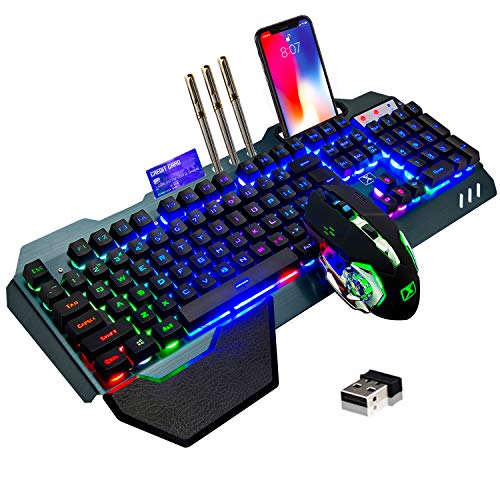


Redragon S101M-KS TKL Wireless
The Redragon S101M-KS delivers tri-mode wireless connectivity (2.4 GHz, Bluetooth, and wired USB) in a standard TKL package for under $55. The 2.4 GHz connection maintains 1000 Hz polling rate — the same as wired — making it genuinely suitable for competitive gaming. Battery life exceeds 2 weeks with RGB enabled. Switch options include standard Red or Brown mechanical variants. The build mixes an aluminum top plate with a plastic base, striking a balance between premium feel and budget-conscious construction. It’s one of the few genuinely wireless TKL gaming boards under $60.
- Pros: Tri-mode wireless at $54.99, 1000 Hz on 2.4 GHz, aluminum top plate, strong battery
- Cons: Plastic base, switch selection limited at purchase, no hot-swap
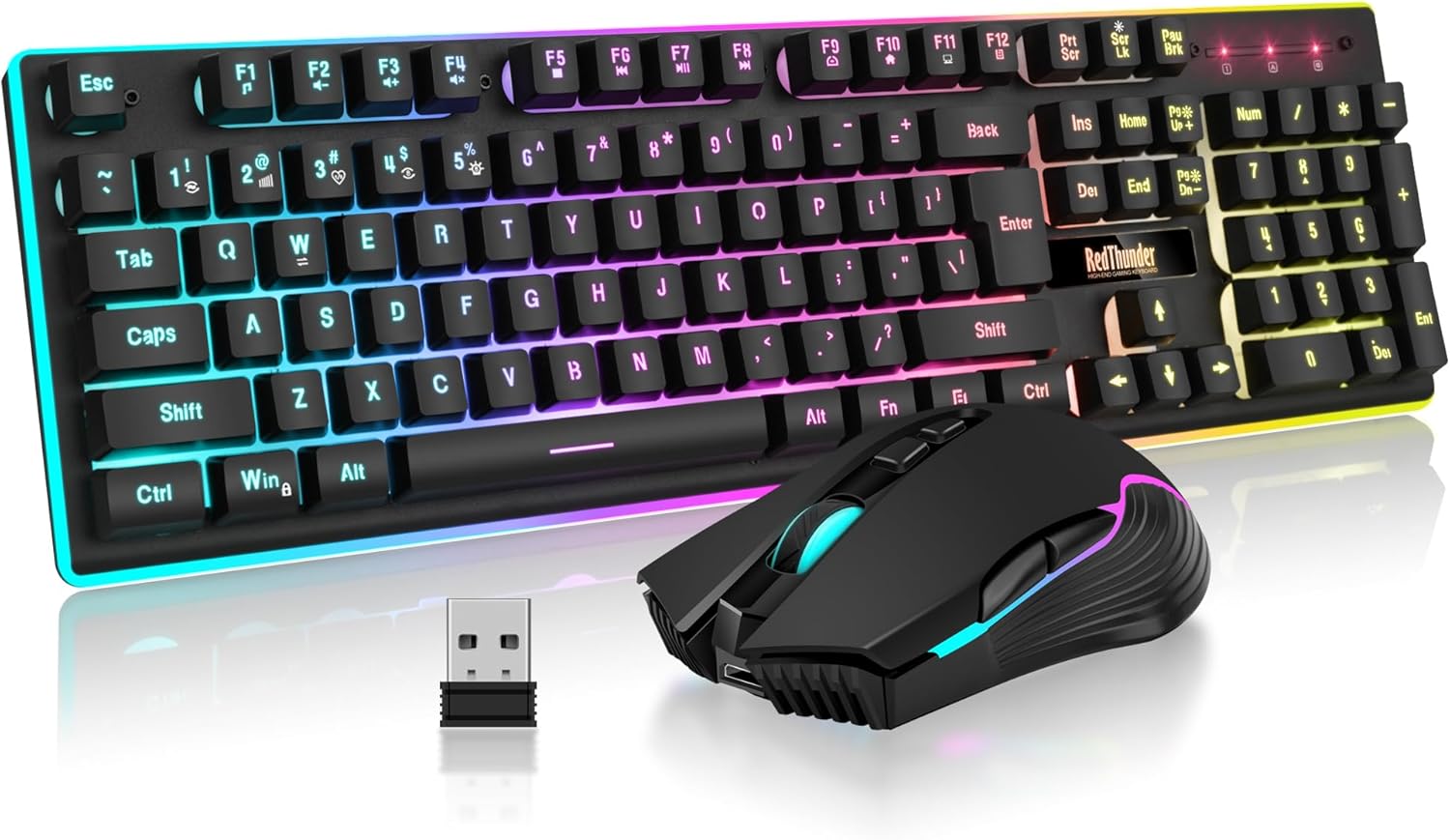
RedThunder K10 Wireless
The RedThunder K10 combo packages a wireless TKL keyboard with a wireless mouse for under $50, making it compelling value for complete peripheral setups. The 2.4 GHz keyboard connection is reliable for casual to moderate gaming. RGB is functional with multiple preset modes. The keyboard’s switch feel is competent without being exceptional. Where this combo earns its place is in the overall package value — replacing keyboard and mouse in a single, affordable wireless purchase rather than buying two separate items.
- Pros: Full keyboard and mouse bundle, wireless, TKL layout, good battery, value proposition
- Cons: Switches not premium mechanical, mouse is entry-level, no hot-swap
Wireless RGB Keyboard+Mouse Combo
The premium wireless combo at $62.99 steps up the build quality on both the keyboard and mouse versus the K10 bundle. The keyboard uses a TKL layout with per-key RGB and a more rigid case construction. The included wireless mouse is better suited for gaming with improved sensor performance. For users who want a complete wireless desk refresh without buying peripherals piecemeal, this combo at $62.99 represents meaningful value over equivalent individual purchases.
- Pros: Higher quality than K10 combo, better included mouse, TKL layout, wireless freedom
- Cons: Still not premium mechanical switches, no hot-swap, ABS keycaps
Redragon K580 VATA Macro
The K580 VATA takes a different approach — it’s a standard TKL with an added macro key column along the left side and multimedia controls across the top. This gives users additional programmable buttons without the numpad bulk. The macro keys are fully programmable through Redragon’s software and can trigger complex sequences, making this keyboard well-suited for MMO players, streamers using hotkeys, or productivity users who need shortcuts. Mechanical switches (Red or Brown) and per-key RGB are included at a very reasonable $51.99.
- Pros: Extra macro key column, multimedia controls, programmable via software, good value
- Cons: Wider than standard TKL due to macro column, wired only, no hot-swap
Womier SK80 75% with Display
The Womier SK80 occupies a near-TKL 75% layout that keeps the function row while eliminating the navigation cluster gap for a tighter footprint. The headline feature is its built-in display screen showing system stats, time, or custom animations — unusual at this price point. Hot-swap sockets allow switch experimentation. The gasket-style mounting gives the typing feel a slightly cushioned quality versus standard top-mount boards. For users who want a modern, feature-rich board that stands out aesthetically, the SK80 is a strong choice.

- Pros: Built-in display, hot-swap, gasket mounting, 75% layout with F-row, RGB
- Cons: Wired only, display setup requires software, heavier than typical boards
Buying Guide
TKL vs 75% Layout
Standard TKL (87-key) keeps the function row, arrow keys, and navigation cluster (Insert, Delete, Home, End, Page Up, Page Down) in their standard positions with gaps between key groups. A 75% layout compresses these into a tighter arrangement, eliminating the gap between the function row and arrow cluster but keeping all keys present. TKL is more familiar and easier to adapt to from a full-size. 75% is more compact while retaining full functionality. Both are excellent gaming choices — the decision comes down to familiarity preference and desk space.
Wireless TKL Gaming Reliability
Modern 2.4 GHz wireless gaming keyboards are effectively lag-free for gaming purposes. The 1 ms polling at 2.4 GHz is perceptually identical to wired. The main trade-offs are battery management and dongle loss risk. USB dongles are small and lose-able — keep them in a dedicated spot. Battery life ranges from 1–6 weeks depending on RGB brightness. For competitive gaming, 2.4 GHz wireless is now acceptable at all levels; Bluetooth adds latency and is best for productivity rather than gaming.
Macro Keys for Gaming
Macro key columns (like on the Redragon K580 VATA) add 3–6 programmable keys to the left side of the keyboard. For MMO players managing large ability rotations, these can streamline gameplay significantly. For FPS players they offer less benefit since FPS gaming doesn’t require complex sequences. Streamers and content creators benefit from macro keys for OBS scene switching, Discord mute toggles, and media controls.
Switch Selection for TKL Boards
Most TKL gaming keyboards in this tier offer Red linear or Brown tactile switch options. Red switches are smoother and quieter, preferred for FPS gaming where rapid key taps dominate. Brown switches add a tactile bump without click noise, popular for mixed gaming-and-typing use. If hot-swap is available (Womier SK80), you can start with one type and change later. If fixed switches, choose based on your primary use — linear for fast-paced gaming, tactile for typing-heavy work.
FAQ
Is TKL better than full-size for gaming?
For most gamers, yes. The removed numpad gives you extra mouse space without sacrificing any keys commonly used in games. Unless you regularly use the numpad for numerical data entry in productivity work, TKL is the superior gaming layout compared to full-size.
What’s the best wireless TKL keyboard for gaming?
The Redragon S101M-KS at $54.99 is the best wireless TKL value at this price tier, offering tri-mode connectivity at 1000 Hz polling on 2.4 GHz — the same as wired performance. For higher budgets, the Logitech G915 TKL is the premium benchmark but costs significantly more.
Do TKL keyboards work for productivity?
Yes, TKL is excellent for productivity. The function row, arrow keys, and navigation keys all remain present. The only missing element is the numpad, which most non-accountant users rarely need. TKL is commonly used in professional office settings as well as gaming.
Is 75% the same as TKL?
No, but they’re similar. TKL (87 keys) keeps standard spacing between key groups with the navigation cluster in its usual position. 75% (typically 82–84 keys) compresses all keys into a tighter layout with no gaps, shrinking the overall width further. Both retain function keys and arrow keys. TKL is more familiar; 75% is more compact.

Verdict
The TKL and near-TKL keyboard market delivers excellent options under $65. The Redragon S101M-KS leads for wireless TKL value at $54.99. The Womier SK80 wins for feature density with its display, hot-swap, and gasket mounting. MMO and streamer users should look at the Redragon K580 VATA for its macro key column. All five picks retain the full function row — the key TKL advantage over more compact layouts.
Related Articles
Looking for more on this topic? Browse the hand-picked guides below — each one applies the same scoring rubric used in this review.
Frequently Asked Questions
What exactly does TKL mean and how much space does it save?
TKL stands for tenkeyless, meaning the number pad is removed while the function row, arrow keys and navigation cluster stay. A typical TKL is roughly 35 to 36 centimetres wide versus 44 for full-size, freeing around eight centimetres of desk. That extra room lets low-sensitivity players swing the mouse without collisions.
Will I miss the number pad for everyday work?
It depends entirely on your workload. If you enter long numeric strings in spreadsheets or accounting software daily, you will feel the loss within a week. For gaming, browsing, coding and general use, the number row handles occasional digits fine, and a cheap standalone numpad can sit on the left when needed.
Should I choose linear, tactile or clicky switches?
Linear switches are smooth top to bottom and dominate competitive gaming because there is no bump to push past. Tactile switches give a noticeable bump at actuation, which many typists prefer for accuracy. Clicky switches add an audible click and are loudest, which makes them poor choices for shared rooms or voice chat.
Are hot-swappable TKL keyboards worth the extra money?
Hot-swap sockets let you change switches by hand without soldering, so you can try linears, tactiles and silent variants on one board. If you are unsure what feel you like, that flexibility easily justifies a modest price premium. If you already know your preferred switch and never tinker, it adds little practical value.
Is wireless a good idea for a TKL gaming keyboard?
Modern 2.4GHz dongles deliver latency close to wired, typically only a millisecond or two higher, so wireless is fine for nearly everyone. Bluetooth is noticeably slower and better reserved for tablets and laptops. Check battery life with your intended RGB brightness, since full lighting can cut runtime from weeks down to days.
Ready to decide? Our #1 pick for 2026 is the Redragon S101M-KS TKL Wireless.
Live price & availability on Amazon.


