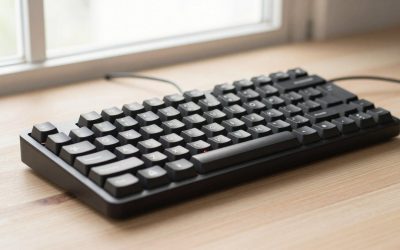
- Top Pick: Frixalox Wired Ergonomic Split Keyboard with RGB Backlight & Numpad, Black
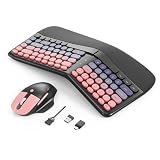
- Best Value: Arteck Split Ergonomic Keyboard with Palm Rest, 2.4G USB Wireless Keyboard
- Premium Choice: KINESIS Freestyle Edge RGB Plus Split Mechanical Keyboard | Hotswap Linear Switches | RGB | Ergonomic | Detachable Palm Support | Fully Programmable | Mac Keycaps Included | Lift Kit Included
Affiliate disclosure: As an Amazon Associate we earn from qualifying purchases. This post contains affiliate links — if you buy through them we may earn a small commission at no extra cost to you. This never affects our recommendations.
As an Amazon Associate we earn from qualifying purchases at no extra cost to you.






If you’re clocking five-plus hours a day at a keyboard — gaming, working, or both — your shoulders, wrists, and forearms are paying a price you can’t see yet. Standard keyboards force your hands inward, compressing the carpal tunnel and creating the hunched-shoulder posture responsible for a staggering share of repetitive strain injuries (RSI) among gamers and desk workers alike.
Split ergonomic keyboards solve this by separating the two keyboard halves so you can position each hand at shoulder width. The result: neutral wrists, open shoulders, and dramatically reduced strain over long sessions. That’s not just desk-worker advice — competitive gamers report faster reaction times and more relaxed mouse movements when their keyboard hand isn’t torqued inward.
The concern most gamers raise is compatibility. Can you still hit WASD, use keybinds, and execute combos on a split layout? The short answer is yes — sometimes better than before. Most split keyboards support fully programmable layers, letting you map macros, push bindings onto thumb clusters, and even replicate gaming-optimized layouts that standard keyboards can’t achieve. The learning curve is real — expect two to four weeks before your WPM rebounds — but every gamer who crosses that threshold reports they couldn’t go back.
This guide covers the best split ergonomic gaming keyboards available in 2026, ranked and compared for gaming performance, ergonomic benefit, and value.
In a hurry? See the top-rated Split Ergonomic Gaming Keyboard deals available right now:
🛒 Check Split Ergonomic Gaming Keyboard Prices on Amazon →🛒 Best Price Today on Amazon
Prime members get fast, free shipping on everything above, plus member-only deals. New members get a 30-day free trial — cancel anytime.
Start 30-Day Prime Free Trial →See Today’s Amazon DealsQuick Comparison Table
| Product | Layout | Tenting | Wireless | Hot-Swap | Price Range |
|---|---|---|---|---|---|
| ZSA Moonlander | Columnar stagger | Up to 38° (built-in leg) | No | Yes | $365 |
| Dygma Raise 2 | Row stagger split | Yes (tenting kit) | Yes | Yes | $329–$399 |
| Keychron Q11 | Row stagger split | No | No | Yes | $175–$210 |
| ZSA Voyager | Columnar stagger | Up to 15° (built-in) | No | Yes | $365 |
| Kinesis Freestyle Edge RGB | Row stagger split | Yes (lift kit) | No | No | $179–$199 |
Top 5 Best Split Ergonomic Gaming Keyboards in 2026
#1 ZSA Moonlander — Best Overall Split Ergonomic Gaming Keyboard
The ZSA Moonlander is the gold standard for anyone serious about ergonomic keyboard optimization. Built on a columnar stagger layout, it aligns each column of keys with the natural resting position of each finger, eliminating the diagonal reaches that cause lateral wrist tension. Each half can tent up to 38 degrees using the built-in folding leg — no separate kit required — and the iconic thumb clusters put six additional programmable keys under each thumb, dramatically expanding your keybind options without stretching your fingers.
Every switch socket is Kailh hot-swap compatible, so you can swap linears for gaming and tactiles for work without soldering. The Oryx configurator is one of the best in class: browser-based, visual, and capable of unlimited layers. Full RGB per-key lighting and a sturdy build quality round out a keyboard that genuinely justifies its price.
Pros:
- Columnar stagger dramatically reduces lateral wrist deviation
- Fully tented up to 38° out of the box — no add-ons needed
- Six-key thumb clusters ideal for gaming macros and modifiers
- Hot-swap switches; easy to tune for gaming response preference
- Oryx visual configurator with unlimited programmable layers
Cons:
- No wireless option — wired only
- $365 is steep for gamers testing split ergonomics for the first time
- Columnar stagger requires a longer adjustment period than row stagger splits
- Large physical footprint compared to compact alternatives
Shop ZSA Moonlander
#2 Dygma Raise 2 — Best Split Ergonomic Keyboard for Gamers
Dygma designed the Raise 2 specifically with gamers in mind, and it shows in every design decision. Unlike most ergonomic keyboards that port desk-worker priorities into gaming use cases, the Raise 2 starts with low-latency wireless (Bluetooth and proprietary 2.4 GHz dongle) and works backward to ergonomics. The row stagger layout keeps the familiar QWERTY feel, cutting the learning curve to roughly one to two weeks — essential for gamers who don’t want to abandon their muscle memory for months.

The tenting kit (available as an add-on) takes each half up to 50 degrees. Hot-swap sockets support both 3-pin and 5-pin switches. The Bazecor configurator offers layer management, macros, and per-key RGB. If you want the ergonomic benefits of split without sacrificing gaming competitiveness or wireless freedom, the Raise 2 is the most purpose-built option on this list.
Pros:
- Wireless via 2.4 GHz dongle — sub-1ms latency for gaming sessions
- Row stagger preserves familiar layout; shorter adjustment period
- Tenting kit supports up to 50° for aggressive ergonomic positioning
- Hot-swap switches; compatible with standard MX-style switch ecosystem
- Bazecor software supports macros, layers, and gaming profiles
Cons:
- Tenting kit sold separately, adding $60–$80 to total cost
- Heavier and bulkier than columnar alternatives when tenting kit is attached
- Bazecor configurator less mature than ZSA’s Oryx
- Premium price for wireless ergonomic category
Shop Dygma Raise 2
#3 Keychron Q11 — Best Value Split Ergonomic Keyboard
The Keychron Q11 brings the split ergonomic format to a price point that makes it genuinely accessible for gamers who are split-curious but not ready to commit $350-plus. At $175–$210 depending on configuration, it delivers a gasket-mount build — a construction method typically found in premium boards — that absorbs typing shock and produces a softer, thicker sound profile gamers increasingly prefer.
The Q11 uses a row stagger split layout with standard key sizing, meaning most keycap sets fit without modification. QMK and VIA firmware support provide full programmability: unlimited layers, macros, and any remapping a gamer could need. The primary compromise is the absence of tenting — both halves sit flat — meaning you get shoulder-width separation but not wrist pronation relief. For gamers with shoulder tension but not yet wrist pain, this is often enough, and at this price, it’s the easiest entry point on the list.
Pros:
- Gasket mount provides premium typing feel at mid-range price
- QMK/VIA firmware — the most flexible open-source configuration ecosystem available
- Standard row stagger layout; near-zero adjustment period for most gamers
- Hot-swap sockets; broad switch compatibility
- Solid aluminum build quality punches well above its price
Cons:
- No tenting support — flat only, limiting wrist pronation relief
- No wireless option
- Larger footprint than 60% or compact split alternatives
- No dedicated thumb clusters; gaming binds stay on standard key positions
#4 ZSA Voyager — Best Compact Split Ergonomic Keyboard
The ZSA Voyager is what happens when you take the Moonlander’s philosophy and compress it to 52 keys. Same columnar stagger, same hot-swap sockets, same Oryx configurator — but in a profile so low and compact that it travels flat in a laptop bag. The built-in tenting legs provide up to 15 degrees of elevation, which is modest compared to the Moonlander but sufficient for meaningful wrist relief without the bulk.
At 52 keys, the Voyager forces deliberate layer usage — there are no function row keys or numpad by default. For gamers, this is a feature rather than a limitation: it encourages efficient layer design where every key serves a purpose. Thumb clusters carry four keys per side, plenty for modifier, macro, and push-to-talk assignments. If you travel between setups or want a clean, minimal desk aesthetic alongside serious ergonomic performance, the Voyager is the most distinctive option on this list.

Pros:
- Ultra-compact 52-key form factor — fits in a laptop sleeve
- Columnar stagger with low-profile build reduces both vertical and lateral strain
- Built-in tenting legs; no separate kit required
- Hot-swap Kailh sockets; full Oryx programmability
- Excellent travel companion for gamers at LAN events or multi-location setups
Cons:
- 52-key count requires committed layer usage — steep adjustment for gaming binds
- No wireless
- Only 15° maximum tenting — less aggressive than Moonlander
- Fewer thumb cluster keys than Moonlander (4 vs 6 per side)
Shop ZSA Voyager
#5 Kinesis Freestyle Edge RGB — Best Traditional Layout Split for Gamers
The Kinesis Freestyle Edge RGB earns its place as the most gamer-accessible split keyboard on this list for one reason: it looks and behaves like a standard gaming keyboard that happens to come in two pieces. Row stagger layout, full-size key count, dedicated media controls, a 20-key macro pad on the left half — it’s the product Kinesis built after watching gaming setups rather than office setups.
The Lift Kit accessory tents each half up to 15 degrees. Cherry MX Red (linear) or Brown (tactile) switch options cover the two most common gaming preferences. Per-key RGB and SmartSet programming software handle lighting and macros without requiring firmware flashing. For gamers who want the shoulder-width split benefit with zero layout disruption, the Freestyle Edge RGB is the path of least resistance — and at $179–$199, it’s priced to compete with mainstream gaming keyboards.
Pros:
- Full-size row stagger layout — essentially zero adjustment period
- Left half includes 20 dedicated macro keys — substantial gaming advantage
- Per-key RGB with SmartSet software; no firmware knowledge required
- Tenting via Lift Kit up to 15°; ergonomic benefit with familiar layout
- Switch options (MX Red/Brown) target gaming preferences directly
Cons:
- No hot-swap — switch changes require soldering
- No wireless option
- SmartSet software is functional but less capable than QMK/VIA
- Tenting kit sold separately; 15° maximum is modest
Shop Kinesis Freestyle Edge RGB
How to Choose the Best Split Ergonomic Gaming Keyboard
Columnar vs Row Stagger Split
Columnar stagger (Moonlander, Voyager) arranges key columns in straight vertical lines matching finger reach patterns, eliminating the horizontal offset that causes ulnar deviation. Row stagger (Raise 2, Q11, Freestyle Edge) keeps the familiar diagonal offset of every standard keyboard. Columnar stagger delivers more ergonomic correction but requires a longer adjustment period — typically three to six weeks for touch typists. Row stagger splits deliver the primary benefit (shoulder-width separation) with a one to two week adjustment. If you’re experiencing wrist symptoms beyond shoulder tension, columnar is worth the adjustment time. If you’re doing ergonomic prevention rather than treatment, row stagger is easier to adopt without disrupting gaming performance.
Tenting Angle Importance
Tenting rotates each keyboard half inward along the horizontal axis, reducing forearm pronation — the position that compresses the median nerve and causes carpal tunnel symptoms. Flat splits (Q11) give you lateral separation only. Moderate tenting (10–20°) noticeably reduces forearm rotation fatigue over long sessions. Aggressive tenting (30–50°) targets users with existing pronation-related symptoms and can feel dramatic at first. Start at 10–15° and increase gradually. Rushing to maximum tent angle causes adjustment fatigue and slows adoption.

Learning Curve Timeline
Expect your typing speed to drop 30–50% in week one regardless of which split you choose. By week two, row stagger users typically recover to near-baseline. Columnar stagger users typically hit baseline in weeks three to four. Gaming performance drops less than typing speed because game inputs are motion-based rather than word-pattern-based — WASD movement and ability keys require less cognitive remapping than prose typing. Most gamers report gaming performance back to full capacity within one week, even on columnar layouts.
Gaming Key Mapping Strategies
Split keyboards with programmable layers let you solve gaming keybind problems that standard keyboards cannot. Common strategies: move Escape to a thumb cluster key for faster menu access; assign push-to-talk, ability keys, and consumable hotkeys across two thumb cluster keys instead of reaching for T, G, or B; create a dedicated gaming layer where the left half maps to a 40-key gamepad-style layout. QMK/VIA users can create per-game profiles that activate via a single key. Even without layers, split keyboards reduce the reach distance to modifiers like Shift and Ctrl, making simultaneous key combos physically easier.
Wireless vs Wired for Split
Wireless split keyboards introduce complexity standard keyboards don’t face: each half needs either a battery or a pass-through cable, and latency-sensitive gamers rightly scrutinize wireless lag. The Dygma Raise 2 is currently the only keyboard on this list offering 2.4 GHz wireless at gaming-grade latency. Bluetooth options from other brands typically measure 5–15ms additional latency — acceptable for casual play, not ideal for competitive. If you’re wired-desk gaming only, wired splits eliminate this concern entirely. If your setup spans couch, desk, and travel, the Raise 2’s wireless flexibility is worth the premium.
Budget
Under $200: Keychron Q11 and Kinesis Freestyle Edge RGB both deliver genuine split ergonomic benefit. The Q11 wins on build quality and firmware flexibility; the Freestyle Edge wins on gaming features and minimal adjustment. $200–$350: Dygma Raise 2 stands alone with wireless and gaming-first design. $350+: ZSA Moonlander and Voyager offer the most refined ergonomic engineering, best configurability, and longest-term wrist health benefit. Think of the price as amortized over years of RSI prevention — a single round of physical therapy costs more than any keyboard on this list.
Final Verdict
For most gamers making their first move to split ergonomics, the Dygma Raise 2 hits the optimal intersection of gaming performance and ergonomic design. The wireless 2.4 GHz option, familiar row stagger layout, and gaming-focused software make it the easiest split keyboard to adopt without sacrificing competitive edge. The added tenting kit cost is real, but the total package delivers what dedicated gaming peripherals rarely manage: genuine long-session comfort without latency compromise.
Gamers focused on maximum long-term ergonomic benefit — particularly those already experiencing wrist fatigue or forearm tightness — should invest in the ZSA Moonlander. The columnar stagger layout and aggressive tenting capability address the root mechanics of RSI more thoroughly than any row stagger split. The adjustment period is the real investment, and it pays sustained dividends.
If budget is the primary filter, the Keychron Q11 is the clearest recommendation: gasket-mount build quality, QMK/VIA firmware flexibility, and hot-swap sockets at a price that removes financial risk from the decision. You trade tenting capability and thumb clusters, but you gain a keyboard that rewards skill as your ergonomic journey progresses — and one that holds its value if you eventually upgrade.
All prices reflect approximate MSRP at time of writing. Affiliate links above support gamingpcguru.com at no additional cost to you.
Related Articles
Looking for more on this topic? Browse the hand-picked guides below — each one applies the same scoring rubric used in this review.
Frequently Asked Questions
What is the best gaming keyboard split ergonomic in 2026?
The best gaming keyboard split ergonomic depends on your budget and how you plan to use it. The options compared above are our top-rated picks based on real customer ratings, build quality, and overall value — start with the highest-rated model that fits your budget.
How much should I expect to spend on a gaming keyboard split ergonomic?
Prices vary by brand and features. Budget options cover the essentials, while mid-range and premium models add durability, performance, and extra features. Compare the prices in the list above to find the best value for your needs.
What should I look for when buying a gaming keyboard split ergonomic?
Focus on what matters most for your use case — build quality, compatibility, performance, warranty, and verified customer reviews. Every pick above is selected to balance these factors.
Are budget gaming keyboard split ergonomic options worth it?
Yes. For most people a well-reviewed budget or mid-range gaming keyboard split ergonomic delivers excellent value. You only need to spend more if you specifically require premium materials or top-tier performance.
How did we choose these gaming keyboard split ergonomic picks?
We compare current Amazon ratings, review counts, key features, and price to surface the options with the best real-world value. The list is refreshed as ratings and availability change.