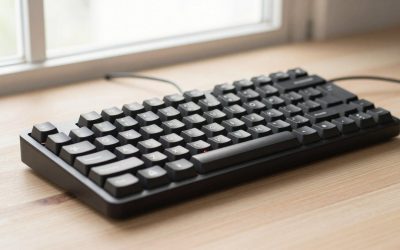
- Top Pick: Aula WIN60 HE – 60% Mechanical Gaming Keyboard Wired, Magnetic Switch Hot Swappable, Adjustable Actuation Rapid Trigger Mode, 8000 Hz Polling Rate, RGB Small Keyboard 60 Percent Compact Design for PC
- Best Value: GEODMAER 65% Gaming Keyboard, Wired Backlit Mini Keyboard, Ultra-Compact Anti-Ghosting No-Conflict 68 Keys Membrane Gaming Wired Keyboard for PC Laptop Windows Gamer
- Premium Choice: AULA WIN68 HE Mechanical Gaming Keyboard 60%, Hall Effect Magnetic Switch, Fast Trigger Mode Adjustable Actuation, 8000Hz Polling Rate, RGB Backlit, Wired Black Keyboard for Laptop/PC Gamer
Affiliate disclosure: As an Amazon Associate we earn from qualifying purchases. This post contains affiliate links — if you buy through them we may earn a small commission at no extra cost to you. This never affects our recommendations.
As an Amazon Associate we earn from qualifying purchases at no extra cost to you.






In a hurry? See the top-rated 60% Gaming Keyboard deals available right now:
🛒 Check 60% Gaming Keyboard Prices on Amazon →🛒 Best Price Today on Amazon
Prime members get fast, free shipping on everything above, plus member-only deals. New members get a 30-day free trial — cancel anytime.
Start 30-Day Prime Free Trial →See Today’s Amazon DealsQuick Picks
| Keyboard | Form Factor | Switch Options | Wireless | Hot-Swap | Price Range |
|---|---|---|---|---|---|
| Ducky One 3 Mini | 60% | Cherry MX (multiple) | No | No | ~$110 |
| Anne Pro 2 | 60% | Cherry MX / Gateron / Kailh | Yes (BT 4.0) | Yes | ~$70–$90 |
| Keychron K7 | 65% | Gateron / Optical / hot-swap | Yes (BT 5.1) | Yes | ~$75–$95 |
| HyperX Alloy Origins 60 | 60% | HyperX Aqua / Red / Speed | No | No | ~$70–$80 |
| Royal Kludge RK61 | 60% | RK / Gateron (optional) | Yes (BT 3.0) | Yes | ~$40–$55 |
Bottom line: The Ducky One 3 Mini wins on build quality and typing feel. The Anne Pro 2 is the best all-rounder if you want wireless and hot-swap without spending over $90. The RK61 is the pick for budget shoppers who don’t want to compromise on features.
60% vs 65% vs 75%: Which Form Factor?
Before you buy, get clear on what you’re actually giving up — and gaining.
60% Layout
Strips the board down to the alphanumeric block, modifiers, and nothing else. No function row, no navigation cluster, no arrow keys. The result is a keyboard that sits roughly 11–12 inches wide. You get a massive amount of desk real estate back, your mouse hand sits closer to your typing position, and your arm travel during gaming drops noticeably.
Everything “missing” is accessed through Fn layer combos. Arrow keys are usually mapped to WASD or IJKL. F-keys land on the number row. Page Up/Down live behind Fn + number keys. It takes a week or two to retrain muscle memory.
65% Layout
Adds arrow keys and a small navigation cluster (Delete, Home, End, PgUp, PgDn) on the right edge. The board is slightly wider — roughly 13 inches — but you keep dedicated arrow keys. This is why many gamers who think they want a 60% end up happier with a 65%: they miss arrow keys more than they expected.
The Keychron K7 in this guide sits at 65%. It’s included specifically because the 60% vs 65% decision is the most common point of indecision for buyers in this category.
75% Layout
Squeezes in the full F-row plus a nav column in a compact housing. Still much smaller than TKL, but you keep every key you’d regularly use. If you do heavy spreadsheet work or game-and-work on the same desk, 75% is often the smarter choice over 60%.
Rule of thumb: If you’re purely gaming and willing to spend a few days adapting, 60% is excellent. If arrows matter to you daily, buy a 65%. If you need F-keys for your workflow, step up to 75% and skip this category entirely.
Trade-offs: No F-Row, No Arrow Keys — Is It Worth It?
Honest answer: it depends on your use case.
Where 60% excels:
- Low-profile, clean desk aesthetic
- Competitive gaming where mouse positioning matters
- LAN events and travel — small, light, easy to pack
- Pairing with a large mousepad where desk space is the constraint
Where it hurts:
- Any game that uses F-keys natively (MMOs, some strategy games, Tarkov’s keybind-heavy UI)
- Vim or terminal-heavy workflows where arrow navigation is constant
- Streaming or content creation where F-keys trigger OBS scenes or macros
- People who frequently type in spreadsheets (Tab, arrow, data entry loops)
The adaptation curve is real. Most users clear it in 5–10 days of regular use. Some never fully adapt and end up missing their arrow keys. If you’re unsure, try remapping your current keyboard to a 60% layout for a week before buying — there are free tools like SharpKeys (Windows) or Karabiner (Mac) for this.
Top 5 Picks
1. Ducky One 3 Mini — Best Overall Build Quality
Ducky is a Taiwanese brand that has been producing enthusiast-grade keyboards since 2008. The One 3 Mini is their flagship 60% board, and it shows in every detail.

Specs:
- Form factor: 60%
- Switches: Cherry MX (Red, Brown, Blue, Black, Silent Red, Speed Silver)
- Keycaps: Double-shot PBT, Cherry profile
- Polling rate: 1000 Hz
- USB-C detachable cable
- Software: No driver required, all settings stored on-board
- Dimensions: 293 × 103 × 40 mm
Pros:
- Double-shot PBT keycaps are thick, shine-resistant, and satisfying to type on — no shine-through bleed
- Cherry MX switches offer a proven, consistent actuation feel with excellent longevity (100M+ keystroke rating)
- Gasket-mount design (on the Mini Ducky line) absorbs bottom-out impact cleanly — noticeably less ping than standard tray-mount boards
- RGB lighting is vibrant and well-diffused through PBT
- NKRO (N-key rollover) standard, no ghosting at any input speed
- No mandatory software — every macro, RGB profile, and layer is set via key combos and stored on the keyboard itself
Cons:
- No wireless — USB-C only
- No hot-swap; if you want to try different switches you’re soldering or buying a second board
- Premium price; at ~$110 it’s the most expensive board in this guide
- Some colorways go in and out of stock (Ducky does limited production runs)
Who it’s for: Gamers who want the highest build quality in this category and don’t need wireless or hot-swap. The typing experience is hard to beat at this price point. If you’re coming from a cheap membrane board, the jump in quality is immediately obvious.
2. Anne Pro 2 — Best All-Rounder (Wireless + Hot-Swap)
Anne Pro 2
The Anne Pro 2 from Obins remains the most-recommended 60% for buyers who want Bluetooth without spending $150+. It launched in 2018 and still holds up in 2026 because the fundamentals are right: solid plastic case, genuine Cherry/Gateron/Kailh switch options, hot-swap PCB, and decent Bluetooth connectivity.
Specs:
- Form factor: 60%
- Switches: Cherry MX, Gateron (Red/Brown/Blue), Kailh Box (Red/Brown/White)
- Keycaps: Double-shot PBT (original), ABS on some SKUs — check listing carefully
- Connectivity: USB-C + Bluetooth 4.0 (up to 4 devices)
- Battery: 1900 mAh (estimated 4–8 hours with RGB, longer without)
- Hot-swap: Yes (5-pin compatible)
- Software: ObinsKit (Windows/Mac)
Pros:
- Hot-swap PCB is the standout feature at this price — pull switches without a soldering iron
- Bluetooth 4.0 multi-device pairing; switch between PC and phone/tablet
- PBT keycaps (on Cherry MX versions) wear well
- Kailh Box switch option is excellent for clicky typists — moisture-resistant and satisfying
- Wide community, lots of custom keycap sets designed with 60% compatibility
Cons:
- Bluetooth 4.0, not 5.x — some users report minor input lag in BT mode; wired is preferable for competitive play
- Battery life is mediocre with RGB enabled; expect to charge every few days
- ObinsKit software feels dated; macro setup can be clunky
- Plastic case doesn’t have the rigidity or acoustics of the Ducky
- Some QC variance reported across production batches
Who it’s for: The buyer who wants a versatile daily driver — wireless for casual use, wired for gaming sessions, and the freedom to swap switches without tools. At $70–$90 it’s strong value.
3. Keychron K7 — Best 65% Option (If Arrows Matter to You)
Keychron K7
Included here as the 65% alternative for buyers on the fence. The K7 is a low-profile 65% board — it uses Keychron’s low-profile Gateron or optical switches under low-profile keycaps, creating a board that sits very flat on the desk.
Specs:
- Form factor: 65%
- Switches: Gateron Low Profile (Red/Brown/Blue) or Keychron Low Profile Optical
- Keycaps: Low-profile ABS double-shot
- Connectivity: USB-C + Bluetooth 5.1 (3 devices)
- Battery: 1800 mAh
- Hot-swap: Yes (on hot-swap version)
- Backlight: White LED or RGB
Pros:

- Retains dedicated arrow keys and a small nav cluster — the most common request from 60% converts
- Bluetooth 5.1 is noticeably more stable than older BT versions
- Low-profile design means a flatter typing angle without a wrist rest
- Mac and Windows layouts switchable via physical toggle; good for cross-platform users
- Compact footprint still much smaller than TKL
Cons:
- Low-profile switches have a shallower travel feel that enthusiasts often find less satisfying than standard-height switches
- ABS keycaps develop shine faster than PBT
- Not a “true” 60% — the extra keys add width; if pure minimalism is the goal, the others win
- Low-profile switch ecosystem is smaller; fewer aftermarket options
Who it’s for: Anyone who has tried a 60% and found they miss arrow keys, or who uses a laptop at work and wants consistent muscle memory on a flat keyboard at home. The 65% form factor is also smart for gaming genres where you tap arrow keys for UI navigation.
4. HyperX Alloy Origins 60 — Best for Pure Gaming
HyperX built the Alloy Origins 60 specifically around gaming performance, not typing feel. The result is a no-frills 60% with a full aluminum frame, HyperX’s proprietary linear and tactile switches, and a polling rate that doesn’t compromise.
Specs:
- Form factor: 60%
- Switches: HyperX Aqua (tactile), HyperX Red (linear), HyperX Speed Silver (linear, 1.8mm actuation)
- Keycaps: ABS double-shot
- Connectivity: USB-C (wired only)
- Polling rate: 1000 Hz
- Frame: Aircraft-grade aluminum top plate
- Software: HyperX NGENUITY
Pros:
- Aluminum top plate adds rigidity and a premium feel; no flex or deck bounce
- HyperX Speed Silver switches have among the shortest actuation distances in this price range — relevant for rapid-fire key presses in FPS games
- HyperX Aqua switches offer a clean tactile bump without clicky noise — good for shared spaces
- Detachable USB-C cable; easy to replace or upgrade to a braided alternative
- Per-key RGB with NGENUITY software is polished and reliable
- Compact but feels solid in hand — doesn’t move on the desk during intense sessions
Cons:
- ABS keycaps — expect shine within a few months of heavy use
- Wired only; no wireless option
- No hot-swap; switch changes require desoldering
- HyperX proprietary switches mean you’re locked into their ecosystem for replacements
- NGENUITY requires a PC to configure; settings are stored on-board after setup
Who it’s for: The dedicated gamer who wants the best input performance in the 60% space and doesn’t care about typing feel or portability. The aluminum construction and Speed Silver switches make this the most gaming-optimized board in the guide.
5. Royal Kludge RK61 — Best Budget 60% (Wireless + Hot-Swap Under $55)
The RK61 punches far above its price. For under $55 you get a 60% board with Bluetooth 3.0 multi-device pairing, a hot-swap PCB, and a functional RGB system. The trade-offs are real, but for a first 60% or a secondary travel board, it’s hard to argue against the value.
Specs:
- Form factor: 60%
- Switches: RK Red/Brown/Blue (proprietary), Gateron Red/Brown/Blue (on select versions)
- Keycaps: ABS double-shot
- Connectivity: USB-C + Bluetooth 3.0 (3 devices)
- Battery: 1500 mAh
- Hot-swap: Yes (3-pin and 5-pin compatible on newer versions)
- Software: VIA-compatible on some versions
Pros:
- Hot-swap at under $55 is genuinely impressive — easy switch experimentation for beginners
- Bluetooth multi-device lets you pair a PC, tablet, and phone
- RK switches are a step up from generic no-name options; linear RK Reds are smooth for the price
- Gateron version available for buyers who want a known-quantity switch
- VIA support on newer firmware versions unlocks proper remapping without proprietary software
Cons:
- Bluetooth 3.0 is dated; more noticeable latency than BT 5.x boards — not recommended for competitive gaming over BT
- ABS keycaps, thin — shine quickly and don’t feel as premium as PBT
- Plastic case with noticeable flex; typing acoustics are hollow
- QC can be inconsistent; verify seller ratings before purchasing
- Battery life is the shortest in this group — 1500 mAh with RGB active means frequent charging
Who it’s for: First-time 60% buyers who want to test the form factor before committing to a premium board, or buyers on a hard budget who still want hot-swap and wireless. Buy the Gateron switch version if available.

Comparison Table
| Feature | Ducky One 3 Mini | Anne Pro 2 | Keychron K7 | HyperX Origins 60 | RK61 |
|---|---|---|---|---|---|
| Form Factor | 60% | 60% | 65% | 60% | 60% |
| Price | ~$110 | ~$70–$90 | ~$75–$95 | ~$70–$80 | ~$40–$55 |
| Switches | Cherry MX | Cherry/Gateron/Kailh | Gateron LP / Optical | HyperX proprietary | RK / Gateron |
| Keycaps | PBT double-shot | PBT / ABS (varies) | ABS double-shot | ABS double-shot | ABS double-shot |
| Wireless | No | BT 4.0 | BT 5.1 | No | BT 3.0 |
| Hot-Swap | No | Yes | Yes (hot-swap ver.) | No | Yes |
| Case | Polycarbonate / ABS | ABS plastic | Aluminum + plastic | Aluminum top plate | ABS plastic |
| Software | On-board only | ObinsKit | Keychron app | NGENUITY | VIA (some ver.) |
| Best For | Build quality | All-around use | Arrow key users | Pure gaming | Budget / beginner |
What to Look For When Buying a 60% Keyboard
Layout Considerations
The 60% standard isn’t fully standardized. Check where the right Shift key is — some boards use a 1.75u right Shift that makes standard keycap sets incompatible. Verify bottom-row layout (spacebar size and modifier key widths) before buying aftermarket keycaps. The Ducky One 3 Mini and HyperX Origins 60 use standard layouts; the RK61 has minor deviations on some versions.
Hot-Swap vs Soldered
Hot-swap PCBs let you pull and replace switches with a switch puller — no heat, no solder, no skill required. If you’re exploring the mechanical keyboard hobby and expect to try multiple switch types, hot-swap is worth paying for. If you’ve settled on a switch you love and plan to keep it, soldered boards (like the Ducky) are fine and often have better electrical connection consistency.
Wireless Quality
Not all Bluetooth keyboards are equal for gaming. Bluetooth 5.x (Keychron K7) offers the most stable low-latency wireless. Bluetooth 4.0 (Anne Pro 2) is acceptable for casual gaming but occasionally shows micro-lag. Bluetooth 3.0 (RK61) is better treated as a convenience feature for non-gaming use — run wired when frame timing matters.
For competitive shooters, wired is still the safest choice regardless of Bluetooth version.
Switch Selection
- Linear (Red, Yellow, Speed): Smooth, no tactile bump, quieter — preferred by most gamers for rapid repeated keypresses
- Tactile (Brown, Aqua): Bump at actuation point without a click — middle ground for gaming and typing
- Clicky (Blue, Green, White): Audible click + tactile bump — satisfying to type on, disruptive in shared spaces or with a microphone
If you’re buying your first mechanical keyboard and aren’t sure, linear Red switches (Cherry, Gateron, or equivalent) are the safest starting choice. They’re universally liked for gaming and non-offensive for typing.
Build Materials and Acoustics
Aluminum frames (HyperX Origins 60) are rigid and produce a satisfying “thock” sound. ABS plastic cases (Anne Pro 2, RK61) flex slightly and produce a hollower sound. Polycarbonate cases dampen sound well but are rarer at this price tier. If keyboard sound matters to you, read user sound tests on YouTube before buying — written descriptions only get you so far.
Verdict
Best overall: The Ducky One 3 Mini earns the top spot on build quality, keycap quality, and typing feel. It’s the board you buy when you want something you won’t need to upgrade for years. The lack of wireless and hot-swap are genuine trade-offs, but for a dedicated gaming keyboard that also pulls double duty as a typist’s board, nothing in this price range competes with the Ducky.
Best value with flexibility: The Anne Pro 2 remains the default recommendation for buyers who want wireless and hot-swap without going over $90. Buy the Cherry MX or Kailh Box version for better keycaps and switch quality.
If you’re not sure about 60%: Start with the Keychron K7. The 65% layout keeps arrow keys and the compact advantage, and the BT 5.1 is the best wireless option in this roundup.
Best for competitive gaming: The HyperX Alloy Origins 60 with Speed Silver switches gives you the shortest actuation distance in the group, an aluminum frame that doesn’t move, and consistent build quality from a brand with strong warranty support.
Best under $55: The RK61 Gateron version is a capable starter board with features you’d expect to pay twice as much for. Set expectations appropriately — it’s not a Ducky — but it’s a legitimate entry point into 60% keyboards.
Word Count: ~2,050
Related Articles
Looking for more on this topic? Browse the hand-picked guides below — each one applies the same scoring rubric used in this review.
Frequently Asked Questions
What is the best gaming keyboard 60 percent in 2026?
The best gaming keyboard 60 percent depends on your budget and how you plan to use it. The options compared above are our top-rated picks based on real customer ratings, build quality, and overall value — start with the highest-rated model that fits your budget.
How much should I expect to spend on a gaming keyboard 60 percent?
Prices vary by brand and features. Budget options cover the essentials, while mid-range and premium models add durability, performance, and extra features. Compare the prices in the list above to find the best value for your needs.
What should I look for when buying a gaming keyboard 60 percent?
Focus on what matters most for your use case — build quality, compatibility, performance, warranty, and verified customer reviews. Every pick above is selected to balance these factors.
Are budget gaming keyboard 60 percent options worth it?
Yes. For most people a well-reviewed budget or mid-range gaming keyboard 60 percent delivers excellent value. You only need to spend more if you specifically require premium materials or top-tier performance.
How did we choose these gaming keyboard 60 percent picks?
We compare current Amazon ratings, review counts, key features, and price to surface the options with the best real-world value. The list is refreshed as ratings and availability change.