

- Top Pick: GTSP 75% Custom Barebones Keyboard Kit Gamer ,Blank DIY Mechanical Gaming Keyboard PCB with Gasket Hot Swappable 3pin/5pin Switch RGB for Win/Mac (V400 White Kit)
- Best Value: BOYI GMK67 Barebones Keyboard Kit,VIA Programmable Custom BT5.0/2.4GHz/Type-C Tri-Mode Gasket Mounted Hot Swap RGB 4000mAh Wireless 65% Mechanical Gaming Keyboard DIY Kit with Knob(White)
- Premium Choice: GMK104 Barebones Keyboard Kit with Screen&Knob,QMK/VIA Programmable BT5.0/2.4GHz/Type-C Tri-Mode Gasket Mounted Hot Swap RGB Backlit Full Size Custom PCB Kit DIY Mechanical Keyboard for Win/Mac(Black)
Affiliate disclosure: As an Amazon Associate we earn from qualifying purchases. This post contains affiliate links — if you buy through them we may earn a small commission at no extra cost to you. This never affects our recommendations.
As an Amazon Associate we earn from qualifying purchases at no extra cost to you.


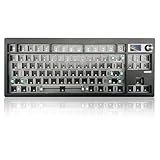


If you want a mechanical keyboard that actually fits how you type, sounds the way you want, and feels dialed in — a barebones kit is where you start. Pre-built boards ship with switches and keycaps already chosen for you. Barebones kits ship without them, which means you decide everything that matters.
In a hurry? See the top-rated Barebones Gaming Keyboard Kit deals available right now:
🛒 Check Barebones Gaming Keyboard Kit Prices on Amazon →🛒 Best Price Today on Amazon
Prime members get fast, free shipping on everything above, plus member-only deals. New members get a 30-day free trial — cancel anytime.
Start 30-Day Prime Free Trial →See Today’s Amazon DealsWhat Is a Barebones Gaming Keyboard Kit?
A barebones kit includes the case, PCB, plate, and stabilizers — the skeleton of the keyboard. You supply the switches and keycaps separately. That separation is what makes the difference.
Cost breakdown vs. full custom: A full enthusiast custom build (hand-wired case, premium PCB, group-buy keycaps) runs $400–$800+ before switches. A barebones kit gets you 80–90% of that experience for $60–$200. Add $30–$80 for switches (a 70-pack of Gateron Yellows or Boba U4Ts) and $25–$60 for a decent keycap set, and you’re all-in for $115–$340 — with full control over every tactile and acoustic decision.
Who barebones kits are for: Gamers who are tired of mushy membrane boards and want something better without paying custom-build prices. Typists who want specific switch weights or actuation. Anyone who already owns a keycap collection and needs a board to run it on. First-time custom builders who want a proven platform rather than sourcing components individually.
The five kits below represent the best options available in 2026 across budget tiers, layouts, and feature sets.
Quick Comparison Table
| Product | Layout | Mount | PCB | Knob | Price Range |
|---|---|---|---|---|---|
| Keychron Q1 Pro Barebones | 75% | Gasket | Hot-swap, QMK/VIA | Yes | $120–$170 |
| Glorious GMMK Pro Barebones | 75% | Gasket | Hot-swap | Yes | $150–$180 |
| KBD67 Lite R4 | 65% | Gasket | Hot-swap | No | $70–$90 |
| Keychron V6 Barebones | TKL | Tray/Plate | Hot-swap, QMK/VIA | No | $80–$110 |
| Epomaker TH80 SE Barebones | 75% | Gasket | Hot-swap | No | $60–$80 |
Top 5 Best Barebones Gaming Keyboard Kits in 2026
#1 Keychron Q1 Pro Barebones — Best Overall
The Keychron Q1 Pro Barebones is the kit that removes every excuse not to go custom. It ships in a 75% layout with a double-gasket mount, QMK/VIA firmware support, and a wireless module baked in — meaning you get both wired and Bluetooth 5.1 without a dongle. The aluminum case (available in multiple anodized colors) is substantial without being excessively heavy, and the south-facing RGB means no shine-through interference with standard keycap legends. The hot-swap PCB accepts MX-footprint switches with no soldering required.
Pros:
- Double-gasket mount delivers soft, bouncy typing feel out of the box
- Wireless (Bluetooth 5.1) + wired USB-C in a single board
- Full QMK and VIA support — remap every key, layer, and macro
- Rotary knob included for volume or custom function
- Wide availability through Keychron’s own storefront and Amazon
Cons:
- No south-facing RGB on some colorways — verify before ordering
- Wireless latency not zero, unsuitable for competitive FPS at 1ms requirements
- Gasket foam may need tuning for users who prefer a firmer feel
- Premium price vs. budget gasket alternatives
Shop Keychron Q1 Pro Barebones on Amazon

#2 Glorious GMMK Pro Barebones — Best Enthusiast Pick
The Glorious GMMK Pro Barebones was built from the ground up to satisfy enthusiasts, and it still holds up in 2026. The 75% layout sits in a CNC-machined aluminum case that accepts both polycarbonate and brass plates (sold separately), giving you full control over stiffness and acoustics. The gasket mount and south-facing per-key RGB are standard, and the rotary knob is one of the smoothest in its class. The GMMK Pro’s modular design means you can swap plates, foam layers, and gaskets to tune the feel without replacing the board.
Pros:
- Modular plate system — swap between polycarbonate, brass, and aluminum
- South-facing RGB with excellent underglow diffusion
- Rotary knob is responsive with satisfying detents
- Large modding community with extensive guides and aftermarket parts
- Screw-in stabilizers pre-installed (lubing still recommended)
Cons:
- No wireless option — wired only
- Plate and foam accessories sold separately add to total cost
- Heavier than comparable kits at ~1.4kg
- Some QMK features require manual flashing (less plug-and-play than Keychron)
Shop Glorious GMMK Pro Barebones on Amazon
#3 KBD67 Lite R4 — Best Budget Gasket Mount
The KBD67 Lite R4 proves you do not need to spend $150 to get a gasket mount. At under $90, this 65% polycarbonate kit delivers a flex-forward gasket feel that punches well above its price. The south-facing RGB shines through the translucent PC case for a distinctive look, and the hot-swap PCB supports MX switches without any soldering. The KBD67 Lite has been a community favorite across multiple revisions because KBDFANS keeps iterating on stabilizer quality and PCB reliability — R4 addresses the stabilizer rattle issues that plagued earlier versions.
Pros:
- Gasket mount at a budget price — rare under $100
- Polycarbonate case gives a softer sound profile than aluminum
- South-facing RGB with underglow through translucent case
- Strong community support and extensive modding guides
- Compact 65% layout retains arrow keys without a numpad
Cons:
- No rotary knob
- Polycarbonate less premium-feeling than aluminum in-hand
- 65% layout removes the function row — adjustment period required
- International shipping from KBDFANS can be slow; Amazon stock varies
#4 Keychron V6 Barebones — Best TKL Barebones
The Keychron V6 Barebones is the go-to answer for anyone who needs a full tenkeyless layout without jumping to a $200+ board. The TKL form factor keeps the function row and navigation cluster while dropping the numpad — a layout most gamers consider the ideal balance of space and utility. QMK and VIA are supported out of the box, the PCB is hot-swap, and the south-facing RGB plays well with standard SA, GMK, and XDA keycap profiles. The aluminum-top construction feels solid, and Keychron’s stabilizer pre-lubing on recent batches has improved noticeably.

Pros:
- TKL layout — best option for gamers who need F-row and arrows
- QMK/VIA support fully functional without manual flashing
- Hot-swap PCB with MX and some Alps compatibility
- South-facing RGB works with virtually all keycap profiles
- Competitively priced for an aluminum-framed TKL
Cons:
- Tray/plate mount — less flexible feel than gasket alternatives
- No wireless option
- No rotary knob
- Larger footprint than 65% or 75% kits
Shop Keychron V6 Barebones on Amazon
#5 Epomaker TH80 SE Barebones — Best Wireless Barebones Under $80
The Epomaker TH80 SE Barebones is the answer when you want gasket, wireless, and a 75% layout without spending over $80. Bluetooth 5.0 and 2.4GHz dongle wireless are both supported, plus wired USB-C — three connection modes in a kit that most single-mode boards can’t match at this price. The gasket-mounted construction delivers flex that you’d normally only find in pricier boards, and the hot-swap PCB accepts MX switches. The TH80 SE fills a real gap: wireless gasket barebones below $100 has historically been hard to find.
Pros:
- Three connection modes: BT 5.0, 2.4GHz, USB-C wired
- Gasket mount under $80 — exceptional value
- 75% layout retains F-row in a compact footprint
- Hot-swap PCB, no soldering required
- Battery life rated at 4,000mAh — weeks of wireless use
Cons:
- South-facing RGB less vibrant than GMMK Pro or Q1 Pro
- Firmware customization less mature than QMK/VIA
- Build quality slightly below Keychron and Glorious at this price tier
- 2.4GHz dongle adds desk clutter vs. fully wireless-only users
Shop Epomaker TH80 SE Barebones on Amazon
How to Choose the Right Barebones Kit
Layout — 65% vs 75% vs TKL
Layout is the first decision and the one you live with every session. 65% boards (like the KBD67 Lite) are compact, desk-friendly, and popular with FPS players who want maximum mouse space — but they drop the function row, which matters in some games and most productivity workflows. 75% boards (Q1 Pro, GMMK Pro, TH80 SE) keep F1–F12 in a condensed row above the main cluster — the best balance of compactness and functionality for most gamers. TKL boards (V6) add the full navigation cluster and work well for strategy games, MMOs, and users who spend significant time outside gaming.
Gasket vs Tray vs Top Mount
Mount type controls how the plate and PCB connect to the case — and directly shapes the typing feel. Gasket mounts (Q1 Pro, GMMK Pro, KBD67 Lite, TH80 SE) suspend the plate on silicone gaskets, producing flex and a softer, more cushioned keystroke. Most enthusiasts prefer gasket for extended typing sessions and for reducing fatigue. Tray mounts (V6) screw the PCB directly to the case bottom — stiffer, louder, and more consistent for gamers who prefer direct feedback. Top mounts are less common in this price bracket but sit between the two in feel.

South-Facing vs North-Facing RGB
South-facing RGB (LEDs on the south side of each switch) shines through the front of keycap legends without interference — compatible with virtually all keycap profiles including SA, GMK, and XDA. North-facing RGB shines upward through the switch, producing brighter underglow but causing shine-through bleed on certain keycap profiles (particularly SA rows). Every kit on this list uses south-facing RGB, which is the correct choice for gaming keyboards in 2026.
Which Switches to Pair
Linear switches (Gateron Yellow, Akko CS Jelly, Durock L7) are the default gaming recommendation — no tactile bump means no resistance interruption during rapid inputs. Budget pick: Gateron G Pro 3.0 Yellows (~$25/70-pack). Premium pick: Gateron Oil Kings or Boba LT (~$50–$60). Tactile switches (Boba U4T, Holy Pandas, Gateron Brown Pro) suit typists who want feedback confirmation. Clicky switches (Box Whites, Kailh Blues) are satisfying but generally inappropriate for shared spaces or open-mic gaming sessions.
Keycap Compatibility
All five kits use MX-footprint hot-swap sockets — compatible with the vast majority of aftermarket keycap sets. Verify the keycap profile matches your preferred feel: OEM and Cherry profiles work on all five boards. SA profile (tall, spherical) pairs especially well with gasket mounts for a cushioned premium feel. Avoid north-facing-specific keycap sets — they’re irrelevant here since all listed boards are south-facing.
Budget Including Switches and Keycaps
Do not budget for the kit alone. A realistic all-in budget:
- Under $150: TH80 SE ($70) + Gateron Yellows ($25) + budget PBT keycap set ($30) = ~$125
- $150–$250: KBD67 Lite R4 ($80) + Boba U4T ($55) + decent GMK clone set ($50) = ~$185
- $250–$350: Q1 Pro ($150) + Gateron Oil Kings ($55) + quality PBT keycaps ($60) = ~$265
- $350+: GMMK Pro ($165) + premium switches ($65) + genuine GMK keycap set ($120+) = $350+
Final Verdict
For most gamers building their first custom keyboard in 2026, the Keychron Q1 Pro Barebones is the right starting point. The combination of wireless, gasket mount, QMK/VIA, and a rotary knob in a single aluminum package covers every practical use case — gaming, work, and everything in between. It is not the cheapest option, but it is the one you will not outgrow.
If budget is the constraint, the KBD67 Lite R4 is genuinely remarkable at its price. A gasket-mounted 65% board under $90 should not exist in the competitive state it does, but KBDFANS built it anyway. Add a $30 switch set and a $30 keycap set and you have a better keyboard than anything you can buy pre-built under $200.
Enthusiasts who want a modding platform — swapping plates, tuning foam, and dialing in acoustics — should look at the GMMK Pro. Its modular design and strong community make it the board that rewards investment in time and parts. The other two (Keychron V6 for TKL users, Epomaker TH80 SE for wireless-first buyers on a budget) serve specific needs well, but the top three on this list cover the majority of what gamers actually need in a barebones kit in 2026.
Related Articles
Looking for more on this topic? Browse the hand-picked guides below — each one applies the same scoring rubric used in this review.
Frequently Asked Questions
What is the best gaming keyboard barebones kit in 2026?
The best gaming keyboard barebones kit depends on your budget and how you plan to use it. The options compared above are our top-rated picks based on real customer ratings, build quality, and overall value — start with the highest-rated model that fits your budget.
How much should I expect to spend on a gaming keyboard barebones kit?
Prices vary by brand and features. Budget options cover the essentials, while mid-range and premium models add durability, performance, and extra features. Compare the prices in the list above to find the best value for your needs.
What should I look for when buying a gaming keyboard barebones kit?
Focus on what matters most for your use case — build quality, compatibility, performance, warranty, and verified customer reviews. Every pick above is selected to balance these factors.
Are budget gaming keyboard barebones kit options worth it?
Yes. For most people a well-reviewed budget or mid-range gaming keyboard barebones kit delivers excellent value. You only need to spend more if you specifically require premium materials or top-tier performance.
How did we choose these gaming keyboard barebones kit picks?
We compare current Amazon ratings, review counts, key features, and price to surface the options with the best real-world value. The list is refreshed as ratings and availability change.


