

Topre keyboards occupy a small corner of the market. Instead of a metal contact or a magnet sensing the keypress, the switch is a capacitive design with a rubber dome and a spring, which is why typists describe a soft, rounded landing. If you are searching for the best Topre keyboards, you are probably choosing among Realforce models, and the real decisions are layout, weight and whether the sound is dampened.
All ten picks below are Realforce boards. Some are wireless, one is a 75% Bluetooth design, and most vary only by actuation weight, silent or standard switches and color. This guide is for desk workers, writers and gamers who want a consistent, quiet typing feel in 2026, and it explains how to read the short, spec-heavy titles that Topre listings use.
Quick Picks
As an Amazon Associate we earn from qualifying purchases at no extra cost to you.

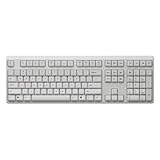
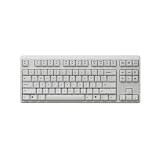


| Product | Best for | Key spec from the title |
|---|---|---|
| Realforce R3S TKL (45g) | Standard-sound compact typing | Topre 45g, TKL |
| Realforce R3S TKL (Silent 45g) | Compact and quiet | Topre Silent 45g, TKL |
| Realforce R4 Full Size White (Silent 30g) | Light-touch full layout | Wireless, Silent 30g |
| Realforce R4 TKL White (Silent 45g) | Wireless TKL, light color | Wireless, Silent 45g |
| Realforce R4 TKL Black (Silent 45g) | Wireless TKL, dark color | Wireless, Silent 45g |
| Realforce R4 Full Size Black (Silent 45g) | Wireless with numpad | Wireless, Silent 45g |
| Realforce RC1 75% | Small footprint | 75%, Bluetooth, Silent 45g |
| Realforce R3S (Silent 30g) | Light silent typing | Topre Silent 30g |
| Realforce R3S TKL (Silent 30g) | Light, quiet, compact | Topre Silent 30g, TKL |
| Realforce R3S (45g) | Standard-sound firm typing | Topre 45g |
How to Choose
Pick the layout before the model
Full size boards include a numeric keypad, which spreadsheet users want and gamers often do not. TKL, or tenkeyless, removes the keypad and gives the mouse more space to swing. The 75% RC1 trims further by compacting the arrow and function keys. Measure your desk and mouse space, not just the keyboard footprint. A common rule is to leave enough room between the keyboard and the desk edge for your forearms to rest, and enough width to the right of the keys for a full mouse sweep.
Understand the 30g versus 45g number
These figures describe the actuation force listed for the switch. A 30g board feels lighter and suits fast, gentle typing, while a 45g board feels firmer and gives some resistance against accidental presses. If you rest your fingers on the keys, start with 45g. If your hands tire easily, try 30g. Since you cannot try these boards before buying, consider what your current keyboard feels like and whether you often wish for more or less resistance.
Decide whether you want silent switches
The word “Silent” in a title marks a dampened version of the switch, intended to reduce bottoming-out noise. That matters in shared rooms, offices or late-night gaming. Standard models skip that damping, so a 45g standard board is the loudest option here. Silent does not mean silent, and a hard desk surface still carries some sound, so a desk mat helps either way.
Wired, wireless and Bluetooth trade-offs
The R4 boards are listed as wireless and the RC1 as Bluetooth, which suits multi-device desks. The R3S titles do not state a wireless feature, so assume a standard cable unless the full listing says otherwise. Wireless adds battery upkeep, and Topre boards sit at the premium end of the category, so choose the layout carefully because these boards generally do not let you swap switches later. If the listing does not state a connection type, confirm it on the full page before ordering.
The 10 Best Options
Realforce R3S TKL (Topre 45g)
This is the standard-sound, firmer version of the R3S in a tenkeyless layout. The 45g figure points to resistance that discourages accidental presses, and the TKL footprint leaves room for a mouse and a wrist rest. It is the plainest entry in the group, with no wireless or silent label in the title, which makes it a clean baseline against which to compare the others.
- TKL layout frees up desk space
- 45g actuation suits firm typists
- Trade-off: no silent switch or wireless feature is listed
Skip it if noise matters in your room.
Realforce R3S TKL (Topre Silent 45g)
The silent version of the same TKL R3S keeps the 45g weight and adds the dampened switch. That makes it a fit for a shared apartment or an office, where a late typing or gaming session should not carry through a wall. Layout and weight match the standard model above, so the only decision is how much noise reduction you want.
- Silent switches reduce noise
- Same TKL footprint and 45g weight as the standard version
- Trade-off: no wireless option is listed
Skip it if you want a numeric keypad.
Realforce R4 Full Size Wireless (White, Silent 30g)
This is the only full-size wireless board in the group with the light 30g weight, and it comes in white. It pairs the numeric keypad with a gentle touch, which suits accountants, data-entry workers and anyone who types for hours. The white finish also works well on a bright desk or beside a light monitor.
- Full-size layout with wireless connection
- 30g silent switches for a light touch
- Trade-off: a light touch can trigger accidental presses for heavy-handed typists
Skip it if you prefer a firmer feel.
Realforce R4 TKL Wireless (White, Silent 45g)
A wireless TKL in white with silent 45g switches. It is aimed at people who want a cable-free desk without a numeric keypad, and the 45g weight keeps the feel firm. Versus the black version below, only the color changes, so the choice comes down to how the board looks next to your monitor, pad and desk surface.
- Wireless TKL with silent switches
- 45g weight suits typists who rest their fingers
- Trade-off: light-colored keycaps tend to show dirt and oil sooner
Skip it if you want a light 30g touch.
Realforce R4 TKL Wireless (Black, Silent 45g)
The black twin of the white TKL, with the same wireless connection and silent 45g switches. Black blends with most monitors, mousepads and dark setups, and generally hides smudges better. For a gamer who wants a compact layout without a cable, this is a straightforward option with little to second-guess.
- Wireless and silent in a compact layout
- Dark finish tends to hide marks
- Trade-off: it lacks a numeric keypad
Skip it if you do heavy number entry.
Realforce R4 Full Size Wireless (Black, Silent 45g)
Wireless, full size, black and silent 45g. This is the all-round office model in the R4 line, combining a keypad with a firm, quiet touch. For people who move between a laptop and a desktop, the wireless link keeps the desk uncluttered, and the dark finish suits a professional setup.
- Full-size layout with wireless connection
- Silent 45g switches for a firm, quiet touch
- Trade-off: the large footprint takes more desk space
Skip it if your mouse needs wide swings.
Realforce RC1 75% Bluetooth (Silent 45g)
The RC1 is the compact one: a 75% layout with Bluetooth and silent 45g switches. A 75% board keeps the arrow and function keys in a tighter block, which makes it good for small desks, shared tables and carrying between rooms. It is the most portable pick in the list and the only one labeled Bluetooth.
- Small 75% footprint saves desk space
- Bluetooth and silent 45g switches
- Trade-off: a compacted layout takes some adjustment
Skip it if you rely on a numeric keypad.
Realforce R3S (Topre Silent 30g)
Silent 30g in the R3S line, with no TKL label in the title. It targets light-touch typists who want the quieter version of the switch, and the title lists no wireless feature. Buyers who want the same switch behavior as the TKL silent 30g model but with a larger layout should check the full listing for dimensions.
- Light 30g weight and silent switches
- Gentle on the fingers for long sessions
- Trade-off: light weights can cause accidental presses
Skip it if you want wireless.
Realforce R3S TKL (Topre Silent 30g)
The lighter, quiet TKL version of the R3S. It combines the compact layout with a 30g touch, so it appeals to people who want a gentle feel without a keypad on their desk. Compared with the 45g TKL silent model, only the weight differs, making it the easier choice for anyone with sore hands or a fast, light typing style.
- TKL footprint with a light, silent feel
- 30g weight eases fatigue
- Trade-off: no wireless listing in the title
Skip it if you want firmer resistance.
Realforce R3S (Topre 45g)
The standard-sound 45g R3S without a TKL label. It is the firm, undamped choice, best for typists who like audible feedback and do not share a room. The title lists nothing beyond the switch weight, so check the full listing for layout details and for whether the board connects by cable only.
- Firm 45g actuation
- Standard switch sound for audible feedback
- Trade-off: it is the loudest style in this group
Skip it if you work near others.
Which One Fits Your Situation
A shared home office
Choose the Realforce R4 Full Size Wireless (Black, Silent 45g) or the TKL equivalent. Silent switches and a cable-free link keep the desk calm, and the full-size version keeps a keypad for spreadsheets. If a partner works in the same room, the white 30g version is the gentlest choice here.
A small desk or a travel bag
The Realforce RC1 75% Bluetooth is the compact answer. It leaves space for a laptop stand or a notebook, and Bluetooth means no receiver to lose in a bag.
A gamer who needs mouse room
A TKL like the R4 TKL Wireless (Black, Silent 45g) or the R3S TKL gives the mouse arm space to swing, which matters for low-sensitivity aiming. The wireless TKL also removes the cable that can snag on a mouse pad.
Typists with light hands
The 30g models, such as the R4 Full Size White or the R3S TKL Silent 30g, reduce effort over long sessions. Heavy-handed typists may find them too sensitive, so consider a 45g board if you often hit keys by mistake.
Common Mistakes
- Choosing by color before checking layout and switch weight
- Assuming every Realforce is wireless when only the R4 and RC1 titles say so
- Expecting silent switches to be perfectly quiet
- Picking 30g without trying a light touch first
- Forgetting that Topre switches cannot be swapped later
Related guides
- Battery Operated Smoke And Carbon Monoxide Detectors
- Combination Smoke And Carbon Monoxide Detectors
- Aio Liquid Coolers For High Performance Gaming
Frequently Asked Questions
What makes Topre different from mechanical keyboards?
Topre switches use a capacitive design with a rubber dome and spring, not a metal contact. Many typists describe the feel as soft and rounded.
Is 30g or 45g better?
Neither is better. 30g is lighter and 45g is firmer, so match it to your touch.
Are Topre keyboards good for gaming?
Many gamers use them, especially TKL layouts, because the extra desk space helps with mouse movement. Check the connection type, since some listings are wireless and others do not mention it, and think about whether a firm 45g or a light 30g suits fast key presses.
Do silent Topre switches sound quiet?
They are designed to dampen noise, but no keyboard is silent. Expect a softer sound than standard models.
















