Updated November 2026 – How much you should spend on a gaming PC depends on your resolution: an entry tier handles 1080p, a mid tier suits 1440p, and a high tier is for 4K or high-refresh play, and in late 2026 every tier costs more than it did a year ago because memory and graphics card prices rose.
If you are working out how much should you spend on a gaming PC, start from the screen you will play on and the games you want, not from a round budget number. This guide explains the tiers in words, what drives the cost, whether a gaming PC includes a monitor and how much power it uses, using maker specifications and outlet reports.
How Much Should You Spend on a Gaming PC? Tiers in Words
| Tier | Best for | What to pair it with |
|---|---|---|
| Entry (budget) | 1080p at 60 to 144 fps in esports and many AAA games at medium settings | Entry or lower-mid GPU, 16GB memory, 500GB to 1TB SSD |
| Mid-range | 1440p high settings, solid 1080p high-refresh | Mid-range GPU, 32GB memory, 1TB SSD, 650W to 750W power supply |
| High-end | 4K or 1440p at high refresh rates, ray tracing | High-end GPU, 32GB memory, fast 1TB to 2TB SSD, strong cooling and a 750W or larger supply |
| Enthusiast | Maximum settings, streaming and creation | Top GPU, high-end CPU, large power supply, premium case |
The sweet spot for most players is the mid tier, because 1440p monitors are common and a mid-range GPU delivers a clear step up from entry without the steep cost of the top cards.
How Much Is a Good Gaming PC?
A good gaming PC is one that matches your monitor: a mid-range GPU for 1440p, an entry or lower-mid GPU for 1080p. How much is a good PC for gaming then comes down to the graphics card, which is the largest part of the bill, followed by memory, storage and the processor.
Prices moved in 2026. Reports quoting Tom’s Hardware’s tracker in October 2026 show top graphics cards well above launch prices, and an Acer executive was reported to expect PC prices to rise between five and twenty percent in the fourth quarter. Rather than quote a number that will date quickly, compare current listings for the tier you want and use the tier descriptions above to judge whether a build is balanced.
How Much Is a Budget PC for Gaming?
A budget gaming PC is an entry-tier machine built for 1080p. The best value comes from pairing a modest GPU with a capable processor, 16GB of memory and an SSD, then adding upgrades later. Memory is the part to watch in 2026 because 3DCenter’s survey, as reported, put DDR5 prices at several times their mid-2025 level, and some builders are choosing 16GB over 32GB to control cost.
A budget build can also use a previous-generation graphics card or a processor with strong integrated graphics as a stop-gap. That is slower than a discrete GPU but plays esports titles and older games at 1080p low to medium, and a GPU can be added later when the budget allows.
What Drives the Cost of a Gaming PC?
The graphics card
The GPU is typically the single biggest cost and the part that most affects frame rates and resolution. Nvidia and AMD both raised some prices in 2026, according to outlet reports, so the same tier costs more than it did at launch.
Memory and storage
RAM and SSDs became much more expensive in 2026. Reports link this to AI data-center demand and DRAM makers shifting capacity to server memory, and TrendForce is quoted as expecting further contract-price rises in the fourth quarter. SK hynix was reported to have said the shortage will persist for years, so waiting may not bring relief.
Processor, motherboard and platform
A mid-range processor is enough for most games at 1440p. A larger CPU budget helps mainly at 1080p high refresh or when streaming and gaming together. Motherboard cost depends on features such as DDR5 support, PCIe 5.0 and WiFi, and a mainstream board is usually enough.
Power supply, case and cooling
These parts rarely change frame rates but affect noise, reliability and upgrade room. A quality power supply with headroom protects the system, and you should follow the graphics card maker’s power connector guidance, including the 12VHPWR and 12V-2×6 connector notes, and stop using a cable that shows heat damage.
| Part | Effect on gaming | Where to save |
|---|---|---|
| GPU | Largest effect on frame rate | Match to your resolution, not above it |
| CPU | Matters most at 1080p and high refresh | Mid-range is enough for most |
| Memory | 16GB works, 32GB gives room | Start with 16GB if prices bite |
| Storage | Load times and install space | One good 1TB SSD, add later |
| Power supply | Stability and safety | Do not cut here |
| Case and cooling | Noise and temperatures | Choose airflow over looks |
Do Gaming PCs Come With a Monitor?
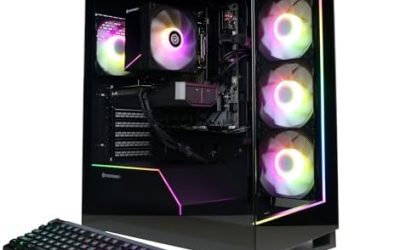
No, a gaming PC usually does not come with a monitor, keyboard or mouse. Prebuilt towers are sold as the computer alone, and the monitor is an extra purchase. Gaming laptops and handhelds are the exception because the screen is built in. Plan for a display, keyboard, mouse and headset in your total.
How much is a computer monitor for gaming depends on resolution, size and refresh rate. A 1080p high-refresh monitor sits in the budget tier, a 1440p high-refresh monitor in the mid tier and a 4K or OLED gaming monitor in the high tier. Reusing a monitor you already have is the quickest way to cut costs, provided it supports the refresh rate your GPU can deliver.
How Much Will It Cost to Build a PC Versus Buying a Prebuilt?
Building yourself usually costs less for the same parts, because you skip the labor and margin, and you choose each component. A prebuilt adds assembly, quality checks and a warranty and saves time. In a shortage, prebuilts can sometimes be priced competitively because system builders buy parts in bulk, so compare both for the same tier rather than assuming one is cheaper.
A rough rule is to compare the full list of parts with the prebuilt’s specification, including the power supply brand, memory speed and storage, since prebuilts sometimes use lower-grade parts in places that are hard to see.
How Much Wattage Does a Gaming PC Use?
A mid-range gaming PC with an RTX 5070 typically draws about 400 to 450 watts from the wall while gaming, according to one guide, and idles far lower. Nvidia lists 250W total board power for the RTX 5070 and recommends a 650W power supply, and Seasonic also lists 650W, while other sources prefer 750W for headroom.
Wattage matters for the power supply size, not just the electricity bill. A common sizing method adds the maximum GPU and CPU power to the rest of the system and multiplies by roughly 1.2 to 1.3 for transient spikes and aging. Use the graphics card maker’s recommended power supply rating and connector instructions, and do not open a power supply yourself.
| Tier | Typical load while gaming | Power supply guidance |
|---|---|---|
| Entry | Low, often under 300W for a system | The GPU maker’s recommendation, often 500W to 650W |
| Mid-range | About 400 to 450W for an RTX 5070 system per one guide | 650W minimum, 750W for headroom |
| High-end | Substantially higher | Follow the GPU maker’s listing, often 750W to 1000W |
Where to Save Without Hurting Performance
- Match the GPU to your monitor resolution rather than buying the biggest card.
- Start with 16GB memory if prices are high and leave a free slot for later.
- Buy one good SSD now and add storage later.
- Reuse a monitor, keyboard and mouse you already own.
- Consider a previous-generation card or a refurbished component with a clear warranty.
- Skip extras such as extra lighting, premium cases and oversized coolers.
Do not save on the power supply, and avoid mixing very cheap parts with an expensive GPU, since the rest of the system then limits performance.
How to Decide Your Number
Work backwards from the monitor. Pick the resolution and refresh rate you want, choose the GPU tier that suits it, then add the cheapest processor, memory and storage that will not hold that GPU back. Add the power supply, case and monitor last. If the total is over budget, drop to a lower tier or a previous-generation card rather than cutting the power supply or memory below what your games need.
Leave a small buffer for the extras many buyers forget: an operating system licence if the build does not include one, cables, a headset, and a surge protector. Keep the case and power supply roomy enough that a later GPU upgrade will fit, because that makes the first purchase last longer.
Frequently Asked Questions
How much should you spend on a gaming PC?
Spend according to your monitor: entry tier for 1080p, mid tier for 1440p, high tier for 4K or high refresh. Compare current listings, because 2026 memory and GPU prices shifted all tiers upward.
How much for a good gaming PC?
A good gaming PC is a mid-tier build with a mid-range GPU, 32GB memory and a 1TB SSD for 1440p. A budget build can still play 1080p well with 16GB of memory.
Do gaming PCs come with a monitor?
No, prebuilt gaming towers normally do not include a monitor, keyboard or mouse. Gaming laptops and handheld PCs include a built-in screen.
How much wattage does a gaming PC use?
A mid-range system with an RTX 5070 draws about 400 to 450 watts while gaming, according to one guide. Nvidia lists 250W board power for that card and recommends a 650W power supply.
Why are gaming PCs so expensive in 2026?
Reports point to AI data-center demand for memory, higher DRAM and storage prices, and price increases on some graphics cards. Tariffs and system-builder price rises add to the cost.
Is it cheaper to build a PC or buy a prebuilt?
Building is usually cheaper for the same parts, but prebuilt systems can be competitive when part prices swing. Compare the full parts list, including the power supply and memory speed.