

Affiliate disclosure: As an Amazon Associate we earn from qualifying purchases. This post contains affiliate links — if you buy through them we may earn a small commission at no extra cost to you. This never affects our recommendations.
- Quick Picks
- Who Still Needs a 4K 60Hz Monitor in 2026?
- 4K 60Hz vs 4K 144Hz: When the Extra Cost Isn’t Worth It
- HDMI 2.0 vs HDMI 2.1: What 4K 60Hz Actually Requires
- Top 5 Best 4K 60Hz Gaming Monitors
- Full Comparison Table
- What to Look For in a 4K 60Hz Monitor
- Verdict
- Related Articles
- Frequently Asked Questions
- Related Articles
As an Amazon Associate we earn from qualifying purchases at no extra cost to you.

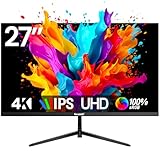



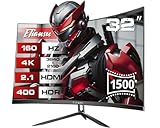

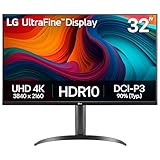
In a hurry? See the top-rated 4K 60Hz Gaming Monitor deals available right now:
🛒 Check 4K 60Hz Gaming Monitor Prices on Amazon →🛒 Best Price Today on Amazon
Prime members get fast, free shipping on everything above, plus member-only deals. New members get a 30-day free trial — cancel anytime.
Start 30-Day Prime Free Trial →See Today’s Amazon DealsQuick Picks
| Monitor | Size | Panel | HDR | Best For | Price Tier |
|---|---|---|---|---|---|
| LG 27UP850-W | 27″ | IPS | HDR400 | Best Overall | Mid-High |
| Dell U2723QE | 27″ | IPS | HDR400 | Hybrid Work + Gaming | Mid-High |
| ASUS ProArt PA279CV | 27″ | IPS | HDR400 | Content Creators | Mid |
| BenQ EW3280U | 32″ | VA | HDR400 | Best 32″ Value | Mid |
| Samsung UJ590 | 32″ | VA | HDR | Budget Entry 4K | Budget |
Who Still Needs a 4K 60Hz Monitor in 2026?
The marketing push in 2026 is all about 4K 144Hz. But a large portion of the gaming market has zero use for high refresh rates — and overpaying for them makes no sense.
Console Gamers (PS5 and Xbox Series X)
The PS5 and Xbox Series X output 4K at 60fps for the vast majority of titles. While both consoles support 4K/120fps in select games, the list is short, and many of those titles require HDMI 2.1 bandwidth and sacrifice visual settings to hit that frame rate. For anyone playing cinematic single-player games — RPGs, action-adventure, open-world — 60Hz at native 4K is exactly what the hardware is designed to deliver. A 4K 60Hz monitor captures every pixel the console renders without overspending on refresh rate headroom you will not use.
Cinematic PC Gamers
PC gamers who prioritize titles like Red Dead Redemption 2, Cyberpunk 2077 with full ray tracing, or any story-driven RPG often run these games locked at 60fps for stability and visual fidelity. Chasing 144fps at 4K requires a GPU north of $700 — one that most users do not own. If your rig runs a mid-tier GPU and you play at a measured pace, a 4K 60Hz monitor is the honest upgrade, not the compromised one.
Creative and Hybrid Use
Designers, photographers, and video editors who also game benefit enormously from a monitor that excels at color accuracy and pixel density rather than raw speed. A 4K IPS panel with wide color gamut coverage at 60Hz serves both a Lightroom editing session and an evening gaming session equally well. This is the sweet spot the monitors in this list are built for.
4K 60Hz vs 4K 144Hz: When the Extra Cost Isn’t Worth It
4K 144Hz monitors command a significant price premium — typically $200 to $400 more than comparable 4K 60Hz panels. That gap matters less if you have a GPU capable of sustaining 4K/144fps, but for most users, that GPU does not exist yet.
A mid-tier GPU like an RTX 4070 or RX 7900 XT will push many games to 144fps at 1440p, but not at 4K. Running a 4K 144Hz monitor at 60fps wastes the panel’s core differentiator entirely. You end up paying premium pricing for a feature you cannot use.
The other consideration is motion clarity. At 60fps with proper backlight and pixel response, 4K IPS panels produce sharp, detailed images in slower-paced games. The motion blur difference between 60Hz and 144Hz is stark in competitive shooters — irrelevant in a 30-hour story RPG where you’re rarely panning the camera at high speed.
Bottom line: if you play at 60fps by choice or by hardware limitation, buy the best 4K 60Hz panel you can afford. Do not buy a 4K 144Hz monitor hoping your GPU will grow into it.
HDMI 2.0 vs HDMI 2.1: What 4K 60Hz Actually Requires
4K at 60Hz requires 18 Gbps of bandwidth. HDMI 2.0 provides exactly that — it handles 4K/60Hz without compression at 4:4:4 chroma, which is the full, uncompressed signal. You do not need HDMI 2.1 for 4K 60Hz.
HDMI 2.1 (48 Gbps) becomes necessary for 4K/120Hz or 8K content. If you own a PS5 or Xbox Series X and exclusively play at 60fps, HDMI 2.0 is sufficient. Every monitor on this list includes at least one HDMI 2.0 port that handles PS5 and Xbox Series X at 4K/60Hz natively.
One caveat: VRR (Variable Refresh Rate) on PS5 over HDMI 2.1 can help even at 60fps by smoothing frame pacing when a game dips. Monitors without HDMI 2.1 lose that benefit. It’s a meaningful-but-optional feature, not a dealbreaker for the majority of console titles.
Top 5 Best 4K 60Hz Gaming Monitors
1. LG 27UP850-W — Best Overall 4K 60Hz Monitor

The LG 27UP850-W is the strongest all-around 4K 60Hz monitor available in 2026. Its 27-inch IPS panel delivers accurate colors out of the box, with 95% DCI-P3 coverage and a factory calibration that holds up in testing. The HDR400 certification is genuine here — peak brightness reaches around 400 nits in HDR mode, which is above average for this tier and produces visible highlight detail in HDR-compatible games and content.
The standout feature is the 90W USB-C port. A single cable from a laptop powers the display, charges the device, and carries video signal — genuinely useful for a monitor that sits at a desk used for both work and gaming. The DisplayPort 1.4 input handles 4K/60Hz at 10-bit color, and two HDMI 2.0 ports handle PS5 and Xbox Series X without adapters.
Build quality is typical LG — the stand adjusts for height, tilt, pivot, and swivel, and the panel is thin without being flimsy. Color accuracy with sRGB coverage at 99% makes it dual-purpose for creative professionals. Input lag at 60Hz is low enough that console gaming feels immediate rather than sluggish.
Who it’s for: Anyone who wants the single best 4K 60Hz monitor without compromise. Works equally well for PS5, Xbox, cinematic PC gaming, and creative work.
2. Dell U2723QE — Best for Hybrid Work and Gaming
The Dell U2723QE uses Dell’s IPS Black panel technology, which achieves a contrast ratio roughly double that of standard IPS panels — around 2000:1. For a monitor that spends as many hours displaying spreadsheets and browser windows as it does rendering games, that deeper black level is a real improvement for readability in both contexts.
Color coverage is strong: 98% sRGB, 95% DCI-P3, and factory-calibrated to Delta E under 2. The built-in USB-C hub adds 90W charging, downstream USB-A ports, and an RJ45 Ethernet port — rare at this panel size. That hub makes it a one-cable docking solution for laptop users.
HDR400 performance is comparable to the LG. The U2723QE’s brightness is slightly lower in SDR mode — around 350 nits peak — but uniform across the panel. The stand is one of the better-engineered options at this price, and Dell’s 3-year Advanced Exchange warranty covers dead pixels without a threshold.
The gaming use case is honest: input lag is low, but this monitor does not target gamers who care about motion blur or frame rate beyond 60Hz. For someone who games in the evening and works all day on the same display, it is the most complete package.
Who it’s for: Professionals who game — lawyers, designers, developers who want one excellent display for everything.
3. ASUS ProArt PA279CV — Best for Content Creators Who Game
The ASUS ProArt PA279CV prioritizes color precision above all else. 100% sRGB and 100% Rec.709 coverage means that color-critical work — photo retouching, video color grading, digital illustration — can be done with confidence. Factory calibration ships with a verification report per unit, and ASUS backs color accuracy to Delta E under 2 across the entire panel, not just at center-screen.
For gaming, the 4K IPS panel at 27 inches produces sharp, clean images. The refresh rate caps at 60Hz, which is appropriate for the use case. ASUS Adaptive Sync is supported, allowing VRR from compatible sources to smooth frame pacing. USB-C with 65W Power Delivery covers laptop connectivity, and two HDMI ports plus DisplayPort round out the inputs.

The weakest area is HDR. The PA279CV meets HDR400 spec but brightness peaks at around 350 nits in HDR mode, which is functional rather than impressive. For creative work, HDR preview accuracy matters more than raw peak brightness, and the panel’s color accuracy holds in HDR mode better than most competitors at this price.
The design is clean and professional — matte finish on the stand, minimal branding, height and pivot adjustments standard.
Who it’s for: Photographers, video editors, and digital artists who also game and refuse to compromise on color accuracy for either task.
4. BenQ EW3280U — Best 32-Inch 4K 60Hz Value
The BenQ EW3280U brings 32 inches of 4K VA panel to a price point that makes it the best large-screen value in the 4K 60Hz category. VA technology gives the EW3280U a contrast ratio advantage over every IPS monitor on this list — native contrast around 3000:1 produces noticeably deeper blacks in dark gaming scenes and makes HDR content look more dramatic.
The HDRi implementation is BenQ’s proprietary system that adjusts HDR tone mapping based on ambient light, which is more practical than static HDR modes on competing panels. Peak HDR brightness reaches approximately 400 nits, and the VA panel’s contrast advantage makes that 400 nits feel more impactful than IPS panels at the same spec.
Built-in 2.1 channel speakers are included and are among the better integrated audio solutions on any monitor — adequate for casual gaming without a separate speaker setup. The remote control included in the box is a thoughtful addition for users who switch input sources frequently between a console and a PC.
Color coverage is 95% DCI-P3. Inputs include DisplayPort 1.4, two HDMI 2.0 ports, and USB-C with 60W charging. The stand is fixed in height but swivels. For couch-distance viewing or larger desk setups, 32 inches at 4K produces a pixel density that remains sharp without requiring DPI scaling.
Who it’s for: Console gamers and home theater PC users who want a large screen with strong HDR contrast and do not want to spend IPS-panel pricing for it.
5. Samsung UJ590 — Best Budget Entry-Level 4K 60Hz
The Samsung UJ590 is the entry point for 4K gaming monitors — a 32-inch VA panel that delivers native 4K resolution at a budget price. The contrast ratio is the highlight, reaching 3000:1 native and producing deep, rich blacks that make dark games look better than the price suggests.
Color coverage is more limited than the panels above — sRGB coverage sits around 85%, which is acceptable for gaming and media consumption but not suitable for color-critical creative work. HDR support is basic: the panel meets HDR10 specification but does not reach HDR400 brightness levels in sustained use. The HDR effect is mild.
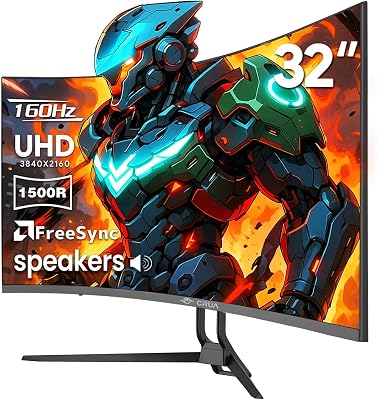
Inputs are two HDMI 2.0 and one DisplayPort 1.2. The stand only tilts — no height adjustment, no pivot. Response time is listed at 4ms, which is serviceable at 60Hz but not competitive with monitors targeting motion clarity.
For a first 4K monitor upgrade from 1080p, the UJ590 is a honest, low-risk entry. The jump in pixel density at 32 inches is immediately visible in games and productivity. It does not compete with the IPS panels above on color or HDR, but it costs significantly less.
Who it’s for: Budget-conscious console gamers making their first 4K upgrade. Not recommended for creative work or users who care about color accuracy.
Full Comparison Table
| Feature | LG 27UP850-W | Dell U2723QE | ASUS PA279CV | BenQ EW3280U | Samsung UJ590 |
|---|---|---|---|---|---|
| Size | 27″ | 27″ | 27″ | 32″ | 32″ |
| Panel | IPS | IPS Black | IPS | VA | VA |
| Resolution | 4K | 4K | 4K | 4K | 4K |
| Refresh Rate | 60Hz | 60Hz | 60Hz | 60Hz | 60Hz |
| HDR Tier | HDR400 | HDR400 | HDR400 | HDR400 | HDR10 |
| Peak Brightness | ~400 nits | ~350 nits | ~350 nits | ~400 nits | ~300 nits |
| Contrast | 1000:1 | 2000:1 | 1000:1 | 3000:1 | 3000:1 |
| DCI-P3 | 95% | 95% | 99% | 95% | ~72% |
| sRGB | 99% | 98% | 100% | 96% | ~85% |
| USB-C PD | 90W | 90W | 65W | 60W | No |
| HDMI 2.0 Ports | 2 | 1 | 2 | 2 | 2 |
| DisplayPort | 1.4 | 1.4 | 1.4 | 1.4 | 1.2 |
| Stand Adjust | Full | Full | Full | Tilt/Swivel | Tilt only |
| Built-in Speakers | No | No | No | Yes (2.1) | No |
| Price Tier | Mid-High | Mid-High | Mid | Mid | Budget |
What to Look For in a 4K 60Hz Monitor
HDR Tier: HDR400 vs Basic HDR10
HDR10 is a format specification — it does not guarantee any particular brightness level. Many budget panels labeled “HDR” or “HDR10” peak at 250 to 300 nits, which produces mild HDR effect at best. HDR400 certification requires sustained 400-nit peak brightness, which produces genuinely visible highlight separation in supported games and films. For meaningful HDR performance, HDR400 is the minimum worth paying attention to.
Color Coverage: sRGB vs DCI-P3
For gaming alone, 95% sRGB coverage is sufficient — games are mastered for sRGB, and higher DCI-P3 coverage without proper color management can actually oversaturate game images. For creative work, 99% sRGB plus 95% or higher DCI-P3 gives you coverage across both content workflows. Factory calibration matters: a panel that ships with Delta E under 2 across the screen saves calibration hardware costs.
Ports: What Console Gamers Actually Need
PS5 and Xbox Series X at 4K/60Hz need HDMI 2.0 — that’s it. Two HDMI 2.0 ports lets you connect both consoles simultaneously. If you also connect a PC, a DisplayPort 1.4 input handles 4K/60Hz at 10-bit color without compression. USB-C is a quality-of-life addition for laptop users but not a gaming requirement.
Brightness for Ambient Light Conditions
In a dark room, 300 to 350 nits is sufficient. In a bright room with windows, 400 nits or higher keeps the image readable. If your monitor position faces natural light, HDR400 minimum is worth prioritizing even in the 4K 60Hz category.
Verdict
The LG 27UP850-W is the best 4K 60Hz gaming monitor for most people in 2026. It combines genuine HDR400 performance, 99% sRGB and 95% DCI-P3 coverage, 90W USB-C, and a well-calibrated IPS panel into a package that works for PS5, Xbox, cinematic PC gaming, and creative work simultaneously. It does everything well without a meaningful weakness.
If you need 32 inches and want strong HDR contrast at a lower price, the BenQ EW3280U is the right call — the VA panel’s contrast advantage is real and visible in dark game scenes. For creative professionals who need color accuracy above everything else, the ASUS ProArt PA279CV delivers factory-verified calibration at a fair price.
All five monitors deliver native 4K at 60Hz — the resolution your PS5, Xbox Series X, and cinematic PC games are designed to produce. Spend your budget on panel quality, not refresh rate headroom you won’t use.
Related Articles
Looking for more on this topic? Browse the hand-picked guides below — each one applies the same scoring rubric used in this review.
Frequently Asked Questions
What is the best gaming monitor 4k 60hz in 2026?
The best gaming monitor 4k 60hz depends on your budget and how you plan to use it. The options compared above are our top-rated picks based on real customer ratings, build quality, and overall value — start with the highest-rated model that fits your budget.
How much should I expect to spend on a gaming monitor 4k 60hz?
Prices vary by brand and features. Budget options cover the essentials, while mid-range and premium models add durability, performance, and extra features. Compare the prices in the list above to find the best value for your needs.
What should I look for when buying a gaming monitor 4k 60hz?
Focus on what matters most for your use case — build quality, compatibility, performance, warranty, and verified customer reviews. Every pick above is selected to balance these factors.
Are budget gaming monitor 4k 60hz options worth it?
Yes. For most people a well-reviewed budget or mid-range gaming monitor 4k 60hz delivers excellent value. You only need to spend more if you specifically require premium materials or top-tier performance.
How did we choose these gaming monitor 4k 60hz picks?
We compare current Amazon ratings, review counts, key features, and price to surface the options with the best real-world value. The list is refreshed as ratings and availability change.
Ready to decide? Our #1 pick for 2026 is the Monitor.
Live price & availability on Amazon.












