

Affiliate disclosure: As an Amazon Associate we earn from qualifying purchases. This post contains affiliate links — if you buy through them we may earn a small commission at no extra cost to you. This never affects our recommendations.
As an Amazon Associate we earn from qualifying purchases at no extra cost to you.


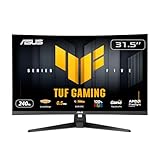
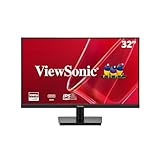



There is a reason 32-inch 1080p monitors keep selling — and it is not because buyers do not know better. It is because they know exactly what they want: a big, immersive screen that works great with a PS5 or Xbox Series X from the couch, or a casual PC gaming rig where the desk sits a few feet back. At 32 inches, 1080p gives you a wide field of view without the GPU demands of 1440p or 4K, and it keeps prices in the $230–$300 range that most gamers are happy to stay in.
Yes, pixel density is lower than on a 27-inch 1080p panel. At 32 inches you land at roughly 69 pixels per inch — perceptible if you sit nose-to-screen, invisible if you sit 3–4 feet back the way console gaming is designed. For competitive PC players who sit 2 feet from the screen and want pixel-sharp text, 32″ 1080p is a compromise. For everyone else, it is a practical sweet spot.
This guide covers the five best 32-inch 1080p gaming monitors available in 2026, with a full comparison table, individual reviews, a buying guide section, and a clear final verdict.
In a hurry? See the top-rated 32-Inch 1080p Gaming Monitor deals available right now:
🛒 Check 32-Inch 1080P Gaming Monitor Prices on Amazon →🛒 Best Price Today on Amazon
Prime members get fast, free shipping on everything above, plus member-only deals. New members get a 30-day free trial — cancel anytime.
Start 30-Day Prime Free Trial →See Today’s Amazon DealsQuick Comparison: Best 32-Inch 1080p Gaming Monitors 2026
| Monitor | Panel | Refresh Rate | Curvature | Response Time |
|---|---|---|---|---|
| LG 32GN650-B | VA | 165Hz | Flat | 1ms MPRT |
| Samsung Odyssey G5 32″ | VA | 165Hz | 1000R | 1ms MPRT |
| AOC C32G2Z | VA | 240Hz | 1500R | 1ms GtG |
| ASUS TUF Gaming VG328H1B | VA | 165Hz | 1500R | 1ms MPRT |
| Acer Nitro ED320QR S3bmiiphx | VA | 180Hz | 1500R | 1ms MPRT |
The Top 5 Best 32-Inch 1080p Gaming Monitors
1. LG 32GN650-B — Best Overall 32-Inch 1080p Monitor
Specs at a glance: 32″ VA flat panel | 1920×1080 | 165Hz | 1ms MPRT | FreeSync Premium | HDR10 | 2× HDMI 2.0, 1× DisplayPort 1.4
The LG 32GN650-B is the flat-screen benchmark in this category. LG’s VA panel delivers deeper blacks and better contrast than IPS panels at this price, and the flat design avoids any center-to-edge color shift that aggressive curves can introduce. The 165Hz refresh rate with FreeSync Premium keeps gameplay smooth and tear-free on both AMD GPUs and compatible NVIDIA cards.
Color accuracy out of the box is solid for a budget VA — sRGB coverage is about 95%, which is enough for gaming without calibration. HDR10 support is present, though as with most monitors under $400, the effect is modest rather than transformative.
The stand is height-adjustable, tilt-adjustable, and pivot-capable — an unusual feature set at this price that makes cable management and ergonomic setup easy. Build quality feels premium relative to the price.
Pros:
- Flat panel eliminates curved-edge distortion for mixed-use (gaming + productivity + movies)
- Height and pivot adjustment on the stand — rare at $280
- Consistent color across the panel — no curvature-related uniformity dip
- FreeSync Premium works with recent NVIDIA cards via G-Sync Compatible mode
Cons:
- VA panel has slower pixel response in dark-to-dark transitions (ghosting in very dark scenes)
- 1080p at 32″ is visible if you sit close — not ideal for tight desktop setups
- No USB hub on the monitor
Who it is for: PC gamers who want a versatile large screen for gaming, streaming, and occasional work. Also ideal if you use your monitor flat on a desk and dislike curvature.
Check price on Amazon
2. Samsung Odyssey G5 32″ — Best Curved Experience
Specs at a glance: 32″ VA 1000R curved | 1920×1080 | 165Hz | 1ms MPRT | FreeSync Premium | HDR10 | 2× HDMI 2.0, 1× DisplayPort 1.4
The Samsung Odyssey G5 uses a 1000R curvature — the tightest radius in this roundup — which means the screen literally matches the natural curvature of the human eye. At 32 inches, that curve is immediately noticeable and creates a strong sense of immersion, particularly in racing games, RPGs, and cinematic titles. If you have used a 32-inch flat monitor and then switched to the G5, the wrap effect is difficult to give up.
Samsung’s VA panel offers the same core strength as the LG — excellent contrast ratio (rated 2500:1) and rich blacks. The 165Hz refresh rate and FreeSync Premium make it equally capable for competitive play, and HDR10 support is included.

The G5 does not offer height adjustment out of the box — tilt only — which is a real ergonomic limitation at $300. Samsung sells an arm separately, and VESA mounting (100×100mm) is supported, which is the practical fix.
Pros:
- 1000R curve creates the most immersive experience in this lineup
- Exceptional contrast for a sub-$300 VA panel
- FreeSync Premium with NVIDIA G-Sync Compatible support
- Strong brand support and driver consistency
Cons:
- Tilt-only stand — no height adjustment at $300 is disappointing
- 1000R curve can make straight lines appear slightly bowed in productivity use
- On-screen menu navigation is slow with the rear joystick
Who it is for: Console gamers and PC players who prioritize immersion above all else. Ideal for dedicated gaming setups where the monitor never doubles as a productivity screen.
3. AOC C32G2Z — Best for High-Refresh-Rate Competitive Gaming
Specs at a glance: 32″ VA 1500R curved | 1920×1080 | 240Hz | 1ms GtG | FreeSync Premium | 2× HDMI 2.0, 1× DisplayPort 1.4
The AOC C32G2Z is the outlier in this group: 240Hz in a 32-inch 1080p package for $280. That is the refresh rate you would expect on a 24-inch esports monitor, transplanted into a large-screen form factor. For fast-paced PC games — Valorant, CS2, Apex Legends, Overwatch 2 — the 240Hz ceiling and 1ms GtG response time (not just MPRT, actual gray-to-gray) make this the most capable competitive monitor in the roundup.
The 1500R curve is moderate and works well with gaming content. The VA panel holds up in dark scenes better than IPS alternatives at this price. Color vibrancy is good — sRGB coverage is approximately 93% — and the panel is bright enough (rated 250 nits typical) for well-lit rooms.
Worth noting: 1080p resolution at 240Hz is easy to push even on mid-range GPUs. An RTX 3060 or RX 6700 can comfortably hit 200+ fps in popular competitive titles, which means buyers do not need a top-tier GPU to take advantage of the high refresh rate.
Pros:
- 240Hz at this price point is exceptional value for competitive PC gaming
- 1ms GtG response time is a real spec, not just MPRT marketing
- 1080p is GPU-friendly — mid-range hardware can saturate the frame rate
- FreeSync Premium for tear-free gameplay across a wide range
Cons:
- 240Hz is overkill for console gaming (PS5/Xbox Series X are capped at 120fps)
- VA ghosting still occurs in fast dark-scene transitions despite the response spec
- Stand only tilts — no height adjustment at this price
- Not ideal for productivity or color-sensitive creative work
Who it is for: PC gamers who play fast-paced competitive titles and want the highest refresh rate available in a large-screen format. Not the right call for console-primary setups.
4. ASUS TUF Gaming VG328H1B — Best Budget Pick
Specs at a glance: 32″ VA 1500R curved | 1920×1080 | 165Hz | 1ms MPRT | FreeSync Premium | 2× HDMI 2.0, 1× DisplayPort 1.4

At $230, the ASUS TUF VG328H1B is the most affordable monitor in this lineup, and it delivers the core specs that matter — 165Hz, FreeSync Premium, 1ms MPRT — without padding the price with features most gamers do not use. Build quality is solid for a budget panel, the matte anti-glare coating handles overhead lighting well, and the 1500R curve provides a decent sense of wrap without being aggressive.
The TUF gaming line is known for reliability and driver support, and the VG328H1B continues that reputation. The OSD is intuitive, GamePlus overlays (crosshair, FPS counter, timer) are useful additions for competitive players, and color presets cover Racing, Scenery, RTS/RPG, and FPS modes for one-click optimization.
The stand offers only tilt — a recurring theme in this price bracket — but VESA 100×100mm mount support makes third-party arm adoption easy and affordable.
Pros:
- $230 price is the lowest in this roundup without meaningful spec cuts
- FreeSync Premium works with PS5 and Xbox Series X via HDMI VRR
- ASUS GamePlus overlays are genuinely useful during gameplay
- Strong brand reliability and warranty support
Cons:
- Tilt-only stand
- MPRT response spec (not GtG) — real-world ghosting in dark transitions is present
- Color accuracy is below average — noticeable in HDR content and color-critical work
- No USB hub
Who it is for: Budget-conscious gamers — console players especially — who want a big 165Hz curved screen without spending $280–$300. Excellent first monitor upgrade from a smaller panel.
Check price on Amazon
5. Acer Nitro ED320QR S3bmiiphx — Best Mid-Range Value Pick
Specs at a glance: 31.5″ VA 1500R curved | 1920×1080 | 180Hz | 1ms MPRT | FreeSync Premium | 2× HDMI 2.0, 1× DisplayPort 1.4, 2× USB-A
The Acer Nitro ED320QR S3bmiiphx slots neatly between the budget ASUS and the premium options at $250. Its headline differentiator is 180Hz — higher than the 165Hz crowd, lower than AOC’s 240Hz peak, and practically the ideal balance for gamers who want smoothness beyond console-native 120fps without paying the AOC premium.
The USB-A hub built into the monitor body is a small but meaningful quality-of-life feature — plug in a headset, a controller receiver, or a USB drive without reaching behind your PC. At this size and price, a hub is uncommon.
The VA panel performs predictably: strong contrast, good blacks, moderate color vibrancy, and MPRT-spec response that handles most gaming scenarios well. Acer’s Zero-Frame design keeps bezels thin on three sides, which makes multi-monitor setups more practical if that is on your roadmap.
Pros:
- 180Hz is a genuine step up from 165Hz — noticeably smoother in motion-heavy games
- Built-in USB-A hub — rare and useful at this price point
- Zero-Frame thin bezels — clean look, multi-monitor ready
- FreeSync Premium covers both AMD and NVIDIA G-Sync Compatible setups
Cons:
- 31.5″ is technically smaller than the 32″ label on competitors (though visually identical)
- MPRT response — same dark-transition ghosting caveat as the category overall
- Stand adjusts tilt only
- On-screen menu is functional but not polished
Who it is for: Gamers who want more than 165Hz but do not need 240Hz, value a built-in USB hub, and want clean aesthetics at a mid-range price. A strong all-rounder.

Check price on Amazon
How to Choose a 32-Inch 1080p Gaming Monitor
Pixel Density at 32 Inches
At 1920×1080 across 32 inches, pixel density is approximately 69 PPI. For comparison, a 27-inch 1080p monitor sits at around 82 PPI, and a 27-inch 1440p panel reaches 109 PPI. The lower density is visible up close — individual pixels become distinguishable at 18–20 inches. At 30–40 inches (typical console and relaxed PC viewing distance), the difference becomes imperceptible for most people. If you sit close to your monitor and use it for productivity or text-heavy tasks alongside gaming, consider 1440p at 32 inches instead. If gaming and video content are your primary use cases, 1080p at 32 inches is not a problem.
VA vs IPS at This Size
Every monitor in this roundup uses a VA panel, and that is not a coincidence. At the $230–$300 price range, VA panels offer significantly better contrast ratios (2000:1 to 3000:1 typical) compared to IPS panels (1000:1 typical). For gaming in rooms with ambient lighting control — living rooms, dedicated gaming dens — VA’s deep blacks and rich contrast are a clear advantage. IPS panels have wider viewing angles and faster pixel transitions, which benefits multi-player setups where viewers sit off to the side. For a single-player gaming monitor, VA is the right panel type at this price.
Refresh Rate: Console vs PC Needs
- Console gaming (PS5, Xbox Series X): Most titles run at 60fps or 120fps. Any monitor at 165Hz or above comfortably handles both, and FreeSync Premium / HDMI VRR support is the key spec to prioritize for tear-free console output.
- Casual PC gaming: 165Hz is excellent. At 1080p, mid-range GPUs can push 165+ fps in most titles, and the refresh headroom keeps motion smooth.
- Competitive PC gaming: 240Hz (AOC C32G2Z) is worth considering if you play fast-paced shooters. At 1080p, the GPU requirement to hit 200+ fps is achievable with mid-range hardware.
Viewing Distance
The recommended viewing distance for a 32-inch monitor is 2.5 to 4 feet. At the shorter end, pixel density becomes relevant. At the longer end — a couch-to-TV-stand setup or a standing desk with the monitor pushed back — 32-inch 1080p looks excellent. If you game from 4+ feet, you may actually want a larger screen; if you sit 18 inches from your screen, 1080p at 32 inches will look soft.
Curved vs Flat
Curved screens (1000R–1500R) increase immersion by wrapping the panel edge closer to your peripheral vision, which reduces the apparent distance to the screen edges and makes large displays feel more cohesive. The tradeoff is that productivity tasks with straight lines (spreadsheets, document editing, code) can appear slightly warped near the edges. Flat panels like the LG 32GN650-B are better all-rounders for mixed workloads. Curved panels like the Samsung Odyssey G5 and AOC C32G2Z are better for dedicated gaming setups.
Final Verdict
Best overall: LG 32GN650-B. Flat panel, full ergonomic stand, solid VA performance, and FreeSync Premium at $280 make it the most versatile choice for mixed-use gaming setups.
Best for immersion: Samsung Odyssey G5 32″. The 1000R curve creates the most wrap-around feel in this group. If you want the cinema-style experience on a budget, this is it — just budget for a monitor arm.
Best for competitive PC gaming: AOC C32G2Z. 240Hz at $280 in a 32-inch format is exceptional value for esports players who want large-screen gaming without giving up high-refresh performance.
Best budget pick: ASUS TUF Gaming VG328H1B. At $230, it delivers the core 165Hz + FreeSync Premium experience reliably. The best entry point into 32-inch high-refresh gaming.
Best mid-range value: Acer Nitro ED320QR S3bmiiphx. 180Hz, a built-in USB hub, and thin bezels at $250 make it the smartest all-around package for buyers who want a step above the budget tier without approaching premium prices.
For most readers — console gamers and casual PC players wanting a big, smooth, affordable screen — the ASUS TUF VG328H1B or Acer Nitro ED320QR will deliver outstanding value. Spend more only if immersion (G5) or competitive frame rates (C32G2Z) are explicit priorities.
Prices are approximate and subject to change. Always verify current pricing via the links above before purchasing.
Related Articles
Looking for more on this topic? Browse the hand-picked guides below — each one applies the same scoring rubric used in this review.
Frequently Asked Questions
What is the best gaming monitor 32 1080p in 2026?
The best gaming monitor 32 1080p depends on your budget and how you plan to use it. The options compared above are our top-rated picks based on real customer ratings, build quality, and overall value — start with the highest-rated model that fits your budget.
How much should I expect to spend on a gaming monitor 32 1080p?
Prices vary by brand and features. Budget options cover the essentials, while mid-range and premium models add durability, performance, and extra features. Compare the prices in the list above to find the best value for your needs.
What should I look for when buying a gaming monitor 32 1080p?
Focus on what matters most for your use case — build quality, compatibility, performance, warranty, and verified customer reviews. Every pick above is selected to balance these factors.
Are budget gaming monitor 32 1080p options worth it?
Yes. For most people a well-reviewed budget or mid-range gaming monitor 32 1080p delivers excellent value. You only need to spend more if you specifically require premium materials or top-tier performance.
How did we choose these gaming monitor 32 1080p picks?
We compare current Amazon ratings, review counts, key features, and price to surface the options with the best real-world value. The list is refreshed as ratings and availability change.
















