

- Top Pick: Dell 24 240Hz Gaming Monitor – SE2426HG – 23.8-inch FHD (1920×1080) 240Hz Display, in-Plane Switching (IPS) Technology, AMD FreeSync™ Premium, TÜV 3-Star, 2X HDMI, DisplayPort 1.4, Tilt
- Best Value: ArcticPro 24 Inch 240Hz Gaming Monitor, FHD 1080p Monitor, Adaptive Sync
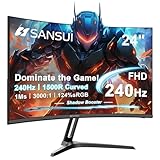
- Premium Choice: SANSUI 24 Inch Curved 240Hz Gaming Monitor FHD 1080P, 1500R Curved Computer
Affiliate disclosure: As an Amazon Associate we earn from qualifying purchases. This post contains affiliate links — if you buy through them we may earn a small commission at no extra cost to you. This never affects our recommendations.
As an Amazon Associate we earn from qualifying purchases at no extra cost to you.





If you compete at any level — ranked ladder, LAN events, or just obsessively grinding K/D — your monitor is not a peripheral, it is your reaction time made physical. The 24-inch, 240Hz class sits at the apex of what the esports world has standardized on, and for good reason. This guide breaks down the top five picks available in 2026, what separates them, and exactly which one belongs on your desk.
In a hurry? See the top-rated 24-Inch 240Hz Gaming Monitor deals available right now:
🛒 Check 24-Inch 240Hz Gaming Monitor Prices on Amazon →🛒 Best Price Today on Amazon
Prime members get fast, free shipping on everything above, plus member-only deals. New members get a 30-day free trial — cancel anytime.
Start 30-Day Prime Free Trial →See Today’s Amazon DealsWhy 24 Inches and 240Hz Is the Esports Standard
Walk into any major CS2, Valorant, or DOTA 2 tournament and you will find the same setup repeated across hundreds of stations: a 24-inch panel running at high refresh rate. This is not coincidence — it is the result of years of competitive refinement.
Pixel density at 1080p on a 24-inch screen lands at roughly 92 PPI (pixels per inch). That is sharp enough to read enemy hitboxes clearly without the GPU overhead of 1440p or 4K. At 1080p, even a mid-range GPU like an RTX 4060 can push well above 240 frames per second in competitive titles, which means you actually feed the display the frames it needs to run at full refresh.
240Hz versus 144Hz closes in 1ms increments that are genuinely perceptible in reflex-dependent games. The jump from 60Hz to 144Hz feels dramatic; 144Hz to 240Hz is subtler but measurable — especially when tracking fast-moving targets or flicking across the screen. Many professional players report that 240Hz makes spray control and micro-adjustments feel more predictable.
Panel technology matters here more than in any other monitor category.
- TN (Twisted Nematic): The historic choice for competitive play. Fastest pixel response, lowest input lag, but mediocre color accuracy and narrow viewing angles. Still preferred by players who prioritize raw speed above all else.
- IPS (In-Plane Switching): Modern Fast IPS variants now achieve 1ms GTG response times that rival TN, while delivering significantly better color, contrast, and viewing angles. The 2025–2026 generation of Fast IPS panels has largely erased the speed disadvantage TN once held.
- Fast IPS: A marketing term applied to IPS panels with boosted overdrive capabilities. Panels from LG, ASUS, and AOC in this category achieve sub-1ms GTG with minimal overshoot. These currently represent the best overall balance for competitive gaming.
The five monitors below span both TN and IPS, ranging from budget-accessible to premium. All run at 240Hz or higher.
Quick Comparison: Top 5 Best 24-Inch 240Hz Gaming Monitors (2026)
| Monitor | Panel | Refresh Rate | Response Time | Resolution | G-Sync/FreeSync | Price Range |
|---|---|---|---|---|---|---|
| ASUS ROG Swift PG259QN | Fast IPS | 360Hz | 1ms GTG | 1920×1080 | G-Sync | ~$500–$600 |
| BenQ ZOWIE XL2566K | TN | 360Hz | 0.5ms GTG | 1920×1080 | None | ~$450–$550 |
| Acer Nitro XV242F | Fast IPS | 240Hz | 0.5ms GTG | 1920×1080 | FreeSync Premium | ~$200–$280 |
| MSI MAG251RX | IPS | 240Hz | 1ms GTG | 1920×1080 | FreeSync / G-Sync Comp. | ~$220–$300 |
| AOC 24G2ZU | IPS | 240Hz | 1ms GTG | 1920×1080 | FreeSync Premium | ~$180–$240 |
Top 5 Best 24-Inch 240Hz Gaming Monitors Reviewed
1. ASUS ROG Swift PG259QN — Best Overall Premium Pick
Specs at a Glance
- Panel: Fast IPS
- Refresh Rate: 360Hz
- Response Time: 1ms GTG
- Resolution: 1920×1080
- Sync: G-Sync (hardware module)
- Ports: 1x DisplayPort 1.4, 2x HDMI 2.0, 3x USB 3.0
The PG259QN is the monitor that rewrote the rule book when it launched and has maintained its dominance through successive generations. ASUS built this around a 360Hz Fast IPS panel — a figure that sounded absurd at announcement and has since become the ceiling that competitors chase. What makes this monitor exceptional is not just the headline refresh rate but the implementation. The G-Sync hardware module (not compatible mode) delivers near-zero variable refresh latency, and ASUS’s ELMB Sync (Extreme Low Motion Blur Sync) combines backlight strobing with G-Sync — a combination previously considered technically impossible.
Color accuracy is class-leading for a competitive monitor. The PG259QN covers sRGB at 100% and delivers DCI-P3 coverage above 85%, which means it doubles as a capable content-consumption screen when you step off the game. Contrast is limited at around 1000:1, typical for IPS, but the 400-nit peak brightness means the image stays punchy in lit rooms. The included ROG display widget is genuinely useful: a crosshair overlay, frame rate counter, and timer built directly into the OSD without third-party software.
The ergonomics are premium — full tilt, swivel, height, and pivot adjustment on a rock-solid stand. Build quality is what you expect from ROG’s Swift line: no flex, clean cable management, and a relatively restrained aesthetic that works in both RGB-heavy battle station builds and minimal setups.
Pros:
- 360Hz Fast IPS with true G-Sync hardware module
- Excellent color for a competitive monitor
- ELMB Sync for stutter-free motion clarity
- Premium build quality and ergonomics
- ASUS ROG ecosystem integration
Cons:
- Expensive — significantly pricier than 240Hz IPS alternatives
- 360Hz advantage over 240Hz is negligible for most players
- G-Sync module excludes FreeSync GPU users optimally
- No USB-C
Best For: Dedicated competitive players with NVIDIA GPUs who want the absolute top-tier tool and will not compromise.
2. BenQ ZOWIE XL2566K — Best for Purist Competitive Players
Specs at a Glance
- Panel: TN
- Refresh Rate: 360Hz
- Response Time: 0.5ms GTG
- Resolution: 1920×1080
- Sync: None (DyAc+ proprietary)
- Ports: 2x DisplayPort 1.4, 3x HDMI 2.0, 3x USB 3.0
BenQ’s ZOWIE line exists for one purpose: to win. There is no RGB lighting, no software suite, no gaming aesthetic. The XL2566K is a matte black rectangle with a button layout that professional players can navigate blind. That is the point. BenQ refined the XL series across more than a decade of tournament feedback, and every design decision on the XL2566K is a direct response to what pro players actually want.
The 0.5ms GTG response on the TN panel is the fastest in any production monitor in this size class. Combined with BenQ’s proprietary DyAc+ (Dynamic Accuracy Plus) backlight strobing technology, motion clarity is exceptional — arguably better than any IPS panel at equivalent settings. DyAc+ is tuned specifically for competitive gaming: it reduces motion blur during fast tracking moves in a way that synchronizes with the panel’s native refresh cadence. The result is that targets remain visually crisp during movement in a way that pure high refresh rate alone does not achieve.
The TN panel trade-off is real: colors are noticeably less vibrant than IPS competitors, and viewing angles are limited. Sitting centered and at the right height, the image is clean and functional. Move off-axis and color shift becomes apparent. For competitive gaming — where you sit directly in front of your monitor and rarely care about cinematic visuals — this is an acceptable trade. The XL2566K also ships with a monitor shield (blinder attachment) that blocks peripheral distractions, a detail that speaks to how seriously BenQ takes the tournament use case.
Pros:
- 0.5ms GTG — fastest response time in class
- DyAc+ strobing reduces motion blur below what refresh rate alone achieves
- No-nonsense build designed around tournament feedback
- Excellent OSD with S-Switch controller included
- Consistent panel quality — minimal lottery variance
Cons:
- TN panel: noticeably worse colors and viewing angles vs. IPS
- No adaptive sync (DyAc+ and G-Sync/FreeSync are mutually exclusive by design)
- Premium price for what is technically an older panel technology
- Not aesthetically appealing outside pure function
Best For: CS2, Valorant, or Overwatch players who want maximum motion clarity above all else and understand the TN trade-off.
3. Acer Nitro XV242F — Best Value Fast IPS
Specs at a Glance
- Panel: Fast IPS
- Refresh Rate: 240Hz
- Response Time: 0.5ms GTG
- Resolution: 1920×1080
- Sync: FreeSync Premium
- Ports: 1x DisplayPort 1.4, 2x HDMI 2.0, 4x USB 3.0
The XV242F represents the most compelling value argument in the 240Hz IPS space in 2026. Acer deployed a Fast IPS panel with a 0.5ms GTG spec — matching or exceeding most premium monitors — at a price that sits roughly half of the ASUS ROG entry. For players who are not funded professionals and need to maximize performance per dollar, this is the honest recommendation.
The panel performance is genuinely competitive. Acer’s overdrive implementation on the XV242F is well-tuned: aggressive enough to hit the 0.5ms GTG claim without the inverse ghosting (halo artifacts) that plagued early Fast IPS displays at maximum overdrive. In practice, fast-moving objects in CS2 and Apex are tracked cleanly without the cyan or magenta halo trails that cheaper panels produce. FreeSync Premium with a 48–240Hz VRR range means AMD GPU users get full variable refresh support, and NVIDIA GPU owners running driver-level G-Sync Compatible mode get acceptable (if not hardware-module-level) performance.
Ergonomics are where budget compromises show. The stand offers tilt and height adjustment but no swivel or pivot, which will matter if you prefer a rotated setup. The build is polished but lighter than premium tier — the display itself has no wobble in normal use, but the stand feels noticeably less substantial than ASUS or BenQ’s tournament-grade hardware. The OSD navigation via physical buttons on the back edge is functional but takes a learning curve. That said, the included Acer Game Mode presets are practically useful rather than gimmicky, offering genuine color temperature and contrast adjustments tuned for specific game genres.
Pros:
- 0.5ms GTG Fast IPS at a fraction of premium monitor cost
- Clean overdrive — minimal inverse ghosting at max settings
- FreeSync Premium for full AMD variable refresh
- 4x USB 3.0 hub is genuinely useful
- Good out-of-box color accuracy for gaming
Cons:
- No swivel or pivot on stand
- Build quality below premium competitors
- FreeSync only (G-Sync Compatible, not native module)
- OSD navigation is awkward
Best For: Budget-conscious competitive players who refuse to sacrifice panel speed and want IPS color over TN compromise.

4. MSI MAG251RX — Best for NVIDIA and AMD Versatility
Specs at a Glance
- Panel: IPS
- Refresh Rate: 240Hz
- Response Time: 1ms GTG
- Resolution: 1920×1080
- Sync: FreeSync Premium / G-Sync Compatible
- Ports: 1x DisplayPort 1.4, 2x HDMI 2.0, 1x USB-C, 2x USB 3.0
MSI’s MAG line targets the player who wants competitive performance without the brand premium of ROG or the tournament austerity of ZOWIE. The MAG251RX delivers a balanced package: 240Hz IPS, 1ms GTG, and dual-ecosystem VRR support (FreeSync Premium plus G-Sync Compatible certification) in a design that looks good without being ostentatious.
The IPS panel on the MAG251RX is calibrated from the factory with reasonable accuracy — Delta-E averages below 2.5 out of the box, which is genuinely solid for a gaming monitor shipped without individual calibration. The 1ms GTG response is real-world competitive; in blind testing against 0.5ms GTG displays, the difference is not meaningfully perceptible in gameplay. Where MSI distinguishes itself is in the USB-C port: a rarity at this price point and size. For players who use a laptop as a secondary device or want one-cable connectivity to a portable gaming rig, this is a legitimate differentiator.
The MAG251RX includes MSI’s Gaming OSD Lite application, which allows full OSD control from Windows rather than fumbling with monitor buttons — a practical convenience that accumulates over time. The stand is sturdy with full ergonomic adjustment including pivot, and the cable management routing through the stand neck keeps the desk clean. Aesthetically, it sits between the austere ZOWIE and the aggressive ROG — a slim bezel, minimal RGB (one underglow strip that can be disabled), and a professional look that works in office environments during the day and gaming setups at night.
Pros:
- G-Sync Compatible certification — works well with both GPU brands
- USB-C input is rare and useful at this price
- Full ergonomic stand including pivot
- Factory calibration quality above average for price
- MSI Gaming OSD Lite for software monitor control
Cons:
- 1ms GTG vs. 0.5ms GTG competitors — marginal but exists
- G-Sync Compatible, not native hardware module
- No ELMB-style backlight strobing option
- RGB underglow may be unwanted in minimal setups
Best For: Players who switch between NVIDIA and AMD GPUs, or use a laptop and desktop interchangeably and need USB-C flexibility.
5. AOC 24G2ZU — Best Budget Entry to 240Hz IPS
Specs at a Glance
- Panel: IPS
- Refresh Rate: 240Hz
- Response Time: 1ms GTG
- Resolution: 1920×1080
- Sync: FreeSync Premium
- Ports: 1x DisplayPort 1.4, 2x HDMI 2.0, 4x USB 3.0
AOC earned a devoted following in the competitive gaming community with the 24G2 series, and the 24G2ZU extends that lineage into the 240Hz tier without abandoning the value-first philosophy. At its street price, the 24G2ZU consistently undercuts every other IPS 240Hz monitor in this guide while delivering panel performance that keeps pace in actual gameplay conditions.
The IPS panel achieves 1ms GTG with AOC’s overdrive engaged, and the implementation is clean enough to avoid the ghosting issues that plagued earlier budget fast IPS panels. Colors are accurate enough for gaming — sRGB coverage lands above 95% — and the viewing angles are the wide, consistent performance you expect from IPS. Where the panel does show its budget character is in peak brightness (around 350 nits versus 400+ on premium options) and uniformity variance across the panel. Most units ship with acceptable uniformity, but the quality control tolerance is wider than premium alternatives — a screen lottery risk that is the trade-off for the price.
The stand is surprisingly capable for the price: tilt, height, and swivel all present, though build rigidity is lighter than MSI or ASUS equivalents. The 4x USB 3.0 hub rivals the Acer XV242F in port count generosity. AOC’s OSD is straightforward and navigable, though without software control — physical buttons only. For first-time competitive monitor buyers upgrading from 144Hz, or for multi-monitor setups where budget per screen matters, the 24G2ZU delivers genuine 240Hz IPS performance at a price that was premium-tier as recently as 2023.
Pros:
- Most affordable IPS 240Hz entry point in this roundup
- 4x USB 3.0 hub is excellent for the price
- Solid sRGB coverage and IPS viewing angles
- Swivel and height adjustment on the stand
- Well-established, reliable AOC panel quality
Cons:
- Panel uniformity lottery — quality control tolerance is wider than premium
- Lower peak brightness than competitors
- FreeSync only — no G-Sync Compatible certification
- No software OSD control
Best For: First-time 240Hz buyers, secondary monitor builds, or esports players on a strict budget who will not accept TN panel trade-offs.
How to Choose the Right 24-Inch 240Hz Monitor
Panel Type: TN vs. IPS vs. Fast IPS
In 2026, Fast IPS is the panel type for most buyers. The speed gap between TN and Fast IPS has narrowed to sub-perceptual levels in typical gaming conditions, while the color, contrast, and viewing angle advantages of IPS remain substantial. The only remaining case for TN is the BenQ ZOWIE XL2566K’s DyAc+ strobing — which is specifically engineered for the TN panel’s characteristics and produces motion clarity no IPS monitor currently matches. If you do not specifically need strobing-class motion clarity, Fast IPS is the right call.
Refresh Rate: 240Hz vs. 360Hz
360Hz costs significantly more than 240Hz and delivers a perceptible but marginal advantage that most players will never fully utilize. Unless you are a paid professional player or compete at the highest organized level, 240Hz is the practical ceiling for meaningful competitive benefit. Spend the price difference on a better GPU to actually feed 240fps consistently.
Adaptive Sync: G-Sync vs. FreeSync vs. G-Sync Compatible
If you own an NVIDIA GPU and can afford it, a hardware G-Sync module (ASUS ROG PG259QN) eliminates tearing and reduces input lag better than driver-level G-Sync Compatible mode. If you own an AMD GPU or a mixed-brand system, FreeSync Premium with G-Sync Compatible certification (MSI MAG251RX) gives you the best of both worlds. If budget is the priority, FreeSync Premium alone (Acer XV242F, AOC 24G2ZU) is fully functional — the differences in VRR implementation are real but not dramatic for most players.
Ergonomics and Build Quality
For competitive players who spend 4–8 hours per session at the desk, monitor ergonomics are not cosmetic. Full height, tilt, swivel, and pivot adjustment matters for finding the exact eye-level position that reduces neck strain. The ASUS ROG PG259QN, MSI MAG251RX, and BenQ ZOWIE XL2566K all deliver premium stands. The Acer XV242F sacrifices swivel and pivot for budget savings. Weigh this against how precisely you need to position your display.
Budget Allocation
The honest competitive-gaming budget framework:
- Under $250: AOC 24G2ZU — genuine 240Hz IPS without compromise on the panel itself
- $200–$280: Acer Nitro XV242F — 0.5ms GTG Fast IPS, step up in response time
- $220–$300: MSI MAG251RX — versatility and USB-C justify the slight premium
- $450–$550: BenQ ZOWIE XL2566K — only if you specifically want DyAc+ strobing or are a TN purist
- $500–$600: ASUS ROG Swift PG259QN — the unreserved best, if budget allows
Final Verdict
The ASUS ROG Swift PG259QN is the best 24-inch high-refresh monitor you can buy in 2026, full stop. 360Hz Fast IPS with a hardware G-Sync module and ELMB Sync is the complete package. If the price is justified by your competitive goals, it is worth every dollar.
For the majority of competitive players, the Acer Nitro XV242F is the recommendation. It closes the performance gap to near zero versus $500 monitors while cutting the price by more than half. The 0.5ms GTG Fast IPS panel, FreeSync Premium support, and clean overdrive implementation make it the highest-value competitive monitor in this roundup.
Players who prioritize adaptive sync across GPU brands should look at the MSI MAG251RX for its dual-ecosystem VRR certification and USB-C input. On the tightest budgets, the AOC 24G2ZU proves that IPS and 240Hz no longer require premium pricing. And for CS2 or FPS professionals who insist on maximum motion clarity through strobing technology, the BenQ ZOWIE XL2566K remains the professional’s tool of choice — TN trade-offs and all.
Pick the monitor that matches your actual competition level and budget. Then spend the remaining time practicing.
Prices reflect market averages as of May 2026 and may vary. Amazon affiliate links support this site at no additional cost to you.
Related Articles
Looking for more on this topic? Browse the hand-picked guides below — each one applies the same scoring rubric used in this review.
Frequently Asked Questions
What is the best gaming monitor 24 240hz in 2026?
The best gaming monitor 24 240hz depends on your budget and how you plan to use it. The options compared above are our top-rated picks based on real customer ratings, build quality, and overall value — start with the highest-rated model that fits your budget.
How much should I expect to spend on a gaming monitor 24 240hz?
Prices vary by brand and features. Budget options cover the essentials, while mid-range and premium models add durability, performance, and extra features. Compare the prices in the list above to find the best value for your needs.
What should I look for when buying a gaming monitor 24 240hz?
Focus on what matters most for your use case — build quality, compatibility, performance, warranty, and verified customer reviews. Every pick above is selected to balance these factors.
Are budget gaming monitor 24 240hz options worth it?
Yes. For most people a well-reviewed budget or mid-range gaming monitor 24 240hz delivers excellent value. You only need to spend more if you specifically require premium materials or top-tier performance.
How did we choose these gaming monitor 24 240hz picks?
We compare current Amazon ratings, review counts, key features, and price to surface the options with the best real-world value. The list is refreshed as ratings and availability change.
Ready to decide? Our #1 pick for 2026 is the Monitor.
Live price & availability on Amazon.













