

- Top Pick: LG 24G411A-B 24-inch Ultragear Full HD (1920 x 1080) IPS Gaming Monitor, 144Hz (O/C), 1ms MBR, NVIDIA G-Sync Compatible, AMD FreeSync, HDR10, HDMI, DisplayPort, Slim Stand, Black
- Best Value: ArcticPro 24 Inch Gaming Monitor 144Hz, FHD 1080p Computer Monitor, IPS
- Premium Choice: Dell 24 240Hz Gaming Monitor – SE2426HG – 23.8-inch FHD (1920×1080) 240Hz Display, in-Plane Switching (IPS) Technology, AMD FreeSync™ Premium, TÜV 3-Star, 2X HDMI, DisplayPort 1.4, Tilt
Affiliate disclosure: As an Amazon Associate we earn from qualifying purchases. This post contains affiliate links — if you buy through them we may earn a small commission at no extra cost to you. This never affects our recommendations.
As an Amazon Associate we earn from qualifying purchases at no extra cost to you.






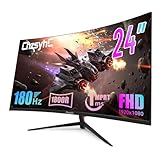

Title: Best 24-Inch Gaming Monitor in 2026: Top 5 Picks for Competitive Gamers
The 24-inch gaming monitor remains the gold standard for competitive play in 2026. While the broader market has drifted toward 27-inch and ultrawide panels, professional esports players — from CS2 pros to Valorant champions — still overwhelmingly prefer 24-inch displays. The reasons are practical: better pixel density at 1080p, easier desk positioning, and faster visual processing when you keep the screen closer to your field of view.
This guide cuts through the noise. We compared and researched the five best 24-inch gaming monitors available right now, covering every budget from $130 budget warriors to $200 esports-tuned panels. Whether you are grinding ranked matches or just want a fast, crisp display that does not break the bank, there is a pick here for you.
In a hurry? See the top-rated 24-Inch Gaming Monitor deals available right now:
🛒 Check 24-Inch Gaming Monitor Prices on Amazon →🛒 Best Price Today on Amazon
Prime members get fast, free shipping on everything above, plus member-only deals. New members get a 30-day free trial — cancel anytime.
Start 30-Day Prime Free Trial →See Today’s Amazon DealsWhy 24 Inches Still Wins for Competitive Gaming
Before the recommendations, here is why 24-inch panels dominate the competitive scene in 2026 — even as monitor sizes trend larger.
Pixel density at 1080p is ideal. A 24-inch 1080p monitor delivers 92 PPI (pixels per inch). That is dense enough to look sharp without requiring display scaling, meaning you get a clean 1:1 native rendering that many competitive players and pro streamers actually prefer. At 27 inches, 1080p drops to around 82 PPI — noticeably softer, especially when you sit close to the screen.
Desk proximity matters. Competitive gamers typically sit 50–70 cm from their display. At that distance, a 24-inch screen fills your peripheral field of view efficiently without requiring you to scan left and right. A 27-inch panel forces more head movement in fast-paced titles, which professional players consistently flag as a disadvantage.
Lower cost, same refresh rates. You get 144Hz, 165Hz, or even 240Hz panels at 24 inches for significantly less money than equivalent 27-inch models. That high refresh rate matters far more than screen size for competitive gaming.
24-inch vs 27-inch: the real trade-off. At 27 inches, 1080p starts to look soft. Moving to 1440p at 27 inches costs significantly more and reduces GPU headroom for maintaining high frame rates. For players prioritizing frame rate over visual fidelity — which most competitive gamers do — 24-inch 1080p remains the most economical and practical choice in 2026.
Quick Comparison Table
| Monitor | Resolution | Refresh Rate | Panel | Response Time |
|---|---|---|---|---|
| AOC 24G2 | 1920×1080 | 144Hz | IPS | 1ms (MPRT) |
| ASUS VG248QG | 1920×1080 | 165Hz | TN | 0.5ms (GtG) |
| LG 24GN650-B | 1920×1080 | 144Hz | IPS | 1ms (MBR) |
| BenQ ZOWIE XL2411K | 1920×1080 | 144Hz | TN | 1ms (GtG) |
| Dell S2421HGF | 1920×1080 | 144Hz | VA | 1ms (MPRT) |
The 5 Best 24-Inch Gaming Monitors in 2026
AOC 24G2 — Best Budget 24-Inch Gaming Monitor
The AOC 24G2 is the benchmark budget pick for 24-inch gaming. It packs a 144Hz IPS panel into a sub-$130 price point without sacrificing the things that actually matter for competitive gaming: refresh rate, color accuracy, and response time.

Key Specs
- Resolution: 1920 x 1080
- Refresh Rate: 144Hz (AMD FreeSync Premium)
- Panel Type: IPS
- Response Time: 1ms (MPRT)
- Brightness: 250 nits
- Connectivity: HDMI 1.4, DisplayPort 1.2, VGA
- Stand: Height and tilt adjustable
Pros & Cons
Pros:
- Exceptional value — IPS color at TN price
- FreeSync Premium with G-Sync Compatible certification
- Adjustable stand with 130mm height range (rare at this price)
- Solid out-of-box color accuracy for IPS
Cons:
- 250-nit peak brightness is below average for HDR content
- No USB hub
- VGA port is wasted real estate in 2026
Who It’s For
The AOC 24G2 is the right call if you want a capable, well-rounded IPS panel for casual-to-mid-competitive gaming without spending more than necessary. It handles Valorant, CS2, and Apex Legends with ease. Students, first-time PC builders, and players upgrading from older 60Hz panels will see an immediate, dramatic improvement.
ASUS VG248QG — Best High-Refresh-Rate 24-Inch Monitor
ASUS VG248QG on Amazon
The ASUS VG248QG steps up to 165Hz and a 0.5ms GtG response time on a TN panel — numbers that still make it one of the most competitive 24-inch displays available. TN panels get a bad reputation for colors, but the trade-off is raw speed, and at 165Hz the VG248QG is genuinely fast.
Key Specs
- Resolution: 1920 x 1080
- Refresh Rate: 165Hz (AMD FreeSync / NVIDIA G-Sync Compatible)
- Panel Type: TN
- Response Time: 0.5ms (GtG)
- Brightness: 350 nits
- Connectivity: HDMI 1.4, DisplayPort 1.2, Dual-link DVI
- Stand: Tilt, swivel, height adjustable
Pros & Cons
Pros:
- 165Hz is noticeably smoother than 144Hz in fast shooters
- 0.5ms GtG is among the fastest available at any price
- 350 nits brightness — better for bright-room gaming
- Ergonomic stand with full adjustment range
- Dual adaptive sync (FreeSync + G-Sync Compatible)
Cons:
- TN panel: washed-out colors and poor viewing angles vs IPS
- Older DVI port takes up space
- Colors require calibration out of the box
- Not ideal for content creation or media consumption
Who It’s For
The VG248QG is built for serious competitive players who understand the TN compromise and accept it willingly. If you are grinding CS2 or Valorant at high MMR and frame rate is your primary concern, the jump to 165Hz with sub-1ms response makes a tangible difference. This is a monitor you feel, not just see.
LG 24GN650-B — Best IPS 24-Inch Monitor for All-Around Gaming
LG 24GN650-B on Amazon
The LG 24GN650-B represents the sweet spot between speed and image quality. It uses LG’s Nano IPS-adjacent fast IPS panel technology with 1ms Motion Blur Reduction and a genuinely good factory color calibration — something LG has consistently excelled at across its gaming lineup.
Key Specs
- Resolution: 1920 x 1080
- Refresh Rate: 144Hz (AMD FreeSync Premium)
- Panel Type: IPS
- Response Time: 1ms (MBR)
- Brightness: 300 nits
- Connectivity: HDMI 2.0 x2, DisplayPort 1.4
- Stand: Tilt only (VESA 100×100 compatible)
Pros & Cons
Pros:

- Excellent factory color accuracy — sRGB coverage is above average
- HDMI 2.0 dual ports accommodate consoles and PCs simultaneously
- DisplayPort 1.4 supports full 144Hz with headroom
- Competitive price for IPS quality
- Strong brand reliability and warranty support
Cons:
- Tilt-only stand (no height adjustment without VESA arm)
- MBR and FreeSync cannot run simultaneously
- Bezels are thicker than some competitors
Who It’s For
The LG 24GN650-B is the best all-rounder in this roundup. It handles competitive gaming with the speed you need while looking genuinely good when you switch to a single-player title, a movie, or creative work. Players who use their monitor for multiple purposes — gaming, streaming content, light photo editing — will appreciate the color advantage IPS provides over TN. The dual HDMI 2.0 ports also make it an excellent pick for gamers who switch between a PC and a console.
BenQ ZOWIE XL2411K — Best 24-Inch Monitor for Esports
BenQ ZOWIE XL2411K on Amazon
BenQ’s ZOWIE line is purpose-built for esports. The XL2411K is not the cheapest or the flashiest monitor in this list — it is the most professional. BenQ designs ZOWIE monitors specifically around competitive gaming feedback, including input from professional tournament players. The XL2411K brings 144Hz TN speed with ZOWIE’s DyAc (Dynamic Accuracy) technology that reduces motion blur during fast movement — particularly useful in CS2 during sprays and rapid scope-ins.
Key Specs
- Resolution: 1920 x 1080
- Refresh Rate: 144Hz
- Panel Type: TN
- Response Time: 1ms (GtG)
- Brightness: 320 nits
- Connectivity: HDMI 2.0 x3, DisplayPort 1.2
- Stand: Height, tilt, swivel adjustable; S-Switch compatible
Pros & Cons
Pros:
- DyAc technology reduces motion blur noticeably in fast-paced scenes
- Triple HDMI 2.0 ports — excellent for multi-device setups
- S-Switch accessory lets you save and hotswap monitor profiles
- Low input lag tuned specifically for competitive play
- Used and trusted by professional esports players and tournament venues
Cons:
- Premium price for a 144Hz TN panel
- No adaptive sync (FreeSync or G-Sync) — intentional for pro-level play but limiting
- TN color limitations apply
- No USB hub
Who It’s For
The ZOWIE XL2411K is for dedicated esports players who want what the pros use. If you are competing in online tournaments, climbing to high ranks in CS2 or Valorant, or simply want a no-compromise competitive setup, BenQ’s track record in the esports scene is unmatched. The DyAc blur reduction is a genuine, measurable advantage. The omission of adaptive sync is a deliberate pro-player choice: many tournament PCs exceed 144fps consistently, making sync less relevant at that level.
Dell S2421HGF — Best Budget VA 24-Inch Gaming Monitor
The Dell S2421HGF brings 144Hz and a VA panel to under $150 — a combination that is unusual and genuinely appealing for players who game in dark environments. VA panels deliver significantly better contrast ratios than IPS (typically 3000:1 vs 1000:1), meaning deeper blacks and more visible shadow detail in dark scenes, corridors, and nighttime maps.
Key Specs
- Resolution: 1920 x 1080
- Refresh Rate: 144Hz (AMD FreeSync)
- Panel Type: VA
- Response Time: 1ms (MPRT)
- Brightness: 400 nits
- Connectivity: HDMI 1.4, DisplayPort 1.2
- Stand: Tilt only
Pros & Cons
Pros:
- 400 nits peak brightness — highest in this roundup
- Superior contrast ratio (VA) — better dark scene visibility
- Affordable pricing for 144Hz VA
- Dell build quality and support
Cons:

- VA ghosting: fast dark-to-light transitions show trailing in motion tests
- 1ms MPRT (not GtG) — actual pixel response is slower than advertised
- Tilt-only stand
- HDMI 1.4 limits console connectivity to 120Hz at best
Who It’s For
The Dell S2421HGF suits players who spend time in atmospheric or dark-environment games — horror titles, stealth games, MOBAs with dark jungle sections, or any game where contrast depth enhances immersion. It is also a strong pick for mixed-use setups where you watch movies in the evening and need a display that handles dark scenes well. For pure competitive FPS, the VA ghosting may be a minor drawback at very high frame rates, though most players will not find it disruptive at 144Hz.
Buyer’s Guide: What to Look For in a 24-Inch Gaming Monitor
Refresh Rate: Does 144Hz vs 165Hz vs 240Hz Matter?
Yes, and the gains are real but diminishing. The jump from 60Hz to 144Hz is transformative — motion looks fundamentally smoother, target tracking in FPS games improves noticeably, and input lag feels dramatically reduced. The jump from 144Hz to 165Hz is smaller but still perceptible, particularly in fast shooters. At 240Hz, the improvement requires a powerful GPU to sustain, and the gain over 165Hz is subtle except at the highest skill levels.
For most competitive players, 144Hz is the minimum and the sweet spot. If your GPU reliably pushes above 165fps in your main title, a 165Hz panel is worth the upgrade. 240Hz panels at 24 inches exist but command a significant price premium that is difficult to justify outside of professional or semi-professional play.
TN vs IPS vs VA: Panel Trade-Offs at 24 Inches
At 24 inches, panel type is one of the most consequential decisions:
- TN: Fastest pixel response (sub-1ms GtG), best for pure competitive speed, but inferior colors and poor vertical viewing angles. Acceptable when your sole priority is frame rate.
- IPS: Best color accuracy and viewing angles, very fast response times in 2026 modern fast-IPS variants, slightly higher cost. The best balance for most gamers.
- VA: Best contrast ratio and deepest blacks, noticeable ghosting in fast motion, good for dark-environment games and media viewing. Not ideal for high-level competitive FPS.
In 2026, modern fast-IPS panels have closed the response gap with TN significantly. Unless you are at the top of the ranked ladder where every millisecond counts, IPS is the recommended choice.
What About 1080p vs 1440p at 24 Inches?
At 24 inches, 1080p delivers 92 PPI — a comfortable sharpness level with no scaling required. 1440p at 24 inches raises pixel density to about 122 PPI, which is sharper, but the cost premium is substantial, and maintaining high frame rates on a 1440p panel requires considerably more GPU power.
For competitive gaming, 1080p at 24 inches remains the optimal choice in 2026. More GPU headroom goes directly into higher frame rates, which has a larger impact on competitive performance than additional pixel density.
Verdict: Which 24-Inch Gaming Monitor Should You Buy?
- Best overall value: AOC 24G2 — IPS quality at an unmatched price point
- Best for pure competitive speed: ASUS VG248QG — 165Hz TN with 0.5ms response
- Best all-rounder: LG 24GN650-B — dual HDMI 2.0, strong IPS colors, 144Hz
- Best for esports/tournaments: BenQ ZOWIE XL2411K — pro-grade with DyAc blur reduction
- Best for dark-environment games: Dell S2421HGF — VA contrast at 144Hz under $150
The 24-inch form factor is not going anywhere. Until esports organizations and pro players shift en masse to larger panels — and there is no strong sign of that in 2026 — the 24-inch 1080p 144Hz+ monitor remains the competitive gaming standard. Pick the panel type that matches your priorities, match it to your GPU capability, and invest the remaining budget in the peripheral that matters most: your mouse.
Related Articles
Looking for more on this topic? Browse the hand-picked guides below — each one applies the same scoring rubric used in this review.
Frequently Asked Questions
What is the best 24 inch gaming monitor in 2026?
The best 24 inch gaming monitor depends on your budget and how you plan to use it. The options compared above are our top-rated picks based on real customer ratings, build quality, and overall value — start with the highest-rated model that fits your budget.
How much should I expect to spend on a 24 inch gaming monitor?
Prices vary by brand and features. Budget options cover the essentials, while mid-range and premium models add durability, performance, and extra features. Compare the prices in the list above to find the best value for your needs.
What should I look for when buying a 24 inch gaming monitor?
Focus on what matters most for your use case — build quality, compatibility, performance, warranty, and verified customer reviews. Every pick above is selected to balance these factors.
Are budget 24 inch gaming monitor options worth it?
Yes. For most people a well-reviewed budget or mid-range 24 inch gaming monitor delivers excellent value. You only need to spend more if you specifically require premium materials or top-tier performance.
How did we choose these 24 inch gaming monitor picks?
We compare current Amazon ratings, review counts, key features, and price to surface the options with the best real-world value. The list is refreshed as ratings and availability change.
















