

- Top Pick: ErGear Single Monitor Arm, Fully Adjustable Monitor Mount for 13–34 Inch Screens, Fast Install Computer Monitor Stand with Tool-Free VESA Mount, Cable Management, Holds 19.8 lbs, Max VESA 100x100mm
- Best Value: HUANUO FlowLift™ Single Monitor Mount, 13 to 32 Inch Monitor Arm, Adjustable Monitor Stand, Vesa Mount with Clamp and Grommet Base – Fits 4.4 to 19.8lbs LCD Computer Monitors
- Premium Choice: NB SmooVex™ Monitor Mount, Monitor Stand fits up to 32 Inch, Mechanical Spring Mount, VESA 75/100 mm, Model-A5(Black)
Affiliate disclosure: As an Amazon Associate we earn from qualifying purchases. This post contains affiliate links — if you buy through them we may earn a small commission at no extra cost to you. This never affects our recommendations.
As an Amazon Associate we earn from qualifying purchases at no extra cost to you.



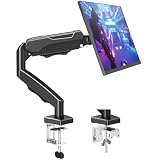

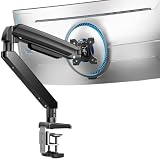
Your monitor stand ships in the box for free, so most gamers never think twice about it. That’s a mistake. A stock stand locks your display into one fixed position, consumes 6–8 inches of desk depth with its wide footprint, and almost always sits too low or too high for your eye level. A quality monitor arm fixes all three problems at once: it clamps to the desk edge, floats the display on an articulating arm, and lets you dial in the exact height, tilt, and viewing angle your posture demands. The result is more usable desk space, less neck strain during long sessions, and a cleaner cable run — all without touching your monitor itself. Whether you’re running a single 34-inch ultrawide or building a dual-display battle station, the right arm makes the whole setup feel intentional.
This guide covers the five best gaming monitor arms available in 2026, evaluated on weight capacity, articulation range, build quality, cable management, and value. We also walk through the key buying criteria — including VESA compatibility, which trips up more buyers than any other spec — and close with a clear verdict on which arm deserves your money.
In a hurry? See the top-rated Gaming Monitor Arm deals available right now:
🛒 Check Gaming Monitor Arm Prices on Amazon →🛒 Best Price Today on Amazon
Prime members get fast, free shipping on everything above, plus member-only deals. New members get a 30-day free trial — cancel anytime.
Start 30-Day Prime Free Trial →See Today’s Amazon DealsThe 5 Best Gaming Monitor Arms in 2026
Ergotron LX Desk Mount Monitor Arm
The Ergotron LX is the benchmark every other arm gets compared against, and in 2026 it still holds that position. Rated to 9 kg (approximately 20 lbs) and supporting monitors up to 34 inches, it covers the vast majority of single-display gaming setups including most curved ultrawides. The internal spring tension mechanism is fully adjustable via a hex key — tighten it for heavier panels, loosen it for lighter ones — and once set, the arm holds position precisely without creep or sag over time. That reliability is the main reason this arm keeps selling at a premium years after launch.
Articulation is genuinely full-range. The arm pivots at the desk post, at the elbow joint, and at the display tilt point, giving you roughly 13 inches of vertical travel and 360-degree rotation at the mount. You can swing the monitor fully out of the way when you need desk space for a keyboard tray, tablet, or actual work, and bring it back to gaming position without readjusting. The tilt range runs -90 to +90 degrees at the head, which covers both normal viewing and portrait-mode rotation for productivity windows.
Cable management is handled through internal channels that run the full length of both arm segments. Cables feed into the base, route through the elbow, and emerge cleanly at the display mount. The result is a near-seamless cable run that looks intentional rather than bundled with zip ties. The arm ships with both a desk clamp and a grommet mount, so it installs on edge-clamped desks and on desks with an existing cable hole without buying accessories separately.
Pros: best-in-class build quality, precise tension adjustment, included grommet and clamp hardware, broad weight range, long-proven reliability. Cons: highest price point in this category at around $160, and the premium finish shows fingerprints. Not the right choice if your monitor lacks VESA mounting holes (more on that below).
Amazon Basics Single Monitor Stand
Amazon’s own monitor arm punches well above its $70 price and deserves serious consideration for anyone who wants solid functionality without the premium cost. The spring mechanism supports monitors up to 8.2 kg (18 lbs) and panels up to 27 inches — enough for most 1080p and 1440p gaming monitors. The spring tension is adjusted via an external dial rather than a hex key, which makes on-the-fly changes easier but feels slightly less precise than Ergotron’s internal system. Under real-world use, the arm holds position reliably at moderate weights; very light panels (under 3 kg) may benefit from additional tension adjustment.
The articulation covers the core use cases well: the arm sweeps horizontally, the elbow bends through a practical range, and the display head tilts and swivels. Vertical travel is slightly more limited than the Ergotron LX — roughly 11 inches — but sufficient for most single-monitor setups. The arm does not rotate to portrait orientation as smoothly as higher-end options, but it handles landscape gaming positions without issue.
Cable management is the weakest point of the design. There are cable clips along the arm rather than internal routing channels, so cables are visible and require occasional re-clipping when you reposition the display. It’s functional but not as clean as the Ergotron or Elgato options. The desk clamp is solid and the mounting footprint is compact; a grommet adapter is not included in the standard package. VESA compatibility is standard 75×75 and 100×100, matching nearly all monitors in the supported size range.
Pros: excellent price-to-performance ratio, easy tension dial, compact packaging, reliable for everyday gaming use. Cons: cable management relies on external clips, no included grommet mount, limited to 27-inch panels, spring feel is slightly notchy compared to premium arms.

VIVO Premium Aluminum Single Monitor Arm
VIVO’s gas-spring aluminum arm sits in the sweet spot between the Amazon Basics and the Ergotron — better materials and smoother motion than the budget option, without the Ergotron’s price. Rated to 8 kg (17.6 lbs) and supporting monitors up to 32 inches, the gas-spring cylinder delivers a noticeably smoother repositioning feel than coil-spring alternatives. You adjust height and tilt with one hand, and the arm stays exactly where you leave it. The all-aluminum construction keeps the arm itself lightweight while looking and feeling substantially more premium than plastic-body arms in the same price range.
Articulation covers about 14 inches of vertical adjustment, 360-degree monitor rotation, and ±45 degrees of tilt. The elbow joint allows the arm to fold back against the desk when not in use, which is useful for shared desks or rooms where the monitor needs to be out of sight. The gas spring is pre-set at the factory and handles the stated weight range without user adjustment in most cases; very light monitors (under 2 kg) can sometimes cause the arm to float upward slightly unless the adjustment screw is engaged.
Cable management uses both internal routing through the arm column and external management clips near the head — a hybrid approach that keeps the main cable run tidy while providing flexibility at the display end. The desk clamp and grommet hardware are both included, and the arm accepts VESA 75×75 and 100×100 mounts. Build quality on the aluminum segments is notably good for the price; the joints feel tight and the finish is consistent.
Pros: smooth gas-spring action, aluminum construction, both clamp and grommet included, 14-inch vertical travel, strong value at roughly $90. Cons: gas spring tension not field-adjustable, very light monitors may need additional weight compensation, articulation range at the elbow is slightly narrower than the Ergotron LX.
Elgato Monitor Arm Pro
The Elgato Monitor Arm Pro is the arm designed for content creators and streamers who need cable management treated as a first-class feature rather than an afterthought. Rated for monitors up to 40 inches and 8 kg, it has the largest panel support in this roundup — relevant for anyone running a large curved gaming monitor or a content production display. The arm’s most distinctive feature is its fully enclosed cable channel: the entire arm body is hollow, and cables feed in at the base and exit at the display mount completely out of sight. No clips, no external routing, no visible cable runs of any kind when installed correctly.
Articulation is competitive with the Ergotron LX: the arm moves through a wide horizontal arc, the elbow folds and extends through full range, and the display mount tilts, swivels, and rotates to portrait. Ergotron LX handles up to 34 inches; the Elgato handles 40 inches at the same weight rating, which matters if you’re running a 38- or 40-inch ultrawide. The gas-spring mechanism is smooth and holds position well across the supported weight range. Both desk clamp and grommet mount hardware are included in the box.
The price reflects the premium build and the brand association with Elgato’s streaming ecosystem. At around $200, it costs $40 more than the Ergotron LX and significantly more than the gas-spring alternatives. That premium buys you the cleaner cable management, the 40-inch panel support, and the Elgato aesthetic that fits seamlessly into a black-and-space-gray streaming setup. For gamers who also produce content and want a desk that looks camera-ready, the price difference is easy to justify. For pure gaming use where cable management is less of a priority, the Ergotron LX at $40 less covers most needs equally well.
Pros: fully enclosed cable routing, 40-inch panel support, smooth gas spring, clean aesthetic, both mounting options included. Cons: highest price in this roundup at ~$200, overkill for setups where cables are managed separately, 8 kg weight limit does not scale with the larger panel support.
North Bayou F80 Gas Spring Monitor Arm
The North Bayou F80 is the budget champion — a gas-spring arm for around $40 that delivers the smooth repositioning feel normally found at twice the price. Rated to 8 kg and supporting monitors up to 32 inches, the F80 handles the majority of 24- to 32-inch gaming monitors without issue. The gas cylinder is internally adjustable via a screw at the base to accommodate different monitor weights, and the mechanism holds position consistently under normal use. At this price, the F80 competes directly with arms that use inferior coil springs; the gas-spring advantage — smooth, one-hand repositioning without the bouncy feel — is real and noticeable.
Build quality is adequate rather than impressive. The arm body is plastic with metal internals, and the joints are functional but do not feel as precise as aluminum-body arms. Under regular gaming use this is a non-issue; the arm does not wobble or drift. Cable management uses external cable clips along the arm, keeping cables tidy without an internal channel. The desk clamp is the standard design, and a grommet adapter is available separately. VESA compatibility covers 75×75 and 100×100, matching the vast majority of monitors in the F80’s supported size range.

For a first monitor arm purchase, a budget-conscious build, or a secondary display in a multi-monitor setup, the F80 is hard to argue with. It does everything a monitor arm needs to do at the lowest price in this category. The trade-offs versus the VIVO Premium at twice the price — plastic construction, external cable management, slightly less precise joints — are real but not deal-breaking for most gaming use cases.
Pros: gas-spring mechanism at an entry-level price, field-adjustable tension, supports up to 32-inch monitors, strong value. Cons: plastic construction, no internal cable routing, grommet adapter sold separately, finish less premium than aluminum alternatives.
Comparison Table
| Arm | Weight Capacity | VESA | Reach |
|---|---|---|---|
| Ergotron LX | 9 kg / 20 lbs | 75×75, 100×100 | ~13 in vertical |
| Amazon Basics | 8.2 kg / 18 lbs | 75×75, 100×100 | ~11 in vertical |
| VIVO Premium Aluminum | 8 kg / 17.6 lbs | 75×75, 100×100 | ~14 in vertical |
| Elgato Monitor Arm Pro | 8 kg / 17.6 lbs | 75×75, 100×100 | ~13 in vertical |
| North Bayou F80 | 8 kg / 17.6 lbs | 75×75, 100×100 | ~13 in vertical |
How to Choose the Best Gaming Monitor Arm
VESA Compatibility — Check This First
The single most important pre-purchase check is whether your monitor has a VESA mount pattern on its back. VESA is the industry standard for display mounting: a square array of four threaded holes, typically in a 75×75 mm or 100×100 mm pattern. All five arms in this guide support both patterns.
The problem: not every monitor has VESA holes. Monitors with proprietary stands — common on certain Dell, LG, and Apple displays — either omit VESA mounting entirely or hide it behind a cover plate that requires the stand to be removed first. Check your monitor’s spec sheet or the label on the back panel before buying an arm. If your monitor lacks VESA, brand-specific VESA adapters exist for some models (LG UltraWide adapters are common), but they add cost and complexity. Buying a VESA-compatible monitor when you’re next upgrading is the cleaner solution.
Weight Capacity and Panel Size
Every arm in this guide is rated for 8–9 kg, which covers most gaming monitors up to 32–34 inches. If you’re running a large 38- or 40-inch ultrawide, the Elgato Monitor Arm Pro’s 40-inch support gives more confidence. Weigh your specific monitor against the arm’s rating with 10–15% margin — a 7 kg monitor is fine on an 8 kg arm, but running at the exact limit risks sag over time.
Spring Type: Gas vs. Coil
Gas-spring arms (VIVO, Elgato, North Bayou F80) use compressed gas for smooth, one-handed repositioning with no bounce. Coil-spring and spring-tension arms (Ergotron LX, Amazon Basics) use mechanical springs that are field-adjustable but can have a slightly stiffer or notchier feel depending on setup. For pure ergonomics, gas springs feel more natural; for long-term reliability and precise tension matching, adjustable coil/spring systems like the Ergotron have the edge.
Cable Management
If your desk is frequently on camera or you prioritize clean aesthetics, pay for internal cable routing — the Ergotron LX and Elgato Monitor Arm Pro both route cables through the arm body. If cable clips are acceptable and you want to save money, the VIVO, North Bayou, and Amazon Basics all handle cables adequately with external management.

Desk Mounting: Clamp vs. Grommet
Clamp mounts attach to the desk edge and work on most desks without modification. Grommet mounts thread through an existing cable hole in the desk surface and provide a more stable, lower-profile base. If your desk has a grommet hole, use it. The Ergotron LX, VIVO Premium, and Elgato Monitor Arm Pro include both mount types in the box; the Amazon Basics and North Bayou F80 include clamps only.
Desk Thickness
Most arms clamp desks up to 3.5–4 inches thick. Verify your desk edge falls within the arm’s clamp range, especially for thick hardwood or adjustable standing desks with double-layer tops.
Final Verdict
Best overall: The Ergotron LX earns its reputation. The internal cable channels, proven spring mechanism, precise tension adjustment, and included grommet hardware justify the $160 price for anyone who wants an arm they’ll still be using five years from now. It is the answer for most gamers who want to buy once.
Best value: The VIVO Premium Aluminum at $90 delivers gas-spring smoothness, aluminum construction, and a clean design at a price that’s hard to fault. If the Ergotron feels like too much to spend, start here.
Best budget: The North Bayou F80 proves that gas-spring technology does not have to cost $100. At $40, it handles 32-inch gaming monitors reliably and gives you the smooth repositioning feel that defines a quality arm. First-time buyers and secondary display setups are the ideal use case.
Best for streamers/content creators: The Elgato Monitor Arm Pro wins on cable management and large-panel support. The fully enclosed routing makes a real visual difference on camera, and the 40-inch capacity covers setups where other arms stop short.
Best for tight budgets: The Amazon Basics handles the core job competently for $70 and is the right choice if you’re equipping a 27-inch 1080p or 1440p gaming monitor and want a reputable, returnable product.
Regardless of which arm you choose, make sure your monitor has a compatible VESA pattern and weigh your panel before ordering. A monitor arm is one of the highest-impact, lowest-cost ergonomic upgrades available for a gaming desk — get it right and you’ll wonder how you managed without it.
Frequently Asked Questions
Why use a monitor arm for gaming?
A monitor arm frees up desk space, lets you fine-tune height and angle for better ergonomics, and makes it easy to reposition the screen. It also enables cleaner cable routing.
How do I know if a monitor arm fits my monitor?
Check the arm weight rating and VESA mount pattern, commonly 75×75 or 100x100mm, against your monitor specs. Heavy or ultrawide monitors need a sturdier, higher-rated arm.
Clamp or grommet mount for a monitor arm?
Clamp mounts attach to the desk edge and suit most setups, while grommet mounts pass through a hole in the desk for a cleaner look. Confirm your desk thickness supports the chosen method.
Can a monitor arm hold an ultrawide or heavy monitor?
Yes, but you need an arm rated for the monitor weight and width. Large ultrawides require heavy-duty arms with strong gas springs to stay stable and hold position.
Related Articles
Looking for more on this topic? Browse the hand-picked guides below — each one applies the same scoring rubric used in this review.
Ready to decide? Our #1 pick for 2026 is the Arm.
Live price & availability on Amazon.













