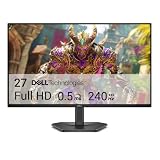
- Top Pick: Samsung 27" Odyssey G5 (G51F) Series QHD (1440P) Gaming Monitor
- Best Value: Acer Nitro 27in QHD 2560×1440 IPS 180Hz Gaming Monitor KG271U N3bmiipx
- Premium Choice: ASUS TUF Gaming 27” 1440P HDR Monitor (VG27AQ3A) – QHD (2560 x 1440), 180Hz, 1ms, Fast IPS, 130% sRGB, Extreme Low Motion Blur Sync, Speakers, Freesync Premium, G-SYNC Compatible, HDMI, DisplayPort
Shopping for a gaming monitor under $500 has never been more confusing. Panel technology has fragmented into fast IPS, VA, and now affordable QD-OLED, while marketing sheets throw around numbers — 180Hz, 1ms, HDR400 — that often mean very little in real gameplay. Spend carelessly and you end up with a monitor that looks washed out in daylight, smears in dark scenes, or refuses to hit its advertised refresh rate over the cable you actually own.
This guide cuts through that noise. We’ve focused on 27-inch 1440p monitors, which remain the sweet spot for both value and GPU headroom in 2026, and we’ve evaluated each pick on motion clarity, colour accuracy out of the box, HDR credibility, and connectivity. Every recommendation below is realistically obtainable within a $500 budget, and each one earns its place by doing at least one thing genuinely well rather than nothing badly.
As an Amazon Associate we earn from qualifying purchases at no extra cost to you.






⚡ Save on Your Next PC — Amazon Prime
Prime members get fast free shipping on the systems above, plus early access to Prime Day & Black Friday PC deals. New members get a 30-day free trial.
As an Amazon Associate we earn from qualifying purchases at no extra cost to you.

Watch: Best Gaming Monitor Under $500 — Video Review
How to Choose Gaming Monitor Under $500
- Resolution and size: At this budget, 27-inch QHD (2560×1440) is the target. It delivers a noticeable sharpness upgrade over 1080p without demanding the GPU horsepower that 4K gaming requires, and 1440p at 27 inches gives roughly 109 PPI — crisp text without needing display scaling.
- Panel type matters more than refresh rate: Fast IPS panels offer the best balance of colour, viewing angles, and response time for most players. VA panels give deeper contrast for single-player and horror titles but can smear in dark transitions. QD-OLED delivers true blacks and instant pixel response, but costs more and requires burn-in awareness.
- Refresh rate versus your actual GPU: A 180Hz panel is only useful if your system can push those frames at 1440p. Be honest about your hardware — a mid-range GPU averaging 100fps will benefit far more from good adaptive sync and low input lag than from an extra 20Hz on the spec sheet.
- Adaptive sync certification: Look for FreeSync Premium at minimum, and G-SYNC Compatible certification if you run NVIDIA. This eliminates tearing without the input lag penalty of V-Sync, and certified panels have been validated for flicker-free operation across their full variable refresh range.
- Ignore HDR400, respect the connectivity: DisplayHDR 400 is a brightness label, not a genuine HDR experience — treat it as a bonus, never a deciding factor. Instead, check for DisplayPort 1.4, at least two HDMI 2.0 ports, and USB-C with power delivery if you dock a laptop.
The Best Picks Reviewed
Samsung Odyssey OLED G6 (G61SH)
This is the enthusiast pick and the most transformative upgrade on this list — QD-OLED delivers per-pixel illumination, near-instant response times, and colour saturation that no LCD in this bracket can approach. It sits at the very top of the budget, so buy it only if you play in a light-controlled room and vary your content to mitigate burn-in risk.
ASUS ROG XG27ACS
The most complete all-rounder here, pairing a 180Hz fast IPS panel with native G-SYNC Compatible certification and USB-C power delivery — genuinely useful if you switch between a gaming desktop and a work laptop. Motion handling is excellent for an LCD, and ASUS’s factory calibration means it looks accurate straight out of the box.
ASUS TUF Gaming VG27AQ3A
Effectively the value-focused sibling of the ROG model, trading USB-C for a lower price while keeping the 180Hz fast IPS panel, 130% sRGB coverage, and Extreme Low Motion Blur Sync. ELMB is the standout feature — it visibly sharpens motion in competitive shooters, though you’ll sacrifice some brightness when it’s enabled.
Acer Nitro KG271U N3bmiipx
Acer’s entry is the budget IPS workhorse: 180Hz, 1440p, and adaptive sync at a price that leaves room in your budget for a better GPU. Build quality and stand adjustability are basic, and the speakers are an afterthought, but the panel itself performs well above what the price suggests.
Samsung Odyssey G5 (G51F)
Samsung’s VA-based G5 is the choice for atmospheric single-player gaming, where its superior native contrast makes dark scenes look genuinely dark rather than grey. Fast-paced competitive players should look at the IPS options instead, as VA response times remain the panel type’s persistent weakness.
Frequently Asked Questions
Is 1440p still the right resolution in 2026?
For this budget, yes. 4K monitors under $500 exist, but they typically compromise on refresh rate or panel quality, and driving 4K at high frame rates requires a GPU that costs considerably more than the monitor itself.
Do I need 180Hz, or is 144Hz enough?
The jump from 60Hz to 144Hz is dramatic; the jump from 144Hz to 180Hz is subtle and only perceptible in fast competitive titles. Prioritise panel quality and adaptive sync over that final refresh rate increment.
Should I be worried about OLED burn-in?
Modern QD-OLED panels include pixel-shifting and refresh cycles that substantially reduce risk, and most now carry burn-in warranty coverage. Vary your content, hide static taskbars, and it’s a manageable trade-off for the picture quality gain.
Is a curved monitor better for gaming?
At 27 inches the curve is a mild immersion benefit rather than a necessity, and it’s largely down to personal preference. Curved panels like the KTC H27S5C are worth considering if you sit close to your display, but flat panels remain better for any design or photo work.
Final Thoughts
If you want the single best-balanced monitor for the money, the ASUS ROG XG27ACS is the pick we’d hand to most gamers — fast IPS motion clarity, proper G-SYNC certification, and USB-C versatility in one package. Budget-conscious buyers should look at the ASUS TUF VG27AQ3A, which delivers nearly identical gaming performance for less, while anyone chasing outright image quality should stretch to the Samsung Odyssey OLED G6 and accept its light-controlled-room caveat in exchange for genuinely class-leading contrast.