- Top Pick: SANSUI 24 Inch 180Hz Gaming Computer Monitor, FHD 1080P for Game Office | 1ms Response Time, 110% sRGB, FreeSync,HDMI DP Ports, VESA Support, HDMI Cable Included
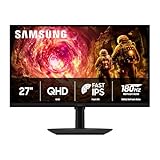
- Best Value: Samsung 27” Odyssey G5 (G50F) Series QHD Gaming Monitor | 180Hz Refresh Rate, Fast IPS Panel, HDR10, NVIDIA G-Sync Compatible, 1ms Response Time (GtG), AMD FreeSync™ (LS27FG502ENXZA)
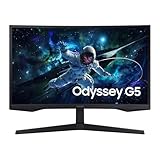
- Premium Choice: Samsung 32" Odyssey G5 QHD (2560 x 1440), 1000R, 165Hz Curved Gaming Monitor, 1ms Response Time, AMD FreeSync LS32CG554ENXZA, DisplayPort, HDMI, (Renewed)
Shopping for a 1ms monitor sounds simple until you notice that nearly every gaming panel claims it. The number on the box can mean gray-to-gray (GtG) timing or a moving picture response time (MPRT) figure, and those are measured differently. The listings below show both labels, which is why this guide reads each title closely instead of treating “1ms” as one fixed standard. If you chase fast pixel transitions for competitive shooters, racing games, or fast platformers, the label is only the opening filter in the decision.
This roundup is written for gamers who want a quick panel for a desktop setup in 2026 and need to pick between 1080p, 1440p, and 4K, between 24 and 37 inches, and between 144Hz and 200Hz. It judges each monitor only by what its listing states: size, resolution, refresh rate, panel type, ports, and sync support. Read the Quick Picks table first, then the buying criteria, then jump to the model that matches your graphics card and desk.
Quick Picks
As an Amazon Associate we earn from qualifying purchases at no extra cost to you.





| Product | Best for | Key spec from the title |
|---|---|---|
| SANSUI 24-inch 180Hz | Budget 1080p desk setups | 180Hz, FHD, 110% sRGB, HDMI cable included |
| Samsung Odyssey G5 G50F 27-inch | 1440p with G-Sync support | QHD, 180Hz, Fast IPS, 1ms GtG |
| Samsung Odyssey G5 32-inch (Renewed) | Big curved screen on a tight budget | 2560 x 1440, 1000R, 165Hz |
| SANSUI ES-G24F4 | FPS and RTS players | DP 1.4 and HDMI 2.0, 180Hz |
| Dell SE2426H | Office-plus-gaming desks | 23.8-inch IPS, 144Hz, 2x HDMI |
| Samsung Odyssey G5 G51F 32-inch | Large flat 1440p panel | QHD, 180Hz, 1ms MPRT |
| Pixio PX248 Wave | High refresh at 1080p, white or pink setups | 200Hz, Fast IPS, built-in speakers |
| Samsung Essential G3 G31H 27-inch | Entry-tier 27-inch IPS | FHD, 144Hz, 1ms MPRT |
| Samsung Odyssey G7 G75F 37-inch | Premium 4K curved gaming | 4K UHD, 165Hz, DisplayHDR 600 |
How to Choose
Know which 1ms you are buying
GtG describes how quickly a pixel moves between shades, and a 1ms GtG claim is the stricter figure. MPRT is tied to motion clarity and usually involves a strobing or blur-reduction mode, so a 1ms MPRT listing is easier to reach. Neither number is a guarantee of a blur-free image. Use the label to filter, then compare refresh rate, panel type, and overdrive options. Ignore any listing that says “1ms” without naming the method if the monitor will be used for fast competitive play.
Match resolution and size to your graphics card
A 24-inch 1080p panel works out to roughly 92 pixels per inch, a 27-inch 1440p panel to roughly 109, and a 37-inch 4K panel to roughly 119. A 27-inch 1080p screen drops to about 82 and looks noticeably softer. Frame rate matters just as much: a 180Hz or 200Hz screen only pays off if the graphics card can push frames close to that number. At 4K, plan for a powerful card, and at 1080p, nearly any recent card will keep up.
Check ports, sync, and mounting
For 144Hz and above, look for DisplayPort or HDMI 2.0 or newer. A DP 1.4 port, as listed on one SANSUI model, keeps high refresh rates at 1080p easy to drive. FreeSync is listed on most of these screens, and the Odyssey G50F adds a G-Sync Compatible label for NVIDIA owners. VESA mounting support matters if you plan a monitor arm, and a cable in the box saves a trip to a store.
Where budget models cut corners
Entry-tier panels often skimp on stand adjustment (many offer tilt only), color coverage beyond sRGB, and HDR certification. An HDR10 or DisplayHDR 600 label is more meaningful than a plain “HDR” mention. Curved panels such as the 1000R models trade a flat look for immersion, which suits single-monitor gaming but works less well for dual-screen layouts or design work. Renewed units can lower the entry point but deserve a close look at return terms.
The 9 Best Options
SANSUI 24-Inch 180Hz Gaming Monitor
This is the straightforward pick for a first high-refresh screen. The title lists a 24-inch FHD 1080P panel at 180Hz, a 1ms response claim, 110% sRGB, FreeSync, HDMI and DP ports, VESA support, and an included HDMI cable. It suits students, small desks, and anyone pairing the screen with a modest graphics card.
- Strength: 180Hz at 1080p is easy for most graphics cards to feed.
- Strength: HDMI cable and VESA support come with the listing.
- Trade-off: the listing does not name a panel type or say whether the 1ms figure is GtG or MPRT.
Skip it if you want 1440p sharpness or a stand that adjusts beyond what a budget screen usually offers.
Samsung Odyssey G5 G50F 27-Inch
The G50F is the one listed model that combines QHD resolution, 180Hz, a Fast IPS panel, HDR10, a 1ms GtG claim, FreeSync, and a G-Sync Compatible label. That mix makes it a natural fit for a 27-inch desk setup where you want both sharp text and quick motion with either NVIDIA or AMD hardware.
- Strength: the GtG label is the stricter 1ms figure, and Fast IPS suits color-conscious gamers.
- Strength: it supports both sync standards on the listing.
- Trade-off: QHD at 180Hz asks more of the graphics card than 1080p does.
Skip it if your card already struggles at 1080p, since the extra pixels will lower your frame rate.
Samsung Odyssey G5 32-Inch Curved (Renewed)
This listing describes a 32-inch curved panel at 2560 x 1440, 1000R, 165Hz, 1ms, and AMD FreeSync, with DisplayPort and HDMI inputs. The Renewed tag marks it as a previously owned unit, so it appeals to buyers who want a big immersive screen and are comfortable with refurbished gear.
- Strength: a 1000R curve wraps a 32-inch screen around your field of view.
- Strength: both DisplayPort and HDMI are listed.
- Trade-off: Renewed condition means warranty and return details need checking before you buy.
Skip it if you prefer a new unit with full manufacturer coverage or a flat screen for editing work.
SANSUI ES-G24F4 24-Inch 180Hz
The ES-G24F4 model number sits in the title, which makes it easy to match against spec sheets. It lists DP 1.4 and HDMI 2.0 ports, 180Hz, Racing, FPS, and RTS display modes, a 1ms response claim, 110% sRGB, and an HDMI cable. The preset modes appeal to players who like to flip between genres without opening menus.
- Strength: DP 1.4 and HDMI 2.0 are both listed for high refresh output.
- Strength: genre presets are named in the title.
- Trade-off: no panel type is stated, so color and viewing angles are unknown from the listing.
Skip it if you want HDR labels or a resolution above 1080p.
Dell SE2426H 23.8-Inch
Dell positions this as an IPS screen at 1920 x 1080 and 144Hz with a 1ms claim, AMD FreeSync, a TUV certification, two HDMI inputs, and a tilt stand. Two HDMI ports make it a practical choice when a console and a PC share one monitor.
- Strength: IPS technology is stated, with two HDMI inputs for switching sources.
- Strength: 144Hz is a comfortable target for midrange cards.
- Trade-off: the listing mentions tilt only, and no DisplayPort is named.
Skip it if you need a DisplayPort connection or a height-adjustable stand.
Samsung Odyssey G5 G51F 32-Inch
The G51F pairs a 32-inch QHD screen with 180Hz, a 1ms MPRT claim, and AMD FreeSync. Unlike the curved G5 above, this listing does not mention a curve. It targets buyers who want plenty of screen area for open-world games and multitasking at 1440p.
- Strength: 180Hz at QHD gives smooth motion on a large canvas.
- Strength: FreeSync support is listed.
- Trade-off: the 1ms figure is MPRT, not GtG, and 32 inches at 1440p is less dense than 27 inches.
Skip it if you sit close to your desk or care most about sharpness per inch.
Pixio PX248 Wave
Pixio lists the PX248 Wave in white and in pink, with the same 24-inch FHD panel, 200Hz refresh rate, Fast IPS, a 1ms GTG claim, built-in speakers, and Adaptive Sync. It stands out for the fastest refresh rate in this group and for colorways that match themed builds.
- Strength: 200Hz is the highest refresh rate here, with a GTG label.
- Strength: built-in speakers help on compact desks.
- Trade-off: it stays at 1080p, so large text and detail will look softer than on 1440p.
Skip it if you want 27 inches or more, or already own a good headset and speakers.
Samsung Essential G3 G31H 27-Inch
The Essential G3 is the entry-tier Samsung in this lineup: 27 inches, FHD, 144Hz, an IPS panel, 1ms MPRT, and AMD FreeSync. It suits someone upgrading from a 60Hz office monitor who wants a bigger screen without a QHD-class graphics card.
- Strength: IPS and a 27-inch size are listed together.
- Strength: 144Hz keeps the load light on the graphics card.
- Trade-off: 1080p stretched across 27 inches gives a lower pixel density than 1440p models.
Skip it if you plan to read small text for long hours or want the stricter GtG label.
Samsung Odyssey G7 G75F 37-Inch 4K Curved
The G75F is the premium option here. The title lists a 37-inch 4K UHD curved panel, 165Hz, a 1ms GtG claim, VESA DisplayHDR 600, and AMD FreeSync Premium Pro. It is made for a single-monitor setup built around a strong graphics card.
- Strength: 4K UHD with DisplayHDR 600 is a big step up in detail.
- Strength: GtG labeling and FreeSync Premium Pro are both named.
- Trade-off: driving 4K near 165Hz needs a top-tier graphics card, and 37 inches needs real desk depth.
Skip it if your desk is shallow or your graphics card sits in the midrange.
Which One Fits Your Situation
You play competitive shooters on a midrange card
Choose the Pixio PX248 Wave. A 200Hz Fast IPS panel with a GTG label at 1080p is easy to fill with frames, and the lower resolution keeps the graphics card from becoming the bottleneck.
You want sharper visuals without leaving the 27-inch size
Choose the Samsung Odyssey G5 G50F. QHD at 27 inches is the density sweet spot, and the G-Sync Compatible and FreeSync labels mean you can change graphics cards later without changing monitors.
You split time between a PC and a console
Choose the Dell SE2426H. Two HDMI inputs and 144Hz suit a desk where a console and a computer share one screen, and the IPS panel helps with everyday use outside games.
You own a flagship graphics card and want a showpiece
Choose the Samsung Odyssey G7 G75F. Its 4K UHD resolution, DisplayHDR 600, and Premium Pro sync support only make sense with hardware that can use them, and in that case they stand out.
Common Mistakes
- Treating every “1ms” as the same number without checking whether the listing says GtG or MPRT.
- Buying 4K at 165Hz while running a midrange graphics card that cannot reach those frame rates.
- Skipping the port check and finding out later that the cable you own does not support the refresh rate you bought the monitor for.
- Choosing a 27-inch 1080p screen and then being surprised by the lower pixel density.
- Assuming a Renewed unit carries the same terms as a new one without reading the return details.
Related guides
- Combination Smoke And Carbon Monoxide Detectors
- Aio Liquid Coolers For High Performance Gaming
- Graphics Cards For Low Wattage Power Supplies
Frequently Asked Questions
Is 1ms GtG better than 1ms MPRT?
They measure different things, and GtG is the stricter pixel transition figure. An MPRT claim relates to perceived motion clarity and often depends on a blur-reduction mode. If a listing offers a choice, the GtG label gives you more to compare.
Does a 200Hz monitor need a powerful graphics card?
Only if you want to hit 200 frames per second in demanding titles. At 1080p, many esports games run at high frame rates on midrange cards, so a 200Hz screen can still pay off.
Which panel type is best for fast games?
Several listings here name Fast IPS or IPS, which combine good color with quick transitions. Panels that do not name a type are harder to judge, so look for the type in the title before you buy.
Do I need DisplayPort for high refresh rates?
Not always, since HDMI 2.0 supports high refresh rates at 1080p and many 1440p setups. DisplayPort is the safer path at 1440p and 4K, and it is the standard way to run adaptive sync on many NVIDIA cards.