A creative studio asks a monitor to do two jobs at once: show colour accurately enough for photo and video work, and stay smooth enough for motion, animation, and playback. The best 4K OLED computer monitors for creative studios do both, because a 4K OLED panel combines very high pixel density with per-pixel light control. Blacks stay truly black, highlights stay clean, and fine detail in textures, hair, and fabric stays visible at normal viewing distance.
OLED also helps with colour work. A QD-OLED panel covers a wide DCI-P3 gamut, which matters for video grading, photo editing, and design work that will be seen on wide-gamut screens. A 32-inch 4K panel at this size gives enough workspace for timelines, layers, and tool palettes, without the text becoming too small to read comfortably.
This guide looks at three 32-inch 4K OLED monitors listed on Amazon US, each with a 240Hz refresh rate, a 0.03ms response time, and a QD-OLED panel. They differ in panel coating, connectivity, and care features, so the right choice depends on your studio lighting, your laptop or desktop connections, and how you manage static images on screen.
What to Look For
Start with resolution and size. A 32-inch 4K panel, at 3840 by 2160, gives a high pixel density that suits detailed photo retouching, video timelines, and vector work. A smaller 4K panel can make interface text very small, while a larger panel needs more desk depth. Check the desk depth and the viewing distance before choosing a size.
Check colour coverage and bit depth next. A wide DCI-P3 gamut and True 10-bit colour help gradients stay smooth and help skin tones and product colours stay accurate. Look for factory calibration or a calibration report in the box, and check whether the monitor supports hardware calibration if you use a colorimeter in the studio.
Panel coating matters in a studio with windows or overhead lights. A glossy coating can give deeper blacks and a sharper image, but it reflects room lights more readily. A matte or anti-glare coating reduces reflections, which helps in a bright room, but it can soften the image slightly. Choose the coating that matches the lighting in the room where the monitor will sit.
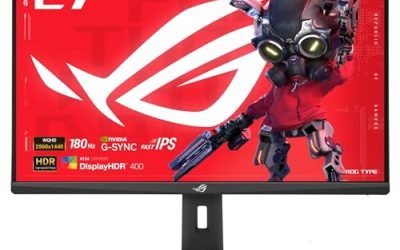
1. ASUS ROG Swift PG32UCDM 32-Inch 4K OLED Gaming Monitor

Amazon link: https://www.amazon.com/dp/B0CV26XVMD
The ASUS ROG Swift PG32UCDM is a 32-inch 4K QD-OLED monitor with a 3840 by 2160 panel, a 240Hz refresh rate, and a 0.03ms response time. It is G-SYNC Compatible, supports True 10-bit colour, and covers a wide DCI-P3 gamut, which suits photo and video work as well as motion. The panel uses a custom heatsink and graphene film for thermal management, which helps the OLED panel stay stable during long sessions.
Connectivity includes DisplayPort, HDMI 2.1, and a USB-C port with 90W power delivery, so a laptop can charge and display over one cable. The monitor is VESA DisplayHDR True Black 400 certified, which means dark scenes keep detail in the shadows while highlights stay clean. ASUS includes a colour pre-calibration report in the box and covers the monitor with a 3-year warranty.
This monitor suits a creative studio that needs a colour-accurate 4K OLED panel for grading and retouching, plus a fast refresh rate for animation and playback.
2. Alienware AW3225QF 32-Inch 4K QD-OLED Gaming Monitor

Amazon link: https://www.amazon.com/dp/B0CVQGSRZ9
The Alienware AW3225QF is a 32-inch 4K QD-OLED monitor with a curved panel, a 3840 by 2160 resolution, a 240Hz refresh rate, and a 0.03ms response time. The curve is 1700R, which wraps the image slightly around the viewer and suits a single-monitor studio desk. It supports Dolby Vision, is VESA DisplayHDR True Black 400 certified, and covers a wide DCI-P3 gamut for colour work.
Connectivity includes DisplayPort 1.4, two HDMI 2.1 ports, and a USB hub with five USB 3.2 Gen 1 ports, which helps connect a keyboard, a tablet, and external drives. The monitor is G-SYNC Compatible and supports AMD FreeSync Premium Pro, so it stays smooth with a wide range of graphics cards. The white rear panel and the curved design give the monitor a distinct studio look, and the stand supports tilt, height, swivel, and pivot adjustment.
This monitor suits a creative studio that wants a curved 4K OLED panel for immersive video work, with Dolby Vision support for HDR grading and a USB hub for studio peripherals. It is a good match for a user who works with video timelines and wants the edges of the screen to sit at a similar distance from the eyes.
Considerations: a curved panel can change how straight lines look at the edges, so check whether your work involves precise geometric design before choosing a curved display. The curve also needs more desk depth than a flat panel, so measure the stand footprint on the listing.
3. MSI MPG 322URX QD-OLED 32-Inch 4K Monitor

Amazon link: https://www.amazon.com/dp/B0DTJRWVVW
The MSI MPG 322URX QD-OLED is a 32-inch 4K monitor with a 3840 by 2160 panel, a 240Hz refresh rate, and a 0.03ms response time. It uses a third-generation QD-OLED panel, supports True 10-bit colour, and covers a wide DCI-P3 gamut. It is VESA DisplayHDR True Black 400 certified and VESA ClearMR 13000 certified for motion clarity, which helps when scrubbing through video or animation work.
Connectivity is a strong point here. The monitor includes DisplayPort 2.1 with 80 Gbps bandwidth, HDMI 2.1, and a USB-C port with 98W power delivery, so a laptop can charge while it displays. MSI includes OLED Care 2.0, with pixel shift and panel protect features, and covers the panel with a 3-year OLED warranty. The stand supports tilt, swivel, height, and pivot adjustment, and the monitor is VESA mountable.
This monitor suits a creative studio that needs modern connectivity, strong OLED care features, and a flat 4K panel for precise design work.
Comparison Table
| Monitor | Panel Size | Resolution | Refresh Rate | Response Time | USB-C Power |
|---|---|---|---|---|---|
| ASUS ROG Swift PG32UCDM | 32 in | 3840 x 2160 | 240Hz | 0.03ms | 90W |
| Alienware AW3225QF | 32 in | 3840 x 2160 | 240Hz | 0.03ms | No USB-C listed |
| MSI MPG 322URX QD-OLED | 32 in | 3840 x 2160 | 240Hz | 0.03ms | 98W |
FAQ
Is 4K OLED better than 4K IPS for a creative studio?
OLED gives per-pixel light control, so blacks stay truly black and contrast stays high even in dark scenes. IPS panels can show more uniform brightness across the screen and may suit a studio with very bright lighting. For colour grading and photo work in controlled lighting, a 4K OLED panel is often the stronger choice.
Do I need 240Hz for creative work?
A 240Hz refresh rate is not essential for still photo work, but it helps with motion, animation, and video playback, where a higher refresh rate makes scrubbing and motion smoother.
How do I manage image retention on an OLED monitor in a studio?
Use the built-in OLED care features, such as pixel shift and panel refresh, and vary the content on screen when possible. Hide static toolbars when you are not using them, use a dark desktop background, and run the panel refresh cycle when the monitor prompts you to do so.
For a creative studio, a 32-inch 4K OLED monitor gives the pixel density for detailed work, the colour gamut for grading, and the contrast for HDR work. The ASUS PG32UCDM suits a studio that wants a calibrated QD-OLED panel with a heatsink and strong USB-C charging, the Alienware AW3225QF suits a studio that wants a curved panel with Dolby Vision and a USB hub, and the MSI MPG 322URX suits a studio that wants DisplayPort 2.1, high-wattage USB-C, and strong OLED care features. Match the panel coating to your lighting, check the connections on your computer, and choose the monitor that fits the work you do most.
Disclosure: As an Amazon Associate, we earn from qualifying purchases.