A 27-inch screen on a small desk is not really a size decision, because the panel itself is only part of what lands on the worktop. The true decision is the footprint underneath it: how deep the stand reaches toward you, how much room remains for a keyboard, and whether the screen can lift onto an arm or a wall bracket when the desk surface runs out.
This guide is written for apartment dwellers working from a narrow table, students in dorm rooms, and anyone upgrading from a laptop screen in a corner nook. Every pick below was chosen from the name and specifications on its Amazon product page, and the shortlist favours height-adjustable stands, VESA mounting, and frameless designs that waste as little desk depth as possible.
Quick Picks
As an Amazon Associate we earn from qualifying purchases
| Product | Best for | Key spec from title |
|---|---|---|
| Samsung S61B Series 27-Inch QHD | QHD clarity on a height-adjustable stand | QHD 2560 x 1440, 75Hz, IPS, HDMI and DisplayPort |
| Dell S2725DS | Speakers built in, so no desk speakers needed | 27-inch QHD, 100Hz, integrated dual 5W speakers |
| ASUS VA27AQ | Wall or arm mounting on the tightest desks | QHD IPS, frameless, VESA wall mountable, speakers |
| LG 27US500-W | A borderless 4K panel in a white finish | 4K UHD, HDR10, IPS, borderless design, HDMI and DisplayPort |
How to Choose
Measure stand depth before you measure the screen
Two 27-inch monitors can differ by several inches in how far the stand reaches across your desk, and that depth decides whether your keyboard sits comfortably or hangs off the front edge. Before ordering, measure from the wall to the front of your worktop, then leave room for the stand base, a keyboard, and your wrists. Height-adjustable stands usually have deeper feet than simple tilt bases, so the ergonomic choice can cost surface space. If the numbers clash, plan on a VESA arm from day one instead of hoping the supplied base will somehow shrink.
Treat VESA mounting as your escape route
A VESA mount pattern turns a desk problem into a wall or arm problem, which is far easier to solve. With the panel floating on an arm, the entire footprint of the original stand comes back to you as usable surface for a notebook, a phone, or a coffee mug. Check that the title or specification names VESA mounting before you buy, because some slim lifestyle models omit the mounting holes entirely. Also confirm the arm is rated for a 27-inch panel weight, and keep the original stand in its box in case the screen ever moves to a bigger desk.
Pick resolution that suits a short viewing distance
Small desks push you closer to the screen, often well under an arm length away, and at that distance the gap between 1080p and QHD becomes easy to see in text. QHD at 2560 x 1440 is the practical sweet spot at 27 inches: letters stay crisp, and two windows share the width without constant resizing. A 4K panel goes sharper still, although you will lean on display scaling to keep menus readable. Full HD at this size, viewed this closely, is the one combination that tends to disappoint once the novelty of the bigger screen wears off.
Notice where compact and budget models save money
The savings on smaller or cheaper 27-inch models rarely come out of the panel; they come out of everything around it. Expect tilt-only stands with no height adjustment, a single HDMI input, no built-in speakers, and sometimes no VESA holes at all. Each omission matters more on a small desk than on a large one, because you have no spare surface for separate speakers, docking hardware, or stacked books acting as a riser. Read the title line by line, and treat any feature it does not mention, especially height adjustment and mounting, as a feature the monitor does not have.
The 4 Best Options
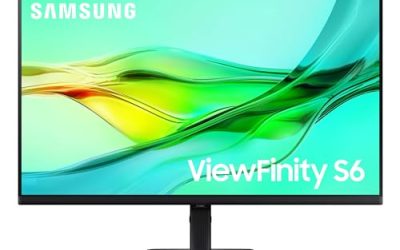
Samsung S61B Series 27-Inch QHD

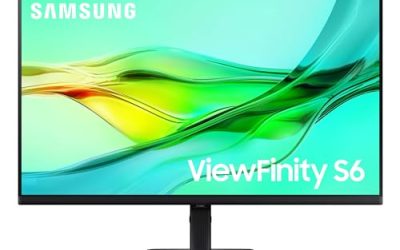
Samsung pitches this screen at people who want QHD sharpness without giving up ergonomic adjustment, and that pairing is exactly what a small desk needs. The IPS panel runs at 2560 x 1440 with a 75Hz refresh rate and FreeSync, while the height adjustable stand lets you set the panel at eye level instead of building a pile of books under a fixed base. HDMI and DisplayPort inputs cover a laptop plus a desktop, and the black finish disappears into most small-room setups rather than drawing attention to itself.
Specs
- Screen size: 27 inches
- Resolution: QHD 2560 x 1440
- Refresh rate: 75Hz
- Panel: IPS
- Sync: FreeSync
- Ports: HDMI, DisplayPort
- Stand: height adjustable
- Model: LS27B610EQNXZA
Best for: Small-desk workers who want QHD text clarity and a proper height-adjustable stand in one box.
Watch out for: The title lists no USB-C input and no speakers, so laptop users need a separate cable plan and a separate audio plan.
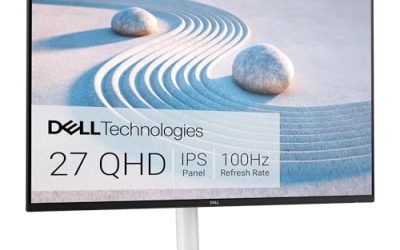
Dell S2725DS

Dell builds the space-saving argument differently: this monitor folds your desk speakers into the screen itself. Integrated dual 5W speakers remove a pair of speaker boxes and their cables from a crowded worktop, while the QHD panel at 100Hz keeps documents and scrolling smooth. Height, tilt, swivel, and pivot adjustment all appear in the title, which is rare at this level, and the 1500:1 contrast ratio with IPS colour coverage suits mixed work and video. The ash white finish also brightens a small corner instead of adding another black slab to it.
Specs
- Screen size: 27 inches
- Resolution: QHD 2560 x 1440
- Refresh rate: 100Hz
- Contrast ratio: 1500:1
- Eye comfort: TÜV Rheinland Eye Comfort 4 Star
- Audio: integrated dual 5W speakers
- Stand: height, tilt, swivel, pivot
- Colour: ash white
Best for: Anyone whose small desk has no room for separate speakers but still needs full ergonomic adjustment.
Watch out for: The title names HDMI and DisplayPort connectivity only, so there is no USB-C docking here for a one-cable laptop setup.
ASUS VA27AQ

When the desk is genuinely tiny, the smartest move is getting the screen off it altogether, and this ASUS is built for that plan. Its frameless IPS panel is VESA wall mountable, so it can hang on a bracket or an arm and surrender its whole footprint back to the worktop. The QHD resolution keeps text sharp at close range, the title lists stereo speakers for calls and video, and HDMI, DisplayPort, and VGA inputs mean an older desktop or a spare games console connects without adapters. Eye Care features with low blue light and flicker-free operation suit long sessions in a small room.
Specs
- Screen size: 27 inches
- Resolution: QHD 2560 x 1440
- Panel: IPS, frameless
- Response: 1ms MPRT as listed in the title
- Colour: 99 percent sRGB
- Audio: stereo speakers
- Ports: HDMI, DisplayPort, VGA
- Mounting: VESA wall mountable
Best for: The smallest desks, where the monitor will live on a wall bracket or a clamp-on arm rather than on its own stand.
Watch out for: The title does not claim height adjustment for the supplied stand, so budget for the arm or bracket as part of the purchase.
LG 27US500-W

LG takes the opposite route to saving space: keep the stand, but shrink everything visual around the panel. The borderless design makes the 27-inch 4K screen feel smaller on the desk than its diagonal suggests, and the white finish blends into light-coloured rooms and shelving. Resolution is the headline, with 3840 x 2160 giving you four times the pixels of Full HD for detailed documents and photo work. Reader Mode and Flicker Safe features target long reading sessions, the LG Switch app helps organise windows, and HDMI plus DisplayPort inputs cover most computers.
Specs
- Screen size: 27 inches
- Resolution: 4K UHD 3840 x 2160
- Panel: IPS, borderless design
- HDR: HDR10
- Comfort: Reader Mode, Flicker Safe
- Software: LG Switch app
- Ports: HDMI, DisplayPort
- Colour: white
Best for: Detail-focused users on small white desks who want 4K sharpness and a screen that visually takes up little room.
Watch out for: The title lists no height adjustment and no USB-C input, so check the stand range and your cable plan on the product page before ordering.
Which One Fits Your Situation
Your desk is under a metre wide
Start with the ASUS VA27AQ on a VESA arm or wall bracket. Removing the stand from the equation returns the most surface, and its QHD panel stays sharp at the short distance a narrow desk imposes. If drilling or clamping is impossible, the Samsung S61B is the fallback, because its height-adjustable stand at least keeps your posture right.
You work and take calls at the same small desk
The Dell S2725DS earns this spot. Its integrated speakers handle call audio without extra boxes, the QHD panel fits documents beside a meeting window, and full height, swivel, and pivot adjustment lets you angle the screen toward you in a tight corner. No other pick here combines sound and ergonomics this completely.
You want the sharpest text a small desk can hold
Choose the LG 27US500-W. At 4K, text and fine detail stay crisp even when you sit close, and the borderless frame keeps the screen from dominating the worktop. Pair it with display scaling in your operating system, and leave enough desk depth for a keyboard, because the panel rewards a slightly longer viewing distance.
One screen has to serve a laptop and a desktop
The Samsung S61B handles the swap most simply, with HDMI and DisplayPort ready for two machines and a height-adjustable stand that suits whichever chair you pull up. The Dell S2725DS is the alternative when the desktop also needs sound, since its speakers serve both computers through the monitor.
Common Mistakes
- Measuring only the screen width, then discovering the stand base leaves no room for a keyboard.
- Buying a monitor with no VESA holes for a desk that clearly needs an arm or wall bracket.
- Choosing 1080p at 27 inches for a close viewing distance, then living with soft text every day.
- Assuming built-in speakers are included, when the title never mentions audio at all.
- Forgetting the wall or shelf behind the desk, which can block tilt and height adjustment range.
Frequently Asked Questions
Can a 27-inch monitor really work on a small desk?
Yes, provided the footprint is managed. The panel is about as wide as most small desks are deep problems only when the stand is deep too. A height-adjustable stand with a compact base, or a VESA arm that removes the base entirely, makes the size workable. Measure stand depth, keep the keyboard zone clear, and the screen size itself stops being the obstacle.
Is QHD or 4K better at a short viewing distance?
QHD suits most small desks because text stays sharp at close range without heavy scaling, and every laptop can drive it comfortably. A 4K panel looks finer still, especially for photo work, but menus shrink until you raise the scaling setting. If your work is documents and browsing, QHD is the balanced answer; if it is detailed imagery, the 4K LG in this roundup justifies the adjustment period.
Do I need a monitor arm, or is a stand enough?
A stand is enough when it adjusts for height and the base fits your measured depth with keyboard room to spare. An arm becomes necessary when the base crowds the desk, when the screen must clear a shelf, or when you want the surface underneath back. Check for VESA mounting before buying either way, because that single feature decides whether an arm remains an option later.
What should I check before ordering for a dorm room?
Confirm the desk depth, the distance to the wall, and whether your housing rules allow wall brackets or clamp arms. Then check the input list against your laptop, because a USB-C-only laptop needs an adapter for HDMI-only screens like several picks here. Finally, measure the door and stairwell if the desk itself is being assembled in the room, since a 27-inch box is awkward in tight halls.