A monitor is a generous gift with one hidden risk: the wrong specification turns a kind gesture into a return. At 27 inches the recipient’s computer, desk depth, and daily habits decide whether 1080p feels coarse, QHD feels generous, or 4K feels like a luxury they can actually use. The safest gift is not the most exotic screen, but the one that plugs into their existing laptop or PC, sits at a comfortable height, and improves the hours they already spend at the desk.
This roundup is written for gift buyers choosing for a partner setting up a home office, a graduate starting a first job, a student whose laptop screen has become the whole library, or a family member who edits photos for fun. Every model was selected from the name and specifications on its Amazon product page, and the picks favour complete packages: useful speakers, adjustable stands, and connections that work without a bag of extra adapters.
Quick Picks
As an Amazon Associate we earn from qualifying purchases
| Product | Best for | Key spec from title |
|---|---|---|
| Dell 27 Plus QHD (S2725DS) | A home-office upgrade that needs no extra speakers | 27-inch QHD, 100Hz, integrated 2x5W speakers, height adjustable |
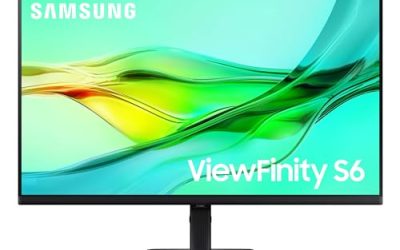
| Samsung ViewFinity S6 (S60UD) | A laptop user who deserves a one-cable desk | 27-inch QHD, 100Hz, HDR10, USB-C, built-in LAN, daisy chain |
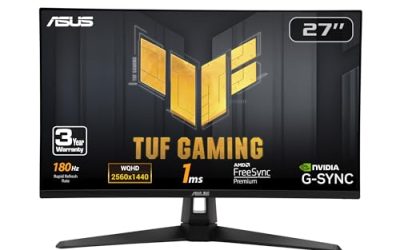
| ASUS TUF Gaming VG27AQ3A | A graduate who studies and plays on one screen | 27-inch QHD, 180Hz, Fast IPS, speakers, FreeSync Premium |
| BenQ GW2790Q | A reader or writer who works late | 27-inch QHD 100Hz IPS, HDMI, DisplayPort, eye-care modes |
| ASUS VA27UCPS | A detail lover ready for a 4K centrepiece | 27-inch 4K IPS, USB-C PD 65W, USB hub, speakers, ergonomic |
How to Choose
Gift the resolution their computer can feed
Resolution is the decision that decides whether the gift delights or disappoints. QHD at 2560 x 1440 is the safe generous middle at 27 inches: text looks properly sharp, two windows share the screen, and nearly any recent laptop drives it without complaint. A 4K gift suits a recipient whose computer is recent and whose hobbies involve photos, video, or layout. Avoid 1080p at this size for anyone who reads for a living, because the pixels sit visibly apart and the upgrade feels smaller than the box suggested.
Make setup boring, in the best possible way
The best monitor gifts work within minutes of the wrapping coming off. Look for a stand that attaches simply, cables that match the recipient’s machine, and a connection they already understand. Samsung’s Easy Setup stand language and Dell’s fully adjustable base both point at painless assembly. USB-C models are wonderful for laptop households because one cable can carry the picture, yet confirm the recipient’s laptop actually outputs video over USB-C. A gift that needs an adapter hunt on the day itself loses some of its shine.
Buy the stand and speakers they would skip for themselves
People underbuy ergonomics for their own desks, which makes them ideal gift territory. Height adjustment lets the screen meet the recipient’s eye line instead of forcing a stack of books underneath, and pivot or swivel helps in shared rooms. Built-in speakers are the other quiet luxury: the Dell below carries dual 5W speakers and the ASUS models include stereo sound, so calls and videos work without gifting a second accessory. These are the features recipients feel daily, long after the resolution numbers blur together.
Know where simpler gifts cut corners, and gift accordingly
Plainer monitors save money by dropping height adjustment, USB-C, and hub ports, and by using basic stands. That trade is acceptable when the recipient owns a desktop PC, a monitor arm, and their own speakers. It is a poor trade for a laptop user in a small flat, where every missing port becomes clutter. Match the specification to the home it is entering: the BenQ in this list is deliberately simple and suits a desktop desk, while the docking models cost their complexity back in tidiness.
The 5 Best Options
Dell 27 Plus QHD (S2725DS)

If one gift here suits the widest range of recipients, it is this Dell. The QHD panel makes documents and browsing feel like a genuine upgrade, the 100Hz refresh rate keeps motion pleasant, and the integrated dual 5W speakers mean the recipient needs nothing else on the desk for calls or video. A stand that adjusts for height, tilt, swivel, and pivot adapts to whoever receives it, and the Ash White finish looks at home in a living room corner as well as a study.
Specs
- Screen size: 27 inches
- Resolution: QHD 2560 x 1440
- Refresh rate: 100Hz
- Panel: IPS
- Contrast ratio: 1500:1
- Colour: 99 percent sRGB listed on the product page
- Speakers: integrated 2x5W
- Eye comfort: TÜV Rheinland eye comfort certification, ComfortView Plus
- Stand: height, tilt, swivel, pivot
- Colour: Ash White
Best for: Partners, parents, and new home workers who need a complete, speaker-ready desk upgrade in one box.
Watch out for: There is no USB-C input in the title, so a recipient with a slim laptop may still need an HDMI cable or adapter, which is worth adding to the gift.
Samsung ViewFinity S6 (S60UD)

For the laptop devotee in your life, Samsung’s ViewFinity S6 turns a tangle of chargers and dongles into a single cable. The QHD title lists 100Hz, HDR10, USB-C, a built-in LAN port, and daisy chain support, while the product page notes 90W USB-C charging and a built-in KVM switch. Gifted to someone who works from a kitchen table or a small desk, it quietly gives them wired networking, laptop charging, and a height adjustable Easy Setup stand they would never have bought piecemeal.
Specs
- Screen size: 27 inches
- Resolution: QHD 2560 x 1440
- Refresh rate: 100Hz
- HDR: HDR10
- Connection: USB-C with 90W charging listed on the product page
- Networking: built-in LAN port
- Extra display support: daisy chain
- Stand: height adjustable, Easy Setup design
- Model: LS27D606UANXGO
Best for: Laptop-based professionals and graduates whose gift should tidy the desk as much as enlarge it.
Watch out for: The one-cable promise depends on the recipient’s laptop supporting video over USB-C, so check their model before choosing this as the centrepiece gift.
ASUS TUF Gaming VG27AQ3A

Some recipients split their screen time between coursework and games, and this ASUS is built for exactly that double life. The title promises a QHD Fast IPS panel at 180Hz with 1ms response, 130 percent sRGB coverage, speakers, FreeSync Premium, and G-SYNC compatibility, plus Extreme Low Motion Blur Sync for fast scenes. As a gift it feels exciting in a way office monitors rarely do, yet the QHD resolution keeps essays and spreadsheets sharp enough that it never becomes a toy at the expense of study.
Specs
- Screen size: 27 inches
- Resolution: QHD 2560 x 1440
- Refresh rate: 180Hz
- Panel: Fast IPS
- Response time: 1ms
- Colour: 130 percent sRGB
- Audio: speakers
- Sync: FreeSync Premium, G-SYNC compatible, Extreme Low Motion Blur Sync
- Ports: HDMI, DisplayPort
- HDR: HDR support
Best for: Students and young graduates who game in the evening and write, code, or design during the day.
Watch out for: The title lists no USB-C and no height adjustment, so a laptop recipient may need an HDMI cable, and a taller user may want a stand or arm later.
BenQ GW2790Q

BenQ’s GW2790Q is the thoughtful gift for the person who reads on screen long after everyone else has logged off. Its QHD IPS panel runs at 100Hz, and the title stacks up eye-focused features: Eyesafe certification, Brightness Intelligence Gen2 that reacts to room light, Low Blue Light Plus, and an Eye-CareU toolkit, with Coding Mode and ePaper Mode noted on the product page. The ultra slim bezel keeps a small desk feeling open, and HDMI plus DisplayPort inputs cover most computers without fuss.
Specs
- Screen size: 27 inches
- Resolution: 2K QHD 2560 x 1440
- Refresh rate: 100Hz
- Panel: IPS
- Ports: HDMI, DisplayPort
- Eye comfort: Eyesafe, Brightness Intelligence Gen2, Low Blue Light Plus, Eye-CareU
- Design: ultra slim bezel
- Mounting: VESA MediaSync
Best for: Writers, researchers, and programmers whose gift should protect their eyes through long evening sessions.
Watch out for: Height adjustment and USB-C are absent from the title, so pair it with a monitor arm if the recipient’s desk setup needs precise positioning.
ASUS VA27UCPS

This is the statement gift of the group. The ASUS VA27UCPS carries a 27-inch 4K IPS panel with 99 percent sRGB and HDR-10, then adds the practical hardware a premium screen should include: USB-C with 65W power delivery, a USB hub, speakers, an ergonomic stand, and VESA wall mounting. For a recipient who edits photos, builds presentations, or simply loves a sharp image, it upgrades every ordinary task as well, because text at 4K density looks printed rather than rendered.
Specs
- Screen size: 27 inches
- Resolution: UHD 3840 x 2160
- Panel: IPS
- Colour: 99 percent sRGB
- HDR: HDR-10
- Connection: USB-C PD 65W, USB hub
- Audio: speakers
- Features: Eye Care
- Stand: ergonomic
- Mounting: VESA wall mountable
Best for: Creative family members and detail-first professionals who would never buy themselves a 4K screen.
Watch out for: A 65W charging figure suits most thin laptops but may not fully power a large workstation laptop under load, and 4K needs a reasonably recent computer to run smoothly.
Which One Fits Your Situation
You are upgrading a partner’s home office
Give the Dell S2725DS. It replaces a small or ageing screen with QHD clarity, carries its own capable speakers for calls, and adjusts to their posture without extra purchases. It is the least risky gift in this list because it asks nothing of the recipient except a free HDMI or DisplayPort socket and half an hour to enjoy the change.
You are buying for a graduate starting work or further study
Match the graduate to their evenings. The ASUS TUF VG27AQ3A rewards someone who games as hard as they study, with its 180Hz Fast IPS panel. For a first job built around a laptop, the Samsung ViewFinity S6 is the smarter celebration: it docks, charges, and networks the machine they already own, turning a bedroom desk into a credible office.
You are gifting a parent or relative who reads for hours
The BenQ GW2790Q respects tired eyes. Its adaptive brightness, low blue light tools, and reading-friendly modes suit news, family photos, documents, and video calls in long stretches. Add a simple monitor arm if their current screen sits low, because the panel itself focuses on comfort features rather than stand adjustment.
You want one impressive gift for a creative hobbyist
Choose the ASUS VA27UCPS. The 4K IPS panel, wide sRGB coverage, USB hub, and single-cable USB-C charging make it feel like studio equipment rather than office furniture. It suits the relative who edits holiday films and photo books and will immediately notice detail that a QHD gift, however good, cannot quite show.
Common Mistakes
- Gifting a 4K monitor for an older laptop that struggles to drive it, turning a luxury into a frustration.
- Forgetting to check whether the recipient’s laptop outputs video over USB-C before choosing a docking model.
- Buying a fast gaming screen for someone whose desk has no room for its stand depth.
- Assuming speakers are included, then leaving a call-heavy recipient with silent hardware.
- Choosing purely on screen size while ignoring height adjustment, which the recipient feels every day.
Frequently Asked Questions
Is a 27-inch monitor a good gift for someone with a small desk?
Yes, as long as the desk is deep enough for comfortable viewing. A 27-inch screen is about two feet wide, and most spare-room and bedroom desks handle that easily. Height adjustment helps in tight spaces because the screen can sit at eye level without books or boxes. Measure the desk depth if you can, and favour slim-bezel models like the BenQ here.
Should I gift QHD or 4K to a non-technical recipient?
QHD is usually the kinder choice. It looks clearly sharper than the Full HD screens most people are upgrading from, works with almost any recent computer, and needs no fiddling with scaling settings. Gift 4K when you know the recipient edits photos or video, or owns a recent laptop. The ASUS VA27UCPS in this roundup is the 4K option built for that confident case.
What else should I include with a monitor gift?
Match the extras to the connection. A laptop recipient may need an HDMI cable or a USB-C cable rated for video if the box contents are unclear, and a simple surge protector is a dull but welcome addition. Check the product page for included cables before ordering duplicates. A short note telling them which port to use first saves more confusion than any accessory.
Can the recipient use a gifted monitor with a games console too?
Generally yes, because every model here lists HDMI, which consoles use. The screen will show the console picture at the resolution and refresh rate the console and the HDMI connection support together. The ASUS TUF model is the natural pick for a recipient who splits time between a PC and console, thanks to its fast panel and built-in speakers for sound.