Updated November 2026 – Most pro esports players use a 24.5-inch 1080p monitor running at 240Hz to 360Hz or higher, with BenQ Zowie’s XL line and ASUS ROG Swift models the names that come up most.
If you want to know what monitors do pro gamers use, the pattern is more consistent than the brands. Competitive shooter players pick small, very fast, low-latency screens over big or pretty ones. Trackers that count player setups report a heavy lean toward the BenQ Zowie XL2566K, with ASUS ROG Swift 360Hz models often named as the main alternative. This article explains the specs, why they matter, what pros do with the settings, and how to copy the approach for a home PC or a laptop.
Esports monitor specs at a glance
| Spec | Typical pro choice | Why |
|---|---|---|
| Size | 24 to 25 inch (24.5-inch common) | Whole screen fits in view without eye movement |
| Resolution | 1920×1080 | Lower pixel count makes very high frame rates easier to reach |
| Refresh rate | 240Hz, 360Hz or higher | More frames and lower delay between action and image |
| Panel | Fast TN or fast IPS | Quick pixel response and low input lag |
| Motion clarity | Backlight strobing (BenQ DyAc+ and similar) | Sharper moving targets |
| Inputs | DisplayPort for PC | Full refresh rate at the highest settings |
| Extras | Black level and colour boost modes, shielding hood, adjustable stand | Enemy visibility and comfort in a tournament hall |
Which monitors are pros actually using
No single official source publishes every pro’s gear, so the best evidence comes from databases that collect player-reported setups and from tournament rules. One count of roughly 1,350 tracked professionals across CS2, Valorant, Fortnite, Apex and League of Legends reported that about three quarters use BenQ Zowie monitors, and that around half play at 360Hz or higher. That same count put the Zowie XL2566K at the top. Another database of more than 2,300 pros reported that the five most-used models are all 24.5-inch 1080p. These figures come from third-party sites, so treat them as a snapshot rather than an official census.
BenQ Zowie XL2566K: the reference esports monitor
The maker lists the XL2566K as a 24.5-inch TN panel with a 1920×1080 resolution at 360Hz over DisplayPort 1.4, with two HDMI 2.0 inputs, its DyAc+ motion-clarity technology, a Black eQualizer and Color Vibrance modes, an S Switch for quick settings, a shielding hood, a flicker-free backlight and a low blue light mode. TechSpot’s review describes it as designed almost exclusively for competitive players, trading looks and colour for function. Newer Zowie models such as the 240Hz XL2546K and a 400Hz XL2566X+ are reported to be popular as well.
ASUS ROG Swift: the other common name
Roundups describe the 24.5-inch 360Hz ROG Swift models as Fast IPS with very low input lag and G-Sync support, for players who want better colour than TN. One source specifically names the ROG Swift PG259QN in that role. In the player-reported counts mentioned above, Zowie dominates, while ROG Swift is a common retail pick for serious players.
Alienware and Dell: are Dell monitors good for gaming?
Yes, some are. Dell’s gaming-focused monitors sit under the Alienware name and its own gaming lines, and they include fast IPS and QD-OLED models. They show up less than Zowie in competitive pro counts, but that is about tournament supply and player habit rather than quality. Dell’s ordinary office monitors (the S-series) can work for casual gaming but check the maker’s refresh rate and response specs; many are built for office use first.
Why 24.5 inches and 1080p?
The 24.5-inch size is a practical choice. A smaller screen keeps minimap, health bar and crosshair within a short eye movement, and players sit close to the desk. Esports titles are also played on tournament PCs tuned for extremely high frame rates, and 1080p leaves headroom for 360Hz and above even in busy scenes. A 1440p panel needs far more GPU and CPU power to feed the same refresh rate. For pros the difference is competitive consistency, not image quality.
Best 1440p esports monitor and best high refresh rate monitor for esports
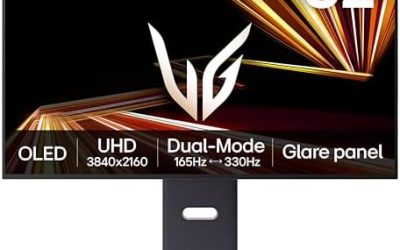
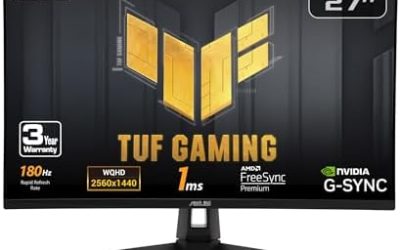
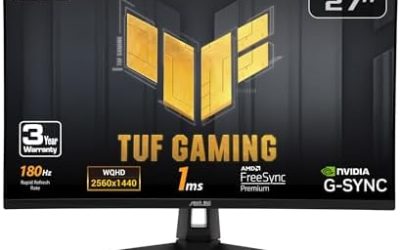
If you want more sharpness than 1080p, 1440p at 240Hz to 360Hz exists. Roundups name the 27-inch ASUS ROG Swift PG27AQN, a 1440p 360Hz model, as a balanced pick, noting it is best suited to Nvidia graphics cards because of its G-Sync module. Other makers list 1440p panels at 240Hz and above, including QD-OLED models with very fast response time. The cost is that your graphics card must hold higher frame rates at a higher resolution, so a 1440p 360Hz monitor only pays off with a strong GPU and an esports title that scales well.
- Pick 1080p at 240Hz or higher if you play CS2, Valorant, Apex or similar and want the simplest path to maximum frame rate.
- Pick 1440p at 240Hz or higher if you split time between competitive play and single-player games and own a capable GPU.
- Skip 4K for competitive play unless the game itself is not frame-rate sensitive.
Settings pros commonly use
Settings vary by player and game, but several habits are widely reported.
- Run at the highest refresh rate. Set it in Windows display settings and in the monitor menu; a monitor left at 60Hz wastes the purchase.
- Use DisplayPort. Makers list the top refresh rate over DisplayPort for PC, while HDMI ports may be limited to lower rates.
- Turn off unneeded image processing. Disable extra smoothing and keep the monitor’s game or low-latency mode if it has one.
- Use motion-clarity strobing selectively. Backlight strobing can improve clarity but can reduce brightness and may not work together with variable refresh rate on every model. Follow the maker’s manual.
- Adjust Black eQualizer or similar. Brightens dark areas to spot enemies, though it also washes out the picture, which is why it is a competitive setting only.
- Use the in-game frame cap sensibly. A stable, slightly capped frame rate often feels better than an uncapped swing.
Gaming laptop for esports and how to optimize it
Many esports titles are light enough to run well on a mid-range gaming laptop, and some laptops list 240Hz or 360Hz internal panels. For a laptop that you want to play competitively, prioritise a high-refresh panel (the maker’s listed refresh rate and response time), a graphics chip that holds high frame rates in your game and good cooling. To optimize it, keep it plugged in and set the performance mode your maker’s software provides, update the graphics driver, close background apps and cap the frame rate to what the panel can show. If the laptop has a USB-C or HDMI output, an external esports monitor is a straightforward upgrade for a desk.
Esports monitor features explained in plain English
- Refresh rate: how many times per second the screen updates. A 360Hz monitor updates about every 2.8 milliseconds, but only shows new information if your PC produces that many frames.
- Response time: how quickly pixels change colour. Slow response causes smearing behind moving objects. Makers’ figures are measured under different conditions, so independent reviews are more useful than the headline number.
- Input lag: the delay between the PC sending an image and the screen showing it. Esports models are reviewed for this and usually score well.
- Backlight strobing: flashes the backlight in sync with the refresh to reduce motion blur. It can lower brightness and some models do not combine it with variable refresh rate.
- Variable refresh rate (G-Sync, FreeSync): matches the screen to the frame rate to prevent tearing. Many pros prefer to run without it at very high frame rates, though this is a personal choice.
- Shielding hood and stand: accessories on some esports models that block side light and adjust height, useful in bright tournament halls.
What else pros pair with the monitor
The monitor is one part of a latency chain. Competitive players also commonly use a wired or low-latency wireless mouse with a high polling rate, a wired headset, Ethernet instead of Wi-Fi and a PC that holds a steady frame rate. A fast monitor cannot fix a PC that stutters or a network with unstable ping, so build the whole chain before spending on the top-end screen. Tournament organisers also supply and set the machines at events, so what pros use at home and what they play on at a stage can differ.
Pick this if
| Pick this if | Then choose | Skip if |
|---|---|---|
| You copy pro setups in CS2 or Valorant | 24.5-inch 1080p at 240-360Hz TN or Fast IPS | You mainly play slow story games |
| You want better colour with speed | 24.5 or 27-inch Fast IPS at 240Hz or more | You only care about the lowest possible delay |
| You want sharper text and visuals | 27-inch 1440p at 240Hz or more with a strong GPU | Your GPU struggles above 144 FPS |
| You use a laptop | High-refresh external monitor plus plugged-in performance mode | Your laptop cannot output video over HDMI or USB-C |
Frequently Asked Questions
What monitors do pro gamers use?
Most pro players use a 24.5-inch 1080p monitor at 240Hz to 360Hz or more. Tracked-player counts report BenQ Zowie models, especially the XL2566K, as the most common, with ASUS ROG Swift as a frequent alternative.
Why do pros prefer 1080p over 1440p or 4K?
Because frame rate and consistency matter more to them than sharpness. A 1080p panel is easier to run at very high refresh rates, and the smaller screen size keeps the whole play area in view.
Is 360Hz worth it for a normal player?
Only if your PC can sustain very high frame rates in the games you play. Otherwise a 240Hz or 144Hz monitor gives most of the benefit, and the extra cost goes further on a stronger graphics card.
Are Dell monitors good for gaming?
Dell’s gaming monitors, including Alienware models, are a fair option, and some list fast refresh rates and quick response times. Its office-oriented monitors are not designed for competitive play, so read the specific model’s refresh and response specs.
Do I need a TN panel for esports?
No. TN panels remain common among pros for speed, but Fast IPS and OLED panels now list very quick response and low input delay. Choose by the maker’s listed response specs and independent reviews.
Can I use an esports monitor with a gaming laptop?
Yes, if the laptop outputs video at the right refresh rate over HDMI, DisplayPort or USB-C. Check the laptop’s port specifications, because some ports are limited to lower refresh rates.