Updated November 2026 – Are OLED monitors good for gaming? Yes, they are the best choice for motion clarity, contrast and HDR in dim to moderately lit rooms, with the Alienware AW2725DF (QD-OLED) and ASUS ROG Swift OLED models among the widely reviewed examples; mini-LED and QLED screens remain the safer pick for bright rooms and long static desktop use.
Are OLED Monitors Good for Gaming? The Direct Answer
OLED pixels emit their own light and can switch off completely, which gives true black, effectively unlimited contrast and pixel response times that reviewers measure well under one millisecond. In fast games that makes motion look cleaner than on any LCD, and in dark games such as horror titles or space shooters it gives a depth that backlit panels struggle to match.
The trade-offs are real, though. OLED panels are less bright over large white areas, can show permanent image retention if static elements stay on screen for thousands of hours, and many models render text with slightly softer edges because of their subpixel layout. Whether those matter depends on your room, your habits and what else you do on the PC.
Quick Reference: OLED vs QLED vs Mini-LED
| Use case | Verdict | What to pair it with |
|---|---|---|
| Competitive FPS | OLED is excellent for motion clarity | High-refresh 1440p OLED, strong GPU and CPU |
| Cinematic single-player games | OLED is the top choice in dim rooms | HDR-capable GPU, HDR mode enabled in Windows |
| Bright sunlit room | Mini-LED or QLED is safer | Anti-glare mini-LED gaming monitor |
| Office work mixed with gaming | Depends on text tolerance and burn-in comfort | Mini-LED or IPS if static windows stay open all day |
| Console play | OLED works well at 120Hz | HDMI 2.1 model |
QD-OLED vs WOLED: The Two OLED Types
Gaming OLED monitors in 2026 come in two main designs. QD-OLED, used by Samsung Display and appearing in monitors from Alienware, MSI and Samsung, pairs a blue OLED layer with quantum dots to create red and green. WOLED, made by LG Display and used in LG UltraGear OLED and some ASUS ROG Swift OLED models among others (ASUS also sells QD-OLED models), uses a white OLED layer with a colour filter. Reviewers generally report that QD-OLED generally has stronger colour volume in bright scenes, while WOLED designs are often brighter on small highlights and have shown better text rendering on some newer models, with the exact result depending on the specific panel generation and subpixel layout.
| Feature | QD-OLED | WOLED |
|---|---|---|
| Colour in bright scenes | Typically stronger | Typically a little lower |
| Ambient light handling | Raised blacks in bright rooms on many models | Often keeps blacks deeper with polarizer coatings |
| Text clarity | Varies by subpixel layout | Varies, newer layouts improved |
| Typical sizes | 27 and 32 inch, 34 inch ultrawide | 27, 32 inch, 45 inch ultrawide |
OLED vs QLED and Mini-LED: What Is Different?
QLED is not a self-lit technology. It describes an LCD with a quantum-dot film that improves colour, lit by a backlight. Mini-LED simply refers to a backlight made of thousands of small LEDs arranged in dimming zones. A mini-LED QLED monitor can reach much higher peak brightness over large areas than OLED, has no burn-in risk, and is easier to read in bright rooms. Its weaknesses are blooming (a halo around bright objects on dark backgrounds) and slower pixel response on many models.
If your room has strong daylight and you play mostly during the day, a mini-LED panel may look better in practice than an OLED. If you play at night with the lights low, OLED wins on contrast and motion.
Burn-In: What Makers State and How to Reduce Risk
Burn-in is permanent uneven wear of OLED pixels. Makers add several protections: pixel shift, panel refresh cycles that run when the monitor is in standby, logo dimming and, on some models, heat-spreading layers. Alienware, ASUS, LG and MSI all publish warranty terms covering burn-in on specific OLED monitors, and the terms differ by maker, region and model: Alienware, MSI and current ASUS ROG models have been listed with three years, while LG UltraGear OLED coverage has been listed at two years in some regions, often with conditions such as keeping the monitor’s care features enabled. Read the exact warranty text for the model you buy and note whether burn-in is stated as covered.
Practical habits that reduce risk
- Hide the Windows taskbar and use a dark desktop theme.
- Let the monitor complete its pixel-refresh routine rather than cutting power at the wall.
- Set the monitor to sleep after a few minutes of inactivity.
- Avoid leaving a static window, game HUD or spreadsheet on screen for hours; rotate content.
- Use moderate SDR brightness in daily desktop work.
Reviewers who run long-term burn-in evaluations, including Rtings, report that heavy static use accelerates wear, while varied gaming and video use shows much less. Neither source promises that a given panel will never retain an image.
Brightness and ABL: Why OLEDs Dim on Full White Screens
Automatic brightness limiting (ABL) reduces output when a large part of the screen is bright, protecting the panel from heat and wear. You will notice it when a mostly white web page or a snowy game scene looks dimmer than expected. In dark and mixed gaming scenes the effect is rarely visible, and HDR highlights remain strong. For bright rooms or white-heavy workflows this limit is a reason to consider mini-LED instead. Makers often list a peak brightness for a small window and a lower sustained value for a full white screen, so look for both numbers.
Text Clarity and Desktop Use
Text on some OLED monitors shows slight colour fringing because of non-standard subpixel layouts. Newer panels with higher pixel density, such as 4K 32 inch models, reduce the problem; 1440p 27 inch is also generally acceptable. If you write documents or code for hours every day, consider a model with a text-friendly layout or keep a second IPS monitor for work.
Best OLED Monitor for FPS Games
For FPS players, the priorities are refresh rate, input latency and pixel response. 27 inch 1440p OLEDs at 240Hz, 360Hz or higher are the common choice, and they pair with a graphics card from the upper half of the RTX 50-series or Radeon RX 9000 range for competitive settings. See the monitor size section below for why 27 inch is the comfortable fit.
Best Monitor Size for FPS and for 4K
Best monitor size for FPS
Many competitive players favour 24 to 27 inch screens, because they keep the whole image in view without eye movement. 27 inch at 1440p is the popular compromise, and 24.5 inch 1080p remains common for the highest refresh rates.
Best monitor size for 4K
4K is generally most comfortable from 27 to 32 inch. At 27 inch the pixel density is very high, around 163 pixels per inch, and Windows scaling is almost always needed. At 32 inch it is about 138 pixels per inch, which many reviewers describe as the sweet spot for sharp text and games. Above 40 inch, 4K starts to look less crisp at desk distance, though it works for a TV-like setup.
Best OLED Monitor for PS5 and Consoles
PlayStation 5 supports up to 4K at 120Hz over HDMI 2.1, with variable refresh rate on supported displays. Look for an OLED monitor that lists HDMI 2.1 ports, HDR support and 120Hz at 4K. Many 1440p OLED monitors can also work with a console, but the PS5 outputs 1440p only in specific configurations, so check the console’s display settings. Remember that burn-in precautions apply to static console interface elements too.
Best Gaming Monitor OLED 27 Inch: What to Check
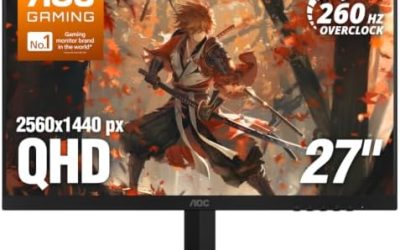
When shopping for a 27 inch OLED, compare these maker-listed points: panel type (QD-OLED or WOLED), refresh rate, resolution, peak HDR brightness, USB and DisplayPort versions, and the burn-in warranty term. Alienware, ASUS ROG, MSI MPG and LG UltraGear all sell 27 inch OLED options, and reviews from Rtings, Tom’s Hardware and Monitors Unboxed offer measured comparisons for specific models.
Mini LED Gaming Laptop: Is It Worth Considering?
A mini LED gaming laptop is a laptop whose screen uses a dense zone-dimmed backlight, found in some MSI and ASUS ROG models. It offers much higher HDR brightness than a standard IPS laptop screen and no burn-in. Look for high refresh rates, Dolby Vision or DisplayHDR certification as listed by the maker, and check reviews for blooming and battery life impact. OLED laptop panels exist too, but mini-LED is the more common choice for strong brightness in an average room.
Best Liquid Cooled PC Case: A Short Note
People who invest in a premium monitor and powerful GPU often upgrade cooling too. A case suited to a liquid cooler needs radiator mounting for 240mm, 280mm or 360mm units on the top or front, enough clearance for the pump block, and good airflow. Check the case maker’s supported radiator sizes and the cooler maker’s compatibility list before buying.
Who Should Buy an OLED Gaming Monitor?
| Pick this | If |
|---|---|
| QD-OLED or WOLED gaming monitor | You game mostly in dim to moderate light and value motion clarity and HDR contrast |
| Mini-LED QLED monitor | You have a bright room or leave static windows open for long hours |
| Fast IPS monitor | You want the best value, text clarity and no burn-in concern |
| OLED plus a second IPS screen | You game and work on the same PC and want to protect the OLED |
Frequently Asked Questions
Is OLED better than QLED for gaming?
For motion clarity, contrast and HDR in dim rooms, OLED is generally better. For peak brightness and bright-room use, a mini-LED QLED monitor can be the better choice.
Will an OLED monitor burn in if I play every day?
Varied gaming use is considered lower risk, and reviewers report that heavy static content such as a fixed taskbar or HUD is the main cause. Use the maker’s pixel-refresh features and read the warranty terms.
Is OLED good for PS5 gaming?
Yes, if the monitor has HDMI 2.1 and supports 4K at 120Hz with variable refresh rate. Choose a size from 27 to 32 inch for desk use.
What is the best monitor size for FPS gaming?
24 to 27 inch is the common range, with 27 inch 1440p favoured for a balance of sharpness and field of view. Larger screens can make it harder to see the edges of the image.
Is a mini LED gaming laptop better than an OLED one?
Mini-LED offers higher brightness and no burn-in worry, while OLED gives perfect black and faster response. Pick by room brightness and how long you leave static content on screen.
Does OLED work for office tasks?
It works, but text can look slightly softer on some models and static windows raise burn-in risk. A dark theme, auto-hidden taskbar and screen sleep settings help.