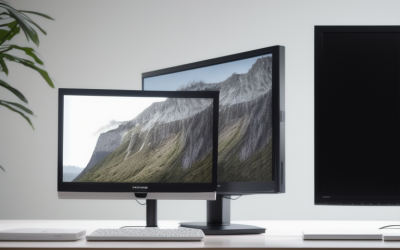
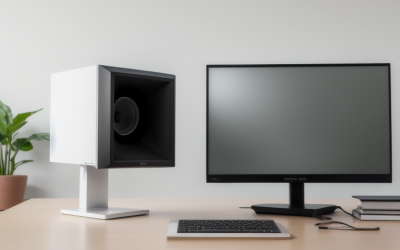
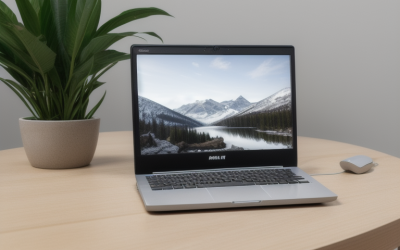
- Top Pick: Samsung 32" Flat Computer Monitor | 75Hz Refresh Rate, Borderless Display, AMD FreeSync, Game Mode, Advanced Eye Care, HDMI and DisplayPort, LS32B304NWNXGO, 2024
- Best Value: Sceptre 30-inch Curved Gaming Monitor 21:9 2560×1080 Ultra Wide/ Slim HDMI DisplayPort up to 200Hz Build-in Speakers, Metal Black (C305B-200UN1)
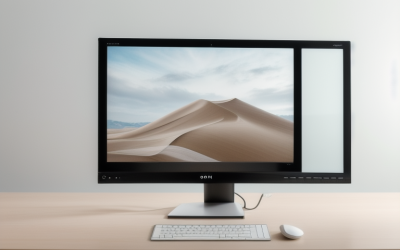
- Premium Choice: Sceptre 27-inch Prime Gaming Monitor 100Hz 1ms DisplayPort HDMI x2 100% sRGB AMD FreeSync Build-in Speakers, Eye Care Frameless Machine Black 2025 (E275W-FW100T Series)
A true 30-inch monitor is a rare size. Most panels jump from 27 to 32 inches, so shoppers searching for a 30-inch screen usually want one of two things: the specific ultrawide 21:9 shape that a 30-inch curved panel offers, or a screen that sits somewhere between a compact 27 and a large 32 on the desk. This guide covers both. Two models here are listed at 30 inches, three more land between 31.5 and 32, and the remainder are 27-inch screens for readers who decide the extra width is not worth the desk space.
The audience is a desk gamer or home-office worker deciding how much screen to commit to in 2026. The decision comes down to aspect ratio, resolution, and refresh rate more than raw diagonal size. A 30-inch ultrawide and a 32-inch 16:9 monitor behave very differently on the same desk, so the sections below separate the shapes and explain what each spec means before the individual write-ups.
Quick Picks
As an Amazon Associate we earn from qualifying purchases at no extra cost to you.





| Product | Best for | Key spec from the title |
|---|---|---|
| Samsung LS32B304N | Large, simple everyday screen | 32-inch flat, 75Hz, FreeSync |
| Sceptre C305B-200UN1 | True 30-inch ultrawide | 21:9, 2560×1080, up to 200Hz |
| Sceptre E275W-FW100T | Compact gaming with extra inputs | 27-inch, 100Hz, 1ms, two HDMI |
| Dell SE2726H | Fast IPS at 27 inches | 144Hz, 1ms, IPS, FreeSync |
| Philips 271V8LB | Long work sessions | 100Hz VA, flicker-free, 4-year warranty |
| Sceptre C305B-200UN | Curved 30-inch with speakers | 200+Hz, 2560×1080, FreeSync |
| Sceptre E325B-QW200D | Sharper 32-inch picture | 2560×1440, up to 210Hz, USB-C |
| Acer KB272 G0bi | Color-conscious 27-inch use | IPS, 120Hz, sRGB 99% |
| Dell S2725HSM | Adjustable stand and speakers | 144Hz, 2 x 3W speakers, pivot |
| Acer EZ321Q | Office-first large screen | 31.5-inch IPS, 75Hz, VGA and HDMI |
How to Choose
Pick the shape before the size
A 30-inch 21:9 panel at 2560×1080 is about as tall as a 24-inch 16:9 monitor but much wider, which suits side-by-side windows and racing or flight games. A 32-inch 16:9 monitor is taller, which suits documents and spreadsheets. If you only have room for one screen, decide which direction you need more of.
Match resolution to diagonal
Full HD (1920×1080) stretched across 31.5 or 32 inches looks soft because the pixel density drops. Look for 2560×1440 at 32 inches if text clarity matters. At 27 inches, Full HD is acceptable for gaming and office use, and it is easier on a mid-range graphics card.
Refresh rate and panel type
For competitive shooters, look for 120Hz or higher with a 1ms response claim and FreeSync or AdaptiveSync support. For office and streaming, 75Hz is fine. IPS panels generally hold color better from the side, while VA panels such as the Philips tend to offer deeper blacks. Budget models often trim color coverage, so look for a stated sRGB percentage.
Inputs, stands, and what to ignore
Count the ports: DisplayPort is the one to look for at higher refresh rates, and HDMI 1.4 can limit them. VGA is only useful for older gear. Built-in speakers are a convenience, not a substitute for headphones. Ignore vague claims such as eye care unless the listing names flicker-free or a blue-light filter. Many budget stands offer tilt only, so check for VESA mounting if height matters.
The 10 Best Options
Samsung LS32B304N
This is a 32-inch flat monitor with a 75Hz refresh rate, a borderless design, AMD FreeSync, and a Game Mode. It is aimed at buyers who want a large, plain screen for browsing, documents, and casual games without paying for extra speed.
- HDMI and DisplayPort are both listed, so connecting a desktop and a laptop is straightforward.
- The borderless design suits a two-screen row.
- Trade-off: the title lists no resolution, so check the spec sheet before assuming a sharp 32-inch picture.
Skip it if you play fast shooters, since 75Hz will not feel as smooth as the 144Hz screens below. It also suits shoppers who care more about screen area than about speed or a curved shape.
Sceptre C305B-200UN1
The first of two Sceptre curved ultrawides is a 30-inch, 21:9 model at 2560×1080 with a refresh rate listed up to 200Hz. It is the closest match to what a 30-inch search is actually after, and it targets players who want a wide field of view.
- HDMI and DisplayPort inputs are listed, and built-in speakers cover basic audio.
- The curve and 21:9 shape give a wide, immersive view.
- Trade-off: 1080 lines stretched across an ultrawide is less sharp than a 1440p panel.
Skip it if your games or apps do not support ultrawide layouts, or if you want one screen for both documents and play, since the shorter height limits vertical space.
Sceptre E275W-FW100T
A 27-inch Prime gaming monitor with 100Hz, a 1ms claim, 100% sRGB, and AMD FreeSync. The distinguishing feature is its input count: DisplayPort plus two HDMI ports, so a PC and a console can share it.
- Full sRGB coverage is stated, which is useful for photo browsing and general color accuracy on a gaming panel.
- The frameless look and built-in speakers keep the desk tidy.
- Trade-off: 100Hz is a modest step up from office screens, not a competitive-shooter speed.
Skip it if you need a full 30 inches of diagonal. It makes more sense as the compact choice when the desk is shallow and a curved ultrawide would crowd it.
Dell SE2726H
This 27-inch Full HD IPS monitor runs at 144Hz with a 1ms response claim and AMD FreeSync. The title also mentions a TUV eye-comfort certification and two HDMI ports, with a tilt-adjustable stand, so it reads as a gaming screen that still respects long desk sessions.
- IPS plus 144Hz is a sensible pairing for gaming at this size, with smoother motion than 75Hz office panels.
- Two HDMI inputs make switching between a PC and a console easy.
- Trade-off: the listing shows tilt as the stand adjustment, so height is fixed.
Skip it if you need DisplayPort, a height-adjustable stand, or a screen larger than 27 inches. It is the smaller, faster alternative to the ultrawides above.
Philips 271V8LB
A 27-inch Full HD VA monitor at 100Hz with 4ms GtG response, Adaptive Sync, and a flicker-free, low-blue-light design. It is a work-first screen, backed by a 4-year advance replacement warranty.
- The warranty term is the longest coverage claim in this group.
- Flicker-free and low-blue-light features suit long reading sessions.
- Trade-off: connections are HDMI 1.4 and VGA, with no DisplayPort listed.
Skip it if you want faster response, a higher refresh rate, or modern video inputs. Think of it as the dependable office pick rather than a gaming upgrade, and pair it with a PC that has a spare HDMI output.
Sceptre C305B-200UN
The second 30-inch Sceptre is the Prime Curved version, listing 200+Hz, FreeSync, 2560×1080, HDMI, DisplayPort, and built-in speakers. On paper it overlaps with the other 30-inch model, so the choice often comes down to which listing is in stock.
- The 200+Hz figure and FreeSync target smooth motion for fast games.
- Both digital inputs are listed, so a PC and console can share it.
- Trade-off: the same 1080-line resolution as its sibling limits sharpness for text work.
Skip it if you plan to do detailed photo or spreadsheet work. If you spot both Sceptre 30-inch listings, compare their model numbers and finishes, since the spec lines read very much alike.
Sceptre E325B-QW200D
The only QHD screen here: a 32-inch panel at 2560×1440 with a refresh rate up to 210Hz, a 1ms claim, and sRGB 115%. USB Type-C, DisplayPort, and HDMI are all listed, along with speakers.
- QHD at 32 inches keeps text sharper than Full HD at the same size.
- USB-C adds a single-cable option for laptops.
- Trade-off: driving 1440p at high refresh rates takes a capable graphics card.
Skip it if your graphics card is entry level, because the extra pixels and refresh headroom will go unused. It is the most future-minded screen in the group.
Acer KB272 G0bi
A 27-inch Full HD IPS gaming-and-office screen at 120Hz with a 1ms claim, AdaptiveSync, and sRGB 99%. Inputs are HDMI and VGA, and VESA mounting is supported.
- The sRGB 99% figure suits mixed gaming and creative browsing.
- VESA support allows a monitor arm.
- Trade-off: no DisplayPort is listed, which can limit refresh-rate options on some setups.
Skip it if DisplayPort is a requirement or if you want a curved, immersive shape. It is a safe, conventional screen for a mixed work-and-play desk, and it works well beside a laptop on a stand.
Dell S2725HSM
A 27-inch Full HD monitor at 144Hz with a 1ms claim, FreeSync, two 3W speakers, and an Ash White finish. Its stand is the standout, offering height, tilt, pivot, and swivel adjustment.
- Full stand adjustability helps with posture and portrait-mode coding.
- The built-in speakers remove the need for extra desk gear.
- Trade-off: HDMI is the only connection named in the title.
Skip it if you want a dark finish, since this one comes in Ash White, or if you need several input types. It is the pick for a bright, clean desk where ergonomics matter more than ports.
Acer EZ321Q
A 31.5-inch Full HD IPS office monitor at 75Hz with a 1ms claim, AdaptiveSync, HDMI, VGA, VESA mounting, a blue-light filter, and flickerless technology. It suits spreadsheets and video calls on a large screen.
- IPS keeps colors consistent across a wide viewing angle.
- Flickerless and blue-light features suit long days of spreadsheets and calls.
- Trade-off: Full HD over 31.5 inches means lower pixel density.
Skip it if you want high refresh rates or sharp text at this size. It fits a home office where a big, calm panel is wanted and games are an occasional extra.
Which One Fits Your Situation
You want a real 30-inch ultrawide
Choose the Sceptre C305B-200UN1 or the Sceptre C305B-200UN. Both share the 2560×1080 curved format, so compare speakers and stock status.
You want sharp text on a big screen
The Sceptre E325B-QW200D is the only 1440p option, and its USB-C port helps if you work from a laptop.
You split time between a PC and a console
The Sceptre E275W-FW100T and the Dell SE2726H both list two HDMI ports, which keeps cable swapping to a minimum.
You mostly work and read
The Philips 271V8LB or Acer EZ321Q fit best, thanks to their flicker-free and blue-light claims.
Common Mistakes
- Assuming every large monitor is sharp: Full HD at 31.5 or 32 inches looks softer than 1440p.
- Ignoring the aspect ratio: ultrawide games and apps do not always scale cleanly.
- Choosing HDMI 1.4 for a high refresh rate and wondering why the option is missing.
- Buying on refresh rate alone while skipping panel type and color coverage.
- Forgetting stand limits: tilt-only stands may leave the screen too low.
Related guides
- Combination Smoke And Carbon Monoxide Detectors
- Aio Liquid Coolers For High Performance Gaming
- Graphics Cards For Low Wattage Power Supplies
Frequently Asked Questions
Are 30-inch monitors common?
Not really. Most makers use 27, 32, or 34 inches. The 30-inch size mostly appears as a curved 21:9 ultrawide, like the two Sceptre models in this guide.
Is 1080p fine on a 30-inch ultrawide?
For gaming it is workable, and it is easier on the graphics card. For text-heavy work, a 1440p panel looks noticeably sharper.
Do I need 144Hz?
Competitive players benefit from it. If you mostly browse and watch video, 75Hz or 100Hz is plenty.
Should I care about built-in speakers?
They are fine for system sounds and video calls. For games or music, headphones or desktop speakers will sound better.