As an Amazon Associate we earn from qualifying purchases.
The Alienware AW3418DW was one of the defining ultrawide gaming monitors of its generation. Launched as Dell’s flagship Alienware display, it combined a 34.1-inch curved IPS panel, a 3440 x 1440 resolution, NVIDIA G-Sync, and a refresh rate that overclocks to 120Hz. For several years it was the default recommendation for anyone who wanted a single ultrawide screen for both gaming and desktop work.
This review is a specification-based overview compiled from the manufacturer’s listed specifications and the Amazon US product listing for this exact model. It is not a practical lab test, and no new measurements are claimed here. Instead, the goal is to lay out exactly what the AW3418DW offers on paper, where its age shows, and what you need to check carefully if you are considering one today.
That last point matters. The AW3418DW is a 2018-era model that Dell has since discontinued, replaced in the Alienware line by newer ultrawide designs. New retail stock is therefore not the normal route to buying one. Any Amazon US listing still open for this model should be read closely for its condition, because remaining units may be offered as used or renewed rather than factory-new. The listing referenced in this review is the Amazon US page for ASIN B0777RY75V, titled as the Dell 34.1 AW3418DW with G-Sync, WQHD resolution, DisplayPort 1.2, HDMI 1.4, and four USB 3.0 ports. Always confirm the stated condition, seller, and return terms on that page before ordering.
Disclosure: This article contains an affiliate link to Amazon. If you buy through that link, we may earn a commission at no additional cost to you.
Quick Verdict: The AW3418DW at a Glance
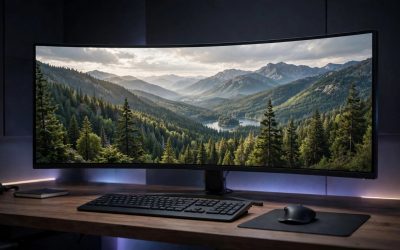
The AW3418DW is a 34.1-inch ultrawide gaming monitor built around a curved Nano-IPS-style In-Plane Switching panel in the 21:9 aspect ratio. Its native resolution is 3440 x 1440, often called UWQHD, which gives you roughly a third more horizontal space than a standard 2560 x 1440 screen. The panel runs at 100Hz natively and can be overclocked in the on-screen menu to 120Hz when connected over DisplayPort.
Variable refresh comes from NVIDIA G-Sync, the hardware-module version, which means smooth, tear-free gaming is tied to an NVIDIA GeForce graphics card. Response time is listed at 4ms grey-to-grey in the fast mode, brightness at 300 cd/m², and the static contrast ratio at 1000:1, all typical figures for an IPS panel of this period.
In short, the AW3418DW still reads as a well-balanced ultrawide on specifications alone: high resolution, a useful refresh-rate range for story-driven and simulation games, accurate IPS viewing angles, and a full-size USB hub. Its limitations are equally clear on paper: no HDR support worth the name, an older HDMI 1.4 port, G-Sync lock-in, and the simple fact that it is a discontinued product whose remaining availability is mostly in used or renewed condition.
Alienware AW3418DW: Full Specifications

- Display size: 34.1 inches, curved with a 1900R curvature
- Panel type: IPS (In-Plane Switching)
- Aspect ratio: 21:9 ultrawide
- Native resolution: 3440 x 1440 (UWQHD)
- Refresh rate: 100Hz native, overclockable to 120Hz over DisplayPort
- Adaptive sync: NVIDIA G-Sync (hardware module)
- Response time: 4ms grey-to-grey (fast mode, as listed by the manufacturer)
- Brightness: 300 cd/m² (typical)
- Contrast ratio: 1000:1 (typical, static)
- Color support: approximately 99% sRGB coverage as listed, 16.7 million colors
- Video inputs: 1 x DisplayPort 1.2, 1 x HDMI 1.4
- USB hub: 4 x USB 3.0 downstream ports plus USB upstream connection
- Audio: headphone output; no built-in speakers as the headline feature
- Ergonomics: height, tilt, and swivel adjustment on the stand
- Lighting: AlienFX customizable lighting zones on the rear of the display
- Model identifiers: AW3418DW, listed on Amazon US under ASIN B0777RY75V
Two specification details deserve emphasis. First, the 120Hz figure is an overclock. Out of the box the panel is a 100Hz display, and reaching 120Hz requires enabling the overclock in the monitor menu and using DisplayPort. Second, the HDMI input is version 1.4, which limits refresh rate at the native resolution compared with DisplayPort. For PC gaming, DisplayPort is the connection this monitor was designed around.
Design and Build
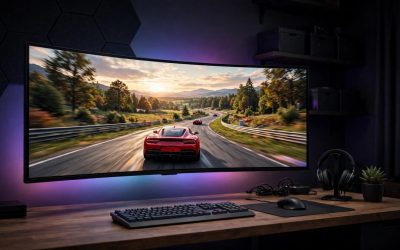
Alienware’s design language from this era is unmistakable. The AW3418DW uses a silver and dark-grey chassis with angular lines, a wide V-shaped stand foot, and AlienFX lighting strips and logo illumination on the back panel. The lighting can be configured through Alienware’s software on a compatible PC and set to react with supported games or simply hold a static color.
The stand offers height, tilt, and swivel adjustment, which covers the essentials for a large ultrawide. It does not rotate into portrait mode, which is normal for a curved 34-inch panel and not a realistic use case for this format. Cable management is handled through the stand column, helping keep the thick DisplayPort and power cables of a desktop setup out of sight.
Bezels are slim on the top and sides by the standards of its launch period, making the screen feel expansive on the desk. You will need that desk space: a 34-inch ultrawide with a deep stand foot is a substantial piece of hardware, so measure your surface depth before assuming it fits, especially if you also use monitor arms, speakers, or a large keyboard tray. The monitor is also VESA mount compatible, so an arm is an option if the stock stand takes up too much room.
Display Quality on Paper
The core appeal of the AW3418DW is the combination of size, resolution, and panel type. At 3440 x 1440 on a 34.1-inch screen, pixel density works out to roughly 110 pixels per inch. That is sharp enough for crisp text in everyday desktop use without scaling, while still being far less demanding on a graphics card than a 4K display.
IPS technology brings wide viewing angles and consistent colors when viewed off-center, which matters on a wide curved screen where the edges are naturally angled away from you. The 1900R curve is gentle rather than aggressive. It wraps the image slightly for immersion in games and reduces the head-turning needed compared with a flat panel of the same width.
Color coverage is listed at around 99% of sRGB, the standard color space for games, web content, and most video. That makes the monitor suitable for general content creation in sRGB alongside gaming. It is not, however, a wide-gamut professional display, and it predates the HDR era for this class of monitor: there is no meaningful HDR certification, local dimming, or high peak brightness here. If HDR gaming is a priority, newer Alienware ultrawides and other current models are built for that in a way this panel simply is not.
Contrast is the usual IPS trade-off. A 1000:1 static ratio means blacks in a dark room will look more like very dark grey than true black, and IPS glow can be visible in the corners on dark scenes. That is a characteristic of the panel technology of the time, not a defect specific to this model, but it is worth knowing if you mainly play dark, atmospheric games in a dim room.
Gaming Performance on Paper
For gaming, the headline numbers are the 120Hz overclocked refresh rate and hardware G-Sync. Moving from a standard 60Hz screen to 100Hz or 120Hz is a clear, immediately noticeable step up in motion smoothness and responsiveness, and G-Sync keeps that motion free of tearing and stutter as frame rates rise and fall, provided you use an NVIDIA graphics card and a DisplayPort cable.
The listed 4ms grey-to-grey response time is competitive for an IPS ultrawide of this generation. Fast-paced competitive shooters played at the highest level are still better served by smaller, higher-refresh 240Hz-class monitors, but that is not what this display is for. The AW3418DW’s natural home is immersive single-player games, racing and flight simulation, strategy titles, and open-world games, where the extra width adds peripheral vision and atmosphere that a 16:9 screen cannot match.
Ultrawide support in games is much broader than it was at this monitor’s launch, but it is not universal. Some titles still render at 16:9 with black bars, and some competitive games restrict the field of view by design. Check support for the specific games you play most before committing to any ultrawide, this one included.
You also need a graphics card with enough power to drive 3440 x 1440. That resolution sits between 1440p and 4K in demand. A mid-range modern GPU can handle it well in many titles with sensible settings, while older or entry-level cards will struggle to hold high frame rates at native resolution.
Productivity and Everyday Use
Outside games, the 21:9 screen is the AW3418DW’s strongest everyday argument. The 3440-pixel width comfortably fits two full application windows side by side, or a timeline-based editor with room for tool panels. For spreadsheets, coding, writing, and multitasking, it can replace a dual-monitor setup without a bezel in the middle and with a single cable to manage.
The built-in USB 3.0 hub with four downstream ports adds genuine convenience, letting you leave a keyboard receiver, webcam, or headset dongle plugged into the monitor rather than reaching for the PC case. The headphone jack is similarly handy for a tidy desk.
For console use, temper expectations. Consoles connect over the HDMI 1.4 port and typically output a 16:9 image, leaving black bars on the sides, with refresh limits set by that older HDMI version. This monitor was designed first and foremost as a PC display.
Pros and Cons
Pros
- Large 34.1-inch 3440 x 1440 IPS panel with immersive 1900R curve
- 100Hz native refresh, overclockable to 120Hz over DisplayPort
- Hardware NVIDIA G-Sync for tear-free gaming with GeForce cards
- Around 99% sRGB coverage and wide IPS viewing angles for work as well as play
- Height, tilt, and swivel stand adjustment plus VESA mounting
- Four-port USB 3.0 hub and AlienFX lighting
Cons
- Discontinued model; remaining Amazon US availability may be used or renewed only
- No meaningful HDR support and modest 300 cd/m² brightness
- HDMI 1.4 limits refresh rate; full performance needs DisplayPort
- G-Sync module ties variable refresh to NVIDIA graphics cards
- IPS contrast is limited, so blacks look grey in a dark room
- Large, deep stand needs substantial desk space
Check the Alienware AW3418DW on Amazon
Who the AW3418DW Is For — and How to Choose
The AW3418DW makes the most sense today for a PC gamer with an NVIDIA graphics card who specifically wants this classic ultrawide format and finds a unit in verified good condition. If the listing is used or renewed, the condition grade, the seller’s return policy, and confirmation that the stand, power supply, and a DisplayPort cable are included all matter as much as the headline specifications. A missing stand or cable adds cost and hassle to a monitor this size.
It is a weaker fit if you want HDR, HDMI 2.1 console features, variable refresh with an AMD card as your main path, or a factory-new product with a full manufacturer warranty period ahead of it. In those cases a current ultrawide will serve you better, even though the AW3418DW’s core resolution and refresh combination remains perfectly usable.
When comparing any remaining AW3418DW listing against a newer alternative, work through this checklist:
- Confirm the model number is exactly AW3418DW, not the later AW3420DW or AW3423-series models, which are different products.
- Confirm the stated condition — new, used, or renewed — and what warranty or return window backs it.
- Check that your graphics card is NVIDIA if you want G-Sync, and that it has a DisplayPort output.
- Budget desk space for a 34-inch curved panel and confirm your GPU can drive 3440 x 1440 in your games.
- Inspect on arrival for backlight bleed, dead pixels, and panel uniformity, and test the 120Hz overclock early while returns are still simple.
Frequently Asked Questions
Is the Alienware AW3418DW still sold new?
The AW3418DW is a discontinued 2018-era model, so factory-new retail stock is not the norm. An Amazon US product page for this model exists under ASIN B0777RY75V, but any unit offered there may be used or renewed depending on the seller at the time. Read the condition statement on the listing itself before buying.
What refresh rate does the AW3418DW actually run at?
The panel is 100Hz natively. It can be overclocked to 120Hz through the monitor’s on-screen settings when connected by DisplayPort. Over HDMI 1.4, refresh rates at native resolution are lower, so DisplayPort is the recommended connection for gaming.
Does the AW3418DW work with AMD graphics cards?
The display will show a picture with an AMD card, but its variable-refresh technology is NVIDIA G-Sync via a hardware module. Adaptive sync over the standard FreeSync path is not this model’s feature, so AMD users do not get the same tear-free variable-refresh experience.
What resolution and aspect ratio is the AW3418DW?
It is a 21:9 ultrawide with a native resolution of 3440 x 1440 on a 34.1-inch curved IPS panel, giving roughly 110 pixels per inch for sharp text without display scaling.
Can I use the AW3418DW for work as well as gaming?
Yes. The extra horizontal space suits two windows side by side, timelines, spreadsheets, and coding, and the listed sRGB coverage and IPS viewing angles suit general content work. It is not a wide-gamut or HDR reference display for professional color grading.
Conclusion
The Alienware AW3418DW earned its reputation honestly: a big, sharp, curved IPS ultrawide with 120Hz overclocked gaming and proper hardware G-Sync, in a well-built chassis with a useful USB hub. On specifications, that formula still holds up for immersive PC gaming and productive desktop work today.
The deciding factor in 2026 is not the panel — it is the purchase itself. This is a discontinued monitor, and the Amazon US listing for ASIN B0777RY75V needs careful reading for condition, seller, and returns, because remaining stock may be used or renewed rather than new. Go in with that clear-eyed, verify the exact model and what is in the box, and the AW3418DW can still be a satisfying ultrawide. If you need a new-in-box warranty, HDR, or modern console features, look at a current model instead.