As an Amazon Associate we earn from qualifying purchases
A curved monitor can make console gaming feel more enveloping at a desk. The edges sit at a more even distance from your eyes, racing and open-world games wrap around you, and a single-player setup feels more personal than a shared television. But consoles impose limits that PC marketing glosses over.
PlayStation 5 and Xbox Series X and Series S output a 16:9 picture. They do not natively output ultrawide 21:9 or 32:9, so an ultrawide will show black bars, or stretch or crop the picture. Every pick here is therefore 16:9, with the immersion of a curve and a correctly shaped picture.
Consoles also top out at 120 frames per second in supported titles, with many games at 30 or 60. A 165Hz or 240Hz panel does not add frames; it provides headroom and a screen ready for a PC. For console use, 120Hz support over HDMI, variable refresh rate, and a supported resolution matter more than the largest number on the box. For flat and curved options in general, see our guide to the best monitor for console.
How to Choose a Curved Monitor for Console Gaming
Size and curvature
At a desk, 27 inches is the sweet spot for most console players. It is large enough for the curve to feel present, small enough for a normal viewing distance, and sharp at 1440p. A 32-inch screen adds presence for racing and cinematic games if your desk is deeper, but the same resolution is spread over a larger area, so fine detail looks a little less dense.
Curvature is written as a radius, such as 1000R or 1500R. A smaller number means a tighter curve. A 1000R panel wraps more noticeably and suits a single player sitting centred and close. A 1500R panel is gentler, easier to share with a second viewer, and less likely to make straight menu lines look bent. Match the curve to how close you sit and whether you usually play alone.
Panel type
Most curved gaming monitors at these sizes use VA panels, and all five picks here use VA or QLED-enhanced VA technology. VA offers strong contrast, which helps dark scenes in horror, stealth, and space games, and it bends readily into a curve. The trade-off is narrower viewing angles than IPS and slower dark transitions on some models, so check the published response time and use the panel overdrive modes sensibly. For console gaming at 60 to 120 frames per second, a well-tuned VA panel is a sensible, common choice.
Resolution
PlayStation 5 supports 1080p, 1440p, and 2160p output, and Xbox Series X and Series S also support 1440p. That makes 2560 x 1440 a practical middle ground: sharper than 1080p, supported by both consoles, and less demanding than 4K if a PC joins the desk. Note that a game may render internally at a different resolution and then output at the selected display resolution, so the monitor alone does not guarantee the rendering resolution of every title. At 27 inches and above, 1440p holds detail better than 1080p when you sit close.
Refresh rate and response time
Look for 120Hz support over HDMI if you play titles with a 120 frames per second mode. Check the port, not just the panel: some monitors reach their full rate only over DisplayPort, which consoles do not use. The Specs below note the HDMI provision for each pick, and the text flags where a headline rate is a DisplayPort figure. Response time figures here are the figures manufacturers publish, usually as MPRT or grey-to-grey, and those methods differ between brands, so treat them as a guide to panel class rather than a precise ranking.
HDMI, VRR, and console compatibility
Consoles connect by HDMI, so version and count matter. HDMI 2.0 is enough for 1440p at 120Hz in the modes these consoles use, while HDMI 2.1 is required for 4K at 120Hz on a 4K screen, so HDMI 2.0 is not a deal breaker for these 1440p picks. Two HDMI ports help if a PlayStation and an Xbox share one desk.
Variable refresh rate, or VRR, lets the display adjust to the frame rate a game is producing, reducing tearing and judder when performance dips. PlayStation 5 VRR requires a compatible display over HDMI, and Xbox supports FreeSync-based VRR over HDMI. Support is not automatic in every mode, and the Dell below explicitly describes gaming console VRR support in its listing. Enable VRR in the console settings and test it in a title known to support it. Do not buy any of these monitors for sound; use a headset instead.
The Picks
Samsung 27-Inch Odyssey G5 QHD Curved Gaming Monitor

The Odyssey G5 offers the tightest curve here. Its 1000R radius wraps into your peripheral vision in racing and first-person games, and the 27-inch size keeps that strong curve comfortable for a single player sitting centred.
Its QHD panel runs at 165Hz with a manufacturer-stated 1ms MPRT response time. For a console, the useful part is 120Hz-class playback at 1440p over HDMI in supported games, with headroom for a PC later. AMD FreeSync and HDR10 are listed; HDR in this class means signal compatibility rather than premium television HDR, so calibrate carefully. The compromise is connectivity: the listing shows one HDMI port, so two-console owners will swap cables or add a switch.
Specs
- Screen size and curvature: 27 inches, 1000R curved
- Panel type: VA
- Resolution: 2560 x 1440 (QHD, 16:9)
- Refresh rate: 165Hz
- Response time: 1ms (MPRT), as published by the manufacturer
- Ports: 1 x HDMI, DisplayPort, headphone, USB
- VRR support: AMD FreeSync
- Other: HDR10 support, 300 brightness as listed
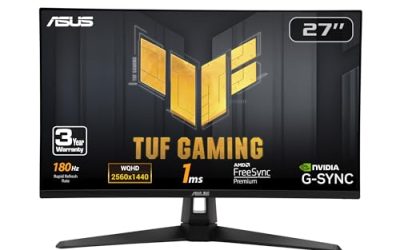
ASUS TUF Gaming VG27WQ1B 27-Inch Curved Monitor

The TUF Gaming VG27WQ1B takes a gentler approach. Its 1500R curvature is easier to share with someone beside you, and its stand offers tilt and swivel plus VESA mounting.
ASUS lists a WQHD panel at 165Hz, supporting 144Hz, with a 1ms MPRT response time and Extreme Low Motion Blur. The key console detail is that ASUS states FreeSync Premium is supported through both DisplayPort and HDMI — the HDMI path a PlayStation or Xbox actually needs. Two HDMI 2.0 ports keep both consoles plugged in, with DisplayPort free for a PC. HDR10 is included, again as signal compatibility rather than premium television brightness. It is the balanced two-console pick here.
Specs
- Screen size and curvature: 27 inches, 1500R curved
- Panel type: VA
- Resolution: 2560 x 1440 (WQHD, 16:9)
- Refresh rate: 165Hz (supports 144Hz)
- Response time: 1ms (MPRT), as published by the manufacturer
- Ports: 2 x HDMI 2.0, 1 x DisplayPort 1.2, earphone jack
- VRR support: FreeSync Premium through DisplayPort and HDMI, Adaptive-Sync
- Other: HDR10 support, Extreme Low Motion Blur
GIGABYTE GS27QC 27-Inch Curved Gaming Monitor
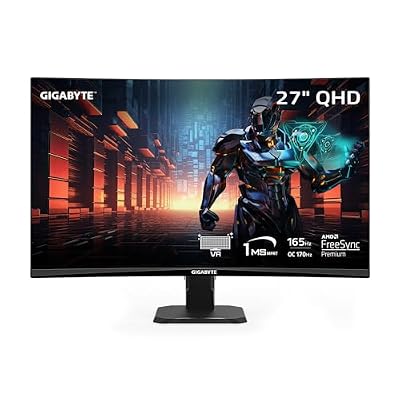
The GS27QC matches the TUF on headline numbers — 1500R VA panel, 2560 x 1440, 165Hz with a 170Hz overclock figure, and 1ms MPRT — and adds a stated 4000:1 contrast ratio and 108 percent sRGB coverage. Strong native contrast is a genuine VA advantage for dark interiors and night scenes, if brightness and black equalisation are set to taste.
FreeSync Premium is supported, with two HDMI 2.0 ports and one DisplayPort 1.4 port for two consoles plus a PC. OSD Sidekick, a timer, crosshairs, and Black Equalizer are also listed; shadow adjustment is the most console-relevant of those. The stand offers tilt rather than full height adjustment, so a VESA arm is the fix if ergonomics matter. It is a strong all-rounder for a mixed desk.
Specs
- Screen size and curvature: 27 inches, 1500R curved
- Panel type: VA
- Resolution: 2560 x 1440 (QHD, 16:9)
- Refresh rate: 165Hz, overclock to 170Hz as listed
- Response time: 1ms (MPRT), as published by the manufacturer
- Ports: 2 x HDMI 2.0, 1 x DisplayPort 1.4
- VRR support: AMD FreeSync Premium
- Other: HDR Ready as listed, 4000:1 contrast ratio as listed
Dell S2722DGM 27-Inch Curved Gaming Monitor
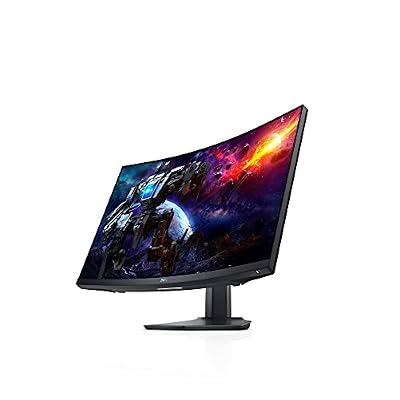
The Dell S2722DGM stands out for one sentence in its own description: it states that the monitor is enabled with gaming console VRR support. That explicit framing is rarer than generic FreeSync branding, and it reassures players who do not want to guess whether variable refresh will engage over HDMI.
The specification is well judged: a 1500R VA panel at 2560 x 1440, 165Hz, and response times listed as 1ms MPRT and 2ms grey-to-grey, with brightness of 350 and a 3000:1 typical contrast ratio as listed. The 165Hz figure is described as a DisplayPort rate in the product name, so focus on HDMI performance and console VRR rather than that headline. Two HDMI 2.0 ports, DisplayPort 1.2, and a height and tilt stand complete a console-first package.
Specs
- Screen size and curvature: 27 inches, 1500R curved
- Panel type: VA
- Resolution: 2560 x 1440 (QHD, 16:9)
- Refresh rate: 165Hz (DisplayPort rate as listed in the product name)
- Response time: 1ms (MPRT) and 2ms grey-to-grey, as published by the manufacturer
- Ports: 2 x HDMI 2.0, 1 x DisplayPort 1.2, headphone out
- VRR support: AMD FreeSync Premium, with gaming console VRR support stated in the listing
- Other: 350 brightness as listed, height and tilt adjustment
Samsung 32-Inch Odyssey G7 WQHD Curved Gaming Monitor

The Odyssey G7 is the step-up pick for a deeper desk. At 31.5 inches, in the 32-inch class, it keeps the console-friendly 16:9 shape while adding presence for racing, flight, and cinematic games. Its 1000R curve is tight for its size, so sit centred and give it depth.
Samsung lists WQHD, 240Hz, and a 1ms response time, with QLED technology, HDR 600, G-Sync compatibility, and FreeSync Premium Pro. Be clear about what transfers to a console: it will not use 240Hz, and it will not use G-Sync, a PC feature. What transfers is 1440p at up to 120Hz in supported titles, the large tight curve, and FreeSync-family VRR. The extra specification is PC headroom, not extra console performance — which is exactly why the G7 suits a shared console and PC desk.
Specs
- Screen size and curvature: 31.5 inches (32-inch class), 1000R curved
- Panel type: VA with QLED technology as listed
- Resolution: 2560 x 1440 (WQHD, 16:9)
- Refresh rate: 240Hz
- Response time: 1ms, as published by the manufacturer
- Ports: HDMI and DisplayPort as listed
- VRR support: FreeSync Premium Pro and G-Sync compatible (G-Sync is for PC use)
- Other: HDR 600 as listed, Infinity Core lighting
Frequently Asked Questions
Do curved monitors work well with PlayStation 5 and Xbox?
Yes, provided the monitor is 16:9, has HDMI, and supports the resolution and refresh rate you want. Both consoles output a standard 16:9 HDMI signal, so a 16:9 curved monitor displays it correctly, just on a curved surface. Check VRR support over HDMI if variable refresh matters to you, and enable 120Hz and VRR in the console settings for titles that support them.
Why should console players avoid ultrawide curved monitors?
PlayStation and Xbox consoles do not natively output ultrawide aspect ratios such as 21:9 or 32:9. On an ultrawide screen the picture will usually appear with black bars at the sides, or it may be stretched or cropped if the monitor is set to fill the screen. An ultrawide can be excellent for PC gaming, but for a console-first setup a 16:9 curved monitor is the correct shape.
Is 1440p or 4K better for a console monitor?
For a desk monitor, 1440p is often the better balance. Both current consoles support 1440p output, games look sharp at 27 inches at desk distance, and you avoid a larger 4K panel whose benefit is clearer at television sizes. Choose 4K if you sit farther back, want a larger screen, or watch a lot of 4K video. Choose 1440p for high-refresh support and a focused gaming desk at 27 or 32 inches.
Does a 165Hz or 240Hz monitor make console games run faster?
No. The console and the game determine the frame rate, and current consoles cap supported titles at 120 frames per second, with many games at 60 or below. A higher-refresh monitor does not add frames. It can still be worth buying for its gaming features, VRR range, and usefulness with a PC, but buy it for those reasons rather than expecting a console to fill every hertz on offer.
Conclusion
The best curved monitor for console gaming is not the widest or fastest screen available. It is a 16:9 screen with the right HDMI ports, honest 120Hz-class support, and VRR over the connection a console uses. The Dell S2722DGM is the most console-focused pick, the ASUS TUF VG27WQ1B the balanced two-console choice, and the Samsung Odyssey G5 delivers the tightest 27-inch curve. The GIGABYTE GS27QC is a strong mixed-desk all-rounder, and the larger Odyssey G7 suits a bigger screen with PC headroom. Choose by desk depth, console count, and curve strength.