A home office monitor earns its keep in open windows, not headline numbers. The real decision at 27 inches is how much working room the panel gives you: 1440p lets a document and a spreadsheet sit side by side without constant zooming, while 1080p wastes the diagonal on size alone and 4K trades some simplicity for very fine detail. Ports and stand comfort come next, because a spare-room desk has to serve meetings, deep work, and the family laptop on the same surface.
This guide suits remote employees furnishing a permanent corner, freelancers whose laptop needs a proper base, and households where one good screen replaces a rotation of smaller ones. All five models were selected from the name and specifications on their Amazon product pages, and the shortlist leans toward QHD productivity, with USB-C docking where it genuinely simplifies the desk and one 4K option for detail-led work.
Quick Picks
As an Amazon Associate we earn from qualifying purchases
| Product | Best for | Key spec from title |
|---|---|---|
| Samsung ViewFinity S6 (S60UD) | A laptop office with wired networking | 27-inch QHD, 100Hz, HDR10, USB-C, built-in LAN, daisy chain |
| ASUS BE27ACGN | A growing desk that may add a second screen | 27-inch QHD IPS, 120Hz, USB-C docking, RJ45, daisy chain |
| Dell 27 Plus QHD (S2725DS) | Meetings without separate speakers | 27-inch QHD, 100Hz, integrated 2x5W speakers, height adjustable |
| LG UltraFine 27UP850N-W | Detail work and very sharp text | 27-inch 4K IPS, DisplayHDR 400, USB Type-C |
| BenQ GW2790Q | Long reading days on a desktop PC | 27-inch QHD 100Hz IPS, HDMI, DisplayPort, eye-care modes |
How to Choose
Give your windows room with the right resolution
Home office work is parallel work: email beside a document, a spreadsheet beside a browser, a call beside the notes you are presenting. QHD at 2560 x 1440 is the resolution that makes 27 inches useful for that pattern, because two full windows fit without shrinking text into a squint. At 1080p the same diagonal only makes everything bigger, not more spacious. Move to 4K when your job involves fine detail, large plans, or photo work, and accept scaling settings as part of the bargain.
Decide whether the monitor should also be the dock
A laptop-led office benefits enormously when the screen takes over docking duties. A USB-C monitor with charging, such as the Samsung below with 90W listed on its product page, plus a hub for keyboard and mouse, turns sitting down to work into plugging in one cable. Built-in LAN or RJ45, offered by the Samsung and ASUS picks, adds stable wired networking for calls. Desktop PC offices can skip all of this and spend their attention on the panel instead, which is why the Dell and BenQ remain in the running.
Treat speakers and eye comfort as meeting equipment
In a home office, built-in speakers are not a luxury line in a specification table; they are the difference between a clean desk and another gadget competing for sockets. The Dell’s integrated dual 5W speakers handle voices with more body than typical monitor audio. Eye comfort matters at the same practical level: flicker-free designs, low blue light modes, and adaptive brightness, all over the BenQ’s title, reduce the background strain of eight-hour days in a room that was never designed as an office.
Spend on the stand before you spend on an arm
Spare rooms and box rooms rarely have ideal desk depths, so the screen often sits closer than planned. Height adjustment, tilt, swivel, and pivot let you place the top of the panel near eye level and angle it away from window glare. Four of the five monitors here list height adjustment in their titles. The BenQ is the exception, and its VESA mounting is the intended answer if you already own an arm. Budget home office models cut exactly here first, so check before you buy.
The 5 Best Options
Samsung ViewFinity S6 (S60UD)

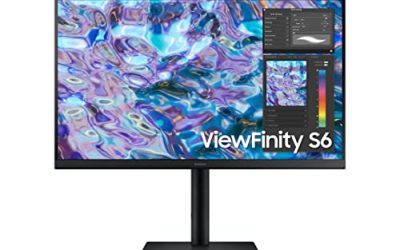
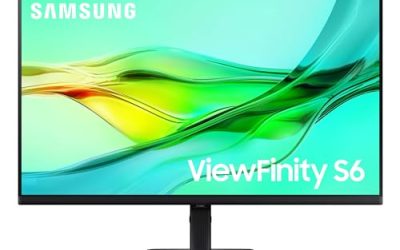
Samsung’s ViewFinity S6 reads like a checklist written by someone who works from home full time. The QHD panel runs at 100Hz with HDR10, the USB-C connection charges a laptop at 90W according to the product page, a built-in LAN port supplies wired networking, and daisy chain support means a second screen can follow later without a new dock. The height adjustable Easy Setup stand needs no tools, and a built-in KVM switch lets a work laptop and a home PC share one keyboard and mouse.
Specs
- Screen size: 27 inches
- Resolution: QHD 2560 x 1440
- Refresh rate: 100Hz
- HDR: HDR10
- Connection: USB-C with 90W charging listed on the product page
- Networking: built-in LAN port
- Extra display support: daisy chain
- Stand: height adjustable, Easy Setup design
- Model: LS27D606UANXGO
Best for: Laptop-based home offices that want docking, Ethernet, and an upgrade path in a single purchase.
Watch out for: Your laptop must support video over USB-C to use the one-cable setup, and the KVM and LAN features only pay off if your peripherals route through the monitor.
ASUS BE27ACGN

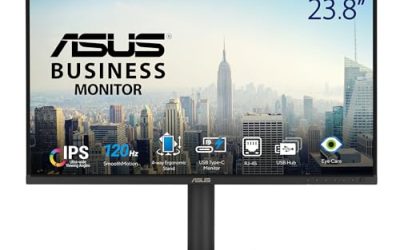
ASUS approaches the home office from the employer’s side of the desk. The BE27ACGN is a docking monitor with USB-C and RJ45 Ethernet, a QHD IPS panel at 120Hz, DisplayPort daisy-chain output for a second screen, and ASUS Power Sync to coordinate sleep and wake with a connected ASUS laptop. Stereo speakers cover calls, the frameless design suits a dual-screen future, and the height adjustable ergonomic stand plus Eye Care features handle the long-day basics without drama.
Specs
- Screen size: 27 inches
- Resolution: QHD 2560 x 1440
- Refresh rate: 120Hz
- Panel: IPS, frameless
- Docking: USB-C docking, RJ45 Ethernet
- Extra display support: DisplayPort daisy chain
- Audio: stereo speakers
- Features: ASUS Power Sync, Eye Care, low blue light, flicker free
- Stand: height adjustable, ergonomic design
- Mounting: wall mountable
Best for: Professionals equipping a long-term desk who expect a second monitor to join within a year or two.
Watch out for: The Amazon title does not give a USB-C charging wattage, so verify the figure on the product page if your laptop is a large model with a hungry charger.
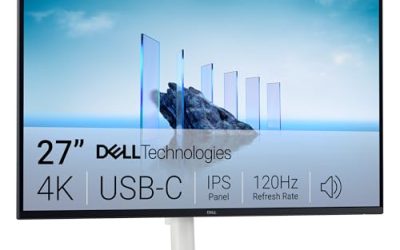
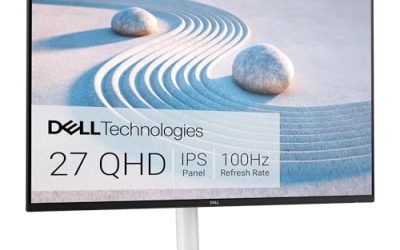
Dell 27 Plus QHD (S2725DS)

Dell’s S2725DS is the meeting-friendly option. Its integrated dual 5W speakers are the headline for anyone tired of laptop audio, and the QHD IPS panel behind them runs at 100Hz with 99 percent sRGB coverage listed on the product page and a 1500:1 contrast ratio in the title. The stand adjusts every way a home office needs, including pivot for a tall document view, and the TÜV Rheinland eye comfort certification with ComfortView Plus suits rooms with mixed daylight.
Specs
- Screen size: 27 inches
- Resolution: QHD 2560 x 1440
- Refresh rate: 100Hz
- Panel: IPS
- Contrast ratio: 1500:1
- Colour: 99 percent sRGB listed on the product page
- Speakers: integrated 2x5W
- Eye comfort: TÜV Rheinland eye comfort certification, ComfortView Plus
- Stand: height, tilt, swivel, pivot
- Colour: Ash White
Best for: Call-heavy home workers who want capable built-in sound and a fully adjustable stand.
Watch out for: Connectivity in the title is HDMI and DisplayPort with no USB-C, so laptop users will plug in a separate charger and cable rather than docking through the screen.
LG UltraFine 27UP850N-W

When the home office handles design, photography, or dense documents, LG’s 4K panel changes the texture of the work. The 27UP850N-W combines a UHD IPS display with VESA DisplayHDR 400 and USB Type-C carrying 90W of power delivery according to the product page, so a laptop still docks with one cable. The white, slim-bezel frame keeps a domestic room from feeling like a cubicle, and height, pivot, and tilt adjustment are built in rather than left to an accessory list.
Specs
- Screen size: 27 inches
- Resolution: 4K UHD 3840 x 2160
- Panel: IPS
- HDR: VESA DisplayHDR 400
- Connection: USB Type-C with 90W power delivery listed on the product page
- Ports: HDMI, DisplayPort
- Design: white, slim bezel
- Stand: height, pivot, tilt adjustable
Best for: Home offices where creative or detail-led work justifies 4K, and the desk must stay visually calm.
Watch out for: You will use display scaling for everyday text at this density, and a very old laptop may not output 4K at full refresh over every port, so check its specification.
BenQ GW2790Q

BenQ keeps the home office simple and easy on the eyes. The GW2790Q offers the same QHD working room as the docking models, a 100Hz IPS panel, and a title full of comfort technology: Eyesafe certification, Brightness Intelligence Gen2, Low Blue Light Plus, and Eye-CareU, with Coding Mode and ePaper Mode on the product page for text specialists. Without USB-C or a hub, it suits a desktop PC that already lives under the desk, where the monitor’s only jobs are clarity and comfort.
Specs
- Screen size: 27 inches
- Resolution: 2K QHD 2560 x 1440
- Refresh rate: 100Hz
- Panel: IPS
- Ports: HDMI, DisplayPort
- Eye comfort: Eyesafe, Brightness Intelligence Gen2, Low Blue Light Plus, Eye-CareU
- Design: ultra slim bezel
- Mounting: VESA MediaSync
Best for: Desktop-based home offices focused on reading, writing, and coding through long, quiet days.
Watch out for: No height adjustment or USB-C appears in the title, so laptop users and anyone particular about screen height should budget for a VESA arm.
Which One Fits Your Situation
You work from a laptop at a dedicated desk
Take the Samsung ViewFinity S6. It charges the laptop, wires the network connection, hosts your peripherals through its hub and KVM, and leaves a daisy chain path open. In a home office that gets packed away or shared, that single-cable routine is worth more than any one panel statistic in this entire roundup.
Your employer is equipping your spare room
The ASUS BE27ACGN behaves like issued office equipment in the best sense: RJ45 networking, daisy-chain expansion, speakers for calls, and an ergonomic stand, all behind a frameless QHD panel. If a second screen arrives in a later budget round, this monitor absorbs it without a new docking station or a desk rebuild.
Your calendar is wall-to-wall video meetings
Choose the Dell S2725DS and let its dual 5W speakers do the talking. Voices carry clearly, the QHD panel keeps shared screens legible, and the stand pivots when a long document needs a close read between calls. Pair it with the webcam you already own and the desk stays free of a separate speaker bar and its cables.
Your office doubles as a studio corner
The LG UltraFine 27UP850N-W earns the space. Its 4K IPS panel and HDR 400 support detailed visual work, USB Type-C keeps the laptop connection single and simple, and the white frame suits a room that returns to family duty in the evening. Text workers should weigh the scaling adjustment honestly before following you here.
Common Mistakes
- Buying a 27-inch 1080p screen for office work and gaining size without gaining any working room.
- Forgetting that a laptop office needs charging and peripherals solved, not just a bigger picture.
- Placing a fixed-height screen on a shallow desk and spending the year looking down at it.
- Relying on laptop speakers for client calls when a monitor with real built-in speakers costs the desk nothing extra.
- Choosing a second-rate stand position opposite a window, then blaming the panel for glare all afternoon.
Frequently Asked Questions
Is one 27-inch monitor enough for a home office, or do I need two?
For most roles, one QHD 27-inch screen is enough, because two full windows fit side by side at readable sizes. Add a second monitor when your work constantly compares three or more sources, such as support tickets, chat, and a dashboard. The Samsung and ASUS picks here support daisy chaining, which makes that later upgrade unusually painless.
Does a home office monitor need USB-C?
It needs USB-C if a laptop is your computer and you value a tidy desk. One cable can then carry the picture, your keyboard and mouse through the hub, wired networking on some models, and charging at the listed wattage. A desktop PC office gains almost nothing from it. Judge by the machine you own, not by the feature list alone.
How far should I sit from a 27-inch screen?
About an arm’s length is the comfortable starting point for QHD at this size: text is large enough to read without leaning in, and the whole panel stays in view. On a shallow desk you will sit closer, which makes height adjustment and a slight downward tilt more valuable. If you find yourself zooming every document, the resolution choice matters more than the distance.
Are built-in monitor speakers good enough for meetings?
On the better models here, yes. A pair of 5W speakers, like the set integrated into the Dell S2725DS, handles voices and notification sounds clearly at desk distance, which is all most meetings ask. They will not satisfy anyone editing video or enjoying music critically. For spoken calls in a quiet room, they remove a separate speaker purchase entirely.