

- Top Pick: Samsung 27" Odyssey G5 (G51F) Series QHD (1440P) Gaming Monitor
- Best Value: Sceptre New 22-Inch Gaming Monitor, FHD 1080p, Up to 144Hz, HDMI, DisplayPort, Built-in Speakers, Machine Black (E225W-FW144 Series, 2026)
- Premium Choice: Sceptre Curved 24-inch Gaming Monitor 1080p R1500 98% sRGB HDMI x2 VGA Build-in Speakers, VESA Wall Mount Machine Black (C248W-1920RN Series)
Affiliate disclosure: As an Amazon Associate we earn from qualifying purchases. This post contains affiliate links — if you buy through them we may earn a small commission at no extra cost to you. This never affects our recommendations.
- Best Overall PS5 Monitor: LG 27GP95R-B — 4K 160Hz HDMI 2.1
- Best Value PS5 Monitor: Gigabyte M28U — 4K 144Hz HDMI 2.1 Budget
- Best 1440p PS5 Monitor: ASUS TUF Gaming VG27AQL3A — 1440p 180Hz
- Best PS5 + PC Dual Monitor: LG 27GP83B — Versatile HDMI 2.1
- PS5 Monitor Requirements Guide
- Frequently Asked Questions
- Related Articles
- Related Articles
The best gaming monitor for PS5 must support HDMI 2.1 to enable PS5’s full 4K/120Hz output — the bandwidth bottleneck that HDMI 2.0 monitors impose limits PS5 to 4K/60Hz or 1080p/120Hz. PS5 also benefits from VRR (Variable Refresh Rate) monitors that reduce tearing during frame rate fluctuations, and HDR displays that leverage PS5’s HDR output for expanded visual quality. These are the best PS5 gaming monitors in 2025.
As an Amazon Associate we earn from qualifying purchases at no extra cost to you.






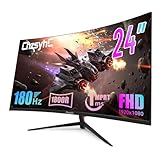

In a hurry? See the top-rated Gaming Monitor for PS5 deals available right now:
🛒 Check Gaming Monitor For Ps5 Prices on Amazon →🛒 Best Price Today on Amazon
Prime members get fast, free shipping on everything above, plus member-only deals. New members get a 30-day free trial — cancel anytime.
Start 30-Day Prime Free Trial →See Today’s Amazon DealsBest Overall PS5 Monitor: LG 27GP95R-B — 4K 160Hz HDMI 2.1
LG’s 27GP95R-B is the definitive PS5 monitor with 4K UHD resolution at 160Hz via HDMI 2.1 — enabling PS5’s 4K/120Hz mode with full bandwidth headroom. The Nano IPS panel delivers 98% DCI-P3 color coverage and VESA DisplayHDR 400 certification for PS5’s HDR output. VRR support via HDMI 2.1 provides smooth frame rate adaptation in PS5 titles with variable frame rates. 1ms GtG response time eliminates ghosting in fast PS5 action titles. Best 4K PS5 gaming monitor.

Best Value PS5 Monitor: Gigabyte M28U — 4K 144Hz HDMI 2.1 Budget
Gigabyte’s M28U provides 28-inch 4K at 144Hz via HDMI 2.1 at a price below premium competition. The SS IPS panel covers 90% DCI-P3 — slightly below LG’s Nano IPS but adequate for PS5’s visual output quality. KVM switch enables easy input switching between PS5 and PC. Four HDMI ports (including two HDMI 2.1) accommodate multi-console setups alongside PC. Best value PS5 monitor for buyers wanting HDMI 2.1 4K without flagship pricing.
Best 1440p PS5 Monitor: ASUS TUF Gaming VG27AQL3A — 1440p 180Hz
PS5 supports 1440p output (added via firmware update), enabling 1440p/120Hz on compatible monitors. ASUS’s VG27AQL3A provides 1440p at 180Hz with HDMI 2.1 — squeezing additional smoothness from PS5’s 1440p mode beyond the standard 120Hz ceiling. For players wanting sharper-than-1080p but not demanding 4K, 1440p 120Hz via PS5 provides excellent image quality with the frame rate smoothness competitive titles benefit from. Best 1440p PS5 gaming monitor.
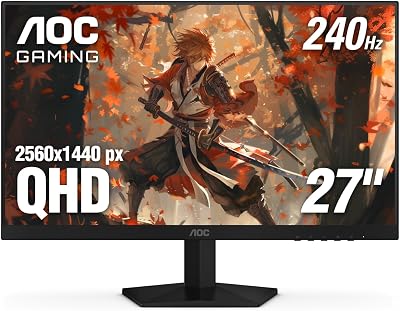
Best PS5 + PC Dual Monitor: LG 27GP83B — Versatile HDMI 2.1
Players using the same monitor for PS5 console gaming and PC gaming need HDMI 2.1 for PS5 alongside DisplayPort 1.4 for PC GPU connection. LG’s 27GP83B provides HDMI 2.1 (for PS5 4K/120Hz), DisplayPort 1.4 (for PC gaming), 1440p resolution at 165Hz, and IPS panel quality — a fully versatile PS5/PC dual-use gaming monitor. The 1440p/165Hz PC gaming mode and 1440p/120Hz PS5 mode both utilize the display’s full capabilities. Best PS5 and PC gaming monitor combination.
PS5 Monitor Requirements Guide
HDMI 2.1 vs HDMI 2.0 for PS5
HDMI 2.0 maximum bandwidth: 18 Gbps → supports 4K/60Hz or 1080p/144Hz. HDMI 2.1 maximum bandwidth: 48 Gbps → supports 4K/120Hz, 8K/30Hz, VRR. For PS5’s signature feature (4K/120Hz in supported games), HDMI 2.1 is mandatory. HDMI 2.0 monitors artificially restrict PS5 to 4K/60Hz or force resolution reduction for 120Hz modes. Verify HDMI 2.1 port on the specific monitor model — not all HDMI ports on HDMI 2.1 monitors carry full bandwidth; check spec sheet for port-specific bandwidth.
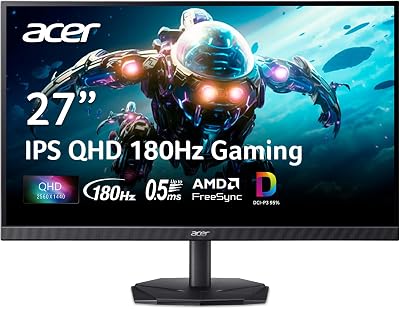
PS5 VRR Compatibility
PS5 VRR (Variable Refresh Rate) reduces screen tearing during frame rate fluctuations in games targeting 60 or 120 FPS. PS5 VRR operates via HDMI Forum VRR — compatible with monitors supporting HDMI 2.1 VRR. AMD FreeSync Premium monitors with HDMI 2.1 support typically enable PS5 VRR. NVIDIA G-Sync monitors may support PS5 VRR via HDMI 2.1 on compatible models. Check PS5 VRR compatibility lists for specific monitor models before purchase.
Frequently Asked Questions
Does PS5 work with 1080p monitors?
Yes — PS5 automatically outputs to 1080p on 1080p monitors. PS5 games at 1080p/120Hz on a 120Hz HDMI 2.0 monitor works perfectly for competitive titles. Performance mode in most PS5 games targets 60 or 120 FPS at 1080p or 1440p. For PS5’s visual showcase (God of War Ragnarök, Horizon Forbidden West) at maximum quality, 4K via HDMI 2.1 provides the intended visual experience; 1080p gaming is functional but below the PS5’s visual capability.
Can I use an ultrawide monitor with PS5?
PS5 does not support ultrawide (21:9) resolutions natively — it outputs 16:9 resolutions (1080p, 1440p, 4K). On an ultrawide monitor, PS5 displays in 16:9 with black bars on sides, or the monitor stretches the image. Some ultrawide monitors allow custom resolution scaling that reduces the stretching, but native ultrawide PS5 support doesn’t exist. For PS5 gaming, standard 16:9 monitors provide the intended experience.
Is HDR worth it for PS5 gaming?
PS5 HDR output is genuinely impactful with displays supporting at least 400–600 nits brightness for HDR content (VESA DisplayHDR 400 minimum, HDR600 preferred). Budget HDR400 monitors show modest HDR improvement — expanded color range is visible but peak brightness isn’t dramatically different from SDR. True HDR benefit appears on OLED monitors (infinite contrast, perfect blacks) or premium LCD monitors with 1000+ nit peak brightness. For budget monitors under $300, HDR certification is marketing more than transformative experience.
Related Articles
Looking for more on this topic? Browse the hand-picked guides below — each one applies the same scoring rubric used in this review.













