Updated November 2026 – Is an IPS, VA or HDR monitor good for gaming? IPS is the best all-round choice, VA is the pick for deep blacks and contrast at a lower cost, and HDR is only worth having when the monitor delivers real local dimming or an OLED panel; a basic DisplayHDR 400 badge adds little to games.
These three words describe different things. IPS and VA are panel technologies. HDR is a picture format and a set of brightness and contrast capabilities that sits on top of any panel. This guide explains what each does for gaming, how the DisplayHDR badge tiers work, which panel type suits which player, and what to look for in searches like best 240Hz IPS gaming monitor or best HDR 1000 gaming monitor.
Is IPS, VA or HDR Monitor Good for Gaming? Quick Table
| Panel | Strength | Weakness | Verdict |
|---|---|---|---|
| IPS | Wide viewing angles, strong colour, fast response on current models | Typical contrast about 1,000:1, so blacks look grey in dark rooms | Best all-rounder |
| VA | Contrast often 3,000:1 to 6,000:1 according to guides | Slower dark transitions can cause smearing; narrower viewing angles | Good for dark rooms, single-player and consoles |
| TN | Fastest and cheapest panels | Weak colour and viewing angles | Mostly for esports on tight budgets |
| OLED | Near-perfect blacks, very fast pixels | Lower sustained brightness, burn-in care needed | Best image quality, premium tier |
Figures above come from buyer guides such as Display Ninja and are typical ranges, not guarantees. The maker’s specification page lists the numbers for a specific model.
Are VA Panels Good for Gaming?
Yes, VA panels are good for gaming if you value contrast, with one caution. Their darker blacks make games look richer in a dim room, and the panels are often curved and affordable. The weakness is dark-to-light and dark-to-dark transitions, where reviewers describe black smearing behind fast-moving objects. Advertised one-millisecond response times for VA often describe the best case, not dark scenes. Sensitivity varies, so many players do not mind it, while fast-shooter players often do.
IPS for Gaming: Why It Is the Default Pick
IPS panels hold colour and brightness when viewed from an angle, which matters on a large desk or a shared screen. Current fast IPS models have closed most of the speed gap with TN, so motion is clean at 144Hz and above. The trade-off is contrast, so dark scenes can look washed out. LG Display’s IPS Black variant raises contrast, and one guide cites up to about 2,000:1 for it.
Best 1080p IPS Gaming Monitor and Best 240Hz IPS Gaming Monitor
At 1080p, a 24-inch IPS keeps pixel density at about 92 pixels per inch, which suits competitive play. For 240Hz IPS, check that the maker lists adaptive sync, a response-time mode that does not add overshoot, and a DisplayPort input able to carry the full rate. A 240Hz monitor only matters if your CPU and GPU hold frame rates near that number.
Best 32 Inch IPS Monitor and Best ASUS IPS Gaming Monitor
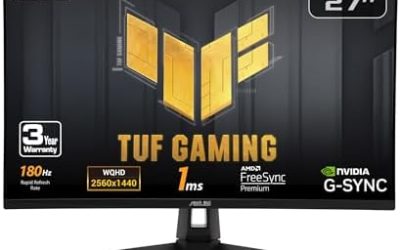
A 32-inch IPS pairs best with 4K, which gives about 138 pixels per inch according to guides. At 1440p the same size drops to about 92 pixels per inch, which looks softer. If you are browsing a specific brand, such as ASUS, compare the model’s stated panel type, refresh rate and port list on the maker’s page rather than relying on the product name alone, since lines often mix IPS, VA and OLED models.
What Does HDR Mean on a Gaming Monitor?
HDR stands for high dynamic range. It lets a screen show brighter highlights and darker shadows in the same scene. A monitor needs to accept the HDR10 signal, and then actually be bright enough and have enough contrast control to use it. That second part is where many monitors fall short.
DisplayHDR Badges: An Honest Take
VESA runs the DisplayHDR certification, and the number in each tier is the minimum peak brightness in nits. The tiers are voluntary, so a maker can sell HDR support without a badge.
| Tier | What it requires, per VESA and guides | Honest take |
|---|---|---|
| DisplayHDR 400 | 400 nits peak, local dimming not required | Little improvement over standard picture; skip as a reason to buy |
| DisplayHDR 600 | 600 nits and local dimming requirements | First step reviewers call meaningful |
| DisplayHDR 1000 and 1400 | Higher brightness and stricter dimming | Noticeable HDR on LCD, usually on mini-LED models |
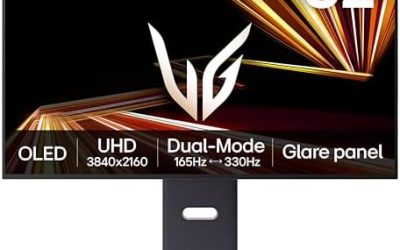
| DisplayHDR True Black | For OLED, black level 0.0005 nits, tiers 400 to 1400 | Excellent contrast even at lower peak brightness |
Third-party sites disagree on some per-tier gamut figures, so read the VESA page at displayhdr.org for the official table. The badge is a floor, not a review.
Is HDR Monitor Good for Gaming?
It can be, if the monitor is a proper HDR1000-class LCD with local dimming or an OLED, and the game supports HDR well. On a basic HDR400 screen, switching HDR on often looks dimmer or washed out, and many players turn it off. Windows includes HDR calibration settings, and games with an HDR slider help you match peak brightness to your screen.
Best HDR10 PC Monitor and Best HDR 1000 Gaming Monitor: Checklist
- HDR10 support is the minimum, since all DisplayHDR tiers need it.
- For LCDs, look for local dimming with many zones and a DisplayHDR 1000 or higher badge.
- For OLED, look for a True Black badge and the maker’s burn-in warranty terms.
- Check the refresh rate and input list, because HDR plus high refresh needs HDMI 2.1 or DisplayPort bandwidth.
Who Should Pick Which
| Player | Pick | Reason |
|---|---|---|
| Competitive shooter fan | Fast IPS (or TN) | Clean motion at 240Hz and above |
| Single-player, dark-room gamer | VA or OLED | Contrast matters more than raw speed |
| Mixed work and play | IPS | Colour accuracy and viewing angles |
| HDR enthusiast | OLED or HDR1000 mini-LED | Real contrast and brightness |
| Tight budget | IPS or VA without HDR focus | Skip HDR400 as a selling point |
Other Things That Matter More Than the Badge
Response time and overdrive modes, adaptive sync range, input lag and stand adjustability affect daily use more than a certification label. Variable refresh rate keeps the screen in sync with the GPU. Check that the monitor’s range is wide enough for low frame rates to be handled well, since guides note that narrow ranges can lose frame multiplication at low rates.
TN Panels and OLED in Brief
TN panels are the oldest of the three common LCD types. They offer very fast response and low cost, but colours and viewing angles are weaker, so they now mostly appear in budget esports monitors. OLED is a different technology rather than another LCD variant. Each pixel lights itself, so black is truly off, contrast is described as near-perfect, and pixel response is very quick. The trade-offs are lower sustained brightness compared with the brightest LCDs and the need for burn-in care. Makers publish guidance and warranty terms for static images, so read those before buying and use screen-saver or pixel-refresh features the maker provides.
Panel Type and Motion: What Reviewers Look At
Review outlets judge motion by measuring how long pixels take to change between grey levels, then judging overshoot, the bright or dark trails that overdrive can cause. IPS monitors with well-tuned overdrive deliver clean motion at 165Hz to 240Hz. VA monitors can show trailing in dark scenes. If you are sensitive to smearing, choose IPS or OLED. If you prefer a dim room and cinematic games and are not bothered by it, VA is a reasonable choice for the extra contrast. Because maker response-time claims depend on test mode, reading a review with motion photos is more reliable than comparing the headline number.
Pairing Panels With Refresh Rate and Resolution
- 1080p IPS at 144Hz to 240Hz: a safe competitive choice at 24 inches.
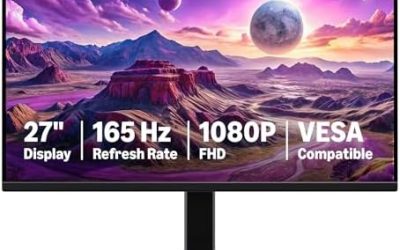
- 1440p IPS at 165Hz to 240Hz: the all-round pick at 27 inches.
- 1440p or 4K VA: a contrast-focused alternative for single-player games and consoles.
- 4K IPS at 32 inches: sharp and bright for mixed play and work, with a stronger GPU needed.
- OLED at 1440p or 4K: premium HDR and motion, with burn-in guidance to follow.
Turning HDR On in Windows
- Open Settings, System, Display, then select the monitor.
- Switch Use HDR on, if the monitor and connection support it.
- Use the Windows HDR calibration option if your Windows version offers it, then set the in-game HDR brightness sliders to match.
- If the desktop looks dim in HDR mode, adjust the SDR content brightness slider, or switch HDR off when not playing a supported game.
Matching a Panel to Your Room
Room lighting changes which panel looks best. In a bright room, an IPS screen with good brightness and a matte coating handles reflections well, and the lower contrast is less noticeable. In a dark room, contrast stands out, so VA and OLED shine, while IPS blacks look grey. If you play at night and read text at day, an IPS Black or OLED model is a way to get both, with the budget and care trade-offs described above. Read the maker’s page for the stated contrast, brightness and coating, since marketing names differ between brands.
Whatever you choose, enable adaptive sync, set the monitor to its native resolution and highest refresh rate, and keep a profile for HDR and another for normal SDR use.
Frequently Asked Questions
Is IPS better than VA for gaming?
For most players IPS is the safer choice because of faster, cleaner motion and better viewing angles. VA wins on contrast.
Do VA monitors have ghosting?
Many show black smearing in dark scenes. How visible it is varies by model and by person, so reviewers’ motion tests are worth reading.
Is HDR400 worth it?
Usually not. It guarantees 400 nits but not local dimming, so HDR content often looks no better than standard mode.
Do I need HDR for gaming?
No. Fast refresh and good panel motion matter more for competitive play. HDR is a bonus for cinematic single-player games on capable screens.
Is OLED a type of IPS or VA?
No. OLED is a separate technology where each pixel makes its own light, so blacks are essentially off. It has its own care considerations, such as burn-in guidance from the maker.
Which panel is best for 1080p gaming?
A 24-inch fast IPS is the common recommendation for 1080p, especially at 144Hz or higher.