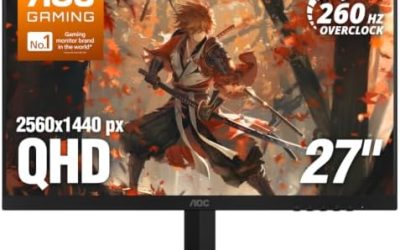
Updated November 2026 – What is the best monitor size for gaming? For most players it is 27 inches at 1440p, 24 inches at 1080p suits competitive shooters and small desks, and 32 inches works best at 4K when you sit farther back and own a strong graphics card; 22-inch screens are a budget or space-saving fallback.
Size only makes sense together with resolution and desk depth, because the same screen looks sharp or soft depending on how many pixels are spread across it. This guide compares 22, 24, 27 and 32 inch monitors by pixel density and viewing distance, answers the common size questions for esports and 4K, and explains how curved monitors are measured.
What Is the Best Monitor Size for Gaming? Quick Table
| Size | Matching resolution | Approx. pixels per inch | Best for |
|---|---|---|---|
| 22 inch (about 21.5) | 1080p | about 102 | Tight desks, budget builds |
| 24 to 25 inch | 1080p | about 92 for 24 inch | Competitive and esports |
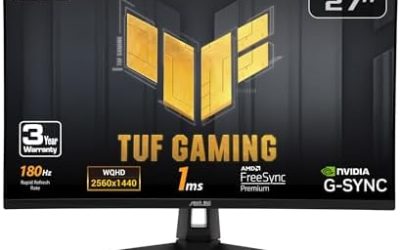
| 27 inch | 1440p | about 109 | All-round gaming |
| 27 inch | 4K | about 163 | Sharp text, strong GPU |
| 32 inch | 4K | about 138 | Immersive single-player, consoles |
| 32 inch | 1440p | about 92 | Acceptable but visibly softer |
The pixel density figures follow the standard calculation and match the numbers in guides such as Display Ninja. A 21.5-inch value is derived the same way.
Best Monitor Size for 1080p
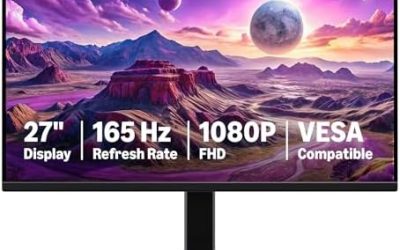
The best monitor size for 1080p is 24 inches, and 25 inches at most. Display Ninja advises against 1080p on screens larger than about 25 inches, because at 27 inches the density falls to roughly 82 pixels per inch and text starts to look rough. A 22 inch monitor gives a slightly crisper image at the same resolution but a smaller picture.
How Big Is a 21.5 Inch Monitor? 22 Inch Monitor Comparison
A 21.5-inch monitor measures 21.5 inches along the diagonal, which for a standard 16:9 screen works out to roughly 18.7 inches wide and 10.5 inches tall. A 24-inch model is about 20.9 by 11.8 inches. The difference is small enough that most people on a standard desk notice the extra width more than the height. When comparing 22 inch models, many are sold as 21.5 or 21.8 inches, so read the maker’s listed diagonal and panel type. Best 22 inch PC monitor searches tend to turn up 1080p IPS and VA screens at 60Hz to 100Hz, so refresh rate and panel type are the differentiators.
Best Monitor Size for FPS Games
The best monitor size for FPS is 24 to 25 inches at 1080p, or 27 inches at 1440p if you prefer a sharper image. Competitive players often pick 24 inches because the whole screen fits inside central vision, so the minimap, health and crosshair area can be seen without moving the eyes. Pair the monitor with a refresh rate of 144Hz or above, since smooth motion helps more than extra size.
Best Monitor Size for 4K
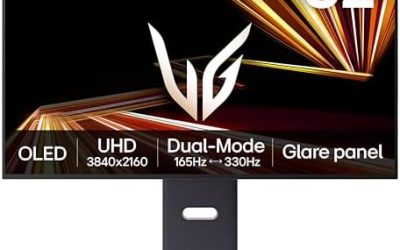
The best monitor size for 4K is 27 inches for the sharpest image, or 32 inches for a larger cinematic view. A 4K image on a 24-inch screen is extremely dense, around 183 pixels per inch, so the benefit over 1440p is hard to see at normal distance. A 32-inch 4K screen lands at around 138 pixels per inch, which is the usual recommendation for modern games and consoles. 4K needs a strong GPU, as the screen has about 8.29 million pixels against about 3.69 million at 1440p, and a high-end card plus upscaling keeps frame rates playable.
Best Monitor Size by Desk Depth and Viewing Distance
| Size | Suggested distance (Newegg guide) | Desk depth note |
|---|---|---|
| 24 to 25 inch | 50 to 70 cm | Fits shallow desks |
| 27 inch | 60 to 80 cm | Needs a standard-depth desk |
| 32 inch | 80 to 100 cm | Too close on a shallow desk |
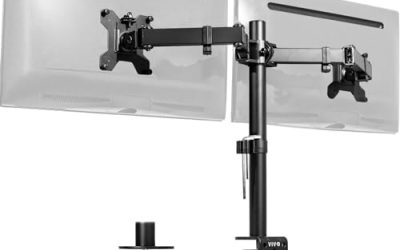
If your desk is under about 60 cm deep, 24 inches is the safe fit and 32 inches will feel overwhelming. Measure from your eyes to the screen with your normal posture before ordering. A monitor arm that clamps to the back of the desk frees depth and lets you push the screen farther away.
How to Pick a Gaming Monitor
- Choose the resolution your GPU can drive at the frame rate you want, then pick the size that matches it.
- Match refresh rate to your games: 144Hz and above for shooters, 60Hz to 120Hz for slower games and consoles.
- Pick the panel type. IPS is the common all-round choice, VA gives deeper contrast, and OLED sits in the premium tier.
- Check ports. HDMI 2.1 or a modern DisplayPort is needed for high refresh at higher resolutions.
- Look at the stand: height, tilt and VESA mount support make a daily difference.
Best 24 Inch Monitor for Eyes
No monitor size or label cures eye strain, and the evidence is mixed on specific features. Practical advice from makers and eye-care groups is to set brightness near the room’s light level, avoid glare, keep the screen at arm’s length and take regular breaks. Flicker-free backlighting and a low-blue-light mode are features some makers list, and are worth a look if you game for long sessions. If you have persistent discomfort, headaches or blurred vision, see an eye-care professional.
Ultrawide and Curved Monitors: What the R Rating Means
Ultrawide monitors, usually 34 inches at a 21:9 ratio, give a wider field of view in supported games and are an alternative to two screens. The R rating on a curved monitor describes the radius of the curve in millimetres. A 1000R screen curves as if it were part of a circle with a 1000 mm radius, so a lower number means a tighter curve. Curves of 1500R to 1800R are gentler, and larger or wider monitors tend to benefit most from a curve. Many competitive players prefer flat panels, since a curve can distort straight lines in some situations.
Pixel Density Explained
Pixel density, in pixels per inch, is the resolution divided across the diagonal size. A higher number means a sharper image and smaller text. Around 90 to 110 pixels per inch is comfortable at a normal desk distance for many people, which is why 24-inch 1080p and 27-inch 1440p are so common. Above about 140 pixels per inch, such as 27-inch 4K, the image is very crisp but Windows needs display scaling to keep text readable, and the extra detail is harder to see from far away. Below about 85, text and edges look coarse.
Size, Resolution and GPU Together
| Monitor | GPU class guides suggest | Typical goal |
|---|---|---|
| 24 inch 1080p | Mid-range, even older cards | 240Hz and above in esports titles |
| 27 inch 1440p | Mid-range to upper-mid | 144Hz to 240Hz |
| 27 inch 4K | Upper-mid to high-end | 60Hz to 144Hz with upscaling |
| 32 inch 4K | High-end or flagship | Immersive single-player play |
Newegg’s guide suggests a mid-to-high-range GPU for 1440p and a high-end or flagship GPU for 4K, which matches the pixel counts: about 3.69 million at 1440p and about 8.29 million at 4K.
Common Sizing Mistakes
- Buying a large screen at low resolution. A 32-inch 1080p monitor looks pixelated at desk distance.
- Ignoring desk depth. A big screen on a shallow desk forces you to turn your head to see the corners.
- Chasing size for esports. Competitive players often prefer smaller screens for faster eye movement.
- Forgetting scaling. A small 4K screen needs Windows scaling above 100 percent, so the extra detail is less obvious.
- Skipping the stand check. Look for height and tilt adjustment, or VESA mount support if the desk is small.
Matching Size to How You Play
Competitive shooters and esports
Choose 24 or 25 inches at 1080p, or 27 inches at 1440p if your GPU can hold high frame rates. A smaller screen keeps the crosshair, minimap and health bars close together, so your eyes travel less. Set the refresh rate to 144Hz or higher and use a flat panel with a fast response mode.
Single-player and open-world games
A 27-inch 1440p screen is the comfortable all-rounder, and a 32-inch 4K screen adds immersion if you sit about 80 to 100 cm away and have a strong GPU. Players who like a wide field of view may also consider a 34-inch ultrawide, which suits supported games and replaces a second monitor.
Console and living-room use
Consoles output up to 4K at 120Hz, so a 27 to 32 inch 4K monitor with HDMI 2.1 fits a desk, while a larger TV suits a couch. Pick the size by seating distance, not by the biggest number on the shelf.
Work and gaming on one screen
For spreadsheets, coding and browsing, higher pixel density helps, so a 27-inch 1440p or 4K screen is a good compromise. Use Windows scaling to keep text readable on 4K.
How to Pick a Size in Three Steps
- Measure your desk depth and your normal eye-to-screen distance, and compare them with the viewing distance table above.
- Choose the resolution your graphics card can drive at your target frame rate.
- Pick the size that gives roughly 90 to 140 pixels per inch for that resolution.
Frequently Asked Questions
Is 27 inches too big for gaming?
No. It is the most common size, and with 1440p it gives a sharp image at a normal desk distance of about 60 to 80 cm.
Is 24 inch good for 1440p?
It is sharp, about 122 pixels per inch, but text and interface elements get small. Many players prefer 27 inches for 1440p.
Is 32 inch good for 1080p?
No. A 32-inch 1080p screen has around 69 pixels per inch and looks pixelated at desk distance.
Which size is best for esports?
Guides favour 24 to 25 inches at 1080p with a high refresh rate, because the image stays within central vision.
What size is best for a small desk?
A 24-inch monitor, or a 22-inch budget screen, fits shallow desks without forcing you to sit too close.
Does a bigger monitor need a better GPU?
Size does not, resolution does. A 32-inch 4K screen asks much more of the graphics card than a 24-inch 1080p screen.