

- Top Pick: Dell 27 240Hz Gaming Monitor – SE2726HG – 27-inch FHD (1920×1080) 240Hz Display, in-Plane Switching (IPS) Technology, AMD FreeSync Premium, TÜV 3-Star, 2X HDMI, DisplayPort 1.4, Tilt
- Best Value: Samsung 27" Odyssey G5 (G51F) Series QHD (1440P) Gaming Monitor
- Premium Choice: Acer 27in FHD 1920×1080 IPS 120Hz Gaming Monitor | Office KB272 G0bi
Affiliate disclosure: As an Amazon Associate we earn from qualifying purchases. This post contains affiliate links — if you buy through them we may earn a small commission at no extra cost to you. This never affects our recommendations.
27 inches is the Goldilocks size for a gaming monitor — big enough to be immersive, small enough to see the whole screen without moving your head. It’s no coincidence that 27″ dominates pro gaming setups and mainstream gaming alike.
In a hurry? See the top-rated 27-Inch Gaming Monitors deals available right now:
🛒 Check 27-Inch Gaming Monitors Prices on Amazon →🛒 Best Price Today on Amazon
Prime members get fast, free shipping on everything above, plus member-only deals. New members get a 30-day free trial — cancel anytime.
Start 30-Day Prime Free Trial →See Today’s Amazon DealsBest 27-Inch Gaming Monitors — Top Picks
These are the standout 27″ monitors across every budget and resolution in 2026.
As an Amazon Associate we earn from qualifying purchases at no extra cost to you.



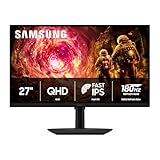


Why 27 Inches Is the Best Monitor Size
At 27 inches with 1440p resolution, you get roughly 109 PPI — the sweet spot for desktop gaming. Text is crisp without scaling, games look detailed, and the screen fills your peripheral vision naturally at typical desk distances (60–80cm).
27-Inch Monitor Options by Resolution
27-Inch 1080p (1920×1080)
At 27 inches, 1080p looks soft — only 82 PPI. It’s fine for fast-paced competitive gaming where frame rate matters more than sharpness, but text looks noticeably fuzzy. Best for: esports-focused setups with weaker GPUs needing maximum fps.

27-Inch 1440p (2560×1440) — Recommended
This is the ideal combination. 109 PPI looks sharp, IPS 1440p panels offer vivid colors and fast response, and mid-range GPUs handle 1440p well. Most of our top picks are 27″ 1440p.
27-Inch 4K (3840×2160)
163 PPI at 27 inches is incredibly sharp, but you’ll need OS scaling (usually 150%) and a powerful GPU (RTX 4080 or better) to get good frame rates. Overkill for most gamers.

What Refresh Rate for 27-Inch Gaming?
Casual gaming: 144Hz is excellent — smooth, affordable, widely supported.
Competitive gaming: 165–240Hz makes a real difference in fast-paced titles.
Esports professional: 240–360Hz, though these are mostly 24-inch at that frame rate.

Curved vs Flat at 27 Inches
Curved 27″ monitors (1500R or 1800R curvature) increase immersion and reduce eye strain at the edges. Flat monitors are better for multi-monitor setups and content creators who need accurate geometry. For gaming only, curved is a nice bonus.
Frequently Asked Questions
Is 27 inches too big for competitive gaming?
Some pro players prefer 24″ for faster eye-to-corner travel time, but 27″ is fine for most competitive players. At high frame rates, the larger screen gives you more environmental awareness.
Should I get a 27-inch 1440p or 24-inch 1080p?
In 2026, 27″ 1440p is the better long-term investment. It’s sharper, more immersive, and future-proof. The only reason to pick 24″ 1080p is budget (under $150) or if you specifically need 360Hz+ refresh rates.
What’s the best 27-inch gaming monitor under $300?
The LG 27GP850-B consistently ranks as the best value 27″ gaming monitor — 1440p, 165Hz, IPS, 1ms response time, FreeSync Premium Pro, G-Sync Compatible. It’s a complete package under $300.
Do I need HDR on a 27-inch gaming monitor?
Only if it’s a proper HDR implementation (Mini-LED or OLED with local dimming). Most IPS DisplayHDR 400 monitors have poor HDR that’s barely noticeable. Don’t pay a premium for it unless it’s DisplayHDR 1000+.
Related Articles
Looking for more on this topic? Browse the hand-picked guides below — each one applies the same scoring rubric used in this review.
















