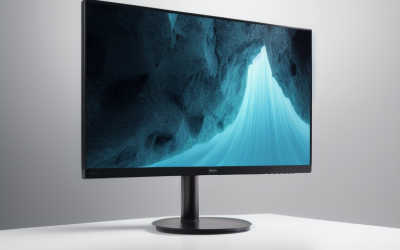
- Top Pick: Samsung 32” Odyssey G5 (G50F) Series QHD Gaming Monitor
- Best Value: SANSUI 32 Inch Curved 240Hz Gaming Monitor High Refresh Rate, FHD 1080P
- Premium Choice: LG 32GS60QC-B Ultragear 32-inch Curved Gaming Monitor QHD (2560×1440) 180Hz 1ms 1000R AMD FreeSync HDR10 HDMIx2 DisplayPort Borderless Design Black Stabilizer DAS Crosshair FPS Counter – Black
Affiliate disclosure: As an Amazon Associate we earn from qualifying purchases. This post contains affiliate links — if you buy through them we may earn a small commission at no extra cost to you. This never affects our recommendations.
A 32-inch gaming monitor hits the sweet spot between immersive screen real estate and practical desk usage. Large enough to feel cinematic, but not so large that you’re constantly turning your head, the 32-inch form factor pairs perfectly with 1440p and 4K resolutions. At 32 inches, 4K pixel density (138 PPI) ensures sharp text and images, while 1440p remains comfortable at typical desk distances. Here are the best 32-inch gaming monitors for every budget.
As an Amazon Associate we earn from qualifying purchases at no extra cost to you.



In a hurry? See the top-rated 32-Inch Gaming Monitor deals available right now:
🛒 Check 32-Inch Gaming Monitor Prices on Amazon →🛒 Best Price Today on Amazon
Prime members get fast, free shipping on everything above, plus member-only deals. New members get a 30-day free trial — cancel anytime.
Start 30-Day Prime Free Trial →See Today’s Amazon DealsBest Overall: ASUS ROG Swift PG32UQX — 32″ 4K 144Hz IPS
The ASUS ROG Swift PG32UQX represents the pinnacle of 32-inch IPS gaming monitors. Its 4K IPS panel with Mini-LED backlighting delivers 1000-nit peak brightness and excellent local dimming for HDR content. At 144Hz with G-Sync Ultimate certification, it’s one of the most premium displays available. The wide color gamut (95% DCI-P3) makes it equally capable for content creation. If you have a top-tier GPU and want the best 32-inch IPS gaming monitor, this is it.

Best Value: Samsung Odyssey G7 32″ — Curved 1440p Performance
Samsung’s 32-inch curved Odyssey G7 offers 1440p resolution at 240Hz with a 1000R curve that wraps the display around your field of view at this size. The VA panel delivers stronger contrast than IPS, making dark scenes look more impactful. At a lower price than ASUS premium options, it delivers exceptional competitive gaming performance. The 32-inch Odyssey G7 is the best 32-inch monitor for competitive gaming without breaking the bank.
Best Budget: Dell S3222DGM — Affordable Curved 32″ 1440p
Dell’s S3222DGM packs a curved 32-inch 1440p VA panel with 165Hz into an affordable package. The 3000:1 native contrast ratio makes blacks look genuinely deep, and FreeSync Premium support keeps gaming smooth. Factory calibration is decent out of the box, and the included VESA mount compatibility makes ergonomic positioning easy. The best 32-inch gaming monitor for budget-conscious buyers who want the large-screen experience.

Best 32″ OLED: LG 32GS95UE — 4K OLED Dual-Mode
LG’s 32-inch OLED gaming monitor is groundbreaking — it supports both 4K 240Hz and a dual-mode that switches to 1080p 480Hz for competitive play. OLED’s infinite contrast at 32 inches creates a breathtaking visual experience for single-player titles. At 4K 240Hz, it’s the fastest 4K OLED gaming monitor available. At 480Hz in 1080p mode, it’s the choice for competitive professionals. The best 32-inch gaming monitor if you demand OLED quality.
Is 32 Inches the Right Size for You?
Viewing Distance Matters
At a typical desk distance of 24–30 inches, a 32-inch monitor fills your peripheral vision naturally. If you sit closer than 20 inches, 32 inches may feel overwhelming. If you sit further than 36 inches, a 32-inch screen may appear small — consider a TV instead.
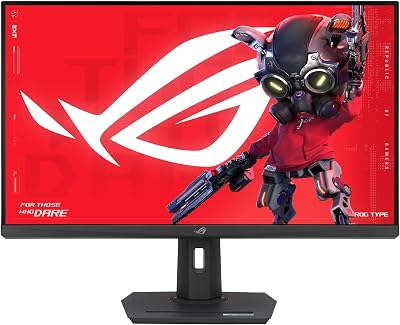
1440p vs 4K at 32 Inches
1440p at 32 inches offers 91 PPI — comfortable but slightly soft for close viewing. 4K at 32 inches (138 PPI) matches typical laptop Retina display sharpness, making text and fine details crisp. If you use your monitor for productivity in addition to gaming, 4K at 32 inches is worth the premium.
Frequently Asked Questions
Is 32 inches too big for a gaming monitor?
For most desktop setups, 32 inches is not too big. It’s the sweet spot for immersive gaming without requiring you to move your head. Those with smaller desks may find 27 inches more practical.
What resolution should a 32-inch gaming monitor be?
4K is ideal for 32 inches for sharp text and images. 1440p is a practical compromise with better GPU requirements. Avoid 1080p at 32 inches — pixel density (69 PPI) appears blurry at normal desk distances.
Do I need a curved 32-inch monitor?
At 32 inches, a gentle curve (1800R–2300R) reduces eye fatigue by keeping the panel equidistant from your eyes across its width. A flat 32-inch monitor also works well — it comes down to personal preference.
Related Articles
Looking for more on this topic? Browse the hand-picked guides below — each one applies the same scoring rubric used in this review.