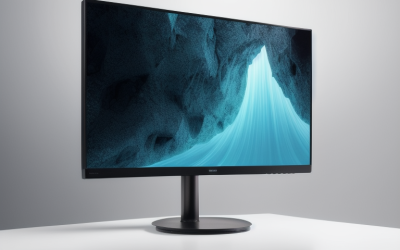
- Top Pick: Sceptre New 22-Inch Gaming Monitor, FHD 1080p, Up to 144Hz, HDMI, DisplayPort, Built-in Speakers, Machine Black (E225W-FW144 Series, 2026)
- Best Value: Philips 24 Inch Computer Monitor FHD 100Hz VA VESA Flicker-Free, 241V8LB | 1920×1080 LED Monitor, 4ms GtG, Adaptive Sync, HDMI 1.4, Tilt Adjust, Low Blue Light, 4yr Advance Replacement Warranty
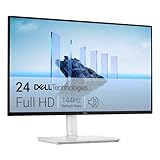
- Premium Choice: Dell 24 Plus Monitor – S2425HSM – 23.8-inch FHD (1920×1080) 144Hz 1ms Display, 2 x 3W Speakers, HDMI Connectivity, Height/Tilt/Pivot/Swivel Adjustability, AMD FreeSync – Ash White
A student monitor has a different job from a gaming or design display. It sits in a dorm room, a shared bedroom, or a corner of the library, and it has to handle lecture streams, research tabs, essays, spreadsheets, and the occasional late-night match without taking over the desk. Screen size, eye comfort, and a stand that adjusts to a cramped workspace usually matter more than the last hertz of refresh rate.
This 2026 guide covers eight monitors that fit that brief, from a 15.6-inch portable panel that travels in a backpack to 27-inch screens for people who want a full study setup. Each description rests on what the listing states, so the picks stay honest about what is known. Use the guide to decide between size, panel type, and mounting options before looking at the colors and extras.
Quick Picks
As an Amazon Associate we earn from qualifying purchases at no extra cost to you.






| Product | Best for | Key spec from the title |
|---|---|---|
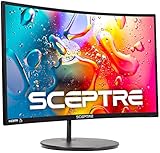
| Sceptre 22-Inch Gaming Monitor | Small desks with some gaming | FHD 1080p, up to 144Hz, DisplayPort |
| Philips 241V8LB 24-Inch | Long study sessions | VA panel, 100Hz, flicker-free, low blue light |
| Dell S2425HSM 24 Plus | Adjustable desk setups | 23.8-inch FHD, 144Hz, height and pivot adjustment |
| Dell SE2426H 24-Inch | Wide viewing angles on a budget | 23.8-inch FHD, IPS, 144Hz, 2x HDMI |
| Acer KB272 27-Inch | Large screen for multitasking | 27in IPS, 120Hz, sRGB 99% |
| InnoView Portable 15.6-Inch | Laptop second screen | FHD, HDMI and USB-C |
| Basics 27-Inch Monitor | Plug-in desk with USB ports | 27-inch FHD, 100Hz, IPS, USB ports |
| SANSUI 24-Inch Eye Care | Frameless clean look | FHD, HDMI and VGA, 178 degree viewing angle |
How to Choose
Size and resolution for the desk you have
Measure the desk before browsing. A 22 to 24-inch screen fits shared and dorm desks and keeps text sharp at 1920×1080. A 27-inch panel at the same resolution offers more room for windows side by side but looks softer up close. Students who write long papers or code will appreciate the space, while those who mostly browse can stay smaller.
Panel type and eye comfort
IPS panels hold color and brightness across wide viewing angles, which helps when two people share a screen. VA panels often deliver deeper contrast, which suits video lectures and movies. Features such as flicker-free backlighting and a low blue light mode are worth having if you study late, though they are secondary to a good brightness and a comfortable distance from the screen. A simple rule is to place the top of the display at or just below eye level and sit about an arm’s length away.
Ports and stand adjustments
Count the devices you will connect. HDMI covers most laptops, VGA suits older machines, and DisplayPort or USB-C helps with newer ones. A stand that tilts is common; height, swivel, and pivot adjustments are rarer and cut neck strain. VESA compatibility lets you mount the screen on an arm and reclaim desk space, a common dorm trick.
Refresh rate and extras
For schoolwork, 60Hz is fine, but 75 to 144Hz makes scrolling and cursor movement feel smoother and helps if the monitor doubles for gaming. Built-in speakers are convenient for lectures, though they rarely sound rich. Warranty length, USB ports, and a stated brightness are worth checking, since budget models most often trim stand adjustments and audio. If you plan to keep the monitor beyond graduation, favor a longer warranty and a stand you can adjust over a marginally faster panel.
The 8 Best Options
Sceptre 22-Inch Gaming Monitor
A compact choice that leans toward gaming without losing student sense. The title lists FHD 1080p resolution, a refresh rate up to 144Hz, HDMI and DisplayPort inputs, and built-in speakers. At 22 inches, it fits crowded desks where a larger screen would feel oversized, and the speakers mean a bare dorm setup works with no extra gear.
- Strength: DisplayPort and HDMI cover both a desktop and a laptop.
- Strength: refresh rate up to 144Hz gives smooth motion for downtime gaming.
- Trade-off: a 22-inch screen offers less workspace for side-by-side windows.
Skip it if you want a big screen for multitasking or an adjustable stand.
Philips 241V8LB 24-Inch
This 24-inch FHD monitor is built around comfort. The title describes a VA panel, 100Hz refresh, VESA flicker-free certification, a 4ms GtG response, Adaptive Sync, HDMI 1.4, tilt adjustment, low blue light mode, and a four-year advance replacement warranty. It suits students who spend long hours reading and writing, especially in a quiet room where a steady, flicker-free image is more useful than extreme speed.
- Strength: the long warranty is useful for a device you rely on through a degree.
- Strength: flicker-free and low blue light modes are aimed at eye comfort.
- Trade-off: the stand only tilts, so a monitor arm may be needed for a better height.
Skip it if you want wide viewing angles from an IPS panel.
Dell S2425HSM 24 Plus
The most adjustable stand in the group. The title lists a 23.8-inch FHD display, 144Hz refresh, 1ms response, two 3W speakers, HDMI, AMD FreeSync, and height, tilt, pivot, and swivel adjustment, in an Ash White finish. Pivot support lets you rotate the screen vertically for reading long documents or code, and the white finish brightens a light-colored desk setup.
- Strength: full stand adjustment helps posture during long sessions.
- Strength: built-in speakers cover lectures without extra gear.
- Trade-off: a single HDMI input is the only connection named in the title.
Skip it if you need several video inputs or a black bezel to match other gear.
Dell SE2426H 24-Inch
A straightforward 23.8-inch FHD monitor that adds IPS to the mix. The title names a 144Hz refresh, 1ms response, AMD FreeSync, a TUV certification, two HDMI ports, and tilt adjustment. Two inputs make it easy to connect a laptop and a console, which is handy in a dorm where one screen has to serve both study and downtime.
- Strength: IPS technology keeps colors steady from side angles.
- Strength: two HDMI ports allow two devices without swapping cables.
- Trade-off: tilt is the only stand adjustment named, so height depends on your desk.
Skip it if you want built-in speakers or a height-adjustable base.
Acer KB272 27-Inch
The roomiest screen among the IPS options. The title lists 27 inches, FHD resolution, IPS, 120Hz, 1ms response, AdaptiveSync, sRGB 99% coverage, HDMI and VGA inputs, VESA mounting, and a bluelight filter. It suits students who run documents, a browser, and a video call side by side, with the VESA mounting option letting you lift it onto an arm to free the desk surface.
- Strength: sRGB 99% supports accurate colors for slides and photo editing coursework.
- Strength: VGA input supports older laptops and classroom machines.
- Trade-off: FHD stretched across 27 inches looks less sharp up close.
Skip it if your desk is shallow, since a 27-inch screen needs viewing distance.
InnoView Portable 15.6-Inch
A second screen that packs away. The title lists a 15.6-inch FHD panel, HDMI and USB-C connections, a built-in speaker, and a protective case, and says it works with laptops, desktops, MacBooks, phones, tablets, and consoles. It is useful for students who move between a dorm, a library, and home, since the case protects the panel in a bag and the extra screen holds notes beside a lecture.
- Strength: portability means a dual-screen setup anywhere you study.
- Strength: USB-C and HDMI cover modern and older devices.
- Trade-off: it is small, so it works best as a companion rather than a main display.
Skip it if you want one large screen at a fixed desk.
Basics 27-Inch Monitor
A house-brand 27-inch option with student-friendly basics. The title lists FHD 1080P, 100Hz, an IPS panel, built-in speakers, VESA compatibility, USB ports, and a black finish. The USB ports can charge accessories or connect a keyboard, trimming desk clutter, and the 27-inch size gives room for a document and a browser side by side.
- Strength: IPS and 100Hz at 27 inches suit both study and relaxing.
- Strength: USB ports add convenience a bare monitor lacks.
- Trade-off: the title does not describe height or pivot adjustment.
Skip it if you need ergonomic stand options or the most compact footprint.
SANSUI 24-Inch Eye Care
A frameless 24-inch monitor with a plain brief. The title lists FHD 1080P, HDMI and VGA ports, a 178 degree viewing angle, a frameless design, tilt adjustment, VESA compatibility, and an eye care mode for office and home. It is a sensible pick for a first desk setup, particularly if you inherit an older laptop with a VGA output and need one screen that connects to both old and new gear.
- Strength: HDMI plus VGA cover old and new computers.
- Strength: frameless edges look neat if you set up two screens.
- Trade-off: the title does not mention speakers or a high refresh rate.
Skip it if you plan to game or want built-in audio.
Which One Fits Your Situation
You share a small dorm desk
The Sceptre 22-Inch keeps its footprint small while offering DisplayPort and HDMI. If you want a bit more room and a better stand, step up to the Dell S2425HSM.
You study at night and read a lot
Choose the Philips 241V8LB for its flicker-free and low blue light features, or the Acer KB272 if you prefer a bigger IPS screen with a bluelight filter.
You move between locations
The InnoView Portable 15.6-Inch turns any laptop into a two-screen setup and fits in a bag. Pair it with whichever main monitor sits at home, so your study layout follows you instead of staying at one desk.
You want one monitor for work and play
The Basics 27-Inch delivers a large IPS screen with 100Hz and USB ports, while the Dell SE2426H adds a 144Hz panel and two HDMI ports for a laptop and console.
Common Mistakes
- Buying a 27-inch monitor for a shallow desk, then sitting too close to read comfortably.
- Chasing refresh rate while ignoring stand height and tilt, which affect daily comfort more.
- Forgetting to check that the monitor has the port your laptop actually uses.
- Assuming built-in speakers will replace headphones in a shared room.
- Overlooking VESA support, then having no way to free up desk space later.
Related guides
- Aio Liquid Coolers For High Performance Gaming
- How To Lower Input Delay In Competitive Shooters
- External Hard Drives For Music Production
Frequently Asked Questions
Is 1080p enough for a student monitor?
Yes, for screens up to about 24 inches. At 27 inches the picture is still usable, but text looks softer, so some students prefer higher resolution for heavy reading.
Do students need a high refresh rate?
Not for schoolwork. Rates of 100Hz or 144Hz make scrolling smoother and help if you game, but a basic 60Hz display handles essays and lectures well. Spend your effort on size, stand, and ports first, and treat refresh rate as a bonus for downtime.
Is a portable monitor a good main display?
It works best as a second screen. Its small size suits notes beside a lecture, but a larger monitor is more comfortable for long study sessions.
What does a low blue light mode do?
It shifts the screen toward warmer tones to reduce harsh light in the evening. It can make late study feel more comfortable, though taking regular breaks matters more. Looking away from the screen every twenty minutes or so does more for tired eyes than any single display setting.