As an Amazon Associate we earn from qualifying purchases


A 32-inch screen changes how games feel. Racing lines fill more of your view, strategy maps become easier to read, and open worlds gain a sense of scale that a smaller monitor cannot match. That size used to mean paying well into the next tier, especially with a high refresh rate and a sharp resolution. The tier under 300 dollars now tells a different story. Several major brands offer 32-inch, or 31.5-inch class, gaming monitors in that range, most pairing Quad HD resolution with refresh rates of 165Hz or higher and variable refresh rate support.
This guide compares five current models that meet the size and budget brief and explains their trade-offs in panel type, curvature, ports, and stand design. For a broader view of this size before narrowing by budget, our guide to the best gaming monitor in the 32-inch class covers the wider market, while the picks below stay inside the budget covered here.
How to Choose a 32-Inch Gaming Monitor in This Tier
Start with resolution. Full HD stretched across a panel this large leaves pixels more visible and fine detail softer than most players expect. Quad HD, at 2560 by 1440, is the natural fit for this size in this tier, and every pick here uses it. It is a clear step up in sharpness over Full HD without demanding the graphics hardware that 4K at high frame rates requires.
Panel type comes next. Most models here use VA panels, known for strong contrast and deep blacks that suit darker games and night scenes, and VA supports the deep curves used by several picks. The trade-off is viewing angle and motion character compared with IPS alternatives, which hold colour more consistently from the side. For a single player sitting centred, which is how most gaming desks are arranged, VA is a sensible match.
Curvature is a practical choice. A 1000R curve is pronounced and wraps the image closer to your field of view, which suits racing, flight, and open-world games. A 1500R curve is gentler and easier to live with if you also work on the same screen. A flat panel avoids distortion concerns and suits desks where the monitor doubles for design work or viewing from further back. Match the shape to how you sit and play.
Refresh rate and variable refresh rate work as a pair. A 165Hz or 180Hz ceiling only helps if your system can feed enough frames, and variable refresh rate keeps motion smooth when frame rates fall below that ceiling. Look for AMD FreeSync in one of its stated tiers, and check whether a model is also described as G-Sync Compatible if you use an NVIDIA card. Manufacturer wording matters, because support levels differ between models, so the listings below reflect what each brand states for that specific monitor.
Ports decide how easily the monitor fits your setup. DisplayPort usually unlocks the highest refresh rate at Quad HD on a PC, while HDMI handles a console or laptop. Check the port versions below, and which connection a manufacturer specifies for the full refresh rate. Finally, check the stand: some models offer height and pivot, others tilt only, and VESA support matters if you use an arm. Where a manufacturer publishes a brightness figure, it is noted below. For input lag, compare features such as Dynamic Action Sync as stated, rather than chasing figures that are not published for every model.
The Picks
Samsung Odyssey G55C 32-Inch QHD Curved Gaming Monitor
The Samsung Odyssey G55C is built around immersion. Its 32-inch VA panel uses a steep 1000R curve, so the edges of the image sit at a more consistent distance from your eyes when you sit centred. Quad HD keeps detail convincing at this size, and the 165Hz refresh rate gives fast titles headroom for smooth motion when your graphics card can supply the frames. Samsung states a 1ms response time using the MPRT measure, along with HDR10 and AMD FreeSync, which works to keep gameplay free from tearing when frame rates fluctuate. The listing states a brightness of 300 candela per square metre, a useful published figure for a typical indoor gaming room. Connectivity covers DisplayPort and HDMI, so PC and console use are both accounted for. Choose this model if a deep curve and strong contrast character are your priorities, and you do not need an elaborate stand or extra USB connectivity.
Specs
- Screen size: 32 inches
- Panel type: VA, curved with 1000R curvature
- Resolution: 2560 x 1440 (QHD)
- Refresh rate: 165Hz
- Response time: 1ms (MPRT) as stated by the manufacturer
- Variable refresh rate: AMD FreeSync
- HDR: HDR10
- Brightness: 300 candela per square metre as stated in the listing
- Ports: DisplayPort and HDMI
ASUS TUF Gaming VG32VQ1B 32-Inch Curved Gaming Monitor
The ASUS TUF Gaming VG32VQ1B takes a gentler approach to the same formula. Its 31.5-inch panel, in the 32-inch class, uses a 1500R curve that many players find easier for mixed gaming and desktop use. Resolution is Quad HD and the refresh rate reaches 165Hz, with ASUS noting that 144Hz is also supported, which matters for devices that target that rate. ASUS states FreeSync Premium support through DisplayPort and HDMI, and its Extreme Low Motion Blur technology is designed to sharpen moving objects by enabling a 1ms MPRT response. Shadow Boost brightens shadow detail without washing out the whole image, and HDR10 support is included. Two HDMI 2.0 ports and one DisplayPort 1.2 port let a PC plus two HDMI devices stay connected without cable swapping. Built-in speakers cover casual audio, and the stand offers tilt and swivel with VESA mounting support.
Specs
- Screen size: 31.5 inches (32-inch class)
- Panel type: VA, curved with 1500R curvature
- Resolution: 2560 x 1440 (QHD)
- Refresh rate: 165Hz (supports 144Hz)
- Response time: 1ms (MPRT) as stated by the manufacturer
- Variable refresh rate: AMD FreeSync Premium
- HDR: HDR10
- Ports: 2 x HDMI 2.0, 1 x DisplayPort 1.2
- Extras: Built-in speakers, VESA mountable, tilt and swivel stand
LG UltraGear 32GS60QC-B 32-Inch Curved Gaming Monitor
The LG UltraGear 32GS60QC-B pushes the refresh rate higher while keeping a deep curve. It is a 32-inch VA panel with a 1000R curve and Quad HD resolution, running at up to 180Hz with a 1ms response time stated using the GtG measure. That suits players whose systems regularly push high frame rates in fast-moving games, and who still want a large, enveloping screen rather than a smaller esports-sized panel. LG states AMD FreeSync and HDR10, along with Black Stabilizer for shadow detail, Dynamic Action Sync, an on-screen crosshair, and an FPS counter. The borderless design on three sides keeps attention on the image. Connectivity includes two HDMI ports and DisplayPort. One clear trade-off is the stand, which is tilt adjustable rather than fully ergonomic, so players who need height adjustment should plan on VESA mounting or weigh that limitation carefully. The deciding factors here are the refresh rate, the curve, and the LG gaming feature set.
Specs
- Screen size: 32 inches
- Panel type: VA, curved with 1000R curvature
- Resolution: 2560 x 1440 (QHD)
- Refresh rate: 180Hz
- Response time: 1ms (GtG) as stated by the manufacturer
- Variable refresh rate: AMD FreeSync
- HDR: HDR10
- Ports: 2 x HDMI, 1 x DisplayPort
- Extras: Black Stabilizer, Dynamic Action Sync, crosshair and FPS counter features
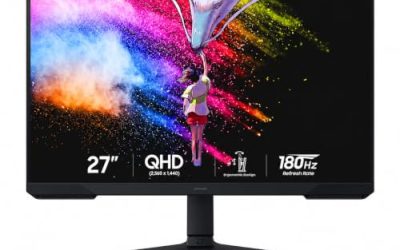
Samsung Odyssey G5 G51F 32-Inch QHD Gaming Monitor

The Samsung Odyssey G5 G51F, model LS32FG510ENXZA, is the flat-panel alternative here, and that alone will decide the matter for some buyers. A flat 32-inch screen avoids the adjustment period a deep curve can involve and works naturally for a desk that mixes gaming with work and video. Samsung pairs that flat Quad HD panel with a refresh rate of up to 180Hz and a 1ms response time stated using the MPRT measure, so choosing flat does not mean giving up speed. HDR10 and AMD FreeSync are stated, and Samsung highlights Black Equalizer and a virtual aim point for this model family, aimed at visibility in darker scenes. Comparison data for this model points to a more adjustable stand than the tilt-only designs, with height, tilt, swivel, and pivot mentioned for the G51F, which matters if you change seating positions. Connectivity is described as two HDMI ports and DisplayPort, covering a gaming PC and a console. Pick this model if you want a higher refresh rate and an adjustable flat screen without curvature.
Specs
- Screen size: 32 inches
- Panel type: VA, flat
- Resolution: 2560 x 1440 (QHD)
- Refresh rate: 180Hz
- Response time: 1ms (MPRT) as stated by the manufacturer
- Variable refresh rate: AMD FreeSync
- HDR: HDR10
- Ports: 2 x HDMI, 1 x DisplayPort
- Model: LS32FG510ENXZA
Acer Nitro XZ320QU 31.5-Inch Curved Gaming Monitor
The Acer Nitro XZ320QU rounds out the guide with a curved VA panel, Quad HD resolution, and a complete everyday feature list. Its 31.5-inch screen, in the 32-inch class, uses a 1500R curve that balances immersion with comfort for sessions that mix games and desktop tasks. The refresh rate reaches up to 180Hz, with a 1ms response time stated using the VRB measure, and AMD FreeSync is included to keep frame delivery smooth when performance dips. Built-in speakers handle game audio cues, calls, and video without external equipment, even if dedicated players will still prefer headphones for serious sessions. Ports are a strength, with one DisplayPort 1.4 connection and two HDMI 2.0 ports stated in the listing, giving a modern PC connection plus room for extra devices. The appeal is simple: a large curved Quad HD panel, a high refresh rate, and practical connectivity and audio in one tidy package.
Specs
- Screen size: 31.5 inches (32-inch class)
- Panel type: VA, curved with 1500R curvature
- Resolution: 2560 x 1440 (WQHD)
- Refresh rate: Up to 180Hz
- Response time: 1ms (VRB) as stated by the manufacturer
- Variable refresh rate: AMD FreeSync
- Ports: 1 x DisplayPort 1.4, 2 x HDMI 2.0
- Extras: Built-in speakers
Frequently Asked Questions
Is Quad HD enough at 32 inches, or should you look for 4K?
For gaming in the tier under 300 dollars, Quad HD is the right target. It looks sharp at 32 inches from a normal desk distance and allows high refresh rates without requiring the most powerful graphics hardware. A 4K panel at this size exists in higher tiers, but chasing it here would usually mean giving up refresh rate, panel quality, or the budget itself.
Does a curved monitor suit every game and every desk?
No, which is why this guide includes a flat option. Curved panels suit centred, single-player setups and shine in immersive, racing, and simulation games. Flat panels suit shared viewing, desks used heavily for work, and anyone who prefers an undistorted image for design tasks. Desk depth also matters, because a 32-inch screen needs enough distance to stay comfortable.
What refresh rate should your graphics card target with these monitors?
Aim to match the games you play to the 165Hz or 180Hz ceilings as closely as your hardware allows, while remembering that variable refresh rate support smooths the experience when you fall short. Lighter titles can often reach high frame rates at Quad HD, while demanding open-world games may sit lower, and FreeSync helps in both cases by syncing the display to the frame rate.
Can you use one of these monitors with a console as well as a PC?
Yes, provided you check the HDMI specifications and the rates each model supports over HDMI. All five picks include HDMI alongside DisplayPort, and the ASUS above explicitly notes a supported 144Hz mode that is relevant beyond PC use. Connect a PC by DisplayPort where possible for the full stated refresh rate, keep a console on HDMI, and confirm the port details before buying.
Conclusion
The tier under 300 dollars no longer asks you to choose between screen size and gaming speed. Every pick here delivers a 32-inch class screen, Quad HD resolution, a refresh rate of at least 165Hz, and FreeSync support as stated by its manufacturer. The real decision is shape and details. Choose the Samsung Odyssey G55C or the LG UltraGear 32GS60QC-B for the deepest 1000R curve, with the LG adding a higher refresh rate. Choose the Samsung Odyssey G5 G51F for a flat and adjustable screen. Choose the ASUS TUF Gaming VG32VQ1B for FreeSync Premium, two HDMI ports, and speakers on a gentler curve, or the Acer Nitro XZ320QU for DisplayPort 1.4, speakers, and a practical all-round mix. Check the current listing, ports, and stand before you order, and any of these five will give a gaming desk a larger and smoother centrepiece without leaving this budget tier.