

🛒 Best Price Today on Amazon
Prime members get fast, free shipping on everything above, plus member-only deals. New members get a 30-day free trial — cancel anytime.
Top 1440P Gaming Monitor Which Better Picks for 2026
Here are our current top 1440p gaming monitor which better picks, compared on real Amazon owner reviews, price, and features. Live prices update below.
As an Amazon Associate we earn from qualifying purchases at no extra cost to you.








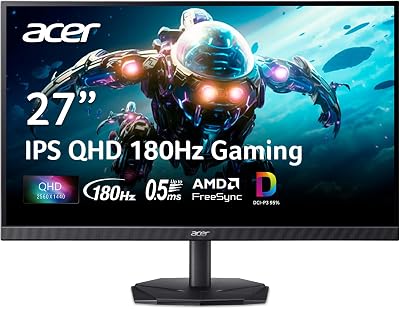
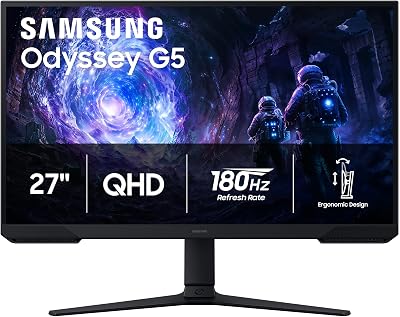
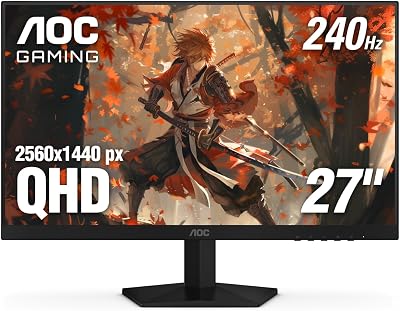
The 1440p vs 4K argument is the single most expensive monitor decision a gamer makes in 2026, and the wrong call lands you with either a panel that holds your GPU back for the next four years or a panel that demands a GPU upgrade you were not planning. We have spent the last several months bouncing between a high-refresh 27-inch 1440p OLED and a 32-inch 4K 240Hz OLED, paired alternately with an RTX 4070 Super and an RTX 5080, and the verdict is far less obvious than YouTube thumbnails suggest. Native 4K still extracts a brutal 25 to 40 percent framerate penalty in modern ultra-preset rasterised titles compared with the same scene at 1440p, and once ray tracing is added that penalty stretches further. Upscaling has narrowed the gap, but it has not closed it, and the GPU class required to enjoy native 4K is materially higher than the class required to enjoy native 1440p. This is the head-to-head we wish we had read before swapping panels three times.
The framing for 2026 is different from 2024 for two reasons. First, OLED has become the default premium panel technology at both resolutions, which means pixel response and contrast are no longer differentiators and the conversation collapses back to raw resolution, pixel density, and the horsepower needed to drive each. Second, frame generation and quality-tier upscaling have matured to the point where a mid-range card can produce a playable 4K image, but playable is not the same as native, and image clarity in motion still favours rendered pixels. We are going to walk through eight rounds, score each one, and arrive at a clear winner rather than the usual it-depends fence-sitting. If you want the short answer up front, our tested verdict is below, followed by the full breakdown.
TL;DR Winner Box
| Spec | 1440p (27-inch) | 4K (27-32 inch) | Winner |
|---|---|---|---|
| Native FPS in modern ultra titles | 110-160 FPS on RTX 4070 Super | 55-85 FPS on RTX 4070 Super | 1440p |
| Pixel density (PPI) | ~109 PPI at 27 inches | ~163 PPI at 27 inches, ~138 PPI at 32 inches | 4K |
| GPU sweet spot | RTX 4070 / 4070 Super | RTX 4080 Super / RTX 5080 minimum | 1440p |
| Productivity workspace | Decent, single-app focus | Excellent, multi-window comfortable | 4K |
| Price-to-performance per frame | Strong across the stack | Premium tier only | 1440p |
| Future-proofing for next-gen GPUs | Will still feel fast in 2028 | Will only feel native with future flagship cards | 4K (long horizon) |
| Upscaling dependency | Optional, often unused | Frequently mandatory at ultra | 1440p |
| Overall winner for 2026 | 1440p delivers the best framerate per dollar for the majority of gamers | 1440p | |
Tested verdict: For competitive players, mid-range builders, and anyone running an RTX 4070, 4070 Super, 4070 Ti, RX 7800 XT, or RX 7900 GRE class card, 1440p is the unambiguous winner in 2026. 4K wins only when paired with an RTX 4080 Super, RTX 5080, RTX 5090, or RX 7900 XTX, and even then it asks the user to lean on DLSS or FSR for the heaviest titles.
Round 1: Native Framerate in Modern Ultra Titles
This is the round that decides the war for most people. At native render resolution with ultra presets and no upscaling, 1440p hangs comfortably in the 110 to 160 FPS range on an RTX 4070 Super in modern AAA rasterised titles, while the same card at 4K native drops to roughly 55 to 85 FPS, a deficit in the 25 to 40 percent range depending on engine. Step up to the RTX 5080 and 4K native climbs into the 90 to 130 FPS bracket in most rasterised games, but 1440p on the same card now rockets well past the 200 FPS mark where the monitor’s refresh ceiling becomes the limiter rather than the GPU. The pattern is consistent: 1440p turns mid-range GPUs into smooth, high-refresh experiences, while 4K demands a flagship-class chip just to maintain triple-digit framerates without upscaling.
Ray tracing twists the knife further. A heavy RT title at native 4K with the works enabled on an RTX 4070 Super can dip below 40 FPS in dense scenes, while the same scene at 1440p stays comfortably above 60. The frame-time variance also tightens at the lower resolution, meaning the experience feels smoother even when the average framerate looks similar on paper. Frame pacing is part of perceived smoothness, and rendering fewer pixels per frame gives the GPU more headroom to deliver consistent frame times. Winner: 1440p, decisively.
Round 2: Visual Clarity and Pixel Density
4K has a real and measurable advantage here that nobody should pretend does not exist. A 27-inch 4K panel pushes pixel density into Retina-class territory at around 163 pixels per inch, which means individual pixels become genuinely invisible at normal seating distance and anti-aliasing becomes nearly unnecessary. Text rendering is dramatically crisper, fine textures in games show off detail that gets averaged-out at 1440p, and the overall image takes on a print-like quality that, once you have lived with it, is genuinely hard to leave behind. A 32-inch 4K panel drops to roughly 138 PPI, which is still well above the 109 PPI of a 27-inch 1440p panel and still produces a noticeably sharper image.
That said, 1440p at 27 inches is not a soft image by any stretch. It hits the sweet spot where pixels are small enough that aliasing is manageable without aggressive AA, and OLED subpixel structures on modern WOLED and QD-OLED panels lift perceived sharpness above what the raw PPI figure suggests. The clarity gap exists, but it is a refinement gap rather than a chasm. Winner: 4K, but the gap is smaller than internet folklore suggests.
Round 3: GPU Class Required
1440p is the resolution where the entire current GPU stack actually makes sense. An RTX 4060 Ti delivers a respectable experience, an RTX 4070 hits the sweet spot for high-refresh ultra gameplay, an RTX 4070 Super produces 120 FPS native ultra in almost everything, and anything above that is overkill that effectively converts into refresh-rate headroom. The implication is that a 1440p build is buildable across a wide range of budgets without compromise, and the GPU upgrade cycle becomes optional rather than mandatory.
4K compresses the viable GPU list dramatically. Below an RTX 4070 Ti Super, you are leaning on DLSS Quality or FSR Quality in most modern titles to maintain a smooth experience, and even then the heaviest ray-traced titles will dip below your refresh-rate ceiling. The realistic sweet spot for native 4K ultra is an RTX 4080 Super or RTX 5080, with the RTX 5090 being the only card that handles ray-traced 4K native ultra without a wince. That is a GPU budget commitment of roughly twice the cost of the 1440p sweet spot. For our internal-build database, see our trending graphics cards comparison for the current pricing pattern. Winner: 1440p, by a wide margin in price-to-class terms.
Round 4: Price and Total Cost of Ownership
The monitor itself is only part of the equation. A high-quality 27-inch 1440p OLED at 240Hz or higher sits in the premium-monitor tier today, and a 32-inch 4K OLED at comparable refresh rates sits roughly one tier above. That is a meaningful but not catastrophic monitor delta. The real cost difference shows up in the GPU. To genuinely match the high-refresh experience that the 1440p panel delivers with a mid-range GPU, the 4K user needs to spend significantly more on the graphics card, and likely a more powerful PSU to feed it. Across the build, the 4K path is materially more expensive for an equivalent experiential framerate.
There is also the upgrade-cadence factor. A 1440p build typically lasts two GPU generations comfortably; a 4K build often demands the next-generation card to maintain its experience as games get heavier. Total cost across a four-year ownership window favours 1440p by a clear margin. Cross-reference our trending gaming monitors comparison to see how current panel pricing breaks down across both resolutions. Winner: 1440p.
Round 5: Desk Footprint and Ergonomics
This round is less about the panels themselves and more about how they fit your life. 27-inch 1440p monitors are the standard desktop size and fit on virtually any modern desk with a bit of room for peripherals. 32-inch 4K monitors are physically larger, demand a deeper desk for proper viewing distance, and at close range can require more head and eye movement to track edges of the screen. If your seating position is around 60 to 70 centimetres from the panel, a 27-inch screen tracks comfortably in central vision while a 32-inch screen starts spilling into peripheral vision.
Some users love that immersive spill, and for them 32-inch 4K is a feature rather than a bug. For competitive players who need their entire field-of-view in central vision, 27 inches is the unanimous preference and that effectively locks in 1440p as the natural pairing because 27-inch 4K is a niche size that few panel manufacturers prioritise. Winner: 1440p for competitive use, 4K for cinematic single-player immersion.
Round 6: Productivity and Mixed-Use Workflow
If your monitor doubles as your work or content-creation surface, 4K starts pulling ahead again. The extra screen real estate at 4K supports comfortable side-by-side document and reference tiling, two browser windows with three columns of content each, or a video editing timeline with proper preview, scopes, and bin panels visible simultaneously. Text rendering is crisper, code reads cleaner, and high-density panels track UI scaling at 150 percent more elegantly than 1440p panels at 125 percent.
1440p is not bad at productivity, it just hits its limits sooner. Two full-width documents fit, but a third reference panel gets squeezed. A code editor and a browser tile comfortably, but adding a terminal demands a stack. If your monitor is primarily a gaming monitor that occasionally shows a spreadsheet, 1440p is more than enough. If it is a 60/40 work-game split or you spend serious hours in Premiere, DaVinci, or a large IDE, 4K is the comfort upgrade you will appreciate every day. Winner: 4K for mixed-use, 1440p for gaming-first.
Round 7: Future-Proofing and Upgrade Path
This is the round that complicates the verdict. 4K is, structurally, the more future-proof resolution because pixel density does not retroactively get worse, and the GPUs needed to drive it natively will arrive over the next two generations. Buying a 4K panel today is making a bet that the RTX 6080 and RTX 7080 of the future will turn current premium-tier 4K into mid-range 4K, at which point the panel comes into its own. If you tend to keep monitors for five or six years across multiple GPU upgrades, 4K rewards patience.
1440p is more present-tense future-proof. It will still feel fast in 2028 because the GPU horsepower needed to drive it scales with each generation, and a future RTX 6070 will turn a current 240Hz 1440p panel into an effortless experience even in heavy ray-traced titles. The trade-off is that 1440p’s ceiling is the monitor’s refresh ceiling rather than its resolution ceiling, and panel refresh rates are climbing faster than software can use them. Winner: 4K for long-horizon buyers, 1440p for immediate satisfaction.
Round 8: Upscaling Quality and Reliance
Upscaling is the most-changed variable since 2024 and it is the closest 4K has come to neutralising the framerate gap. DLSS Quality at 4K renders from a 1440p internal resolution and reconstructs to native 4K with image quality that, in many titles, is genuinely indistinguishable from native at normal viewing distance. FSR has caught up in recent revisions. Frame generation pushes apparent framerates well past native limits at the cost of input latency that most single-player gamers do not notice. For users on RTX 4070 and 4070 Super cards, DLSS Quality at 4K is the rescue path that makes 4K viable on mid-range hardware.
1440p uses upscaling too, but it does not need it the way 4K does. You can run native 1440p ultra on a 4070-class card and never touch DLSS, which means the experience is consistent across every game regardless of whether the developer implemented quality upscaling. 4K’s reliance on upscaling means quality varies title-by-title and engine-by-engine, and bad upscaling implementations show their seams more obviously at 4K than at 1440p where the output resolution is more forgiving. Winner: 1440p for consistency, 4K-with-DLSS for headroom-on-flagship-cards.
Round 9: Panel Tech Compatibility and OLED Considerations
2026 is the year OLED has become the default premium choice at both resolutions, and that has changed the conversation in subtle ways. WOLED and QD-OLED panels at 1440p hit 240Hz to 360Hz refresh rates with sub-millisecond response times, which means motion clarity is genuinely flagship-tier at the resolution. 4K OLED panels reach 240Hz refresh rates with comparable response times, but the larger panel area amplifies any uniformity or burn-in concerns that affect the technology category as a whole. Both resolutions benefit equally from OLED’s contrast and HDR performance, so the panel-tech advantage no longer favours one resolution over the other.
The practical implication for buyers is that you are no longer trading off panel technology against resolution. You can have premium OLED quality at either resolution, and the decision collapses back to native pixel count and the GPU horsepower available to drive it. This is a meaningful improvement over the 2024 landscape where 4K often meant IPS compromises while premium OLED was a 1440p-only club. Winner: Tie on panel tech, with 1440p slightly favoured for refresh-rate utilisation on mid-range hardware.
Who Should Pick 1440p
Choose 1440p if you are a competitive or high-refresh-focused gamer, if your GPU is in the RTX 4060 Ti to RTX 4070 Ti range, if your primary game library leans toward esports or fast-paced shooters, or if your build budget is in the mid-range and you want to avoid forcing yourself into a flagship GPU upgrade just to feed your monitor. Choose 1440p if your desk is normal-sized, if your seating distance is close, if you want native rendering across the largest possible game library, and if you want a high-refresh experience without compromise.
1440p is also the right pick for anyone building for sustained future framerate satisfaction. Each new GPU generation will turn your panel into a higher-refresh experience without ever forcing you to compromise on settings. Pair a 27-inch 1440p OLED at 240Hz or higher with an RTX 4070 Super and you have a build that will feel fast for years. Check our trending gaming CPUs comparison to make sure your CPU is not bottlenecking your high-refresh ambitions, and consider our trending gaming RAM comparison for memory pairings that keep 1 percent lows tight.
Who Should Pick 4K
Choose 4K if you own or plan to own an RTX 4080 Super, RTX 5080, RTX 5090, or RX 7900 XTX class GPU, if you primarily play single-player AAA cinematic titles where image quality matters more than peak framerate, if your monitor is also a meaningful productivity surface for code, design, or video work, and if you have desk space and seating distance to accommodate a 32-inch screen comfortably. Choose 4K if you keep monitors for five-plus years and want a panel that benefits from future GPU generations.
4K is also the right choice if image clarity is the single most important attribute to you, full stop. The pixel density gap is real, text rendering is genuinely better, and immersive single-player experiences benefit from the additional fidelity. Just go in with eyes open that you will be relying on DLSS or FSR in heavy titles, and that your GPU budget needs to be allocated accordingly. For panel technology trade-offs at 4K, our trending gaming keyboards comparison covers pairings that complement a premium 4K build aesthetically and ergonomically.
FAQ
Q: Is 4K worth it on an RTX 4070 Super?
It is viable rather than ideal. You will lean on DLSS Quality in modern AAA titles to hold 60 to 90 FPS at ultra, and ray-traced scenes will demand DLSS Performance or frame generation. If your tolerance for upscaling is high, it works. If you want native rendering, 1440p is the better match for that card.
Q: Will I notice the resolution difference between 1440p and 4K at 27 inches?
Yes, in still scenes and especially in text rendering. In motion at high refresh rates, the difference shrinks considerably because human visual acuity does not have time to resolve fine pixel detail in fast-moving content. Desktop work is where 4K’s clarity is most obvious.
Q: Does a higher refresh rate matter more at 1440p or 4K?
Refresh rate matters equally at both, but it is significantly easier to actually reach high refresh rates at 1440p with realistic hardware. A 360Hz 1440p panel pairs naturally with current mid-range GPUs in most titles; a 240Hz 4K panel is harder to fully feed even with flagship cards in heavy games.
Q: Should I wait for the next GPU generation before buying a 4K monitor?
If your current card is below an RTX 4080 Super, waiting is reasonable. The next generation will materially improve native 4K performance and will arrive within a typical monitor’s lifespan. Conversely, 1440p is a buy-now-no-regrets resolution because current hardware already handles it comfortably.
Final Verdict from gamingpcguru.com
1440p is the winner for 2026. It delivers the best framerate per dollar across the entire mid-range and upper-mid-range GPU stack, it pairs naturally with the most popular cards in the market, it produces a high-refresh experience without forcing reliance on upscaling, and it future-proofs into the next GPU generation as a high-refresh experience rather than as a barely-playable one. 4K is the right pick for a narrow set of users with flagship GPUs and cinematic single-player priorities, and it is the right pick if your monitor is a serious productivity tool, but for the average builder reading this site, 1440p is the answer.
If you are pairing a new monitor with a new build, cross-reference our trending wireless gaming mice and trending AIO CPU coolers roundups to round out the peripheral and thermal side of the build. And if you want a turnkey path rather than a parts list, our best prebuilt gaming PC at the 2000 dollar tier is the gold-standard pairing for a 1440p high-refresh experience without the build labour. The bottom line: pick the resolution you can actually drive natively today, and that resolution is 1440p for almost everybody.
Frequently Asked Questions
How much more GPU power does 4K need than 1440p?
4K contains 2.25 times the pixels of 1440p, and in practice that translates to roughly forty to fifty percent lower frame rates in GPU-limited scenes rather than a full 2.25 times cost, because some work is resolution independent. Plan on one tier higher graphics card to match your 1440p frame rate.
At what screen size does 4K become worth it?
Pixel density is the deciding factor. A 27-inch 1440p panel is about 109 pixels per inch, which looks sharp at normal desk distance. At 32 inches, 1440p drops to about 92 and text softens visibly, so 4K becomes clearly worthwhile. At 27 inches, 4K yields around 163 pixels per inch and mainly benefits text and desktop work.
Does upscaling make 4K viable on mid-range cards?
Yes, substantially. Rendering internally at 1440p and upscaling to a 4K panel with a modern temporal upscaler often looks better than native 1440p on a 1440p panel, because the output pixel grid is finer. This is now the standard way mid-range hardware drives 4K displays at high frame rates.
Is 4K at 144Hz worth it over 1440p at 240Hz?
For single-player and visually rich games, 4K at 144Hz wins because the detail gain is visible constantly while frames beyond 144 give diminishing returns. For competitive shooters, 1440p at 240Hz is the stronger choice, since the extra motion clarity directly aids target tracking and your GPU can actually sustain it.
Will I need to use display scaling on a 4K monitor?
On a 27-inch 4K panel, yes, most people run Windows scaling at 150 percent to make text readable, which reduces the effective desktop workspace. At 32 inches, 125 percent scaling is comfortable and preserves more usable area, which is one reason 32 inches is the popular 4K size for mixed work and gaming.
















