As an Amazon Associate we earn from qualifying purchases


A 240Hz refresh rate used to be a flagship feature that sat far above mainstream budgets. That has changed: the under-400-dollar class now includes native 240Hz panels in Full HD and QHD, built on fast IPS and even QD-OLED technology. The catch is that the headline rate is only part of the story. Two monitors can both advertise 240Hz while differing in resolution, panel behaviour, ports and VRR support, and those differences decide which one suits a given PC, console and desk.
This guide compares five gaming monitors that meet two hard conditions: a native refresh rate of 240Hz or higher, and a spec sheet that suits fast-paced play. Each pick is compared on screen size, panel type, resolution, connections and VRR support. Response time and brightness figures quoted below are manufacturer ratings from product listings and specification sheets, not independent measurements.
What to check before choosing a 240Hz monitor
Native refresh rate and the port that carries it. A monitor only runs at 240Hz if the input can carry the signal. On several models here, DisplayPort delivers the full 240Hz while HDMI tops out lower, sometimes at 144Hz, so PC players should plan on DisplayPort for the full rate. Consoles cap output at 120Hz, so a 240Hz panel runs at 120Hz with a console attached; HDMI 2.1 inputs are still worth having: they accept that 120Hz signal at QHD without compromise.
Resolution versus frame rate. Full HD at 240Hz is the easier target: mid-range graphics cards can hold very high frame rates in competitive titles at 1920 x 1080. QHD at 240Hz looks sharper on a 27-inch screen and adds desktop space, but it demands a stronger GPU to feed. Pick the resolution the card can actually drive: a 240Hz panel fed at 90 frames per second behaves like a much cheaper screen.
Panel type. Fast IPS panels dominate this class because they combine high refresh rates with wide viewing angles and consistent colour. QD-OLED goes further on contrast and pixel response, with near-instant transitions and true blacks, at the cost of extra care around static images.
Variable refresh rate. Every monitor in this guide supports adaptive sync. FreeSync and G-Sync Compatible certification both let the panel match the GPU’s output, removing tearing without the input penalty of fixed sync. Check the certification covers the connection in use, since ranges can differ between DisplayPort and HDMI.
Stand, mounting and extras. Height adjustment matters more than most spec sheets suggest, because a screen set at the wrong height strains the neck over long sessions. Pivot and swivel help with multi-monitor desks, and a standard VESA mount keeps a monitor arm upgrade open. Readers can also work through the broader picks in the best gaming monitor under 400 guide, which covers the same budget from the general-purpose side.
The five monitors compared
| Model | Size | Panel | Resolution | Max refresh | VRR support | Standout connection |
|---|---|---|---|---|---|---|
| LG UltraGear 27GR83Q-B | 27 in | IPS | 2560 x 1440 | 240Hz | G-Sync Compatible, FreeSync Premium | HDMI 2.1 |
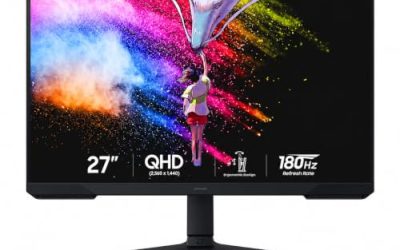
| MSI MAG 274QP QD-OLED X24 | 26.5 in | QD-OLED | 2560 x 1440 | 240Hz | Adaptive-Sync | HDMI 2.1 |
| Acer Nitro XV272U W2bmiiprx | 27 in | IPS | 2560 x 1440 | 240Hz | FreeSync Premium | DisplayPort 1.4 |
| Samsung Odyssey G4 (25 in) | 25 in | IPS | 1920 x 1080 | 240Hz | G-Sync Compatible, FreeSync Premium | DisplayPort 1.2 |
| Alienware AW2523HF | 24.5 in | Fast IPS | 1920 x 1080 | 360Hz | FreeSync Premium Pro, G-Sync support | DisplayPort 1.4 |
LG UltraGear 27GR83Q-B
The UltraGear 27GR83Q-B is the balanced option in this group: a 27-inch QHD IPS panel running at a native 240Hz, with the port selection to use that rate from both a PC and a current console. LG rates the panel at a 1ms grey-to-grey response time and certifies it to VESA DisplayHDR 400, and colour coverage is quoted at 95 percent of the DCI-P3 gamut, wide enough for colour-aware work as well.
Connection choice is the LG’s strongest card. Two HDMI 2.1 ports accept a full-bandwidth signal, so a console can run at 120Hz in QHD while a PC drives the same screen at 240Hz over DisplayPort, with no cable swapping. Adaptive sync covers both GPU brands, with NVIDIA G-Sync Compatible certification and AMD FreeSync Premium support. The stand adjusts for tilt, height and pivot, and the four-pole headphone output carries DTS Headphone:X virtualisation for headset users.
For a single-screen setup that has to do everything — competitive PC titles, console sessions and desktop work — this is the most complete specification in the guide.
Specs
- Screen size: 27 inches
- Panel type: IPS
- Resolution: 2560 x 1440 (QHD)
- Refresh rate: 240Hz native
- Response time: 1ms GtG (manufacturer rating)
- HDR: VESA DisplayHDR 400
- Adaptive sync: NVIDIA G-Sync Compatible, AMD FreeSync Premium
- Ports: 2 x HDMI 2.1, 1 x DisplayPort 1.4, headphone out
- Stand: tilt, height and pivot adjustment
MSI MAG 274QP QD-OLED X24
The MAG 274QP QD-OLED X24 is the picture-quality pick. Its 26.5-inch QD-OLED panel pairs the same QHD resolution and 240Hz refresh rate as the IPS models above with the defining OLED traits: self-lit pixels, effectively perfect blacks and a manufacturer-rated 0.03ms grey-to-grey response time. Pixel transitions that fast remove the ghosting LCD panels can show in dark scenes, and MSI quotes a VESA ClearMR 13000 motion-clarity tier.
Adaptive-Sync support keeps frame delivery smooth with either GPU brand, and the input set covers HDMI and DisplayPort, with HDMI 2.1-class bandwidth for console use at 120Hz. The stand offers tilt and height adjustment, the cabinet is VESA mountable, and built-in speakers are included.
Two practical notes apply to any OLED. Static interface elements shown for long periods carry a burn-in risk over the panel’s life, so precautions such as hiding taskbars and using the built-in pixel-care features are part of ownership. OLED panels also prioritise contrast over raw brightness in bright rooms. Within those limits, this is the strongest image in the guide.
Specs
- Screen size: 26.5 inches
- Panel type: QD-OLED
- Resolution: 2560 x 1440 (QHD)
- Refresh rate: 240Hz native
- Response time: 0.03ms GtG (manufacturer rating)
- Adaptive sync: Adaptive-Sync
- Ports: HDMI and DisplayPort inputs
- Audio: built-in speakers
- Stand: tilt and height adjustment, VESA mountable
Acer Nitro XV272U W2bmiiprx

The Nitro XV272U W2bmiiprx is the value route into QHD at 240Hz. The 27-inch IPS panel runs at 2560 x 1440 with a manufacturer-rated response time of up to 0.5ms grey-to-grey, carries VESA DisplayHDR 400 certification with a rated 400-nit peak brightness, and covers 99 percent of the sRGB gamut. AMD FreeSync Premium handles variable refresh duty.
One specification deserves attention: the full 240Hz rate is available over DisplayPort 1.4, while the HDMI inputs are rated for up to 144Hz at this resolution. That split is common in this class. It matters mainly to console players, whose 120Hz ceiling fits inside the HDMI limit, and to PC players, who should simply use the DisplayPort cable in the box. The ErgoStand provides height, tilt, swivel and pivot adjustment.
For a PC-first desk where DisplayPort is the default connection anyway, the Nitro delivers the QHD 240Hz combination with the least strain on the shared budget.
Specs
- Screen size: 27 inches
- Panel type: IPS
- Resolution: 2560 x 1440 (QHD)
- Refresh rate: 240Hz over DisplayPort, up to 144Hz over HDMI (manufacturer rating)
- Response time: up to 0.5ms GtG (manufacturer rating)
- HDR: VESA DisplayHDR 400
- Adaptive sync: AMD FreeSync Premium
- Ports: 1 x DisplayPort 1.4, 2 x HDMI 2.0
- Audio: 2 x 2W built-in speakers
- Stand: height, tilt, swivel and pivot adjustment, VESA mountable
Samsung Odyssey G4 25-inch (LS25BG402ENXGO)
The 25-inch Odyssey G4 takes the opposite route to the QHD models: it keeps resolution at Full HD so frame rates stay high on modest hardware. The IPS panel runs at a native 240Hz with a manufacturer-rated 1ms grey-to-grey response, and at this size Full HD still looks acceptably sharp, while the smaller display keeps the whole playfield inside peripheral vision — a layout many competitive players prefer.
Adaptive sync is certified both ways, with NVIDIA G-Sync Compatible and AMD FreeSync Premium support, and HDR10 handling covers basic high-dynamic-range signalling. Connections run through DisplayPort 1.2 and HDMI 2.0 inputs, with the full 240Hz rate available over DisplayPort. The stand adjusts for height, tilt, swivel and pivot, and Samsung adds Ultrawide Game View, which widens the field of view in supported games, plus Auto Source Switch+ for jumping between devices.
As the entry point to genuine 240Hz gaming here, the G4 suits esports-focused players whose graphics card is happier at 1080p, and smaller desks where a 27-inch screen would crowd the setup.
Specs
- Screen size: 25 inches
- Panel type: IPS
- Resolution: 1920 x 1080 (Full HD)
- Refresh rate: 240Hz native
- Response time: 1ms GtG (manufacturer rating)
- Adaptive sync: NVIDIA G-Sync Compatible, AMD FreeSync Premium
- Ports: 1 x DisplayPort 1.2, 2 x HDMI 2.0, headphone out
- Stand: height, tilt, swivel and pivot adjustment
Alienware AW2523HF
The AW2523HF is the outright speed pick, and the only monitor here that goes beyond 240Hz. Its 24.5-inch Fast IPS panel runs at up to 360Hz over DisplayPort at Full HD resolution, with a manufacturer-rated 0.5ms grey-to-grey response time. The HDMI inputs are rated for up to 255Hz, and DisplayPort unlocks the full rate.
Variable refresh support spans AMD FreeSync Premium Pro and NVIDIA G-Sync, covering either GPU platform. The 24.5-inch format is deliberate esports sizing: the whole screen sits in view at typical desk distances, and the stand adjusts for height, tilt, swivel and pivot, with a VESA 100 mount behind it. A USB hub connects peripherals through the monitor, and a retractable headset hanger keeps the desk tidy.
The trade-off is resolution: Full HD is all this panel offers, and 360Hz only pays off where the PC can sustain extremely high frame rates. For tournament-style play in shooters, though, nothing else here refreshes as often.
Specs
- Screen size: 24.5 inches
- Panel type: Fast IPS
- Resolution: 1920 x 1080 (Full HD)
- Refresh rate: 360Hz over DisplayPort, up to 255Hz over HDMI (manufacturer rating)
- Response time: 0.5ms GtG (manufacturer rating)
- Adaptive sync: AMD FreeSync Premium Pro, NVIDIA G-Sync support
- Ports: 1 x DisplayPort 1.4, 2 x HDMI, USB 3.2 hub
- Stand: height, tilt, swivel and pivot adjustment, VESA 100 mountable
FAQ
Is 240Hz a real upgrade over 144Hz for gaming?
The step from 144Hz to 240Hz is smaller than the jump from 60Hz to 144Hz, but it is still visible in fast camera movement and tracking aim, provided the PC can render frame rates that use it. Competitive players benefit most; slower-paced genres gain less. Variable refresh support on every pick here keeps frame rates below the maximum displaying smoothly.
Can a PlayStation 5 or Xbox Series X use a 240Hz monitor?
Yes, with a ceiling: current consoles output up to 120Hz, so the monitor runs at 120Hz and keeps its other qualities, such as fast response times and QHD sharpness. Models with HDMI 2.1 inputs accept that 120Hz QHD signal at full quality, which is why port selection matters even for console-only buyers.
Does a 240Hz monitor need DisplayPort?
For a PC at QHD, DisplayPort is the reliable route to the full 240Hz rate; several models here limit HDMI to 144Hz at QHD. At Full HD the picture is more forgiving, and one pick here even rates its HDMI inputs at 255Hz, but DisplayPort remains the connection that guarantees the headline rate.
Should a buyer in this budget choose QHD or Full HD?
Choose QHD if the graphics card can hold high frame rates at 2560 x 1440, because the sharper image and extra desktop space are permanent benefits. Choose Full HD if the priority is maximum frame rate in competitive titles, or if the GPU is a mid-range model that would fall well short of that rate at QHD.
Conclusion
The under-400-dollar class splits cleanly once the priorities are named. The LG UltraGear 27GR83Q-B is the all-round QHD choice, with HDMI 2.1 flexibility for mixed PC and console desks. The MSI MAG 274QP QD-OLED X24 trades some practical caution for the best contrast and pixel response in the group. Acer’s Nitro XV272U W2bmiiprx brings QHD 240Hz down to the gentlest strain on the budget, provided DisplayPort is the connection in use. The Samsung Odyssey G4 concentrates on 1080p esports value in a compact frame, and the Alienware AW2523HF answers a different question — how fast a panel can refresh — with its 360Hz ceiling. Match the panel to the graphics card and the games, confirm the port plan before ordering, and any of the five delivers the promised high-refresh step up.