

Affiliate disclosure: As an Amazon Associate we earn from qualifying purchases. This post contains affiliate links — if you buy through them we may earn a small commission at no extra cost to you. This never affects our recommendations.
As an Amazon Associate we earn from qualifying purchases at no extra cost to you.

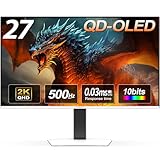


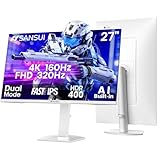

4K gaming used to mean spending $800 or more. In 2026, that ceiling has dropped dramatically. You can now get a proper 4K 144Hz IPS panel with HDMI 2.1 for under $500 — and in some cases, well under $350.
But buying the wrong one means paying for specs your GPU can’t use, missing the ports your console needs, or getting HDR that exists on paper only. This guide cuts through the noise.
We evaluated five monitors across resolution, refresh rate, panel type, connectivity, HDR performance, and real-world value. Whether you’re running an RTX 4070 on PC, a PS5, or both, there’s a right answer here — and a few traps to avoid.
In a hurry? See the top-rated 4K Gaming Monitor Under $500 deals available right now:
🛒 Check 4K Gaming Monitor Under $500 Prices on Amazon →🛒 Best Price Today on Amazon
Prime members get fast, free shipping on everything above, plus member-only deals. New members get a 30-day free trial — cancel anytime.
Start 30-Day Prime Free Trial →See Today’s Amazon DealsQuick Comparison: Best 4K Gaming Monitors Under $500 (2026)
| Monitor | Panel | Refresh | HDMI 2.1 | HDR |
|---|---|---|---|---|
| LG 27GP950-B | IPS | 144Hz | Yes (x2) | HDR600 |
| LG 27GR93U-B | IPS | 144Hz | No | HDR400 |
| Gigabyte M28U | IPS | 144Hz | Yes (x2) | HDR400 |
| ASUS ROG Strix XG27UQR | IPS | 144Hz | No | HDR400 |
| Samsung Odyssey Neo G7 28″ | VA | 144Hz | Yes (x2) | HDR600 |
> GPU Reality Check: 4K 144Hz is demanding. An RTX 4070 or RX 7800 XT is the practical floor for modern AAA titles at native 4K. That said, DLSS 3 and FSR 3 upscaling now make 4K gaming viable on mid-range cards — running at 1440p and upscaling to 4K output looks excellent on these panels.
What to Know Before Buying a 4K Monitor in 2026
4K vs 1440p Sharpness: Does It Actually Matter at 27″?
At 27 inches, 4K delivers 163 pixels per inch (PPI) versus 108 PPI for 1440p. That difference is visible and meaningful — text is noticeably crisper, fine textures in games resolve better, and the image looks more like a photo than a display. If you sit 24–30 inches from your monitor (standard desktop distance), you will see the difference.
At 32 inches, the gap widens further. If you’re debating between a 27″ 1440p and 27″ 4K monitor at similar prices, the 4K wins on image quality — the question is only whether your GPU can keep up.
HDMI 2.1 vs DisplayPort 1.4 for 4K 144Hz
On PC, you don’t strictly need HDMI 2.1. DisplayPort 1.4 with DSC (Display Stream Compression) handles 4K 144Hz on all monitors listed here. DSC is lossless in practice — you won’t see compression artifacts.
On console (PS5, Xbox Series X), HDMI 2.1 is essential. Without it, you’re capped at 4K 60Hz. Monitors with dual HDMI 2.1 ports are ideal for a PC + console setup.
HDR at This Price: Honest Assessment
Most monitors under $500 carry an HDR400 certification. That means 400 nits peak brightness — enough to show HDR content but not enough to produce the specular highlights and deep blacks that make HDR genuinely impactful. HDR400 is largely a marketing label at this tier.
HDR600 is meaningfully better. The LG 27GP950-B and Samsung Neo G7 both achieve HDR600, with the Neo G7’s Mini-LED backlight delivering localized dimming that actually produces darker blacks. If HDR matters to you, those two are the only real options in this roundup.
DLSS 3 and FSR 3: Your Path to 4K on Mid-Range Hardware
You don’t need an RTX 4090 to enjoy 4K gaming in 2026. DLSS 3 (NVIDIA) and FSR 3 (AMD) upscaling technologies render at 1440p or even 1080p internally and reconstruct a 4K image using AI or temporal algorithms. The result on a sharp 4K panel is excellent — the upscaled output is far better than native 1440p on the same screen.
An RTX 4060 Ti or RX 7700 XT paired with a 4K monitor and DLSS/FSR Quality mode is a legitimate, cost-effective gaming setup in 2026.

The 5 Best 4K Gaming Monitors Under $500
1. LG 27GP950-B — Best Overall
Buy on Amazon
~$449 | 27″ | IPS | 4K 144Hz | HDMI 2.1 x2 | HDR600
The 27GP950-B has been the gold standard of sub-$500 4K gaming monitors for good reason, and it still holds its position in 2026. Two HDMI 2.1 ports make it the top choice for anyone running a PC alongside a PS5 or Xbox Series X. The Nano IPS panel covers 98% DCI-P3 color gamut — colors are rich without oversaturation. VESA DisplayHDR 600 certification, combined with a local dimming backlight, produces highlight brightness that’s genuinely visible in games and films.
At 144Hz with 1ms GtG response (1ms MBR), motion is clean and sharp. G-Sync Compatible and FreeSync Premium Pro adaptive sync keeps tearing absent across a wide refresh range.
Specs
| Spec | Detail |
|---|---|
| Panel | Nano IPS |
| Resolution | 3840 x 2160 |
| Refresh Rate | 144Hz |
| Response Time | 1ms GtG |
| HDR | VESA DisplayHDR 600 |
| HDMI | 2x HDMI 2.1 |
| DisplayPort | 1x DP 1.4 |
| G-Sync Compatible | Yes |
| FreeSync | Premium Pro |
Pros
- Dual HDMI 2.1 — perfect for PC + PS5/Xbox setup
- HDR600 with local dimming delivers visible HDR impact
- 98% DCI-P3 color coverage — excellent color accuracy
- 1ms GtG response, clean motion at 144Hz
- Wide adaptive sync range
Cons
- Runs at ~$449 — highest price in this roundup
- IPS glow visible in dark scenes on dark backgrounds
- Local dimming zones are limited; not true per-pixel HDR
2. LG 27GR93U-B — Best Value
Buy on Amazon
~$349 | 27″ | IPS | 4K 144Hz | HDMI 2.0 | HDR400
If you’re gaming primarily on PC and can live without HDMI 2.1, the 27GR93U-B is the best value 4K 144Hz monitor available. At $349 — a full $100 less than its sibling — it delivers the same Nano IPS panel quality, the same 144Hz refresh, and the same G-Sync Compatible / FreeSync Premium Pro support.
The IPS Black panel improves native contrast significantly over standard IPS, measuring around 2000:1 — noticeably better blacks than the GP950 without resorting to VA compromises on color accuracy or viewing angles. Color accuracy out of the box is excellent.
The tradeoff is clear: two HDMI 2.0 ports limit console connections to 4K 60Hz. For pure PC gaming, this is irrelevant. For console gamers, look elsewhere.
Specs
| Spec | Detail |
|---|---|
| Panel | IPS Black |
| Resolution | 3840 x 2160 |
| Refresh Rate | 144Hz |
| Response Time | 1ms GtG |
| HDR | VESA DisplayHDR 400 |
| HDMI | 2x HDMI 2.0 |
| DisplayPort | 1x DP 1.4 |
| G-Sync Compatible | Yes |
| FreeSync | Premium Pro |
Pros
- $100 cheaper than the GP950 with near-identical panel quality
- IPS Black panel: ~2000:1 contrast — much better than standard IPS
- Excellent color accuracy and wide color gamut
- 1ms GtG, 144Hz — no motion compromises
Cons
- No HDMI 2.1 — console gaming capped at 4K 60Hz
- HDR400 only — HDR performance is minimal
- Stands out slightly less in build quality versus ROG/Samsung competitors
3. Gigabyte M28U — Best Budget 4K Option
Buy on Amazon
~$299 | 28″ | IPS | 4K 144Hz | HDMI 2.1 x2 | HDR400
The M28U is the value outlier in this category: HDMI 2.1 support at $299 is simply not something the competition can match. If your primary constraint is budget and you want 4K 120Hz on a PS5 or Xbox Series X, this is the only monitor in the sub-$350 range that delivers it.

The 28″ SS IPS panel is bright (350 nits typical) and covers 90% DCI-P3. It’s not the most color-accurate panel in this list, and the HDR400 certification is largely nominal. But the connectivity package punches well above its price: two HDMI 2.1 ports, one DisplayPort 1.4, a USB-C with 18W PD, and a KVM switch built in.
Gaming performance is solid — 1ms IPS response, 144Hz, FreeSync Premium. No G-Sync Compatible certification, but it works acceptably with NVIDIA cards in practice. Response time consistency is slightly behind LG’s panels at higher refresh rates.
Specs
| Spec | Detail |
|---|---|
| Panel | SS IPS |
| Resolution | 3840 x 2160 |
| Refresh Rate | 144Hz |
| Response Time | 1ms |
| HDR | VESA DisplayHDR 400 |
| HDMI | 2x HDMI 2.1 |
| DisplayPort | 1x DP 1.4 |
| USB-C | Yes (18W PD) |
| FreeSync | Premium |
Pros
- HDMI 2.1 at $299 — unmatched in this price tier
- Built-in KVM switch — useful for multi-device desks
- USB-C with power delivery
- Large 28″ screen at a small-monitor price
Cons
- Panel quality lags behind LG and ASUS at higher refresh rates
- HDR400 is cosmetic at this price
- No G-Sync Compatible certification
- Less refined stand and build quality
4. ASUS ROG Strix XG27UQR — Best for Console + PC Versatility
Buy on Amazon
~$449 | 27″ | IPS | 4K 144Hz | HDMI 2.0 x2 | HDR400
The XG27UQR is the monitor for gamers who want a premium build, excellent factory calibration, and the ROG ecosystem — but aren’t dependent on HDMI 2.1. The Fast IPS panel delivers 1ms GtG response with excellent out-of-box accuracy, and ASUS ships this with a calibration report. Color reproduction is the best in this roundup for content creation doubles.
ROG’s ergonomic stand is best-in-class here: full height, tilt, swivel, and pivot adjustment. The Aura Sync RGB lighting is understated and optional. G-Sync Compatible certification is genuine — the adaptive sync range is stable and effective.
The one frustration: at ~$449, it shares a price point with the LG 27GP950-B, which offers dual HDMI 2.1 and HDR600. Unless you have a specific reason to prefer the ROG ecosystem or need the calibration report, the LG edges it out on specs per dollar.
Specs
| Spec | Detail |
|---|---|
| Panel | Fast IPS |
| Resolution | 3840 x 2160 |
| Refresh Rate | 144Hz |
| Response Time | 1ms GtG |
| HDR | VESA DisplayHDR 400 |
| HDMI | 2x HDMI 2.0 |
| DisplayPort | 1x DP 1.4 |
| G-Sync Compatible | Yes |
| FreeSync | Premium Pro |
Pros
- Best factory calibration and build quality in this roundup
- Superior ergonomic stand — full adjustability
- G-Sync Compatible with stable adaptive sync range
- Dual input for PC + console (60Hz max on console at 4K)
Cons
- No HDMI 2.1 — console 4K capped at 60Hz
- HDR400 only — no meaningful HDR performance
- Competes at the same price as the LG GP950 with fewer specs
- ROG branding adds a premium not everyone wants to pay
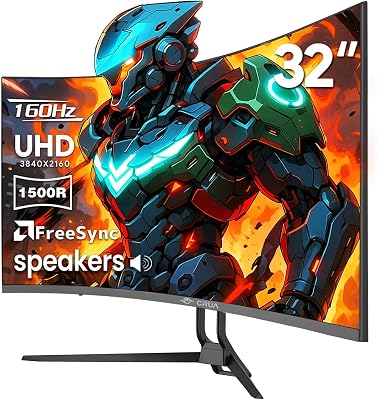
5. Samsung Odyssey Neo G7 28″ — Best Contrast
Buy on Amazon
~$499 | 28″ | VA (Mini-LED) | 4K 144Hz | HDMI 2.1 x2 | HDR600
The Neo G7 is the HDR story of this roundup. Samsung’s Mini-LED backlight with quantum dot color and full-array local dimming (FALD) produces contrast ratios that no IPS panel can touch — peak brightness exceeds 1000 nits in HDR mode, and local dimming zones create visible black depth that transforms the look of supported content.
The VA panel delivers native contrast around 3000:1 — 5–6x better than any IPS option here. In a darkened room playing HDR-enabled titles, this monitor looks meaningfully different from the rest of the list.
The tradeoffs are VA-specific: viewing angles are narrower (colors shift when viewed from the side), and ghosting on fast-moving dark objects can be visible at certain refresh rates. Samsung’s motion interpolation helps but adds slight input latency. For competitive shooters, the LG IPS options are cleaner. For cinematic single-player games and a console-primary setup at a desk, the Neo G7 is worth every dollar of its $499 price.
Specs
| Spec | Detail |
|---|---|
| Panel | VA (Mini-LED, Quantum Dot) |
| Resolution | 3840 x 2160 |
| Refresh Rate | 144Hz |
| Response Time | 1ms (Samsung rated) |
| HDR | VESA DisplayHDR 600 (FALD) |
| HDMI | 2x HDMI 2.1 |
| DisplayPort | 1x DP 1.4 |
| G-Sync Compatible | Yes |
| FreeSync | Premium Pro |
Pros
- Best HDR performance in this roundup — Mini-LED FALD with 1000+ nit peaks
- ~3000:1 native contrast — blacks are genuinely dark
- Dual HDMI 2.1 for PC + console
- Quantum dot color covers wide color gamut
Cons
- VA panel ghosting on fast dark-scene motion
- Narrower viewing angles than IPS
- At $499, it’s the ceiling of this budget category
- Local dimming halo artifacts visible in some scenes
Final Comparison Table
| Monitor | Best For | Panel | HDR | HDMI 2.1 | Buy |
|---|---|---|---|---|---|
| LG 27GP950-B | Overall best | Nano IPS | HDR600 | Yes x2 | Amazon |
| LG 27GR93U-B | PC-only value | IPS Black | HDR400 | No | Amazon |
| Gigabyte M28U | Budget 4K | SS IPS | HDR400 | Yes x2 | Amazon |
| ASUS ROG XG27UQR | Build quality | Fast IPS | HDR400 | No | Amazon |
| Samsung Neo G7 28″ | Best contrast/HDR | VA Mini-LED | HDR600 | Yes x2 | Amazon |
Our Verdict
Best Overall: The LG 27GP950-B is the complete package — dual HDMI 2.1, HDR600, Nano IPS color, and 144Hz at $449. It’s the monitor we’d recommend to most PC gamers who also use a console.
Best Value: The LG 27GR93U-B is the pick for PC-primary gamers. The IPS Black panel’s improved contrast and near-identical image quality at $100 less is hard to argue with.
Best Budget: The Gigabyte M28U is the only way to get HDMI 2.1 + 4K 144Hz under $350. Build quality reflects the price, but the connectivity is exceptional.
Best HDR Experience: The Samsung Neo G7 is the monitor for players who care about cinematic image quality. If you play HDR-enabled single-player titles in a dark room, nothing else on this list comes close.
FAQ
What GPU do I need for 4K 144Hz gaming?
Native 4K 144Hz in demanding AAA games requires significant GPU headroom. An RTX 4070 or RX 7800 XT is the realistic starting point for playable frame rates at native 4K in titles like Cyberpunk 2077 or Alan Wake 2. An RTX 4080 or 4090 handles it more comfortably. That said, DLSS 3 (NVIDIA) and FSR 3 (AMD) Quality mode at 4K output from a 1440p render resolution is visually excellent and makes 4K gaming viable on RTX 4060 Ti / RX 7700 XT class hardware.
Is HDMI 2.1 necessary if I only game on PC?
No. DisplayPort 1.4 with DSC handles 4K 144Hz on PC with no visible quality difference from HDMI 2.1. HDMI 2.1 only becomes essential when connecting a PS5 or Xbox Series X, which require it for 4K 120Hz. If you own a console and want 4K high-refresh gaming on it, prioritize monitors with HDMI 2.1.
Is HDR worth it on monitors under $500?
Partially. HDR400 certification — carried by three monitors in this list — is largely a checkbox feature. At 400 nits peak brightness, HDR content looks marginally better than SDR but doesn’t deliver the specular highlight pop or deep black depth that makes HDR compelling. HDR600 with local dimming (LG GP950-B, Samsung Neo G7) is noticeably better and worth paying for if HDR content matters to you. True HDR impact requires either a Mini-LED monitor (Neo G7) or OLED — both of which push above $500 at 4K.
Should I get a 4K monitor if I’m also gaming at 1080p or 1440p on my current GPU?
Yes, with caveats. A 4K monitor is excellent for desktop use, content consumption, and future-proofing even if your GPU isn’t ready for native 4K gaming today. At 1440p on a 4K screen, you’ll see some softness because 1440p doesn’t scale evenly to 4K (it’s a 1.78x factor, not 2x). FSR 3 at Quality mode from 1440p renders to 4K quite well, which is a cleaner solution. You can always game at 4K with quality upscaling now and upgrade your GPU later when native 4K becomes practical.
Prices accurate as of May 2026. Amazon prices fluctuate — check current pricing via the links above. Amazon affiliate links use tag=gamingpcrev04-20.
Related Articles
Looking for more on this topic? Browse the hand-picked guides below — each one applies the same scoring rubric used in this review.
Frequently Asked Questions
What GPU do I need to drive a 4K gaming monitor?
For 60 FPS at high settings, an RTX 4070 class card or better is realistic, and upscaling such as DLSS or FSR Quality will be your regular companion. Weaker cards can still run 4K in esports and older titles, where the extra sharpness is very noticeable without heavy performance cost.
What refresh rate is realistic at this price?
Most 4K panels under $500 run at 144Hz, with some at 120Hz or 160Hz. That is plenty given that few GPUs sustain higher frame rates at 4K anyway. Be wary of 60Hz 4K models, which are usually repurposed office panels with slow response times unsuitable for fast gaming.
Should I choose 27-inch or 32-inch?
27-inch 4K has extremely high pixel density, giving razor-sharp text but requiring display scaling in Windows. 32-inch spreads the same pixels over more area, matching roughly the density of a 24-inch 1080p panel, which many find more comfortable for desktop work while still looking very sharp in games.
Do I need HDMI 2.1 or DisplayPort 1.4?
HDMI 2.1 is essential if you connect a PlayStation 5 or Xbox Series X and want 4K at 120Hz. On PC, DisplayPort 1.4 with Display Stream Compression handles 4K 144Hz fine with no visible quality loss. Check that the monitor has at least one full-bandwidth HDMI 2.1 port, not just one labelled 2.1.
Is IPS or VA better for a budget 4K monitor?
IPS gives better colour accuracy and viewing angles with faster dark transitions, making it the safer choice for mixed gaming and work. VA offers markedly deeper blacks and higher contrast, which suits dark atmospheric games and film viewing, but can show black smear during fast camera movement.















